
Quick verdict
- What it is
- Store information collected; independent summary not yet available.
- At a glance
-
- Free to download
Categories and search queries
Official categories
- Photo & Video
- Entertainment
AppCorpus categories
Key functions
| Function | Availability | Access | Scope | Evidence |
|---|---|---|---|---|
| Free app | Yes | Free | — | Store published |
Screens
App Store
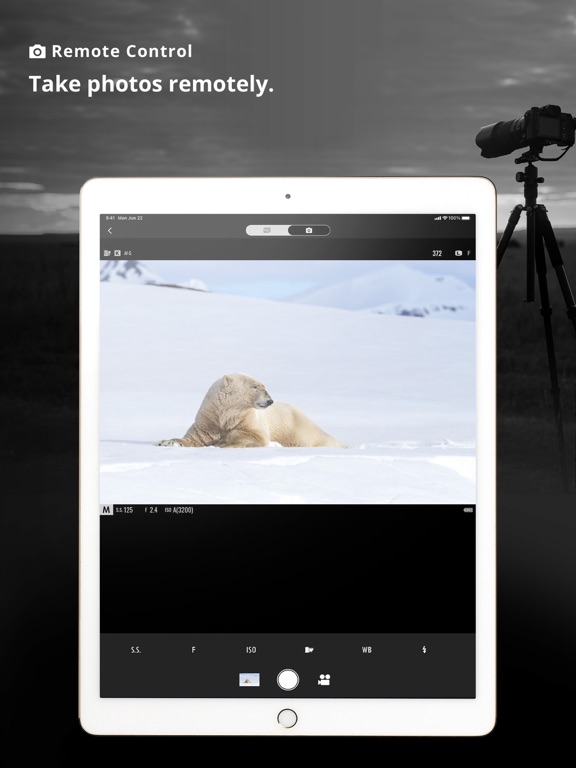
18 store screenshots


Pricing & paywalls
App Store
- Free
Ratings & reviews
App Store
-
5/5Love it!
It works well, but I still feel like there is a lot of opportunity for improvement. There are a few little weird things that it still does and I’m not fully convinced. ——-there does not need to be a whole tab for “support.” Just put it in the settings. ——-I don’t think that the auto upload is not working right. ——-the timeline is not really all that compelling and I feel like there is some unnecessary information in there. ——-I wonder if there is a way they can start playing into the “recipe” stuff. The timeline has a weird design flaw where the stuff in the timeline bumps up to the top app bar and touches it. There should be some padding there. Edit: They actually updated a few things! There is a new “equipment,” tab that is kinda fun. I really wish they’d adjust he top padding of the feed in the “Timeline” The most recent timeline card touches the top bar and there should be some padding in between the card and the top nav. For some reason it just bothers me. Edit: YES! THEY HAVE UDATED AGAIN! It’s looking and feeling so good. I am loving the improvements they have made to the experience the and design since launch! Almost everything I had previously mentioned has been updated or changed. Amazing. Edit: there is a problem with X-half in this app. It shows as equipment and then when clicked crashes the app. In addition I was very sad to see that you couldn’t use the XApp for the x half as well. Even if you dynamically changed the app a bit for the x half. There is not too many differences between the two anyway.
Tallon Cote · 7 Aug 2026
-
2/5V1.1.0 still not reconnecting Bluetooth while in the background
Update: Developer is asking me for “details” by filling up a blank form on their site. I feel this is like additional insult to injury. The details are here in my review below. My iPhone is 13Pro with IOS 16.6 and my camera is an X-T30 using firmware 2.0. There is no more details about this issue I have described when you released the app few months ago and the issue is still present after 1.1.0. ————— I was hopeful that this new update 1.1.0 would finally fix the big issue of the app not reconnecting with the camera via Bluetooth after the camera is turn off and then on (like when in power savings) and the app in the phone is in the background (like when the phone is in my pocket), so geo tagging will continue to work at all times when I am out taking pictures. Unfortunately, the issue remains and the app is still not reconnecting automatically while in the background. The only way to reconnect is to either bring the app to the foreground (this method always works) or go to the Bluetooth settings in the iPhone (this method works, sometimes) but taking the iPhone to reconnect every time the camera is turn off and on again is not practical. Come on Fujifilm! Fix this issue so geotagging can be useable. It has been over 3 months since you release this app.
Blackbird2017 · 7 Aug 2026
-
2/5Poor, and frustrating app
I recently purchased my first Fujifilm camera, the X100VI. I immediately downloaded this app as a companion to that camera. I hoped it would transfer lower res copies of the photos I take with the X100VI while I shoot. It does not. The app disconnects from the camera randomly and often, and often asks to use cellular to continue receiving files. While transferring images to my phone, which only occasionally occurs automatically, I cannot continue shooting. I have a Nikon Z7II and use the Nikon SnapBridge app to effortlessly transfer 2mp images to my phone while I continue to shoot. The Nikon app/camera hardly ever disconnect from each other, and I can continue using the camera while it transfers those files. 2mp copies keep popping up in my photos app so I can quickly edit and share good shots. The XApp does not work nearly this well, smoothly or intuitively. Fujifilm really needs to revamp this app with better usability, ease of use, and reliability. I find this app poor and frustrating to use at best. To transfer images I often have to select images to transfer. I may want that, sometimes. Usually I just want it to transfer lower res files automatically while I continue to shoot. Fujifilm, please revamp this app to work reliably and allow transfer while shooting.
AMV7m · 7 Aug 2026
-
1/5Looks great but requires location to be set to always & precise
I am deleting this app after writing this review because it will not allow any option other then always for location with precise location as well set. No app should ever require that to use it, no matter what features it may disable to not have on. Forcing location tracking feels beyond shady. Fuji, please update your app to not force location tracking, thank you.. You updated the app to not require location data but your developers are still playing privacy games!!! I just deleted the app for a second time!! You are still requiring full access to the photo library instead of allowing a folder to be chosen to use camera control features and as well requiring access to other Bluetooth devices on a network. Shame on you Fuji, I’ve spent a ridiculous amount of money on your products and your app is completely disrespectful to your customers. May be time to switch to the new Nikon Zf, maybe Nikon treats their customers with the respect they would want to be treated with. I purchased your product, it is not a free account on Facebook, you have absolutely no right to my data and how beyond disrespectful of you!
JadeC47 · 7 Aug 2026
-
5/5Sweet happy day, finally a working app!
If you have been a Fujifilm X Series user for a while, you are no doubt familiar with the TERRIBLE and frustrating remote image capture app. I think it currently sits with a 1 star rating in the App Store. I used that abomination of an app for the final time today to upgrade the firmware on my camera to 3.0, which unsurprisingly took six or seven tries before successfully upgrading. After throwing that all consuming piece of garbage in the figurative trash can, I opened this new Fujifilm X app and it is superb. The remote image capture is almost completely lag free, it is the most responsive remote image capture I’ve used through any platform actually. I was very impressed. You can finally choose image import size when storing them on your device. The geotagging system works very well. All in all it’s a huge breath of fresh air for Fuji.
Nannini · 7 Aug 2026
Privacy & accessibility
App Store
Privacy
- Data Not Linked to You — Analytics — Diagnostics — Crash Data Developer declared
- Data Not Linked to You — Analytics — Diagnostics — Other Diagnostic Data Developer declared
- Data Not Linked to You — Analytics — Diagnostics — Performance Data Developer declared
- Data Not Linked to You — Analytics — Location — Coarse Location Developer declared
- Data Not Linked to You — Analytics — Usage Data — Other Usage Data Developer declared
- Data Not Linked to You — Analytics — Usage Data — Product Interaction Developer declared
- Data Not Linked to You — App Functionality — Identifiers — User ID Developer declared
- Data Not Linked to You — App Functionality — Location — Precise Location Developer declared
- Data Not Linked to You — App Functionality — User Content — Other User Content Developer declared
- Data Not Linked to You — App Functionality — User Content — Photos or Videos Developer declared
- Data Not Linked to You — Diagnostics Developer declared
- Data Not Linked to You — Identifiers Developer declared
- Data Not Linked to You — Location Developer declared
- Data Not Linked to You — Usage Data Developer declared
- Data Not Linked to You — User Content Developer declared
Accessibility
No accessibility labels collected yet.
Versions
App Store
-
1.2.0
Ver. 1.2.0: FUJIFILM GFX100 II connectivity and its new features compatibility (IPTC, Film Simulation "REALA ACE", transfer image size selection) are available.
-
1.2.1
Ver. 1.2.1: Fixed an issue that could cause the application to crash and fail to start.
-
1.2.2
Ver. 1.2.2: The software issue is fixed that the image transfer and live view communication could be slow in some cases.
-
1.3.0
- “Türkiye” and “Switzerland” are added to the countries and regions list of the "Network service". - “Turkish” is added to the supported language list. - The description of the timeline in French is changed from “Historique” to “Timeline”. - The file name of still images transferred from the camera to FUJIFILM XApp is changed to the same as the file name before transfer. - The firmware bug is fixed that images are sometimes not transferred even when there is ample storage space. - Other minor bugs are fixed.
-
2.0.0
- An "Equipment" tab is added to manage the registration of owned equipment and to retrieve camera status. - A new function is added in the "Activity" tab that images already transferred to smartphones and tablets are displayed by camera and lens. - The background process is available when downloading and transferring camera firmware. - The "Support" tab is integrated into the "Settings" tab.
-
2.0.1
A software bug is fixed for display wording error when tapping the “Equipment” tab under the following conditions. (1)Smartphone/tablet language is set to “German”. (2)No camera nor lens are registered in the “Equipment” tab.
-
2.0.3
Fixed a problem that caused time synchronization discrepancies with the camera in some areas. However, the problem of AREA SETTING not being automatically updated in some areas has not been fixed. The automatic update of AREA SETTING will be fixed in the camera's firmware in due course. *Some areas: https://fujifilm-x.com/global/news/
-
2.1.0
1. Support RAW image transfer. *1 2. Support image listing & transferring while the camera is OFF. *2 3. Support selecting all images by date. 4. Support start photography directly from Connect screen. 5. PRIVACY POLICY updated. Compatible model for each function (as of Apr. 11) *1: X-H2S/GFX100II *2: GFX100II Other models will be supported in due course.
-
2.1.1
A part of the application screen design specs is changed.
-
2.1.2
1. The following software bugs are fixed. (1) Live View is not displayed in the correct aspect ratio depending on the smartphone settings. (2) The “Number of lifetime shots” is not displayed correctly in “Equipment Status” When using X100VI. 2. The item name is revised as follows. (1) The item name, “MECHANICAL SHUTTER (current module)” displayed in the “Equipment Status” is changed to match the “Number of shutter movements” used in some camera menus.
-
2.1.3
“Network Service” performance for customers in Türkiye and Switzerland is improved. During the server maintenance to improve the performance above, updating of “Timeline” information may be temporarily delayed for a few days (information will be updated normally after the maintenance is completed).
-
2.2.0
X-M5 is supported. “Image Transfer” via USB cable connection and “Live View Shooting” by 4K movie recording are available.
-
2.3.0
1. Images can be shared to “Capture One mobile” after RAW image transfer. 2. The application is fixed that the order in which images are displayed in the “Photos” application is correct. 3. The application specification is changed to maintain the Bluetooth connection even when the smartphone goes to sleep. 4. An announcement is added to inform users of the future discontinuation of “Network Service” for Facebook accounts.
-
2.3.5
Fixed some minor bugs.
-
2.4.0
1. A new feature is added to guide you to the appropriate application when you try to connect a camera that is not compatible with the “FUJIFILM XApp”. 2. A display is added to introduce the RAW file converting application during RAW image transfer. 3. Some minor application bugs are fixed.
-
2.4.1
Some minor application bugs are fixed.
-
2.5.0
Application now supports cameras with firmware that enhances network security during wireless connection.
-
2.5.1
Some minor application bugs are fixed.
-
2.6.0
Some minor application bugs are fixed.
-
2.6.1
Some minor bugs are fixed.
-
2.7.0
1. The location information of the smartphone synchronizes the camera even when the smartphone is in lock screen mode or when the application is running in the background. Note: To use this function, access to “Location” in the XApp must be set to “Always Allow”. 2. Activity information can be shared as image data, so that you can use them for the social networking sites, etc. 3. Some other function improvements are implemented. 4. Supported OS versions are iOS14 and later versions.
-
2.7.1
1. A new function of [Activity] is added to view the subject category distribution of the transferred images. 2. The guidance screen displayed during pairing with the camera is changed. 3. The contents of our [Privacy Policy] is updated. 4. Some other function improvements are implemented.
-
2.7.3
- Due to the termination of the connection service to the FUJIFILM XApp Network Service from Facebook accounts, notification of this termination appears to affected customers during specific operations.
-
2.7.5
1.You can use the Image Transfer, “Timeline”, and “Activity” features even if the access to “Photos / Photo Library” is set to “Selected Photos / Limited Access” with iOS 15 and later. 2.The number of photos printed directly from the X-T30 III* or X-M5* to the instax™* series is now displayed. *Requires the latest version firmware 3.Some minor bugs are fixed.
-
2.7.6
· 6 Jul 2026
A notification message is displayed if the FUJIFILM XApp update is required when connecting the application to the camera on a new model.
Alternatives
- FujiStyle - Film Recipes Frame — Same category + similar ratings
- Leica LUX - Pro Manual Camera — Same category + similar ratings
- Capture One — Same category + similar ratings
- Sony | Creators' App — Same category + similar ratings
- DJI Ronin — Same category + similar ratings
- Sony | Monitor & Control — Same category + similar ratings
Availability by market
- US
Data quality & evidence
- Page completeness
- Live store listing
- Last verified
- 7 Aug 2026
- Sources
- App Store
- Independent summary has not been published yet.