
Quick verdict
- What it is
- Store information collected; independent summary not yet available.
- At a glance
-
- From $1.66/mo
- Free to download
- In-app purchases
Categories and search queries
Official categories
- Photo & Video
- Graphics & Design
AppCorpus categories
Key functions
| Function | Availability | Access | Scope | Evidence |
|---|---|---|---|---|
| Family Sharing | Yes | Unknown | App Store | Store published |
| Free app | Yes | Free | — | Store published |
| In-app purchases | Yes | Limited free | — | Store published |
Screens
App Store
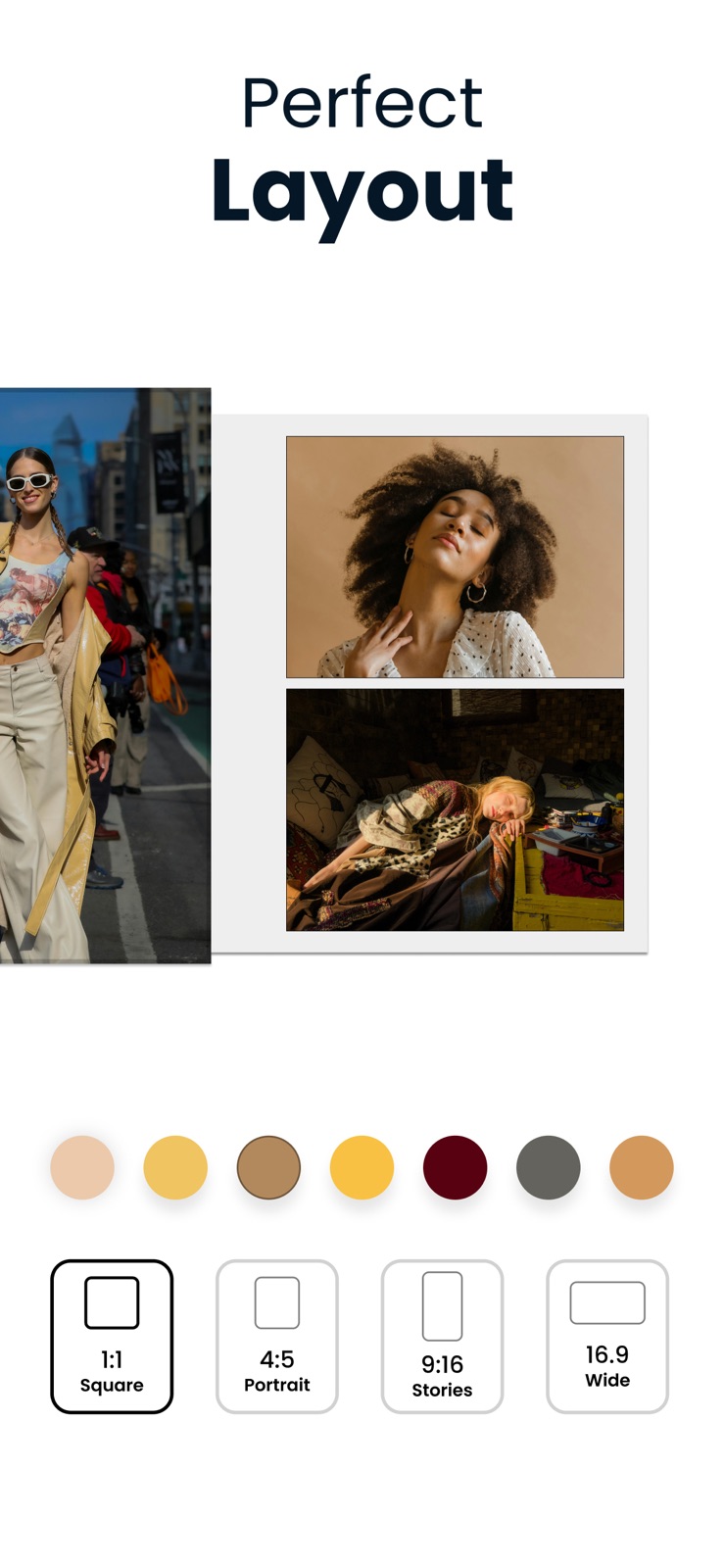
10 store screenshots


Pricing & paywalls
App Store
Shown for US
- Holiday Special – Pro Yearly — $19.99/year ($1.66/mo)
- Pro Monthly — $5.99/month
- Pro Monthly — $39.99
- Access Weekly — $5.99/week
- Deluxe — $9.99
- Remove Ads + Pro Features — $149.99
- Standard — $6.99
- Starter — $4.99
- Starter - Trial — $4.99
- Ultimate — $39.99
Ratings & reviews
App Store
Shown for US
-
5/5Absolutely Love This App! Perfect for Creators 🙌
I’ve tried so many photo editors, but Frames really stands out. The design feels super clean and modern — it’s easy to use yet powerful. I can remove backgrounds, create collages, and even make stylish photo stories in just a few taps. What I like most is how professional the results look — it makes my photos feel like something straight out of a magazine. The collage layouts and background remover are surprisingly accurate, and everything runs smoothly without ads popping up. If you love creating aesthetic photos or want to elevate your Instagram content, this app is a must-have. Definitely worth it! 💯
Hayyān · 5 Aug 2026
-
5/5The Best App for Showcasing Photos 🙌
I’ve been using frames for weeks now and it’s become my go to app for creating posts. I love how easy it is to organise my photos. it’s perfect for telling a story or showcasing a moment. The customisation options are great especially the image overlays and editing tools. It feels like the app was made with creativity in mind and it’s super beginner friendly.
Creative.Soul · 5 Aug 2026
-
5/5Following instructions
I have to leave a 5 star review in order to get frames for free lol idk if this app works because I haven’t had a chance to actually try it!
Laperez3 · 5 Aug 2026
-
5/510/10
This app is so epic. The process of editing is so easy and intuitive. I love the frame it puts on to make it look like a polaroid it’s really cute and I’m obsessed already.
AdilK4y · 5 Aug 2026
-
5/5I love this app
I’ve been trying to find an app that helped me with my picture frames and this one has been the best so far
verenzola1009 · 5 Aug 2026
Privacy & accessibility
App Store
Privacy
- Data Not Linked to You — Analytics — Usage Data — Product Interaction Developer declared
- Data Not Linked to You — App Functionality — Usage Data — Product Interaction Developer declared
- Data Not Linked to You — Developer’s Advertising or Marketing — Usage Data — Advertising Data Developer declared
- Data Not Linked to You — Third-Party Advertising — Usage Data — Advertising Data Developer declared
- Data Not Linked to You — Third-Party Advertising — Usage Data — Product Interaction Developer declared
- Data Not Linked to You — Usage Data Developer declared
- Data Used to Track You — Usage Data — Advertising Data Developer declared
- Data Used to Track You — Usage Data — Product Interaction Developer declared
- Data Used to Track You — Usage Data Developer declared
Accessibility
- Dark Interface — SUPPORTED Store published
Versions
App Store
-
6.11
Fresh layouts and design updates to spark your creativity. Explore new templates and make your next story unforgettable.
-
6.11.1
Improved export quality, performance enhancements, and bug fixes.
-
6.12
New story templates and smoother performance.
-
6.13
New templates, faster editing, and overall improvements.
-
6.14
Now with iOS 26 support and the elegant new Liquid Glass Design — making Frames smoother and more inspiring than ever.
-
6.15
• One-tap Background Removal • New “Minimal” template category • Performance and stability improvements
-
6.16
New templates. New balance. Explore the latest Minimal and Layouts designs.
-
6.17
• Holiday offer for a limited time • New RECAP templates to highlight your favorite moments
-
6.18
Fresh Stories templates for effortless sharing
-
6.19
Fresh frames added to Vintage, Retro & Film
-
6.20
New ways to design your frames.
-
6.21
Search top templates, latest frames, and all templates
-
6.22
New templates just dropped — Story, Post, Square & Minimal collections all refreshed with fresh designs. Update and create your next post.
-
6.23
• RemoveBG is now more powerful — remove any object, not just people. • Added new templates: Story, Portrait, and Square for better compositions. • Fixed an issue where background images could rotate when added to the canvas.
-
6.24
NEW: Photo Widgets Add message bubbles, timestamps, locations, @mentions, and more to your frames. Also included: • Undo & Redo • Bug fixes & improvements
-
6.25
Templates just got smarter, apply them directly while editing, replace the current page or add a brand new slide without losing a thing.
-
6.26
Your layers just got superpowers - align, rotate, and position anything right from the toolbar. Pick Video or Board export, set your duration, hit share. Done. Plus a bunch of fixes that make the whole thing feel tighter.
-
6.27
Drafts are here! Save unfinished projects and return to them whenever you’re ready.
-
6.27.1
Organizing your projects just got easier. • Save projects as Drafts and return to them anytime. • Select multiple projects at once. • Move multiple projects to folders. • Delete multiple projects with a single action.
-
6.28
Fresh Templates Added. Discover new ways to frame your memories.
-
6.29
• New Multi-Frame Templates for carousel posts • Improved performance • Bug fixes
-
6.30
A fresh new experience with redesigned backgrounds, smarter editing, faster performance, and powerful new creative tools.
-
6.31
- Prints: crop photos to fit a 4×6, print anywhere, then cut - Custom canvas sizes: any ratio, or type your own - Fresh carousel templates, ready to post - Faster create menu and a cleaner Settings screen - A little gift waiting in Settings - Better export options
-
6.32
New: Photo Grids! Arrange multiple photos in a grid, tap two cells to swap them, and resize any grid or shape freely by dragging the edges or pinching. Plus smoother editing and bug fixes throughout.
-
6.33
· 29 Jul 2026
- Ten new Recap templates. Wrap up a month or a year with a top five countdown, calendar layouts and multi page carousels. - Four new sticker packs: Celestial, Journal, Retro and Tickets. 63 stickers in all. - Four Travel templates redrawn, plus four new designs on the Home screen. - The Recap gallery now fits stories, posts and squares together, with real photo previews. - Template previews open full screen. Press and hold a story to just watch it. - Make it yours: nine accent themes, a compact tab bar and cleaner template galleries in Customize. - Sharper thumbnails, clearer empty photo slots and a faster app overall.
Alternatives
- Frame, Photo Filter & Collage — Same category + similar ratings
Availability by market
- US
Data quality & evidence
- Page completeness
- Live store listing
- Last verified
- 5 Aug 2026
- Sources
- App Store
- Independent summary has not been published yet.