
Quick verdict
- What it is
- Store information collected; independent summary not yet available.
- At a glance
-
- From $1.66/mo
- Free to download
- In-app purchases
Categories and search queries
Official categories
- Developer Tools
- Productivity
AppCorpus categories
Key functions
| Function | Availability | Access | Scope | Evidence |
|---|---|---|---|---|
| Free app | Yes | Free | — | Store published |
| In-app purchases | Yes | Limited free | — | Store published |
Screens
App Store
17 store screenshots
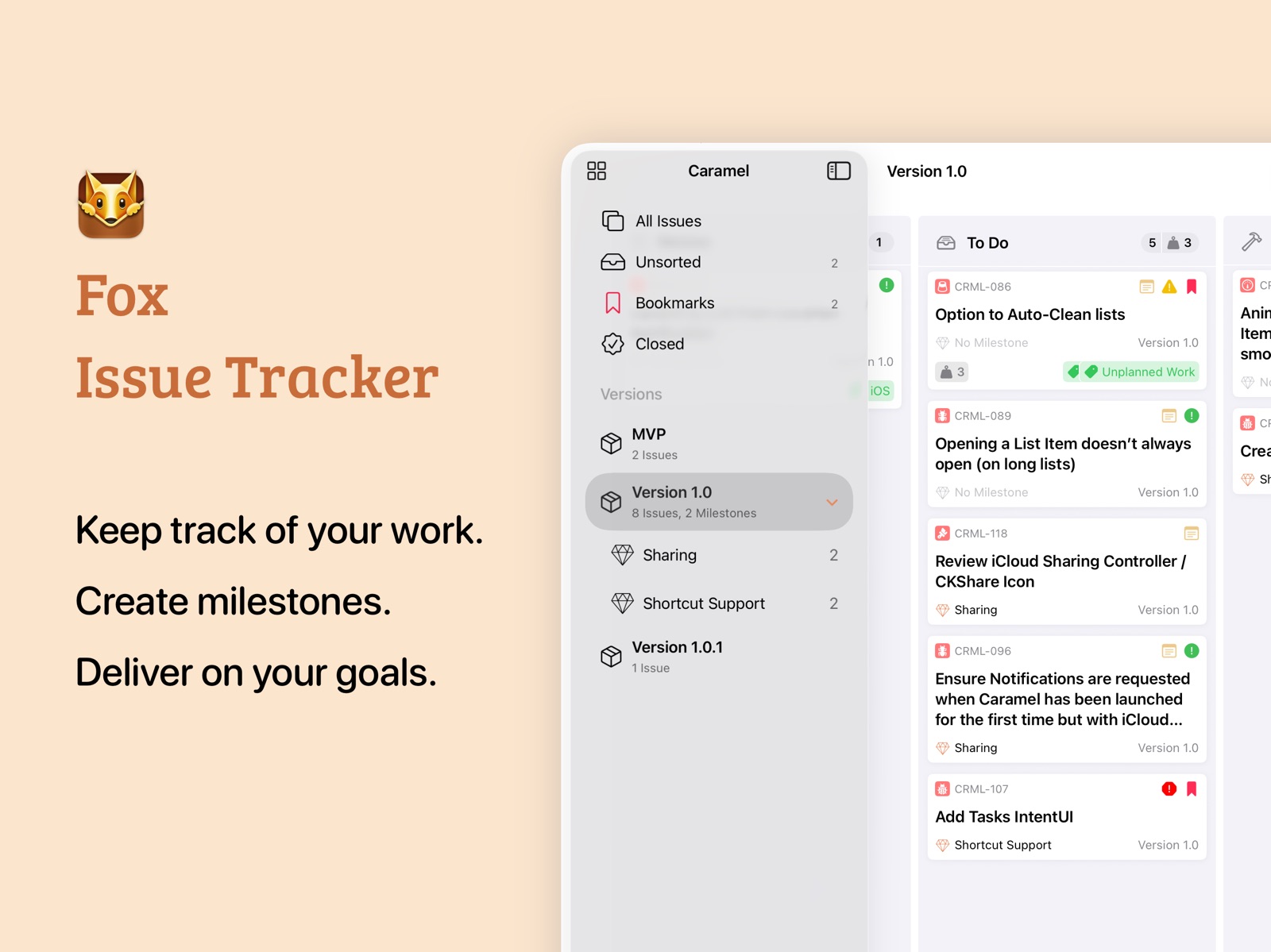

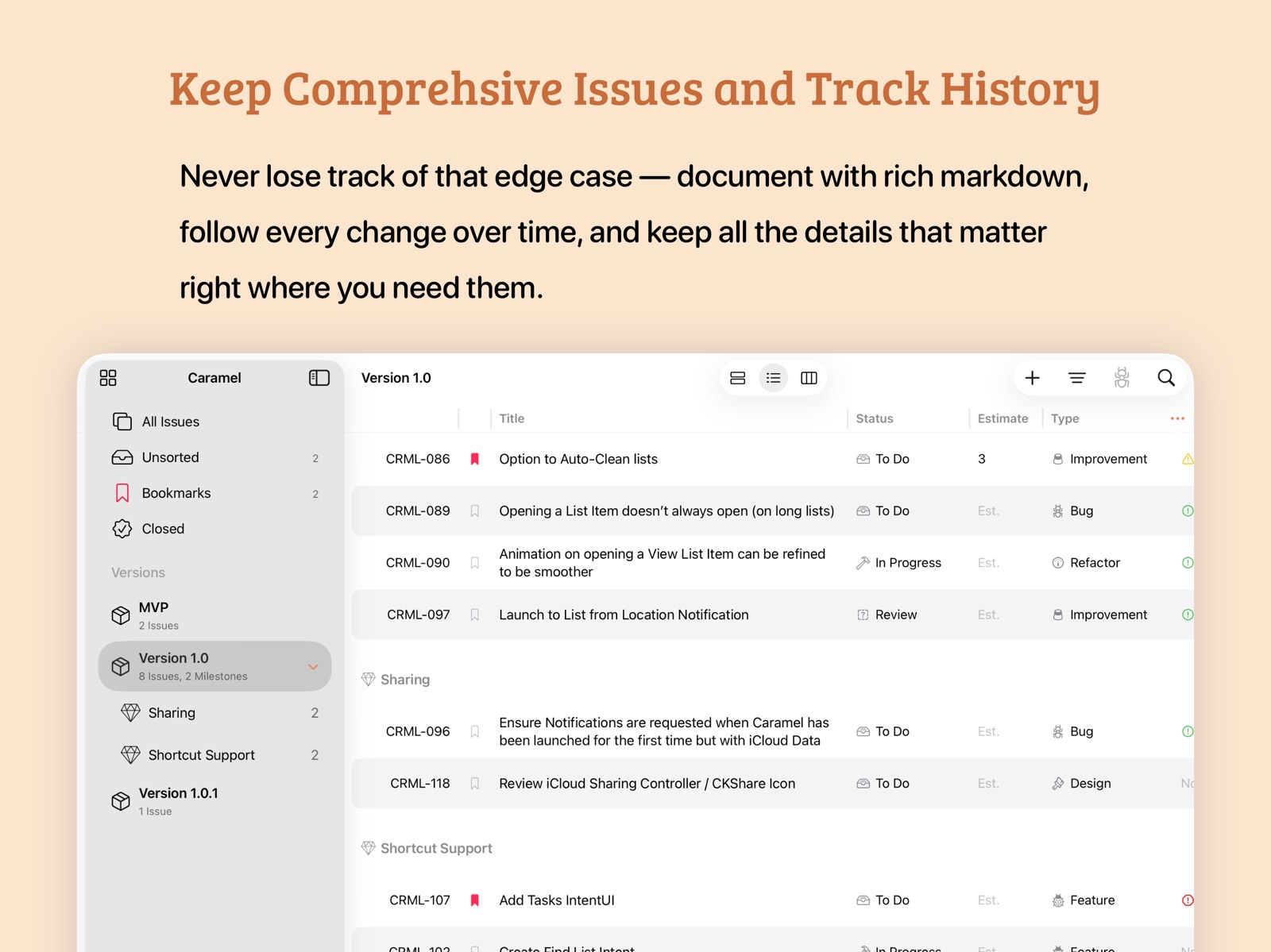
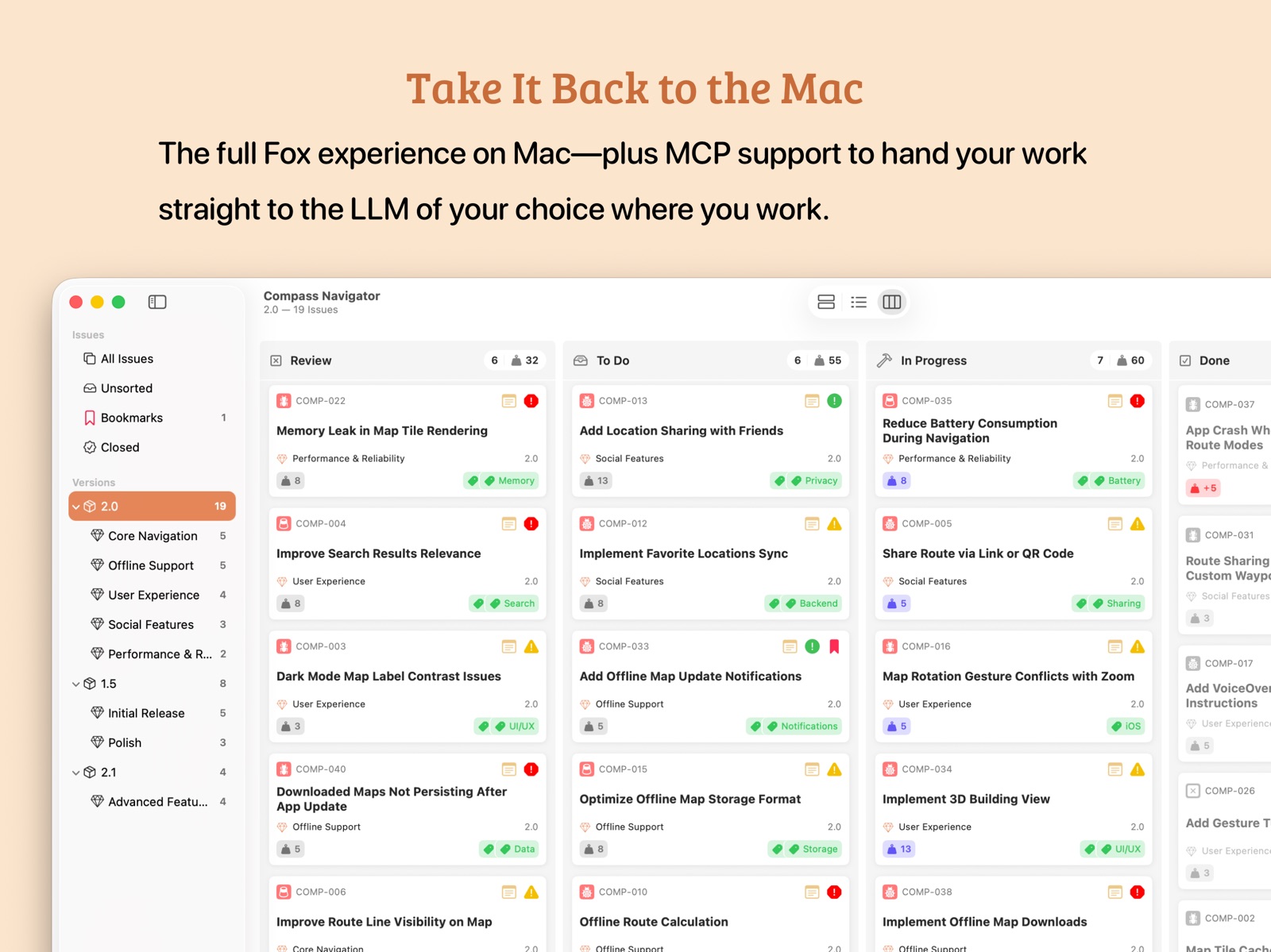
Pricing & paywalls
App Store
- Fox Unlock Yearly — $19.99/year ($1.66/mo)
- Unlock Fox (Monthly) — $3.99/month
- Fox (Purchased) — $39.99
- Fox—Free Trial — $0.00
Ratings & reviews
App Store
-
5/5Better than What Any Big Company Makes
I’ve had to use a bunch of big issue trackers (stuff like Jira) in the past, and somehow none of them can even hold a candle to Fox. It’s responsive, intuitive, and very customizable. Sync is also nearly instant, faster than basically any other app I’ve used, and it’s available on all of Apple’s platforms. It’s been really helpful for organizing my projects and new features and I’d recommend it to anyone who needs any sort of issue manager
Y2Kbotz · 6 Aug 2026
-
5/5Great for indie devs
This is such an awesome tool and exactly what I was looking for to manage my indie dev projects. I currently use a Frankenstein system off of Apple Notes, but it was getting too cumbersome to manage, especially with versioning. I didn’t want to switch to something like Jira or Linear, which require a subscription and are overkill for a single user. This fits the bill perfectly - allows me to organize my tasks, track versions, and grow my product.
Iceberggren · 6 Aug 2026
-
5/5Great app for solo devs
Cannot recommend this enough for solo devs working on their own projects. Much better than what I was using, a frankensteined Apple Notes solution combined with Siri Shortcuts. Love that this is a one-time purchase with no subscription. Try it out!
Iceberggren · 6 Aug 2026
Privacy & accessibility
App Store
Privacy
- Data Not Collected Developer declared
Accessibility
No accessibility labels collected yet.
Versions
App Store
-
2.2.1
- Fixes a major regression with manual sorting that could result in a crash and loop
-
2.2.2
What's New: - On MacOS, a new Recently Viewed Issues in the Projects menu allows for quickly moving between issues. - When viewing Link Types with the same inward and outward titles, this will be merged in issue detail viewer. Fixes: - The "New Project" in the Menu Barwas fixed (macOS) - The "Open Projects" menu is now always available, even when no windows are on screen (macOS) - Fixes an issue with opening Issues in the Workspace where some times they would change the workspace oddly (iOS + macOS)
-
2.3.0
New Features: - Markdown (Beta), initially supporting bold, italic, strikethrough, highlight, code (inline, block), headers, dividers, and lists. - Expanded Edit Shortcut to change Date Open and Date Closed for Issues. General Improvements: - Greatly improved text entry support for titles, notes, subtasks, and resolution notes for a better typing experience and to prevent an occasional blip that would remove text while typing fast. - Improved conflict resolution for iCloud-connected clients, especially those that may be working concurrently. Bug fixes: - Fixed an issue where Shortcuts on macOS may not properly load, despite being present in this list of shortcuts available. - Fixed an issue where the issue showing in a collapsed link group may be on the wrong side of the relationship.
-
2.3.1
- Fixes an issue with Resolution Detail changes via Shortcuts (Thank you for reporting Rob C!)
-
2.4.0
New Features: - Quick Tags: Select which tags appear in tag menus through the Project Settings section. - Free-form tag entry with autocomplete for previously added tags on macOS. - Quick-search and create new tags directly in the tag picker on iOS. - Track issue effort after completion in the resolution section. - View total issue efforts compared to estimates in "Done" type board columns. - "Convert to Issue" option for subtasks that automatically links the parent issue. - Updated About Fox window with a thank you note and credits to the people who made Fox possible. - New badge on the What's New button in the Project Picker. - Issues on macOS can have attachments dropped directly on the window now Bug Fixes: - Fixed unresponsive milestone/version toggles on macOS when clearing selections after initial load. (Thank you Seth!) - Fixed board column backgrounds losing color and appearing as solid white—particularly problematic in dark mode. - Fixed an issue with saving orders that could cause high process usage with large datasets. - Fixed the Create New Issue menu (and CMD+N) not working when a single issue window is focused. - Fixed an issue on iPad where selected item contents weren't visible in the navigator.
-
2.4.1
Import Issues via CSV! - Accessible via projects menu on iOS and File menu on macOS Bug Fixes: - Fixes an issue that caused creating the first subtitle to create two on macOS
-
2.4.2
Several fixes for the Importer including: - Fixes priority mapping for numeric values - Fixes priority mapping for string values - Fixes priority syncing - Adds close button to the CSV importer window on iOS - Fixes an issue where the import previews weren't accurate
-
2.4.3
New Features & Improvements: - Remove tags from issues by right clicking / clicking and holding and selecting in a new context menu (iOS + macOS) - Improved Reference Number lookup via search (iOS + macOS) - Fixes top rank hit and order for issue search (iOS) - Automatically moves the issue browsers column into manual sort when moving issues by dragging them into a new place (iOS + macOS) Bugs Addressed: - Fixes a crash when moving subtasks (macOS) - Fixes issue which caused navigation to become responsive after opening the feedback window (iOS) - Prevents Project Picker from opening when other windows are restored on launch (macOS)
-
2.4.4
- Fixes a crash that could occur on longer sessions with iCloud enabled or when the iCloud updates occur from another device while in the background. (iOS + macOS) - Fixes an issue which prevented auto-filling the boards area on new issues when the navigator had focused. (macOS) - Adds a recent items selection menu when linking issues. (macOS) - Fixes another issue where, after the system changes the appearance between light and dark, the columns would lose their background color. (macOS)
-
2.4.5
- Localizes the app into Chinese (Simplified) - Addresses several minor iOS 26 issues until the updated liquid glass design is complete - Fixes an issue where adding multiple recent issues in the link issue screen didn’t work as expected
-
2.5.0
- Updates design Liquid Glass on iOS/iPad - Updated Markdown Engine, adding: Links, Images, Attachment Images, improved Code Block Support, and improve performance and design. - Adds help window with tips and guidance - Cleans up several localizations - Improves first launch introduction - Updates the app icon for iOS 26 and macOS Tahoe - Fixed several attachment oddities on iOS - Adds a floating create issue window on iPadOS
-
3.0.0
# What's New - **Project-Isolated Attributes** — Different projects can now have different properties for their issues, including Issue Types, Statuses, Priorities, Resolutions, Tags, and Link Types. Existing projects migrate automatically. - **Customizable Priorities** — Priorities are now fully customizable and isolated per project, just like other attributes. - **Updated Shortcuts & CSV Import** — Both now support project-isolated attributes, including open-ended priorities by name. - **Redesigned Project Settings** — View project information and edit issue attributes in one place. - **Project Archives on iOS** — Archive completed versions and milestones on iPhone and iPad. - **Navigator Customization** — Add any Status or Priority from the project to the Navigator for quick access. - **Synced Settings** — General settings, issue group defaults, milestone/version sort defaults, and Navigator configurations now sync across devices via iCloud. - **Independent Issue Windows on iPadOS** — Issues opened outside the Workspace now appear in their own movable windows. - **Improved Issue History** — Detailed tracking for property changes and assignments. - **Fox for Teams** — New collaborative features including issue assignments, project sharing, and history attribution to track who made changes. - **Expanded Help Documentation** — More comprehensive guides and materials. - **Expanded Icon Set** — Additional icons to choose from. - **Customizable Line Height** — Reduced default line height with an option to adjust in General Settings. - **Improved iCloud conflict resolution** to better ensure data is merged in obvious cases despite a conflict, and when, considers date of last edit. - Under-the-hood improvements to performance and overall functionality. # Bug Fixes - Aligned the Status menu appearance across both platforms. - Fixed Help contents not displaying dark mode correctly on macOS. - Fixed Help opening to the first page on iOS and the Close button occasionally being unresponsive. - Fixed iCloud sync showing an erroneous error when the network was unavailable. - Improved long project title visibility in the iOS Navigator. - Improved drag and drop behavior when moving items within the iOS Navigator. - Fixed an issue where the macOS issue detail view had extra height without corresponding content. - Various other minor fixes and improvements.
-
3.0.1
**Search Improvements** - macOS search now has feature parity with iOS, including token-based search and proper ranking support. - Added support for searching by Status (Mac + iOS) **Bug Fixes and Improvements** - The command bar now toggles visibility when dragging issues (Mac + iOS) - Added a plus button to the Navigator (macOS) - Active bookmark is now highlighted (macOS) - Redesigned the toolbar when creating an issue (iOS) - Fixed an issue that could cause a loop with iCloud syncing (Mac + iOS) - Added regional support to date outputs (Mac + iOS) - Fixed image insertion at the end of a document body (Mac + iOS) - Fixed a potential issue where the text editing menu could appear over the link editor popover (iOS) - Fixed keyboard overlapping the bottom of the search issue view (iOS) - Fixed color inconsistencies across several UIs (Mac + iOS)
-
3.0.2
- Fixes an issue which could cause grandfathered users to see the purchase dialog (iOS + Mac)
-
3.0.3
# What's New, Release 3.0.3 - Added iPad Main Menu bar (iOS) - Fixed search suggestions window misalignment (macOS) - Unified version numbering across macOS and iOS - Improved purchase screen UI (iOS + macOS) - Updated Chinese localizations (iOS + macOS) - Improved free trial review button on project picker (iOS + macOS) - Enabled full purchase during trial period (iOS + macOS) - Refined purchase window behavior (iOS + macOS) - Fixed Board menu selection retention issue (macOS) - Fixed Tag menu spacing and highlighting (macOS) # What's New: Release 3.0.1 - macOS search now has feature parity with iOS, including token-based search and proper ranking support. - Added support for searching by Status (Mac + iOS) - The command bar now toggles visibility when dragging issues (Mac + iOS) - Added a plus button to the Navigator (macOS) - Active bookmark is now highlighted (macOS) - Redesigned the toolbar when creating an issue (iOS) - Fixed an issue that could cause a loop with iCloud syncing (Mac + iOS) - Added regional support to date outputs (Mac + iOS) - Fixed image insertion at the end of a document body (Mac + iOS) - Fixed a potential issue where the text editing menu could appear over the link editor popover (iOS) - Fixed keyboard overlapping the bottom of the search issue view (iOS) - Fixed color inconsistencies across several UIs (Mac + iOS) # What's new in Fox, Version 3: - Project Isolation for Issue Attributes so different projects can have different properties for their issues - Includes: Issue Types, Statuses, Priorities, Resolutions, Tags, and Link Types - Previous projects will automatically migrate - Priorities are now customizable, and isolated per project like other attributes - Updated Shortcuts and CSV importer to support the above, including open ended priorities by name - Under-the-hood improvements to better performance and overall functionality - Updated Project Settings window to show information and edit Issue attributes - Added Project Archives for iOS - Expanded Help materials - Expanded the icon set - Reduces default line height multiplier and adds an option to customize in the General Settings - Settings from the General section, issue group and milestone/version sort defaults, and Navigator configurations are now synced across devices when iCloud is enabled. - On iPadOS, issues opened outside the Workspace now have their own windows that can be moved independently of the workspace. - The Navigator now supports adding any Status or Priority from the project to the list - Improved and detailed history for issues tracking property changes and assignments - Fox for Teams collaborative features, including: - Issue assignments - Both sharing and joining workspaces - History action attributions, to track who did what on each issue in a project. ### Bug Fixes - Aligned Status Menu to be the same on both platforms - Fixed an issue with Help contents not properly displaying dark mode on macOS - Fixed an issue with Help opening to the first page on iOS and the Close button occasionally being unresponsive - Fixes an issue where iCloud sync would present an erroneous error when the network was simply unavailable. - Improves long project title visibilities on the iOS navigator - Improves drag and drop moving within the iOS navigator - Fixes a weird issue where the issue detail view on macOS was long but content wasn’t - Many other very minor issues that aren’t with mentioning
-
3.0.4
- Updates Nifty Markdown engine to fix several critical issues and improve performance (iOS + Mac) - Adds wiki-link support to the text editor; now, by typing `[[` , a quick link window will appear (iOS + Mac) - Adds support for cross project linking by prefixing the search with the projects short-tag (iOS + Mac) - Adds recent issues to iOS search and issue lookup (iOS)
-
3.1
- MCP support through the HTTP streamable protocol (macOS) - Updated Subscription Service + Single Unlock (iOS + macOS) - Updated Free Trial (iOS + macOS) - Fixes several minor performance bugs (iOS + macOS)
-
3.1.1
Shortcuts and Automation - Added history tracking for shortcut actions on Issues (iOS + macOS) - Expanded MLP support to include reading and writing versions and milestones (macOS) - Expanded Shortcuts support to include reading and writing versions and milestones (iOS + macOS) - Fixed issue where a Project is required to prefill specific attribute-based properties in the Edit Issues Shortcut (iOS + macOS) - Fixed several issues related to filtering and sorting issues by due/open/closed date in the Filter Shortcut (iOS + macOS) Performance Improvements - Dramatically improved performance of loading and editing large markdown text (\>50KB) in notes (iOS + macOS) Bug Fixes - Fixed issue where the iCloud alert dialog could deadlock the purchase screen (iOS) - Fixed crash when an ampersand (&) appeared in an inline code block (iOS + macOS) - Fixed issue preventing the "Create New Issue" action from being selectable within floating issues (macOS) - Fixed issue where creating an issue using Cmd+N or the main menu on iPadOS didn't prefill the current version/milestone (iOS) - Fixed issue where selected Milestones in the Navigator showed the Version icon (iOS) - Fixed issue where switching between light and dark mode didn't fully update notes text coloring (iOS + macOS) - Improved iCloud error handling to better inform users how to proceed (iOS + macOS) Localization - Added initial Hindi language translations (iOS + macOS)
-
3.1.2
- Fixed an issue that could prevent large data cloud syncs on initial launch from completing. - Fixed an issue where the subscription screen would dismiss and leave the app in a stuck state.
-
3.1.3
# Stability - Fixed deadlock when modifying tags or creating issues (iOS + macOS) - Fixed rare crash when MCP communicated with the host app (macOS) # Markdown Editor - Updated the Nifty Markdown Editor with stability and memory improvements (iOS + macOS) - Added support for rich inline tables (iOS + macOS) - Added rich previews when webpages are embedded as images (iOS + macOS) - Improved Markdown formatting interaction mechanics (iOS + macOS) - Improved caching for web images (iOS + macOS) - Improved Undo/Redo support (iOS + macOS) - Added Markup menu items for adding links and images (iOS + macOS) - Fixed misaligned backgrounds on inline code (iOS + macOS) # Collaboration - Fixed Assigned To Me group visibility in the sidebar (iOS + macOS) - Fixed issue where participants weren't loaded offline (iOS + macOS) - Fixed issue where the owner's name wasn't visible in the project on iOS 26 (iOS) - Added shared icon to projects shared with or by you (iOS + macOS) # Search - Added ability to search a project by participant (iOS + macOS) - Fixed issue where searching by a single query token didn't filter results (macOS) # Other - Fixed issue where the Board retained selection on items dragged out of it (macOS) - Added links to online help documentation (iOS + macOS) - Fixed issue where only the first attachment was visible when multiple attachments were listed on an issue (iOS + macOS) - Fixed issue where the context menu didn't appear on attachments (macOS) - Fixed issue where column headers on the Board showed actual effort for non-Done statuses (iOS + macOS) - Fixed issue where actual efforts without estimates weren't counted in column headers on the Board (iOS + macOS)
-
4.0.0
Fox 4.0 rebuilds the workspace around a new paradigm: every Version and Milestone is now its own independent view, switchable between List, Outline, and Board on the fly. The standalone Board has been retired in favor of this unified approach, and a brand-new Outline view joins the lineup. ## View Modes Every Version and Milestone supports List, Outline, and Board view independently, remembering its last-used mode across launches. **Toolbar** — Unified layout across all modes: Sidebar Toggle | View Mode Picker | Create Issue | Filter & View Settings | Modify Issue | Search - Centered, pinned view-mode picker replaces per-screen controls (iOS + macOS) - "View As…" submenu added under the View menu; keyboard shortcuts ⌃⇧1/2/3 to switch modes (macOS) - Filter controls consolidated into a single mode-aware menu; Outline on Versions adds Group by Milestone - New **Modify** menu covers Bookmark, Type, Priority, Attachment, Status, Close, Tags, and Move - On iPhone/compact iPad: segment picker moves to trailing nav bar; Add, Filter, Search move to bottom toolbar **Detail Column** — Always visible in List view; toggle independently in Outline and Board. Shortcut: ⌘⇧D (macOS) ## Outline View (New) A dense, spreadsheet-style table of issues available on every Version and Milestone. - Resizable columns with persisted widths; customizable column visibility - Columns: Title, Status, Type, Priority, Milestone, Version, Assignee, Estimate, Resolution, Reference #, Bookmarked, Opened, Closed - Inline editing for title, estimate, milestone, status, assignee, priority, type, and resolution - Single-tap selects; double-tap opens detail. Multi-select, section headers, context menus, and drag-and-drop supported ## History Notes (New) - Attach text notes to an issue's history timeline, shown in a distinct callout bubble - Notes support editing and deletion - Timeline filter: All / Changes / Notes - Shared projects show "Note added by [name]" attribution ## CSV Export (New) Export all project issues or a specific Milestone/Version's issues via the Project menu or Navigator context menu. ## Board Improvements - Single-tap selection populates the detail panel (iOS) - System-integrated multi-select via two-finger or trackpad drag (iOS) - Improved drag-and-drop; drag issues to other Navigator destinations (iOS) - Context menus on long-press/right-click; selected issues respond to Issue menu actions (iOS) - Auto-resort columns via View Settings (iOS + macOS) ## Navigator - New "Unsorted Milestones" section groups milestones not assigned to any Version - Bug fixes for moving Versions in the sidebar - Dismissable "What's New" banner on update ## Issue Detail - Redesigned Bookmark button and reference number chip - New "Copy…" submenu: Copy Link to Issue (`fox://` deep link) or Copy Reference Number (`PROJECT-XXX`) - Adds the ability to add attachments from the Photos ## Additional - Sort by Estimate and Date Added in List, Outline, and Board views - Refreshed History Timeline with tighter spacing - Expanded icon set - "Getting Started with Fox" added to Help menu; Help search links to web docs - One-time notice for users with both a lifetime unlock and active subscription - Fixed an issue that caused the tag selector to get stuck on screen - Standardizes menus across iOS and macOS - Fixed an issue preventing the single tap "Create Subtask" button from responding - Adds a dock menu on macOS for accessing the Project Organizer and recent Projects
-
4.0.1
- Fixed an issue where Manage Collaboration wouldn't begin due to large Project photo sizes. (iOS + macOS) - Fixed a potential crash when dragging Nodes around the Navigator. (macOS) - Added a shortcut for grouping by milestone in Outline view (CMD+Shift+G). (iOS + macOS) - Fixed a background crash. (iOS) - Fixed an issue where the View All Tags option didn't work. (iOS) - Fixed an issue where column backgrounds would disappear from the Board. (macOS)
-
4.0.2
- Fixes a potential crash during CloudKit sync on specific and future OS versions.
-
4.0.4
Fox 4.0.4 addresses many bug fixes and adds several minor UI tweaks. **Collaboration** - Fixed issue where collaboration participants appeared in the assignment picker for Projects they weren't shared to (iOS + macOS) - Fixed issue where history attributions appeared on unshared projects (iOS + macOS) - Accepted Project Collaboration requests automatically open the Project Organizer (iOS + macOS) **Bug Fixes** - Fixed crash when pasting links without a text base into the Markdown Editor (macOS) - Fixed navigation issues related to the issue browser in compact mode (iOS) - Fixed reorganized issues within board columns order not saved (macOS) - Fixed Escape key not closing the search field when empty and active (macOS) - Fixed the Markdown Detail editor not being properly sized when attachments were present (macOS) **Improvements** - Improved Tag suggestions auto-completion window behaviors (macOS) - Updated navigation/toolbar for the create and floating detail windows (iOS + macOS) - Improved MCP interactive surface and prompting for better agent interaction (macOS)
-
4.1
· 29 Jul 2026
# Release Notes **Tags** - Added support for nested tags (iOS + macOS) - Unified the tag menu in the issue browser across iOS and macOS, with a recent tags list and an "All Tags" inline picker - Added the new recent tags menu and All Tags picker to the Issue Editor (iOS + macOS) - Retired Quick Tags (iOS + macOS) **Issue Editor** - Added support for web links as attachments (iOS + macOS) - Aligned section designs in the Issue Editor (iOS + macOS) - Added support for dragging attachments out of Fox as an alternative to the Export menu item (iOS + macOS) **Outline View** - Added two-line support for the title column (macOS) - Added Outline View Mode to Issue Groups (All, Unsorted, Bookmarks, etc.) (iOS + macOS) - Added an "Assign To" menu to the Issue menus (iOS + macOS) **MCP** - Added option to run MCP connections outside the local machine — use caution, as any device on the network can make changes (macOS) **Markdown Editor** - Added Smart Paste, which converts rich content — text copied from a web page, a Word or Pages document, or another app — into clean Markdown automatically (iOS + macOS) - Added a "Paste from" menu for choosing how pasted content is inserted (iOS + macOS) - Added a "Copy as" menu for copying editor content in a different format, such as Markdown source (iOS + macOS) - Added support for copying an entire table, row, or column from the context menu (iOS + macOS) - Allowed formatting to apply with spaces next to the marker (e.g. \*\* bold \*\*), so emphasis no longer breaks mid-edit (iOS + macOS) - Fixed cursor and text selection jumping to the top or losing place when the editor refreshed its content (iOS + macOS) - Cleaned up copy/paste menus on macOS (right-click line menu) and iOS (selection menu), keeping standard Cut/Copy/Paste in place with new options grouped below (iOS + macOS) - Fixed auto-formatting incorrectly creating links from [[, URLs, or other text inside code blocks or inline code spans (iOS + macOS) - Fixed wiki-link suggestion popups not dismissing when text was wrapped in backticks to become code (iOS + macOS) - Fixed pluralization in copy menu labels (e.g. "1 row" vs. "2 rows") (iOS + macOS) **Bug Fixes** - Fixed renamed tags not updating on existing issues until the issue was re-edited, making them unsearchable in Spotlight (iOS + macOS) - Fixed images dragged into the editor as attachments losing their original file names (iOS + macOS)
Alternatives
- Pulse – Network Logger — Same category + similar ratings
Availability by market
- US
Data quality & evidence
- Page completeness
- Live store listing
- Last verified
- 6 Aug 2026
- Sources
- App Store
- Independent summary has not been published yet.