AppCorpus MCP gives your agent current app data, prices, screens, features and sources.
View JSON
GET /api/v3/apps/1522908804
{
  "app_id": 1522908804,
  "canonical_url": "https://appcorpus.com/apps/flip-clock-alarm-pomodoro-1522908804",
  "identity": {
    "name": "Flip Clock: Alarm & Pomodoro",
    "slug": "flip-clock-alarm-pomodoro",
    "developer": {
      "name": "志杰 朱",
      "url": "https://appcorpus.com/developers/developer-441-developer_e1dd578ddd3ef2c8a07ba56f7cfa2f77"
    },
    "icon_url": "https://is1-ssl.mzstatic.com/image/thumb/Purple221/v4/56/8f/0c/568f0c1e-d3d3-b8df-f298-dbc2cb6476c3/AppIcon-0-0-1x_U007emarketing-0-9-0-0-85-220.png/512x512bb.jpg",
    "stores": [
      "apple"
    ],
    "platforms": [
      "iphone",
      "ipad"
    ],
    "status": {
      "state": "active",
      "label": "Active",
      "last_checked": "2026-08-05",
      "last_checked_label": "5 Aug 2026",
      "banner": null,
      "region_note": null
    }
  },
  "listings": [
    {
      "store": "apple",
      "status": "ACTIVE",
      "url": "https://apps.apple.com/us/app/flip-clock-alarm-pomodoro/id1522908804?uo=4",
      "rating": 4.8,
      "rating_count": 6,
      "formatted_price": "Free",
      "is_free": true,
      "has_iap": true,
      "has_subscription": false,
      "version": "2.2.6",
      "updated": "2026-07-12",
      "currency": "USD"
    }
  ],
  "summary": {
    "one_liner": null,
    "summary": null,
    "best_for": [],
    "not_for": [],
    "status": "fallback",
    "at_a_glance": [
      "From $0.33/mo",
      "Free to download",
      "In-app purchases"
    ]
  },
  "categories": {
    "official": [
      "Lifestyle",
      "Utilities"
    ],
    "appcorpus": [
      {
        "category_id": "lifestyle",
        "label": "Lifestyle",
        "url": "https://appcorpus.com/categories/lifestyle"
      },
      {
        "category_id": "utilities",
        "label": "Utilities",
        "url": "https://appcorpus.com/categories/utilities"
      }
    ]
  },
  "use_cases": [],
  "features": [
    {
      "capability_id": "family_sharing",
      "label": "Family Sharing",
      "availability": "yes",
      "access_level": "unknown",
      "scope": "App Store",
      "evidence": "Store published"
    },
    {
      "capability_id": "free_app",
      "label": "Free app",
      "availability": "yes",
      "access_level": "free",
      "scope": null,
      "evidence": "Store published"
    },
    {
      "capability_id": "in_app_purchases",
      "label": "In-app purchases",
      "availability": "yes",
      "access_level": "free_limited",
      "scope": null,
      "evidence": "Store published"
    }
  ],
  "pricing": [
    {
      "store": "apple",
      "formatted_price": "Free",
      "is_free": true,
      "has_iap": true,
      "has_subscription": false,
      "currency": "USD",
      "market": "us",
      "last_verified": "2026-08-05",
      "rows": [
        "Annual — $3.99/year ($0.33/mo)",
        "Annual Premium — $3.99/year ($0.33/mo)",
        "Annual Premium — $4.99"
      ]
    }
  ],
  "screens": [
    {
      "url": "https://is1-ssl.mzstatic.com/image/thumb/PurpleSource221/v4/b3/f7/9f/b3f79f09-1172-76a6-ac00-84b5adaac198/Slice_1.png/1600x1600bb.jpg",
      "store": "apple",
      "platform": "ipad",
      "alt": "Flip Clock: Alarm & Pomodoro ipad screenshot 1"
    },
    {
      "url": "https://is1-ssl.mzstatic.com/image/thumb/PurpleSource211/v4/ec/9d/67/ec9d676f-7698-c481-5df8-869dace7459c/Slice_2.png/1600x1600bb.jpg",
      "store": "apple",
      "platform": "ipad",
      "alt": "Flip Clock: Alarm & Pomodoro ipad screenshot 2"
    },
    {
      "url": "https://is1-ssl.mzstatic.com/image/thumb/PurpleSource221/v4/f1/e6/f3/f1e6f3ff-d50d-61cd-ae2e-b8c51c7caaf2/Slice_3.png/1600x1600bb.jpg",
      "store": "apple",
      "platform": "ipad",
      "alt": "Flip Clock: Alarm & Pomodoro ipad screenshot 3"
    },
    {
      "url": "https://is1-ssl.mzstatic.com/image/thumb/PurpleSource221/v4/b7/28/0d/b7280dd1-d939-d0a9-5ebd-f4dffa8ea287/Slice_4.png/1600x1600bb.jpg",
      "store": "apple",
      "platform": "ipad",
      "alt": "Flip Clock: Alarm & Pomodoro ipad screenshot 4"
    },
    {
      "url": "https://is1-ssl.mzstatic.com/image/thumb/PurpleSource221/v4/d5/25/23/d525235e-283a-bcda-3630-54f79f897ac9/Slice_5.png/1600x1600bb.jpg",
      "store": "apple",
      "platform": "ipad",
      "alt": "Flip Clock: Alarm & Pomodoro ipad screenshot 5"
    },
    {
      "url": "https://is1-ssl.mzstatic.com/image/thumb/PurpleSource221/v4/d5/38/45/d5384525-4d14-6f5d-9ac2-ed5145daa94e/Slice_6.png/1600x1600bb.jpg",
      "store": "apple",
      "platform": "ipad",
      "alt": "Flip Clock: Alarm & Pomodoro ipad screenshot 6"
    },
    {
      "url": "https://is1-ssl.mzstatic.com/image/thumb/PurpleSource211/v4/7c/09/2b/7c092b13-faf3-e7d9-e4d1-692290a88209/Slice_7.png/1600x1600bb.jpg",
      "store": "apple",
      "platform": "ipad",
      "alt": "Flip Clock: Alarm & Pomodoro ipad screenshot 7"
    },
    {
      "url": "https://is1-ssl.mzstatic.com/image/thumb/PurpleSource211/v4/cb/5a/c6/cb5ac600-4ae3-c066-c06a-d878cfa768f5/Slice_8.png/1600x1600bb.jpg",
      "store": "apple",
      "platform": "ipad",
      "alt": "Flip Clock: Alarm & Pomodoro ipad screenshot 8"
    },
    {
      "url": "https://is1-ssl.mzstatic.com/image/thumb/PurpleSource221/v4/65/7d/38/657d38f2-390a-d21f-7bbe-cc22a985eb5d/Slice_9.png/1600x1600bb.jpg",
      "store": "apple",
      "platform": "ipad",
      "alt": "Flip Clock: Alarm & Pomodoro ipad screenshot 9"
    },
    {
      "url": "https://is1-ssl.mzstatic.com/image/thumb/PurpleSource211/v4/7d/05/a7/7d05a709-e1e5-effa-e692-b26fe55ecde6/Slice_1.png/1242x1600bb.jpg",
      "store": "apple",
      "platform": "iphone",
      "alt": "Flip Clock: Alarm & Pomodoro iphone screenshot 10"
    },
    {
      "url": "https://is1-ssl.mzstatic.com/image/thumb/PurpleSource221/v4/06/fc/40/06fc40b6-64c3-e7bc-5225-57f57d2970dd/Slice_2.png/1242x1600bb.jpg",
      "store": "apple",
      "platform": "iphone",
      "alt": "Flip Clock: Alarm & Pomodoro iphone screenshot 11"
    },
    {
      "url": "https://is1-ssl.mzstatic.com/image/thumb/PurpleSource211/v4/6c/65/7e/6c657e87-2d00-1b1e-e901-c0bb08161e41/Slice_3.png/1242x1600bb.jpg",
      "store": "apple",
      "platform": "iphone",
      "alt": "Flip Clock: Alarm & Pomodoro iphone screenshot 12"
    },
    {
      "url": "https://is1-ssl.mzstatic.com/image/thumb/PurpleSource221/v4/4d/88/51/4d88518c-58ec-28eb-802c-64df9d092073/Slice_4.png/1242x1600bb.jpg",
      "store": "apple",
      "platform": "iphone",
      "alt": "Flip Clock: Alarm & Pomodoro iphone screenshot 13"
    },
    {
      "url": "https://is1-ssl.mzstatic.com/image/thumb/PurpleSource221/v4/ef/c9/0c/efc90ca9-0d8d-eda7-6a86-434268883fa7/Slice_5.png/1242x1600bb.jpg",
      "store": "apple",
      "platform": "iphone",
      "alt": "Flip Clock: Alarm & Pomodoro iphone screenshot 14"
    },
    {
      "url": "https://is1-ssl.mzstatic.com/image/thumb/PurpleSource221/v4/2e/b0/42/2eb042a7-5c7f-8ab9-6774-d372244cfb9c/Slice_6.png/1242x1600bb.jpg",
      "store": "apple",
      "platform": "iphone",
      "alt": "Flip Clock: Alarm & Pomodoro iphone screenshot 15"
    },
    {
      "url": "https://is1-ssl.mzstatic.com/image/thumb/PurpleSource221/v4/ff/9d/ce/ff9dce7c-a650-5c5c-81f2-c35fab09b80f/2.png/1242x1600bb.jpg",
      "store": "apple",
      "platform": "iphone",
      "alt": "Flip Clock: Alarm & Pomodoro iphone screenshot 16"
    },
    {
      "url": "https://is1-ssl.mzstatic.com/image/thumb/PurpleSource211/v4/59/f7/5a/59f75af1-56a5-98c6-18dc-db72af7fb8ed/Slice_7.png/1242x1600bb.jpg",
      "store": "apple",
      "platform": "iphone",
      "alt": "Flip Clock: Alarm & Pomodoro iphone screenshot 17"
    },
    {
      "url": "https://is1-ssl.mzstatic.com/image/thumb/PurpleSource221/v4/4f/ec/de/4fecde53-c966-70ff-1feb-dfca5c440109/Slice_8.png/1242x1600bb.jpg",
      "store": "apple",
      "platform": "iphone",
      "alt": "Flip Clock: Alarm & Pomodoro iphone screenshot 18"
    },
    {
      "url": "https://is1-ssl.mzstatic.com/image/thumb/PurpleSource211/v4/c9/3f/d8/c93fd82f-c13e-9a65-7980-848f7c06e240/Slice_9.png/1242x1600bb.jpg",
      "store": "apple",
      "platform": "iphone",
      "alt": "Flip Clock: Alarm & Pomodoro iphone screenshot 19"
    },
    {
      "url": "https://is1-ssl.mzstatic.com/image/thumb/PurpleSource211/v4/05/fc/fd/05fcfd3d-f1b9-2a9f-9747-c1bf155f06e0/Mac1.png/1600x1600bb.jpg",
      "store": "apple",
      "platform": "mac",
      "alt": "Flip Clock: Alarm & Pomodoro mac screenshot 20"
    },
    {
      "url": "https://is1-ssl.mzstatic.com/image/thumb/PurpleSource221/v4/59/66/ff/5966ffef-77c0-bbe7-f578-854ba3ad1b7f/Flipclock3.png/1600x1600bb.jpg",
      "store": "apple",
      "platform": "mac",
      "alt": "Flip Clock: Alarm & Pomodoro mac screenshot 21"
    },
    {
      "url": "https://is1-ssl.mzstatic.com/image/thumb/PurpleSource221/v4/1a/3e/44/1a3e440d-11f5-b41a-88a1-fc9f7c99791d/mac3.png/1600x1600bb.jpg",
      "store": "apple",
      "platform": "mac",
      "alt": "Flip Clock: Alarm & Pomodoro mac screenshot 22"
    },
    {
      "url": "https://is1-ssl.mzstatic.com/image/thumb/PurpleSource221/v4/43/9f/e0/439fe0bf-9867-5c62-9aef-a15d2e050e4d/mac2.png/1600x1600bb.jpg",
      "store": "apple",
      "platform": "mac",
      "alt": "Flip Clock: Alarm & Pomodoro mac screenshot 23"
    },
    {
      "url": "https://is1-ssl.mzstatic.com/image/thumb/PurpleSource211/v4/2a/d3/9d/2ad39d38-94de-1f9e-f045-7a1b66345a42/mac6.png/1600x1600bb.jpg",
      "store": "apple",
      "platform": "mac",
      "alt": "Flip Clock: Alarm & Pomodoro mac screenshot 24"
    },
    {
      "url": "https://is1-ssl.mzstatic.com/image/thumb/PurpleSource221/v4/19/ab/23/19ab236d-64be-1ffb-df6d-bd33aaca3f21/mac5.png/1600x1600bb.jpg",
      "store": "apple",
      "platform": "mac",
      "alt": "Flip Clock: Alarm & Pomodoro mac screenshot 25"
    },
    {
      "url": "https://is1-ssl.mzstatic.com/image/thumb/PurpleSource221/v4/4e/ba/d9/4ebad9a5-65b8-0f12-1348-b007d1f9f653/mac9.png/1600x1600bb.jpg",
      "store": "apple",
      "platform": "mac",
      "alt": "Flip Clock: Alarm & Pomodoro mac screenshot 26"
    },
    {
      "url": "https://is1-ssl.mzstatic.com/image/thumb/PurpleSource221/v4/d6/d5/ef/d6d5efd8-c6ad-ac94-3bc8-1fed0d0421f1/mac8.png/1600x1600bb.jpg",
      "store": "apple",
      "platform": "mac",
      "alt": "Flip Clock: Alarm & Pomodoro mac screenshot 27"
    },
    {
      "url": "https://is1-ssl.mzstatic.com/image/thumb/PurpleSource211/v4/28/bc/1a/28bc1a7a-55aa-683d-1bfd-0c9dadcc5480/mac11.png/1600x1600bb.jpg",
      "store": "apple",
      "platform": "mac",
      "alt": "Flip Clock: Alarm & Pomodoro mac screenshot 28"
    }
  ],
  "ratings": [
    {
      "store": "apple",
      "average": 4.8,
      "count": 6,
      "market": "us",
      "observed_at": "2026-08-05",
      "reviews": [
        {
          "rating": 5,
          "title": "the best flip clock",
          "body": "the best flip clock",
          "author": "Molly00126",
          "date": "5 Aug 2026"
        },
        {
          "rating": 5,
          "title": "I like this app",
          "body": "This app is awesome! The flip animations feel so satisfying and nostalgic. Big clear numbers, super easy to read, and it looks great on my home screen. Love the themes and widget options. No annoying ads. Totally worth it! ⭐⭐⭐⭐⭐",
          "author": "mhdhu747",
          "date": "5 Aug 2026"
        },
        {
          "rating": 4,
          "title": "For .99 this is great",
          "body": "I have only 1 complaint. The seconds tiles do not flip, the digits 1-9 change flip, but the tile stays. It ruins the visual effect. On the “tenth” flip the entire tile flips",
          "author": "Jjfazgam",
          "date": "5 Aug 2026"
        }
      ]
    }
  ],
  "privacy": [
    {
      "store": "apple",
      "declarations": [
        {
          "title": "Data Not Collected",
          "detail": "",
          "source": "Developer declared"
        }
      ],
      "accessibility": [
        {
          "title": "Dark Interface",
          "detail": "SUPPORTED",
          "source": "Store published"
        },
        {
          "title": "Larger Text",
          "detail": "SUPPORTED",
          "source": "Store published"
        },
        {
          "title": "Sufficient Contrast",
          "detail": "SUPPORTED",
          "source": "Store published"
        },
        {
          "title": "Voice Control",
          "detail": "SUPPORTED",
          "source": "Store published"
        },
        {
          "title": "VoiceOver",
          "detail": "SUPPORTED",
          "source": "Store published"
        }
      ]
    }
  ],
  "changes": [
    {
      "store": "apple",
      "version": "1.0.0",
      "released_at": null,
      "notes": ""
    },
    {
      "store": "apple",
      "version": "1.0.1",
      "released_at": null,
      "notes": "Add Show second feature now, more is coming"
    },
    {
      "store": "apple",
      "version": "1.1.1",
      "released_at": null,
      "notes": "Add Custom Theme, you can edit the background, clock, label color with RGB color picker now Add Flip Sound when flip animation happen, you can open/close this function Fix some bugs"
    },
    {
      "store": "apple",
      "version": "1.1.2",
      "released_at": null,
      "notes": "Fixed sound interrupt background music"
    },
    {
      "store": "apple",
      "version": "1.1.3",
      "released_at": null,
      "notes": "Fix second sound can't close bugs"
    },
    {
      "store": "apple",
      "version": "1.2.3",
      "released_at": null,
      "notes": "- Support Desktop Clock Widgets for iOS 14 - Fixed UI bugs - Add More Icons"
    },
    {
      "store": "apple",
      "version": "1.3.3",
      "released_at": null,
      "notes": "- New feature: pomodoro timer - widget color configurable - Adapt to Mac version - fixed some bugs"
    },
    {
      "store": "apple",
      "version": "1.3.4",
      "released_at": null,
      "notes": "-Add widget to display seconds -Fixed not displayed number of Pomodoro completed today -Fixed the problem of incorrect display of minute -Fixed Pomodoro timer freeze after turning off the screen -Fixed am/pm display problem -Optimize the interface -Adjust the theme color"
    },
    {
      "store": "apple",
      "version": "1.3.5",
      "released_at": null,
      "notes": "- bug fixed"
    },
    {
      "store": "apple",
      "version": "1.4.5",
      "released_at": null,
      "notes": "• Widget colors can be customized and configured to display seconds • Pinch to zoom in and out of clock size, two-finger double-click to return the clock to its default size • Optimized the logic of showing and hiding the status bar on the home page • Theme color customization page optimization • Optimize the Pomodoro timer • Fix the rotation problem • Update default icon • Update privacy policy • Optimize some operation experience, etc."
    },
    {
      "store": "apple",
      "version": "1.4.7",
      "released_at": null,
      "notes": "- iPad Extra Large Widget - bug fixed"
    },
    {
      "store": "apple",
      "version": "1.4.8",
      "released_at": null,
      "notes": "- bugs fixed"
    },
    {
      "store": "apple",
      "version": "2.0.0",
      "released_at": null,
      "notes": "- Comprehensive upgrade and adaptation for iOS 26 - Support for independent color customization in light and dark themes - Refactored page-turning effects - Refactored and optimized Pomodoro timer - Optimizations for macOS, adapting to different screen sizes - Optimized widget display"
    },
    {
      "store": "apple",
      "version": "2.0.1",
      "released_at": null,
      "notes": "- Unlock all carefully designed preset themes, font weights, various sound alarms, animation speeds, weather, battery widgets, and more with premium purchase - Bug fixes and improvements"
    },
    {
      "store": "apple",
      "version": "2.1.0",
      "released_at": null,
      "notes": "- Added weekday and calendar display - Bug fixes and experience improvements"
    },
    {
      "store": "apple",
      "version": "2.1.1",
      "released_at": null,
      "notes": "- fix bugs and performance improvement"
    },
    {
      "store": "apple",
      "version": "2.2.0",
      "released_at": null,
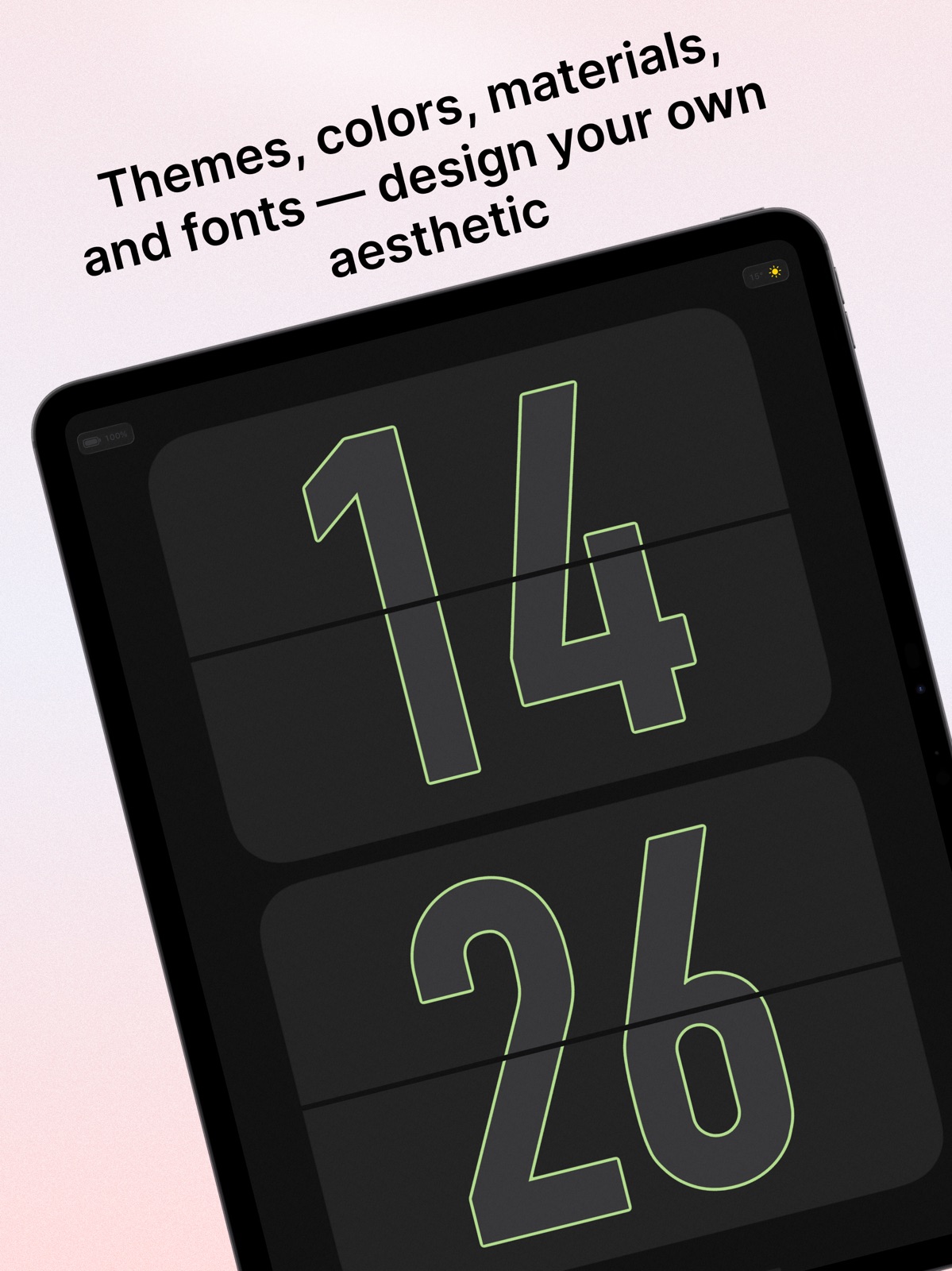
      "notes": "- More second styles: Support for a variety of stunning second hand effects — switch freely to match your vibe - Rich backgrounds & textures: Frosted glass, romantic starry sky, vintage noise... more exquisite materials waiting for you to choose - Add stickers: Directly use your system keyboard stickers, or create your own text/image stickers to make your home screen uniquely yours - New floating clock: Light and elegant, floating gently on your screen anytime, anywhere - Fixed multiple issues & overall experience optimization"
    },
    {
      "store": "apple",
      "version": "2.2.1",
      "released_at": null,
      "notes": "fix bugs and performance improvement"
    },
    {
      "store": "apple",
      "version": "2.2.2",
      "released_at": null,
      "notes": "Added calendar, 7-day weather forecast, and other features fix bugs and performance improvement"
    },
    {
      "store": "apple",
      "version": "2.2.3",
      "released_at": null,
      "notes": "Fixed multiple issues and overall experience optimization."
    }
  ],
  "alternatives": [],
  "evidence_summary": {
    "index_state": "S1",
    "evidence_level": 1,
    "level_label": "Live store listing",
    "indexable": true,
    "last_verified_at": "2026-08-05",
    "unknown_fields": [
      "Independent summary has not been published yet."
    ],
    "sources": [
      "App Store"
    ]
  },
  "availability_markets": {
    "live": [
      "us"
    ],
    "selected": "us",
    "note": null
  },
  "feature_events": {
    "events": []
  },
  "features_slice": {
    "plans": [
      {
        "code": "plan",
        "label": "Annual",
        "kind": "subscription",
        "status": "store_listed",
        "prices": [
          {
            "storefront": "us",
            "formatted": "$3.99",
            "billing_period": "yearly"
          }
        ],
        "trial": null
      },
      {
        "code": "premium",
        "label": "Annual Premium",
        "kind": "subscription",
        "status": "store_listed",
        "prices": [
          {
            "storefront": "us",
            "formatted": "$4.99",
            "billing_period": null
          },
          {
            "storefront": "us",
            "formatted": "$3.99",
            "billing_period": "yearly"
          }
        ],
        "trial": null
      }
    ],
    "features": [],
    "unknown_features": [
      "family_sharing"
    ],
    "data_cutoff": "5 Aug 2026"
  }
}