
Quick verdict
- What it is
- Store information collected; independent summary not yet available.
- At a glance
-
- $4.99
Categories and search queries
Official categories
- Education
- Reference
AppCorpus categories
Key functions
| Function | Availability | Access | Scope | Evidence |
|---|---|---|---|---|
| Family Sharing | Yes | Unknown | App Store | Store published |
Screens
App Store
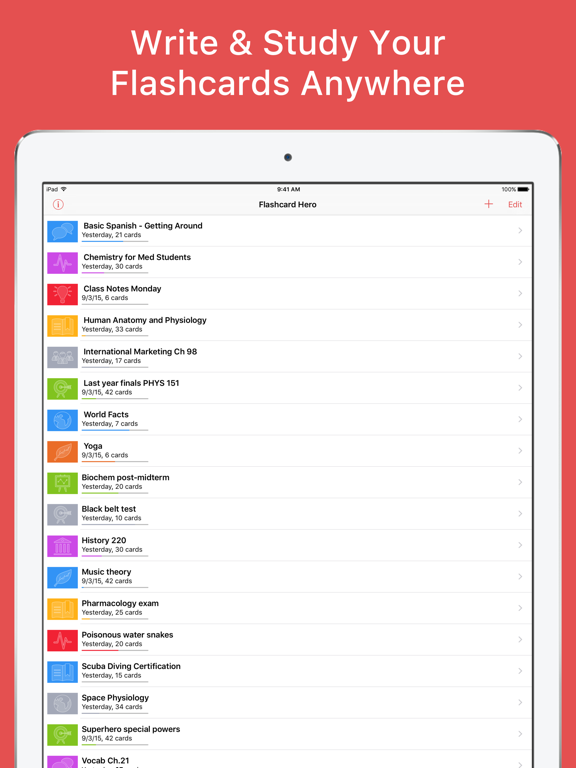
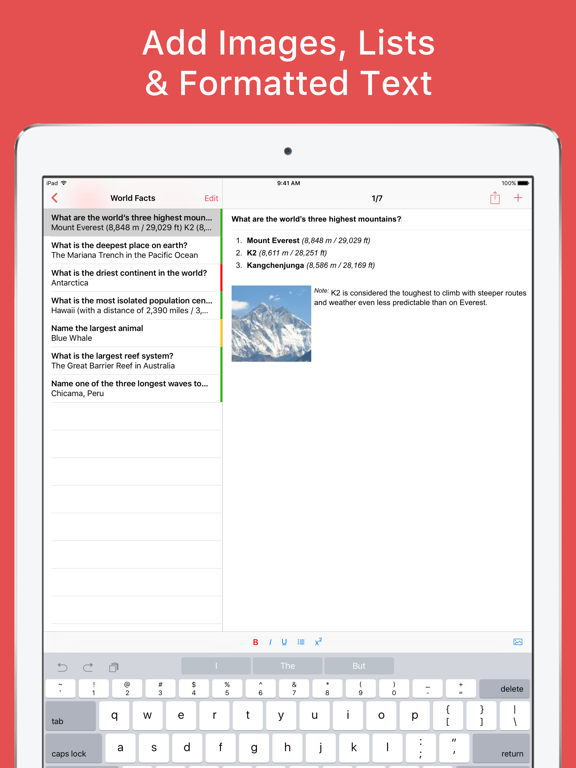
16 store screenshots


Pricing & paywalls
App Store
- Price: $4.99
Ratings & reviews
App Store
-
4/5Helpful app
This app is great and has been a great resource and very helpful. I did take off one star however because I wish a couple things were different. For one I wish that when I switch the colors of the font I did not have to change it every single time, instead of it carrying over until I change it back. That takes up too much time. Also, I wish there was an easier way to go in to making a new card. I do this from my iPad but clicking (+) every time is annoying. Yes it only take 1/2 second to click it but its still something that could be changed. This app has some serious potential though. But it wasn’t free so I feel there should be more offered on it. Thanks!
Cassanahandrah · 7 Aug 2026
-
5/5Great app!
Really great app for studying. I use it study for the CCNA, French, programming, electrical engineering concepts and terms and probably will use it for a whole lot more! If you have a iPhone, you can upload your cards to the icloud and then download icloud on your pc and access the cards anytime on any device. Same thing can be accomplished with Microsoft OneDrive I'm sure. Best part about it though is that it has a simple, user-driven algorithm based on three ratings your give the card (easy, unsure, hard). It makes the practice of repetition way easier. It also has a multiple choice mode that is helpful. There is a lot of customization to the two different modes. Finally, I sent in a request to the developer and he responded very quickly, which is a nice plus!
Joshua Seraphim · 7 Aug 2026
-
5/5The Superior Flashcard App
That’s right Quizlet, eat your heart out. As a graduate student studying physical therapy, I have tried every Flashcard application in an attempt to optimize my studying. Flashcard Hero has consistently come out on top. With their most recent update, I can use the “tab” and arrow keys on my keyboard when using my iPad. This has made making cards significantly faster. It should be noted, Quizlet does NOT support such features. I can also seamlessly import photos into my cards for no extra charge (again, I’m looking at you, Quizlet). This application is helping me pass my graduate classes and I could not be more pleased with the improvements they’ve made over the last year. Keep it up, Flashcard Hero!
Super Flash · 7 Aug 2026
-
5/5Awesome transition from Duolingo TinyCards
I recently switched to Flashcard Hero after hearing from Duolingo that they are shutting down their TinyCards service. My main goal was to find a new flashcard app that had a nice user experience on both iOS and OS X and was able to speak the flashcards in multiple languages (including spanish). After downloading the app on my phone and laptop, I had a hard time importing my Duolingo cards because Duolingo didn't export the data in a logical format within their CSV export. I emailed FlashCard Hero to see if they could help me avoid manually rebuilding 900 flash cards. Rico emailed back quickly saying he was building a script for me so he could convert tinycard's export format into Flashcard Hero decks. A day or two later I got an email with my data, converted perfectly into Flashcard Hero decks that required no manual entry from me. Thank you Flashcard Hero for the awesome transition and apps!
jacisme · 7 Aug 2026
-
5/5Great App, suggestions for extra features that love to have
This is a great app and I love using it everyday. I add my Flashcards on my Mac and have them synced over iCloud to study them on my phone. I have over different stack of cards, each for a topic, and each is organized as folders and sub folders so I can find any card quickly if I need to. There are two features that I REALLY REALLY wished the app had. One is that it would allow you to study multiple stack of cards together. I have 10 different topics and have to go through them one by one. The second is a web interface so u could use it on any computer I see. I ask this because I do use a third non Mac computer for coding and would like to be able to add cards while having them easily synced over iCloud.
MarkPour · 7 Aug 2026
Privacy & accessibility
App Store
Privacy
- Data Not Linked to You — Analytics — Usage Data — Product Interaction Developer declared
- Data Not Linked to You — App Functionality — Diagnostics — Crash Data Developer declared
- Data Not Linked to You — Diagnostics Developer declared
- Data Not Linked to You — Usage Data Developer declared
Accessibility
No accessibility labels collected yet.
Versions
App Store
-
3.1.1
Addressed an issue with copy/paste while editing cards.
-
3.1.2
Adjusted the buttons to rate a card in study mode for devices without a Home Button.
-
3.1.3
Adjusted the buttons to rate a card in study mode for devices without a Home Button.
-
3.1.5
Compatibility with upcoming version of iOS. Should you notice any issues, please get in touch by email through the Contact button in the app.
-
3.1.6
Stability improvements
-
3.1.7
Stability improvements
-
3.1.8
Creating new decks via “+” -> Create Deck now working again.
-
3.1.9
Stability improvements.
-
3.2
iOS 13 Dark Mode support
-
3.2.2
iOS 13 Dark Mode support
-
3.3
Improved iOS 13 compatibility addressing problems with arrow keys on external keyboards and dictation.
-
3.3.1
Solved problem with the card losing focus when trying to insert an image on iPhone. Typing on large cards now does now properly follows the cursor so that it is always visible.
-
3.3.2
Solved a problem with the app sometimes crashing/hanging while memorizing cards.
-
3.3.3
Addressed a problem saving cards for decks created on Windows when the system language was set to German.
-
3.4
Minor improvements
-
3.4.1
Minor improvements
-
3.5.1
Stability improvements
-
3.6
Improved some of the inner workings of the app.
-
3.6.1
Added a way to quickly share even large decks via a private link: Everybody you send the link to can download the shared deck (this works on all devices, iPhone, iPad, Mac, and Windows PCs). Tap the share button and choose “Upload & Copy Link”.
-
3.6.2
Solves the problem of the study options not being selectable on some devices.
-
3.6.3
• Fixed a layout issue in the Memorize study mode when multitasking on iPad in Split View • Adjusted the background color of the navigation bar (instead of being transparent on some screens)
-
3.7
• NEW: For multiple choice test, you can now use the original order of answer choices instead of shuffling the answers • IMPROVED: The number of questions per multiple choice test is now saved for each deck instead of a global setting • Stability improvements for the latest iOS update. If you still notice any issues, please get in touch via http://flashcardhero.com/contact/
-
3.7.1
Addresses a problem with iCloud after the latest iOS update. If you still notice problems, please get in touch.
-
3.7.2
Addresses a problem with iCloud after the latest iOS update. If you still notice problems, please get in touch.
-
3.7.3
· 27 Aug 2025
Fixed an issue with verifying App Store purchases
Alternatives
- Flashcards Deluxe — Same category + similar ratings
- Flashcard Lab — Same category + similar ratings
- Hit the Button Math — Same category + similar ratings
Availability by market
- US
Data quality & evidence
- Page completeness
- Live store listing
- Last verified
- 7 Aug 2026
- Sources
- App Store
- Independent summary has not been published yet.