
Quick verdict
- What it is
- Store information collected; independent summary not yet available.
- At a glance
-
- $3.99
Categories and search queries
Official categories
- Health & Fitness
AppCorpus categories
Key functions
| Function | Availability | Access | Scope | Evidence |
|---|---|---|---|---|
| Family Sharing | Yes | Unknown | App Store | Store published |
Screens
App Store
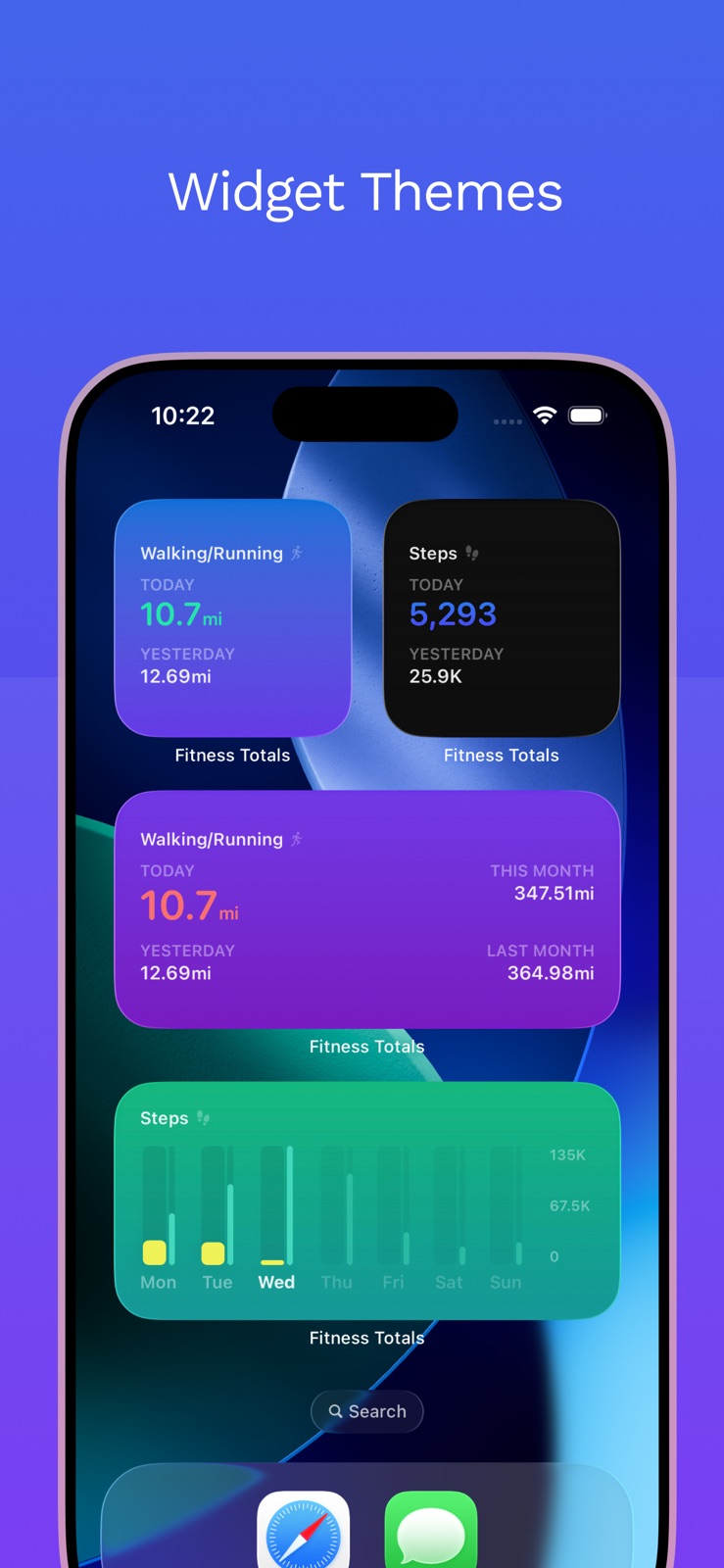
8 store screenshots


Pricing & paywalls
App Store
- Price: $3.99
Ratings & reviews
App Store
-
5/5Just what I needed
I spent hours searching the App Store last weekend for a basic widget for my home screen with how many steps I have taken. I downloaded so many bloated “trial version” apps with features I didn’t need trying to sell me crazy $30/year subscriptions. This one is it!! This is all I needed! $3.99 one time purchase. Hats off to the developer. I’ve been using this for a few days now and this is going to help me a lot. So many of the apps assume that you want to exercise more or be more active and have features around that. I don’t—I have an autoimmune disease and I tend to do too much activity and make myself sicker. I need to walk less. This is a nice simple app and I am able to look at how many steps I have taken in a day at a glance. It doesn’t update steps in real time, but it does update frequently enough for me, on the default settings. If you need to refresh it you can click through to the app and it will refresh with the latest number from the Health app. I haven’t tested but it feels like it is automatically updating about every 15 min or so? Anyway, if you read this far you should totally buy this! :)
nanokat · 31 Jul 2026
-
5/5Beautiful and Simple Design for Health Data
I purchased this app to quickly view my step count from the Apple Watch, since Apple’s Fitness app makes you dig around for that information. This app provides that information and much more in a beautiful and simply designed interface. I also appreciate that the app provides customizable home screen widgets. My only complaint is that the smallest widget cuts off the step count after two digits (i.e., 2,500 steps displays as “2,5...Steps”). I assume (and hope) the developers will resolve this in the next update, since the widgets advertised in the App Store don’t have that issue. I also greatly appreciate that this app does not collect any user data. Well worth $3!
Alllliii · 31 Jul 2026
-
5/5Exactly What I Wanted
This app isn’t anything fancy but it’s exactly what I was looking for and it’s a one time price and not something I’ll be charged monthly for. I feel like a one time payment of $2.99 to view basic fitness totals in one place is fair but I feel like adding every Apple Watch/Apple Fitness compatible exercise (as mentioned in other reviews), would really make this app above and beyond. I’m still rating it 5 stars though as it’s as advertised and worked for exactly what I needed.
HoldenatorsHooooooooo · 31 Jul 2026
-
5/5Nearly perfect, just needs calorie deficit
Excellent app all around, but I’m surprised to see that tracking your calorie deficit isn’t a feature for the app, since the necessary data (resting calories+active calories-dietary calories) is available in the app. To be fair though, this feature is missing from quite a few fitness tracking apps. Hopefully this feature is added in the future, otherwise great app!
SchemeViller · 31 Jul 2026
-
5/5Simply, yet powerful
I love how straightforward this app is. In many ways, it’s the antithesis of the default health app. It’s intuitive from the moment you open it, it congregates lots of data from many layers of menus into the Home Screen of your iPhone (via the widget), and looks good doing so. Absolutely worth the couple bucks if you care at all about viewing your health data, at a glance, from a high level. Great job guys.
Cuzzmuffin · 31 Jul 2026
Privacy & accessibility
App Store
Privacy
- Data Not Collected Developer declared
Accessibility
No accessibility labels collected yet.
Versions
App Store
-
1.1.10
This update fixes some jitters in the yearly bar chart.
-
1.1.11
This update adds a setting to toggle dark mode for the app between on, off, and system.
-
1.1.12
We have a jam-packed update for you! - added a new category: total calories burned - added a new beta category: sleeping - we're still working out the kinks in this, so please let us know if you see anything strange - fixed a bug with "stand hour" where it could report more hours than you actually had - fixed a bug where some health data such as "stand hour" could contain duplicate data and thus show incorrect data - added data source picker for activities that could have more than one source so you can prioritize which data source to use - changed the way data is displayed to keep it from adding "..." when everything wouldn't quite fit - changed the way units are displayed to be more compact - added logs which stay on device but can be shared manually with the developers if you run into an issue - fixed an issue with widgets crashing due to an image being too large
-
1.1.13
We have a jam-packed update for you! - added a new category: total calories burned - added a new beta category: sleeping - we're still working out the kinks in this, so please let us know if you see anything strange - fixed a bug with "stand hour" where it could report more hours than you actually had - fixed a bug where some health data such as "stand hour" could contain duplicate data and thus show incorrect data - added data source picker for activities that could have more than one source so you can prioritize which data source to use - changed the way data is displayed to keep it from adding "..." when everything wouldn't quite fit - changed the way units are displayed to be more compact - added logs which stay on device but can be shared manually with the developers if you run into an issue - fixed an issue with widgets crashing due to an image being too large
-
1.1.14
This update includes a couple of small improvements: - added a black widget theme which matches the darkness of the system theme - improved the way data is displayed for averages to keep it from adding "..." when everything wouldn't quite fit - added a new category: cross training
-
1.1.15
This update includes a couple of small fixes: - The yearly share image rendering would stutter multiple times when first opening the share sheet as it pulled in the correct data. We've added a loading animation to make the user experience better. - The settings sheet title had padding issue that have been fixed.
-
1.1.16
This update includes a couple of small fixes: - Added a "Time Cycling (Workout)" to show the time spent on cycling workouts. - Added the ability to tap on numbers in the details view to view the full number. Example: 18.5K will show as 18,568 when tapped.
-
1.1.17
This update fixes chart labels. Whenever a chart displayed distance units it would display them in miles even if the user had chosen to have everything in kilometers. Chart labels now respect the distance unit the user has chosen.
-
1.1.19
This update brings volleyball and flexibility activity support.
-
1.1.20
This update brings mixed cardio activity support.
-
1.1.21
This update fixes an issue in widgets which would cause them to hit the widget memory limit and thus be unusable.
-
1.1.22
This update removes extra padding in widgets.
-
1.1.23
This update brings jump rope activity support.
-
1.1.24
This update fixes widget padding.
-
1.1.25
This update brings soccer activity support.
-
1.1.26
This update brings water and elevation gain activity support!
-
1.1.27
This update adds support for rowing distance in addition to rowing time.
-
1.1.28
This update fixes workout time to display correctly when a workout was paused. The app was not correctly handling paused workouts and would show the total time of the workout instead of the unpaused time of the workout.
-
1.1.29
This update contains an optimization in how total calories burned is calculated which speeds up how quickly the app updates the numbers.
-
1.1.30
This update adds pilates and time in daylight activity support.
-
1.1.31
This update adds skating activity support, including both time and distance tracking.
-
1.1.33
· 19 Jun 2026
Activity icons have been updated, with unique icons for every activity and support for accessibility text settings. The app icon now supports dark and tinted styles.
-
1.1.7
This update fixes several small things: - the large widget with multiple totals was not correctly displaying the unit - some in-app icons were larger than they should have been - images for sharing your totals had extra space at the bottom that should not have been there
-
1.1.8
This update adds a feature to view the details of bar graph comparisons. When you view the details for an activity you can tap on any pair of bars in the bar graphs to view the specific numbers for each bar.
-
1.1.9
This update fixes a couple of bugs: - When re-opening the app to the activity details view it would not show the latest data. - Bar charts could load stale data and fluctuate between current and stale data. - When details on a bar chart were selected and then the bar chart updated the details would not also update.
Alternatives
- Valens - Widgets for Health — Same category + similar ratings
Availability by market
- US
Data quality & evidence
- Page completeness
- Live store listing
- Last verified
- 31 Jul 2026
- Sources
- App Store
- Independent summary has not been published yet.