
Quick verdict
- What it is
- Store information collected; an Apoku editorial summary is not yet published.
- At a glance
-
- Free to download
Categories and search queries
Official categories
- Utilities
Apoku categories
Key functions
| Function | Availability | Access | Scope | Evidence |
|---|---|---|---|---|
| Free app | Yes | Free | Context-specific | Store published |
Screens
App Store
10 store screenshots
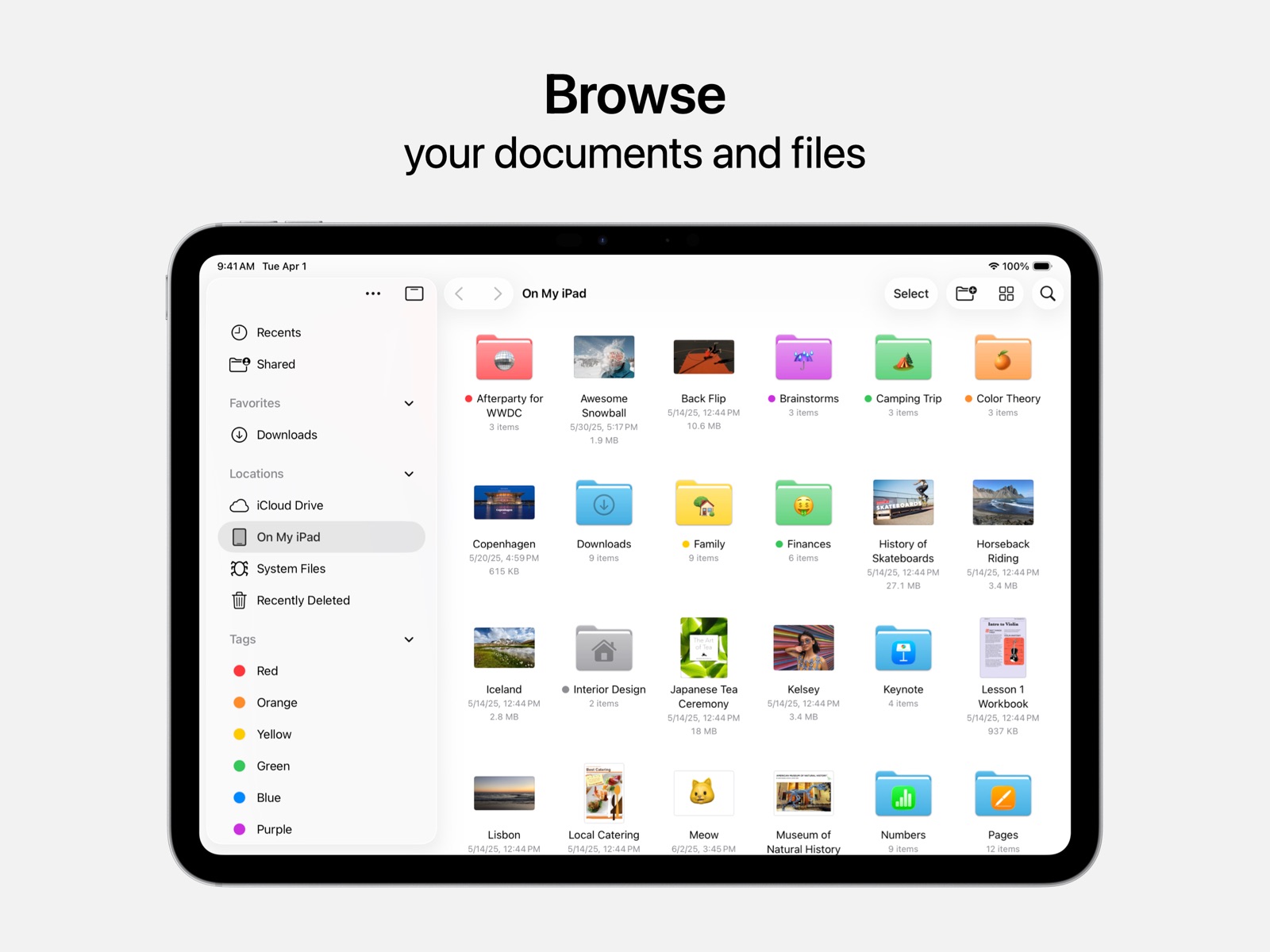

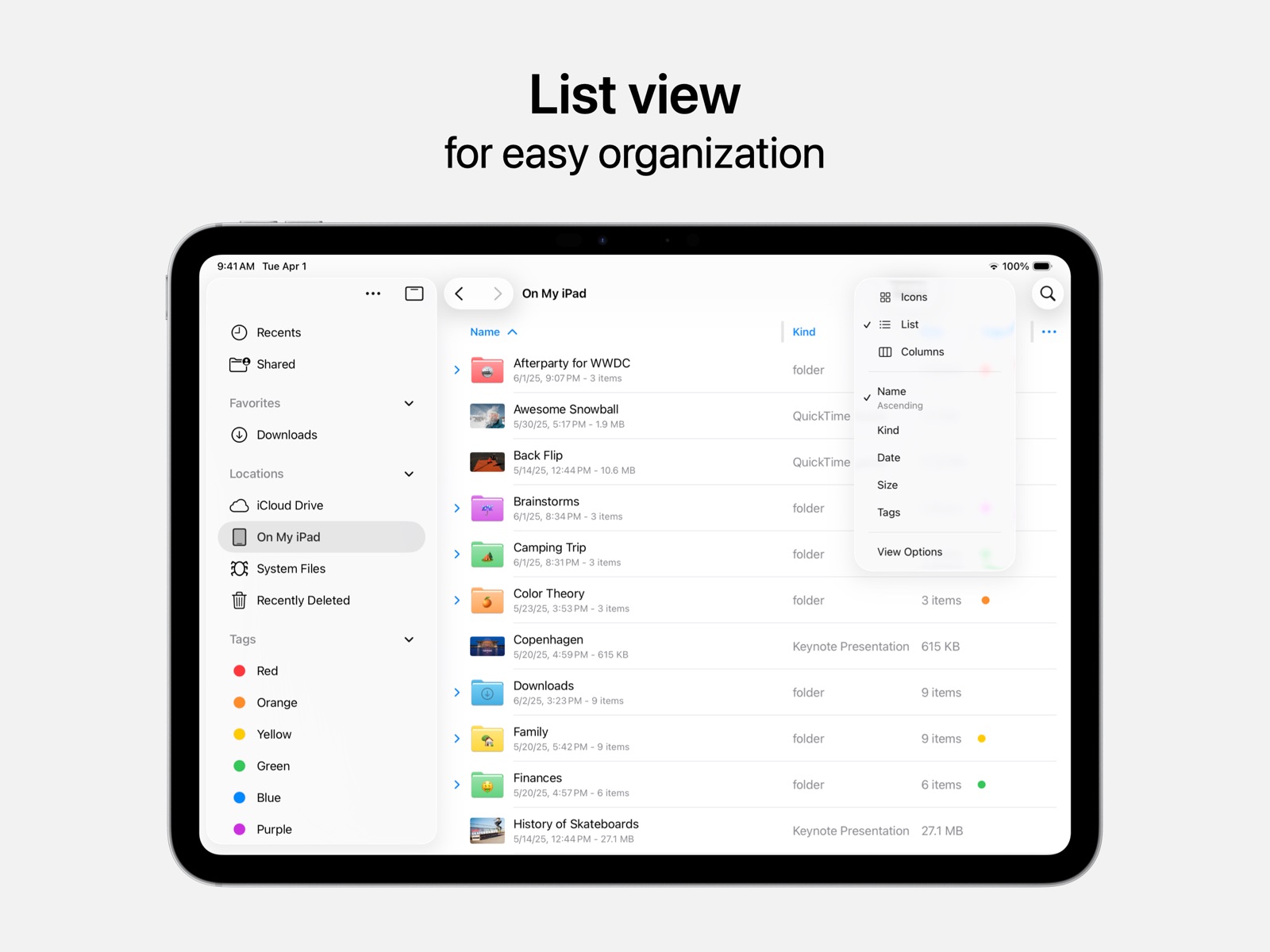
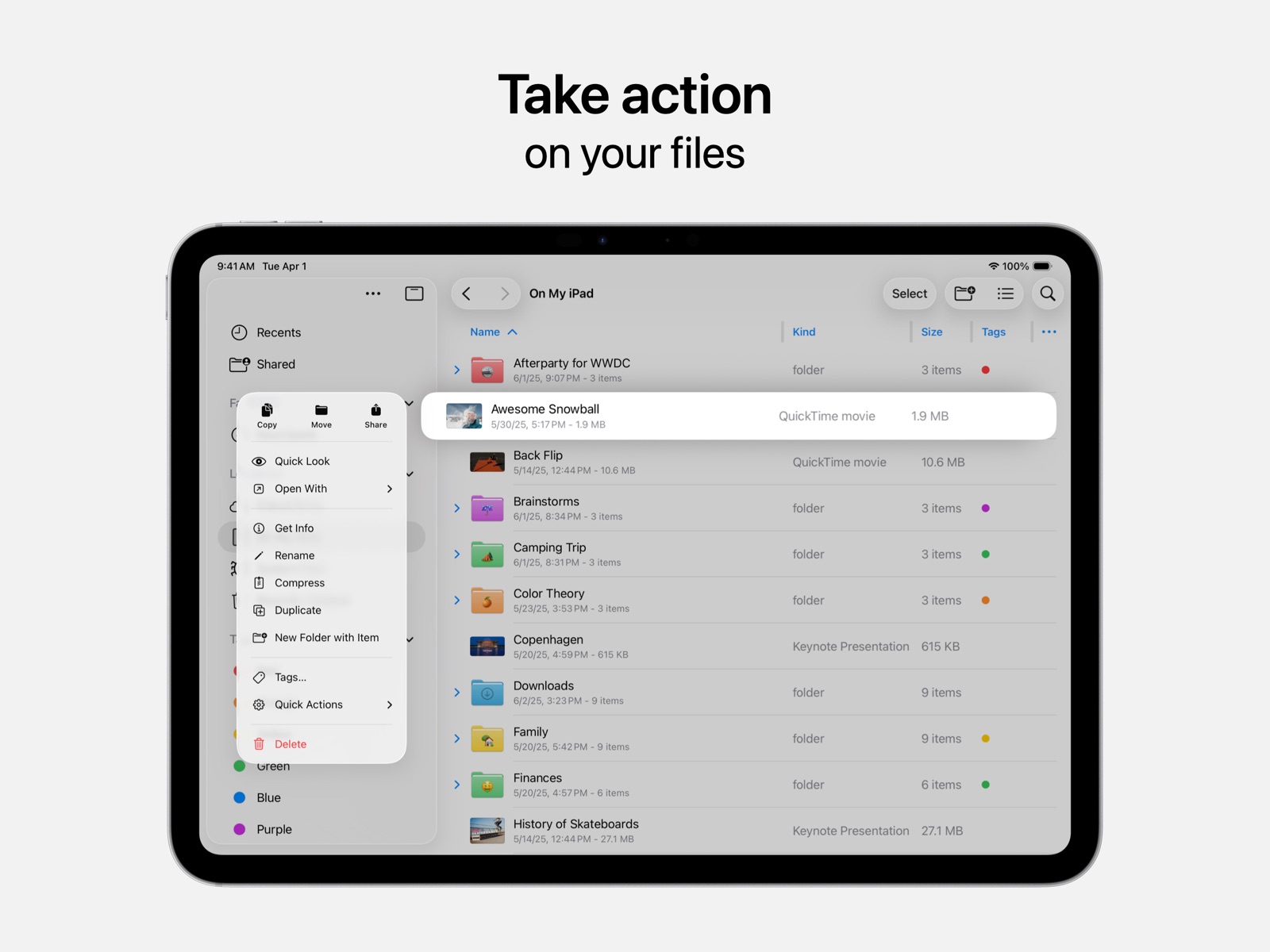
Pricing & paywalls
App Store
- Free to download
Ratings & reviews
App Store
-
2/5Its meh
I have a pretty easy time using it, but i mainly only ever use it for storing files i need to send between my ipad and my computer. I wish there was a way to change how you want the auto-naming to work. I upload photos from procreate in bulk to it sometimes, and a lot of times have the files all names the same thing. My issue with the naming is that with how it is currently, it does Name-1 Name-2 Name-3 and so on. This is all fine, but sometimes i am uploading a lot to tranfer to my computer and use in a program where the naming has to be formatted more like Name Name2 Name3. Its easy enough to go through and delete the dash between the name and number until youre uploading more than just a few, like i have been. And on top of that, if i have to upload in batches, instead of Name-1 Name-2 Name-3 for the first batch then Name-4 Name-5 Name-6 for the second batch, it ends up going Name-1 Name-2 Name-3 for the first batch and Name-1 2 Name-2 2 Name-3 2 for the second batch! It doesnt make any sense as to why it would follow that naming! So then instead of just having to go back and delete the dash between the name and number for each, i am then forced to just straight up rename them to have the correct number in the first place! It gets really frustrating when trying to store files in a certain format for big projects! If they had a way to change how items being uploaded were automatically named, this app would be completely fine to me. But there is basically no customization whatsoever for it.
B⃣a⃣b⃣y⃣T⃣h⃣a⃣i⃣l⃣i⃣a⃣ · 6 Aug 2026
-
5/5FOR ANYONE HAVING IPHONE issues
First off I want to say what an amazing product an iPhone still is. I recently was unable to Backup my iPhone at all. Luckily with my Mac and erasing my phone. It corrected everything. From the Phone shutting off randomly since last night to not ringing when I was calling it. It would just go straight to voicemail. I tried calling it 3 times. To not allowing me to create a backup. It kept saying it failed. So today after I couldn’t enter the correct passcode I erased it. Then I looked for a backup none were there. Luckily since I KNOW my Apple information and have my Mac with me as well. The other device verified it was me and NOW after almost a year, I have a Backup! I was able to keep all my data. As Apps seemed to have luckily stored my information as well. One discovery however is that yes, someone had accessed my Instagram account. From a city almost 2 hours away. Coincidentally and I don’t believe in coincidences, my roommate just returned to work in THAT same city today. What are the odds? I wouldn’t put it past him. At all. Thankfully I was able to log off that person and I changed my I G password as well. So IF you are having issues with your iPhone and you Know your Apple information my advice would be erase it and start over. I didn’t add anything back no apps installed by me, only manually later on. Only allowed what Apple comes with from our own information on the cloud. That’s how my iPhone X is now fixed. I know it’s an older model phone I’m waiting to upgrade it hopefully this Spring. At least now I know I have a relatable backup. Good luck everyone and Thank You to The Software Developers at Apple. Excellent work!
2seaNickki · 6 Aug 2026
-
2/5A lot of loopholes for an app to install spyware/malware
If you look at the option "Get info", any app can access your files without your permission. For example, Merrill Lynch. You would need to delete the app if you want that app to not access your files. If you specifically want to disable access to files via content and privacy settings, you're still able to access files through the iCloud page no problem. Just gotta go to iCloud > Saved to iCloud > Drive > iCloud Drive > View Large Files. There ya go! There are other methods too. This can all work when your files app is deleted off your phone, too. But yeah, not even a prompt to enter a passcode to access the files. You could try Settings > Safari > Downloads > and then select Other... Voila. A technical security risk. This is especially concerning since the settings app will every once in a while embed its application into my Files setting in the Privacy and Security section. If you disable it, it crashes the Settings app. Very weird. Anyways. TLDR; Loopholes with no passcode to get to your own files via the settings app when your Files app should be deleted from your device.
Wuzgoodbaby · 6 Aug 2026
-
1/5The worst app in iOS
Ok let’s start. I have all my photos & videos on iCloud. Not to photos, but to files. Why? I will let you know after. Let’s focus on the files app now. After you open a video or a photo or whatever you want to open, this app, files app, download the file to the phone, to have easy access for it real quick if you wish to open it again, and here is the problem. I have 2tb iCloud, I have a lot of content there, and on iPhone storage, the iCloud size is 153GB. Why apple? Why I don’t have access to unload the files inside the files app? Why I can’t clear everything with one button? Why I can’t use multi selection to unload the files and you only give me the option to do it one by one? And why when I unload a file by typing remove download on the file, the iPhone storage dosnt be updated with the new size on my device? Now, about the photos app and the optimization, no I don’t want to have this option. Because this option keep on the iCloud the real size and on the device give you a mini version of the file, and this is to bad for editing video and photos, because you end up editing photos and videos with compression and not the full resolution. So I want to have all my files to files (iCloud) but to have the option to remove it from my phone (not the cloud). Until then I will go back to google drive, better choice and dosnt make mess on my device. Too disappointed.
KRYONOGLOU · 6 Aug 2026
-
1/5Happy Apple user for decades, but Files is terrible
I love Apple devices and software because they really are great almost all the time. The Files app on iPad OS and iOS, however, is a glaring exception. I’ve been using my 2022 iPad Pro 12.9 happily, leaning into it and using it almost entirely as my work device at home and the office. I really love using it and am one of the end users that patiently takes time to learn new apps and how they work in the OS environment. The Files app is a big disappointment because it is curiously and fatally limiting when working with iCloud and Google Drive—both necessities for my work. As others have noted often, Files seems to get amnesia regularly, losing setup and favorites information. At other times, is shows only 100 Drive files with zero function for searching Drive. Lately, it also becomes unresponsive at seemingly random and inopportune moments when browsing cloud files. It renders my lovely iPad Pro useless for work when I can’t access Drive files on it. I remained in denial for a long time because I’ve never experienced such utter inadequacy with an Apple software product. Fortunately, I found a third-party app that does everything needed to manage files on device, in iCloud, in Drive, and more—just like anyone would want. Why doesn’t Apple put the resources it has to making a decent file management app for iPad OS and iOS?
Folklorist · 6 Aug 2026
Privacy & accessibility
App Store
Privacy
- Data Not Linked to You — Analytics — Usage Data — Product Interaction Developer declared
- Data Not Linked to You — App Functionality — Other Data — Other Data Types Developer declared
- Data Not Linked to You — Other Data Developer declared
- Data Not Linked to You — Usage Data Developer declared
Accessibility
No accessibility labels collected yet.
Versions
App Store
-
1.6
· 12 Dec 2025
Bug Fixes and Feature Enhancements
Availability by market
- US
Data quality & evidence
- Page completeness
- Live store listing
- Last verified
- 6 Aug 2026
- Sources
- App Store
- Apoku editorial summary has not been published yet.