
FileBrowser: Documents Manager
A file manager app that allows users to connect to their home computers, network drives,
iPhone · iPad
Quick verdict
- What it is
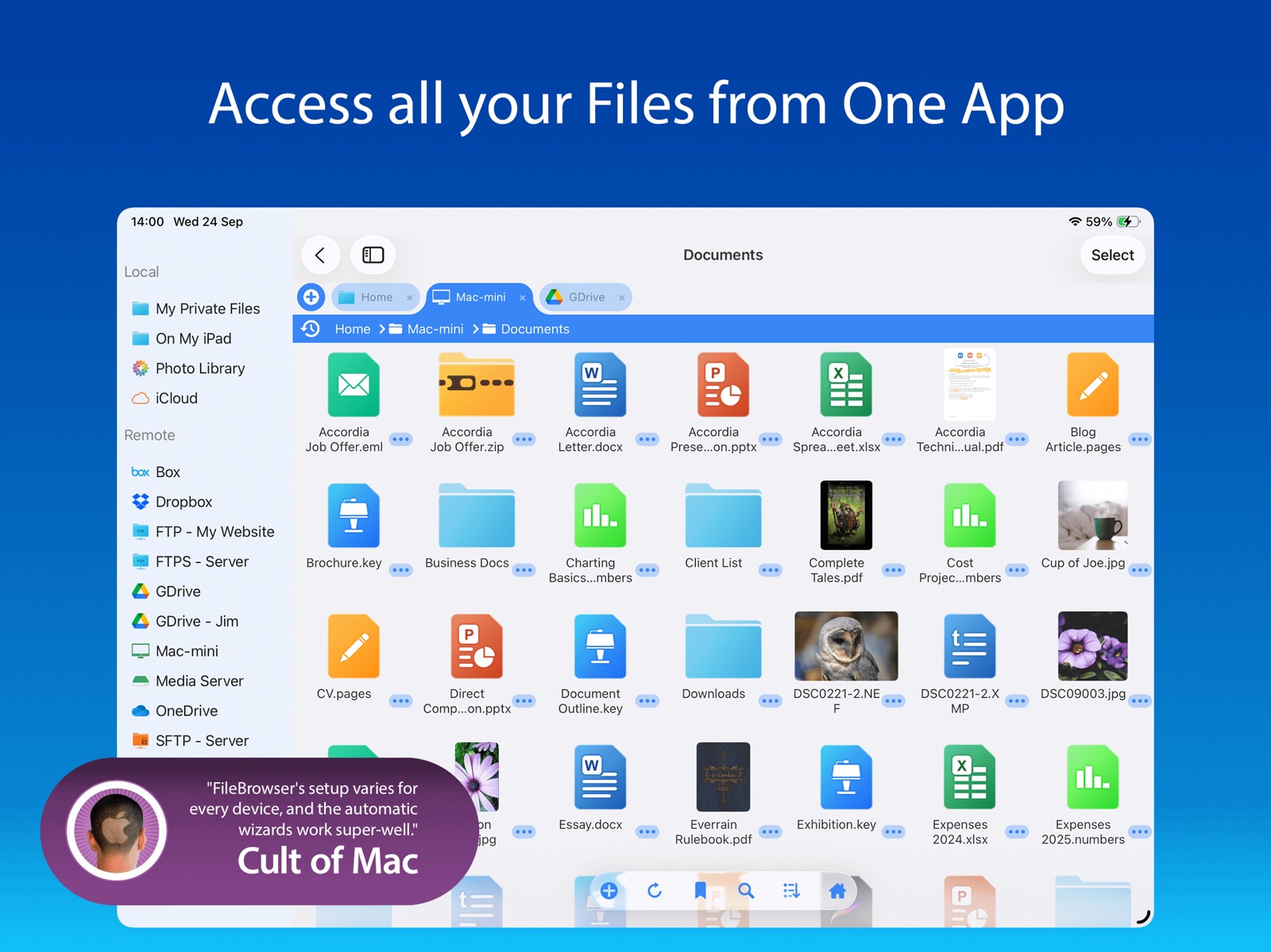
- FileBrowser is a file manager app that allows users to connect to their home computers, network drives, and cloud storage, and browse their content using a variety of built-in viewers.
- Best for
-
- someone who needs to manage files across multiple devices
- someone who wants to access cloud storage on their iPhone or iPad
- At a glance
-
- $7.99
Categories and search queries
Official categories
- Utilities
- Productivity
Apoku categories
Key functions
| Function | Availability | Access | Scope | Evidence |
|---|---|---|---|---|
| Family Sharing | Unknown | Unknown | Scope unknown | Store published |
Screens
App Store
20 store screenshots

Pricing & paywalls
App Store
- Price: $7.99
Ratings & reviews
App Store
-
5/5Great file manager!
I have been using this app for years. Recently I belatedly found that I could also access the files on my PC. So right in front of me I have access to my network server, my PC, and my Dropbox files. It is interesting that photos on the iPad show up as actual files within FileBrowser that can be treated as any other file instead of having to go to the more limiting iOS Photos app. FB also has a built in server which allows other devices to exchange files with you independent of platform, such as a PC. Outstanding attention to functionality! Here is where I have been very surprised. Apple introduced their Files app recently, iOS 11. It is their first attempt at a file manager. It is limited. What is interesting is that when users want to open a file from within an app like Pages, their new file manager opens where the file can be selected. FileBrowser shows up as a selection. If you make that selection, when FileBrowser is running, you have access to all the locations for files that you have when you are in that this FB app. The locations are displayed as directories. This includes files on the PC, online storage like Dropbox, and your network servers. This is quite an enhancement for the Apples Files app. So I can open a file on my PC from within Pages or other iOS apps. This is very nice indeed!
r010159 · 5 Aug 2026
-
5/5Finally a real file manager..,
I’m new to Apple products. I bought an iPad Air 3. I was having learning curve problems. I couldn’t get files moved to where I wanted, causing me a lot of grief. I tried many file managers, The one that came with the IPad was just about worthless for my needs. After a month and a half of fooling around with different apps, finally FB file manager answered all my file transferred needs. This app has just about every file transfer function anyone needs. I turned on the operational hints to help me navigate through the options. I was able to connect two NAS servers and get my videos easily transferred from an attached USB flash drive into an email as an attachment with very little trouble. I take my hay off to the FB app developers. I would recommend this to anyone looking for a solid file management app. Good Job!
Lookingwolf · 5 Aug 2026
-
5/5A Must For iPhone
This is exactly what I needed to transfer documents from my Files app to my PC (Windows 8). At first it looks kind of complicated but there are several websites that have very detailed instructions on how to do everything.I followed step-by-step and when I finally figured out how to do it, I felt so relieved. This app is amazing and a must have for your phone. It handles pictures and the Files app extremely well. I didn’t have any trouble with multiple files or files within files or any kind of format; whatever was on my phone, I watched seamlessly transfer to my computer. I was a little thrown at first by the price, but the reviews letting me to get it. I am so glad I did, I don’t know how I managed before but I know it was much more complicated.
Boohonky · 5 Aug 2026
-
5/5Solved big iPad IOS iCloud problem
Your IOS devises can have large storage. My iPad Pro is 500gb. Much of this does not need to be backed up to iCloud even though I want these large files on my iPad. You would think that “on my iPad” would not backup to iCloud but it does. The only thing you can individually turn off from iCloud backups is an app. But if you turn off the Apple File app you lose the ability to have shared files between all your Apple devise's. Filebrowser lets you put these big files in this app. Not you can turn off this app in iCloud backup so all the key data that changes everyday on contacts, phone numbers, calendar etc will be backed up and synced with a much smaller iCloud storage than your 500gb SSD on your devise. Thank you for a great fix.
imlwb · 5 Aug 2026
-
5/5Do not d/l any other but this one!
This is the best file manager to manage LOCAL files. I connect to my pc or Mac from my local personal home network. Was able to copy folder past onto iPad. From there had access to the folder. Was able to adjust size of thumb nails of photos in the folder via pinch jester. I tried several other programs that just don’t work. This program is a MUST for file management. This program saved me in Vietnam when I didn’t have access to laptop. I had to borrow someone else’s laptop copy files professional photographers photos from usb drive to laptop then access that laptop via this program get the folders copied to my iPad. Then wipe the photos from the borrowed laptop return laptop 20 min later. This program is a MUST have. Thank you SO much for writing it.
JoiLC · 5 Aug 2026
Privacy & accessibility
App Store
Privacy
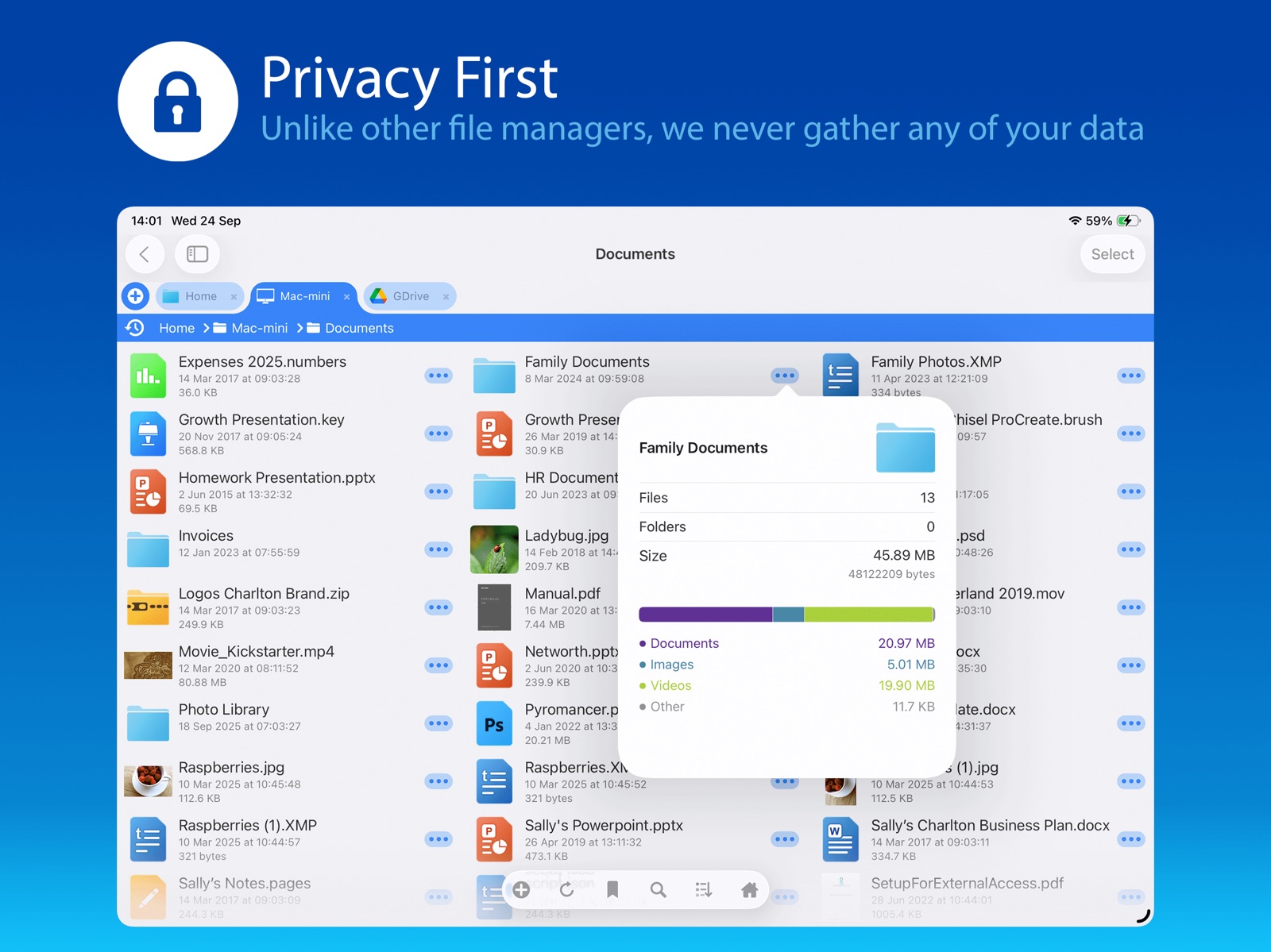
- Data Not Collected Developer declared
Accessibility
- Dark Interface — SUPPORTED Store published
- Differentiate Without Color Alone — SUPPORTED Store published
- Reduced Motion — SUPPORTED Store published
- Sufficient Contrast — SUPPORTED Store published
- Voice Control — SUPPORTED Store published
- VoiceOver — SUPPORTED Store published
Versions
App Store
-
24.10
* The text viewer now aligns with the active colour theme. * Added handling for bad SMB2 packets from QNAP NAS drives. * Sidebar now conforms to the active colour theme. Bug fixes * Fixed white screen flash when viewing a PDF in Dark Mode. * Fixed volume bubble not reaching the end of the volume slider. * Fixed bulk rename window not updating example filenames. Thank you for helping to make our apps better. If you would like to rate or leave a review on the App Store, we look forward to hearing your feedback. Unlike other file manager apps, we never gather any of your data. We also don't require you to create an account or register an email address with us.
-
24.12
* Sub-folder searching revamp. * Column folder view now supports variable number of columns. * Added support for iOS 18 dark app icon mode. * UI improvements for key buttons. Bug fixes * Fixed crash when deleting locations from the Home Screen. * Fixed stalling when copying to the built-in WebDAV server. * Fixed failing to stream video from Dropbox not reporting an error. * Fixed text edit mode losing the search icon. * Fixed PDF links not opening other documents. * Fixed deleting an image switching to a random image. Thank you for helping to make our apps better. If you would like to rate or leave a review on the App Store, we look forward to hearing your feedback. Unlike other file manager apps, we never gather any of your data. We also don't require you to create an account or register an email address with us.
-
24.13
* Added Swipe Actions to file listings. * Added the last 5 files to the history popup. * Added Open in new Tab/Window to Bookmark menu. * Added File size to image viewer info panel. Bug fixes * Fixed crash extracting tags from some DNG files. * Fixed aborted copy leaving a partial file. * Fixed preserving OneDrive dates when copying. * Fixed loading bar persisting when viewing a file. * Fixed video subtitles being on by default. * Fixed thumbnail icon in file paste conflict popup. Thank you for helping to make our apps better. If you would like to rate or leave a review on the App Store, we look forward to hearing your feedback. Unlike other file manager apps, we never gather any of your data. We also don't require you to create an account or register an email address with us.
-
24.14
24.14 * Fixed selecting items with an external trackpad or mouse. * Fixed rename on OneDrive not preserving modified date. * SMB Shares can now be sorted. 24.13 * Added Swipe Actions to file listings. * Added the last 5 files to the history popup. * Added Open in new Tab/Window to Bookmark menu. * Added File size to image viewer info panel. Bug fixes * Fixed crash extracting tags from some DNG files. * Fixed aborted copy leaving a partial file. * Fixed preserving OneDrive dates when copying. * Fixed loading bar persisting when viewing a file. * Fixed video subtitles being on by default. * Fixed thumbnail icon in file paste conflict popup. Thank you for helping to make our apps better. If you would like to rate or leave a review on the App Store, we look forward to hearing your feedback. Unlike other file manager apps, we never gather any of your data. We also don't require you to create an account or register an email address with us.
-
24.15
* New menu option to play audio from video files in the background. * Hide the video repeating message if Show Video Overlays is off. * Command +/- keyboard shortcuts to zoom in PDF viewer. * Define a naming template for captured audio/photo/image/pdf files. * Image metadata viewer now includes file date and size. Bug Fixes * Fix Open in New Tab sometimes not opening files. * Fix drag-drop sometimes not including all selected files. * Fix PDF file links to documents on local folders. * Fix auto screen lock when annotating a PDF document. * Fix rare stall when importing from Photo Library. * Fix config screen layout when rotating iPhone. Thank you for helping to make our apps better. If you would like to rate or leave a review on the App Store, we look forward to hearing your feedback. Unlike other file manager apps, we never gather any of your data. We also don't require you to create an account or register an email address with us.
-
24.16
* Improved error messages when copying to USB drive. Bug Fixes * Fix Remote Moves being available when delete access is prohibited. Thank you for helping to make our apps better. If you would like to rate or leave a review on the App Store, we look forward to hearing your feedback. Unlike other file manager apps, we never gather any of your data. We also don't require you to create an account or register an email address with us.
-
25.0
* New borderless grid folder view mode * Show images from file system in markdown file viewer * Tab menus now have Close Other Tabs/Close Tabs to Right options * Option to copy only newer files when copying multiple files * Open in new window option in bookmarks now leaves bookmarks popup open Bug Fixes Fixed rare Edit In Place save fail when using DFS folder links Fixed showing correct image after deleting one in the image viewer Fixed video slideshow option only showing videos after current video Fixed adding a bookmark from a file menu Fixed file view when saving an edited markdown file Thank you for helping to make our apps better. If you would like to rate or leave a review on the App Store, we look forward to hearing your feedback. Unlike other file manager apps, we never gather any of your data. We also don't require you to create an account or register an email address with us.
-
25.1
* Improved display of raw image formats * Improved video playback control layout * New mute-audio button on video playback * More video and audio playback speed options * Improved ZIP and UNZIP for single folders & files * WebDAV server now permits anonymous logins Bug Fixes * Fixed PDF markup save/update problem * Fixed loading SFTP key files from SMB servers * Fixed video auto start and Auto Slideshow option Thank you for helping to make our apps better. If you would like to rate or leave a review on the App Store, we look forward to hearing your feedback. Unlike other file manager apps, we never gather any of your data. We also don't require you to create an account or register an email address with us.
-
25.10
This will be the last update for iOS 12, 13, and 14. We try to maintain support for older iOS/iPadOS versions as long as possible, but future updates will require iOS 15 or later. New Features * Browse into sub-folders directly from the breadcrumb bar. * Long-running tasks are now shown in Dynamic Island. * Import a photo or video using the Photo Library picker. * Improved image viewer double-tap to zoom feature. * Improved image viewer toolbar button layout. * Improved video scrubbing image updates. * Server connection details can now be duplicated. * Add support for older Multi-file RAR archives. * Improved network disconnection message. * Improved message when pasting into a Search Result window. Bug Fixes * Fixed folder listing scrolling to the top unnecessarily. * Reduced the sensitivity of the image viewer's swipe-down gesture. * Fixed volume slider being unusable when using Chromecast. Thank you for helping to make our apps better. If you would like to rate or leave a review on the App Store, we look forward to hearing your feedback. Unlike other file manager apps, we never gather any of your data. We also don't require you to create an account or register an email address with us.
-
25.11
This will be the last update for iOS 12, 13, and 14. We try to maintain support for older iOS/iPadOS versions as long as possible, but future updates will require iOS 15 or later. New Features * Trash or Permanent deletion is now an option. * Added Empty Trash for On My iPad in the home screen. * Control over download of thumbnails on cellular links. * Double-tap zoom level is now configurable. Bug Fixes * Fixed crash when starting Edit in Place in a document. * Fixed auto-switching to Dark/Light mode. * Fixed extracting MP4 videos from the Photo Library. * Reverted iOS 26 background processing after user feedback. Thank you for helping to make our apps better. If you would like to rate or leave a review on the App Store, we look forward to hearing your feedback. Unlike other file manager apps, we never gather any of your data. We also don't require you to create an account or register an email address with us.
-
25.12
New Features * 360 degree viewer for panoramic images. * Improved performance when swiping between large images. Bug Fixes * Fixed misplaced tab bar after viewing an image. * Fixed toolbar buttons overflowing for some languages. * Increased the legibility of folder listings in Dark theme. Thank you for helping to make our apps better. If you would like to rate or leave a review on the App Store, we look forward to hearing your feedback. Unlike other file manager apps, we never gather any of your data. We also don't require you to create an account or register an email address with us.
-
25.2
New Features * Translations for Italian language added. * ePub - Added line and paragraph spacing options. * Image Viewer - Added prev/next border tap option. * DRM-less Audible .AA files are now supported. * Save Credentials on new connections after connecting. Bug Fixes * ePub - Contents Index not showing all items * ePub - Table of Contents links fixed. * RAR Files - Crash when expanding particular RAR files fixed. * Text selection handles in the rename popup fixed. Thank you for helping to make our apps better. If you would like to rate or leave a review on the App Store, we look forward to hearing your feedback. Unlike other file manager apps, we never gather any of your data. We also don't require you to create an account or register an email address with us.
-
25.3
New Features * GPS info now displayed for Sony A1 camera photos. * PDF - Improved accuracy of document bookmarks. * Spacebar now play/pauses videos. * Select video/image files with keyboard Enter key. Bug Fixes * PDF - Improved accuracy of document bookmarks. * Video info - Fixed unknown size for some files. * Edit in Place - Fixed a delay that was occurring for some connections. * Fixed not being able to connect to some Samba servers. * File Progress translation issue has been fixed. Thank you for helping to make our apps better. If you would like to rate or leave a review on the App Store, we look forward to hearing your feedback. Unlike other file manager apps, we never gather any of your data. We also don't require you to create an account or register an email address with us.
-
25.4
25.4 * Fixed not being able to connect to some Dell NAS drives * Fixed Grid mode not being able to de-select items. 25.3 New Features * GPS info now displayed for Sony A1 camera photos. * PDF - Improved accuracy of document bookmarks. * Spacebar now play/pauses videos. * Select video/image files with keyboard Enter key. Bug Fixes * PDF - Improved accuracy of document bookmarks. * Video info - Fixed unknown size for some files. * Edit in Place - Fixed a delay that was occurring for some connections. * Fixed not being able to connect to some Samba servers. * File Progress translation issue has been fixed. Thank you for helping to make our apps better. If you would like to rate or leave a review on the App Store, we look forward to hearing your feedback. Unlike other file manager apps, we never gather any of your data. We also don't require you to create an account or register an email address with us.
-
25.5
New Features * Drag drop to reorder local and remote home screen locations. * Link locations to iCloud folders more easily. * Added support for .icns files. * Zip file options dialog improvements. Bug Fixes * Fixed duplicated ePub index entries. * Fixed edit in place when using WebDAV for files with accented characters. * Fixed rename popup not always highlighting filename. * Fixed search not working when editing html files. * Fixed file ordering when using sharing dialog. Thank you for helping to make our apps better. If you would like to rate or leave a review on the App Store, we look forward to hearing your feedback. Unlike other file manager apps, we never gather any of your data. We also don't require you to create an account or register an email address with us.
-
25.6
25.6 * Fix Files App actions. 25.5 New Features * Drag drop to reorder local and remote home screen locations. * Link locations to iCloud folders more easily. * Added support for .icns files. * Zip file options dialog improvements. Bug Fixes * Fixed duplicated ePub index entries. * Fixed edit in place when using WebDAV for files with accented characters. * Fixed rename popup not always highlighting filename. * Fixed search not working when editing html files. * Fixed file ordering when using sharing dialog. Thank you for helping to make our apps better. If you would like to rate or leave a review on the App Store, we look forward to hearing your feedback. Unlike other file manager apps, we never gather any of your data. We also don't require you to create an account or register an email address with us.
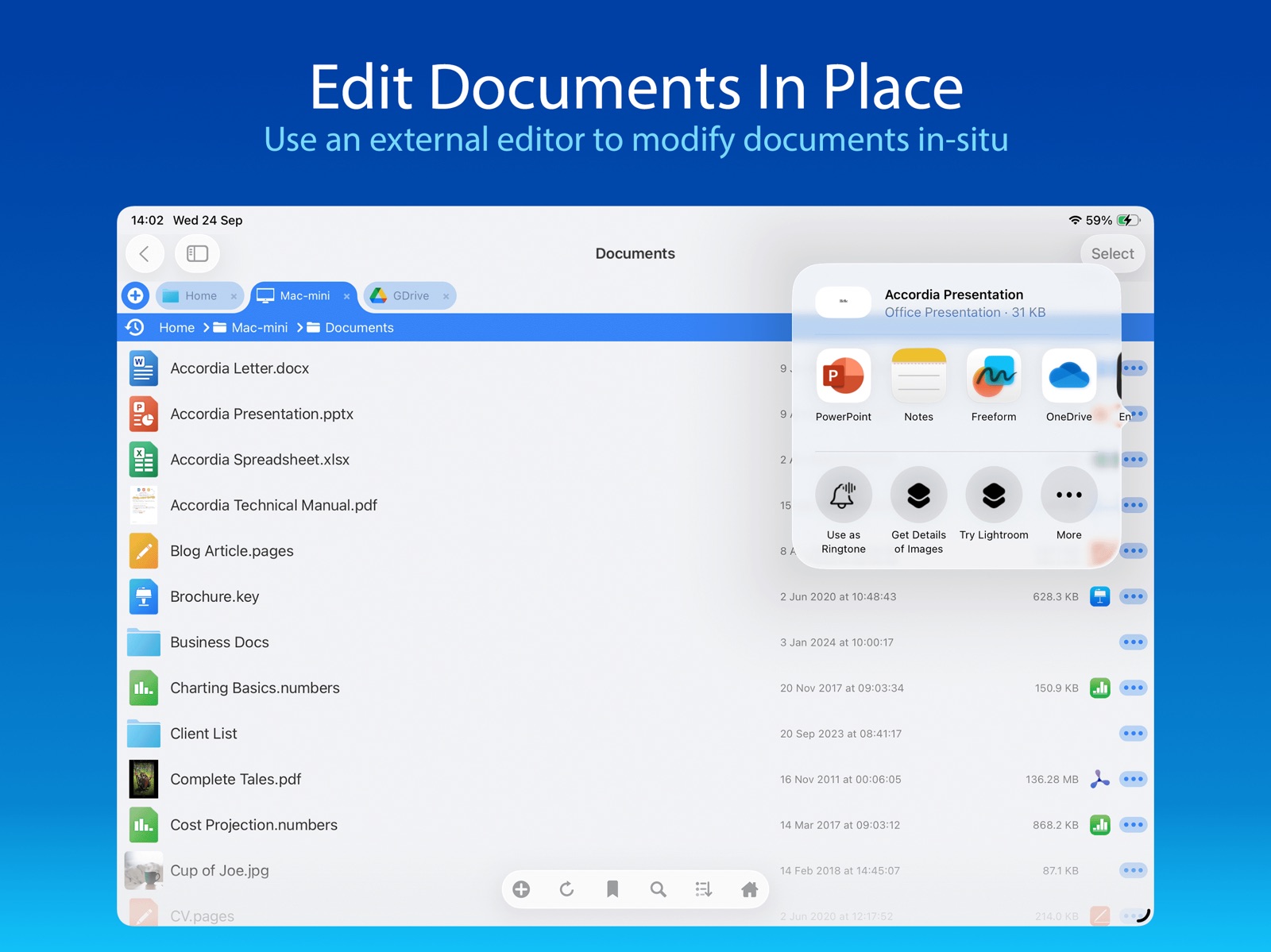
-
25.7
New Features * Added Single Track repeat audio option. * Markdown files can now be created in any folder. * Added SFTP fingerprint validation option. * Filename text size is now independent of zoom. * Improved handling of pasting URLs into a folder. * Improved info message when renaming Photo Library items. * Video player now shows +/- 1 sec controls. * Accessibility: Added support for reduced motion. * Accessibility: Added support for Voice Control. Bug Fixes * Fixed new locations clashing with internal ones. * Fixed audio playing twice when chromecasting videos. * Fixed Dynamic Island obscuring some views. Thank you for helping to make our apps better. If you would like to rate or leave a review on the App Store, we look forward to hearing your feedback. Unlike other file manager apps, we never gather any of your data. We also don't require you to create an account or register an email address with us.
-
25.8
New Features * Added support for SFTP Key file+password auth. * Improved help for SFTP Fingerprint feature. * Log files now automatically scroll to the end when opened. * Can now access Photo Library's hidden photos. * PDF search while typing is now optional. Bug Fixes * Fixed crash when displaying large photos. Thank you for helping to make our apps better. If you would like to rate or leave a review on the App Store, we look forward to hearing your feedback. Unlike other file manager apps, we never gather any of your data. We also don't require you to create an account or register an email address with us.
-
25.9
New Features * User interface update. * Improved the reporting of network disconnection errors. Bug Fixes * Fixed photos moving off-screen when switching to the background. * Fixed double-tap to zoom not zooming to 1:1 pixel. * Fixed crash when listing large iCloud Photo folders. Thank you for helping to make our apps better. If you would like to rate or leave a review on the App Store, we look forward to hearing your feedback. Unlike other file manager apps, we never gather any of your data. We also don't require you to create an account or register an email address with us.
-
26.0
New Features * Photos can now be Moved from the All Photos folder. * Trash Can is now available for iCloud and USB connections. * Added 3x playback speed for audio and video. * Improved support for DNG image files. * Viewing Markdown files now supports view options including dark mode. * Improved performance when swiping through large photos. * Improved support for iOS Glass UI rendering. * Updated connector-specific icons. * What's New popup now honours Dark Mode. Bug Fixes * Fixed handling of slash characters in Google Drive folder names. * Fixed incompatible character encoding when editing text files. * Fixed dismiss-keyboard button vanishing when editing a text file. * Fixed handling of desktop.ini files on Dropbox. * Fixed Google Drive search options always asking for mode confirmation. * Fixed stalling of videos when streaming to Googlecast or AirPlay. Thank you for helping to make our apps better. If you would like to rate or leave a review on the App Store, we look forward to hearing your feedback. Unlike other file manager apps, we never gather any of your data. We also don't require you to create an account or register an email address with us.
-
26.1
New Features * Smoother scrolling of images in grid mode. * Improved wording in config pages. * Handling of special characters in SMB file/folder names.. * Improved performance when copying files to the local device. * Added support for OGG file playback. * Added a Go To Page feature when viewing PDF documents. Bug Fixes * Fixed some password-protected RAR files not expanding. * Fixed long-press not updating the toolbar in Select Mode. * Fixed FLAC Files not playing from OneDrive. * File listing action buttons are now automatically dismissed. Thank you for helping to make our apps better. If you would like to rate or leave a review on the App Store, we look forward to hearing your feedback. Unlike other file manager apps, we never gather any of your data. We also don't require you to create an account or register an email address with us.
-
26.2
New Features * Thumbnails are now generated for PSD and PSB files. * Bulk rename format text now has a history list. * The current tab can now be duplicated. * The image viewer can now optionally avoid the dynamic island. * Improved Bookmarks popup UI. Bug Fixes * Fixed the Pending Uploads screen missing the breadcrumb bar. * Fixed Favorites list sometimes not working in the Files App. * Fixed handling of trailing spaces when connecting to a Time Capsule. Thank you for helping to make our apps better. If you would like to rate or leave a review on the App Store, we look forward to hearing your feedback. Unlike other file manager apps, we never gather any of your data. We also don't require you to create an account or register an email address with us.
-
26.3
New Features * Swipe to dismiss image viewer is now more responsive. * Added support for JFIF images. Bug Fixes * Fixed grid mode not tappable after de-selecting files. Thank you for helping to make our apps better. If you would like to rate or leave a review on the App Store, we look forward to hearing your feedback. Unlike other file manager apps, we never gather any of your data. We also don't require you to create an account or register an email address with us.
-
26.4
New Features * View HDR images at full dynamic range. * Improved audio player UI. * Improved image viewer UI. * Thumbnails are now generated for office documents. * Improved workflow when editing Markdown documents. * New tabs are now added to the right of the active tab. * Updated UI for local files web server. * Improved long filename display in grid mode. * Improved the image viewer swipe to dismiss feature. Bug Fixes * Fixed FTP listing showing wrong size for files > 2GB. * Fixed crash when launching a Sync folder Home Screen favourite. Thank you for helping to make our apps better. If you would like to rate or leave a review on the App Store, we look forward to hearing your feedback. Unlike other file manager apps, we never gather any of your data. We also don't require you to create an account or register an email address with us.
-
26.5
· 29 Jun 2026
New Features * Added Properties menu to video viewer. * New files added externally to On My iPad/iPhone now have the Backup mode applied. * Image Viewer's property panel now persists across image swipes. * Added support for more Markdown formatting. * Sort By Name now uses the same sort mode as Finder. * Empty folders are now reported as such. Bug Fixes * Restored Image thumb tray icon on image viewer info panel. * Restored the volume slider in the video viewer on iPad. * Improved renaming of folders with leading dot characters. * Improved performance of listing large folders. * Improved unzipping archives containing non ASCII filenames. * Improved message when removing an image from a Photo Library album. * Reduced screen-update motion when changing the Use Trash option. * Fixed loading of large images not completing. * Fixed glitchy slideshow image transitions. * Fixed web images closing the viewer when pinching to zoom. Thank you for helping to make our apps better. If you would like to rate or leave a review on the App Store, we look forward to hearing your feedback. Unlike other file manager apps, we never gather any of your data. We also don't require you to create an account or register an email address with us.
Alternatives
- Disk Decipher — Same category + similar ratings
- Vidimote for Safari — Same category + similar ratings
Availability by market
- US
Data quality & evidence
- Page completeness
- Apoku summary published
- Last verified
- 5 Aug 2026
- Sources
- App Store