
Quick verdict
- What it is
- Store information collected; independent summary not yet available.
- At a glance
-
- $3.99
Categories and search queries
Official categories
- Music
- Entertainment
AppCorpus categories
Key functions
| Function | Availability | Access | Scope | Evidence |
|---|---|---|---|---|
| Family Sharing | Yes | Unknown | App Store | Store published |
Screens
App Store
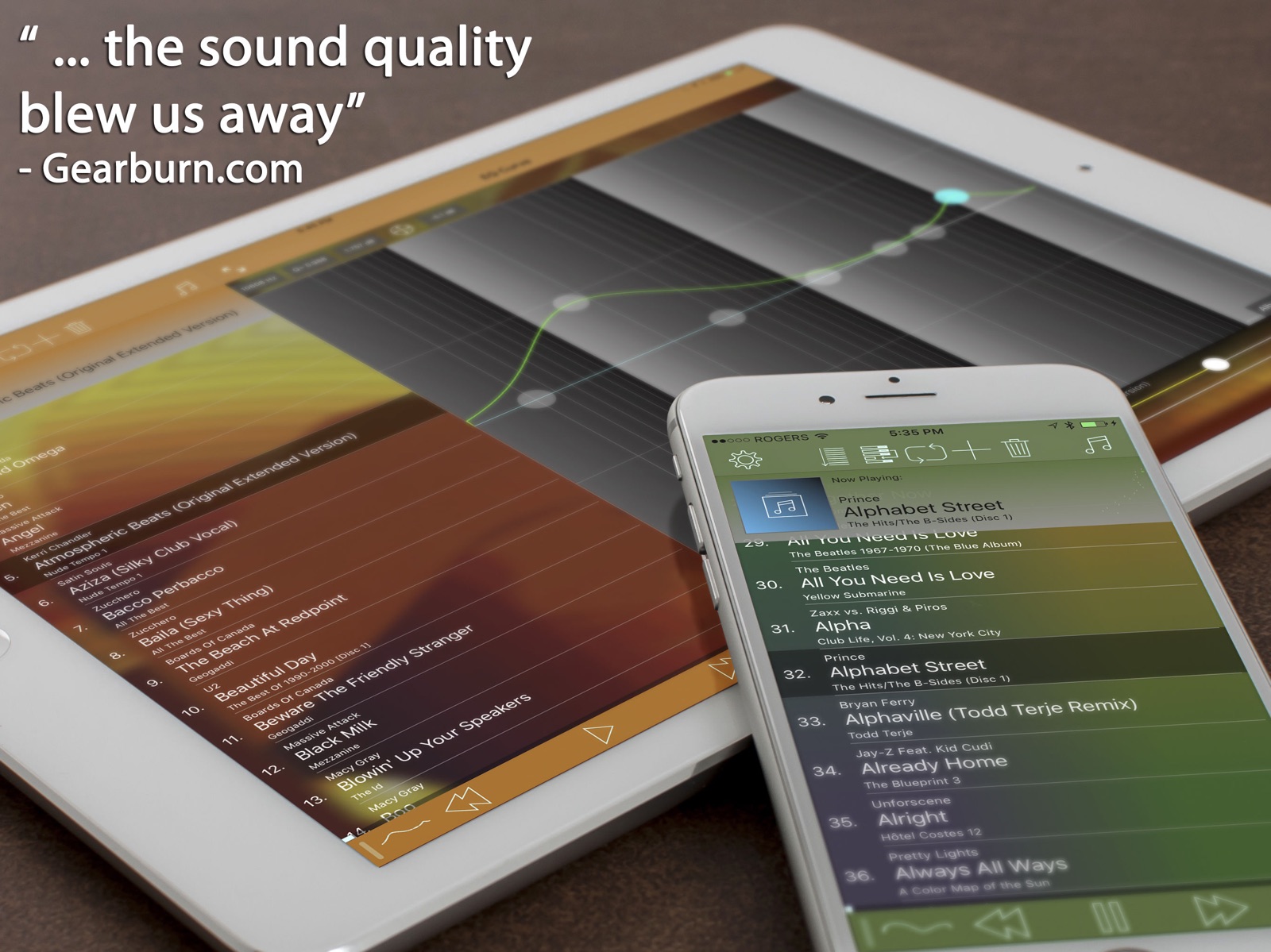
14 store screenshots



Pricing & paywalls
App Store
Shown for US
- Price: $3.99
Ratings & reviews
App Store
Shown for US
-
3/5Great equalizer customization, user interface not very good.
(Used on an iPhone 7) Let me start off by saying if you're looking for a great customization to get just the right sound for your headphones or any kind of tweaks you like in your music, this app is great!! The issue I do however have is the user interface which isn't exactly the most eye appealing (outdated can I say? Compared to many others), user friendly, or seamlessly functional. For example, let's say I just open the app and want to listen to a specific artist with all of their albums on shuffle, I can't do that by going to the artist in the directory and click a shuffle button at the top because it's none existent. I have to search for the artist in the search bar to find the artist and the songs then click on one song and then a shuffle button will appear. By the way the albums won't be noted/separate if you do it this way, you'll have a list of hundreds of songs if an artist has a lot of albums, that's why this method is only for shuffling. Okay now let's say I want to listen to an artists album then go back a page and pick another album. Can't to do that. I have to click on the music note, find the artist again, and then find the album I want to listen to. Another issue that can get bothersome over time that actually made my friend stop using the app is the next/previous song delay as you switch songs. If I am in the middle of a song and decided I want to change it and press the forward button, it's a good 2-3 second delay before it actually changes to the next track. This sometimes causes me to double skip tracks because I don't think it registered the first time. Frustrating needless to say. Other than that this is a great app and if they fixed these issues and updated the interface (maybe even added a visualizer like 'Electric Sheep') to be more eye appealing and user friendly it would be the best app on the market hands down!!
At annex · 31 Jul 2026
-
5/5Awesome
I have tried many music programs to get my music to sound the way I like it with my superbeat pros. This program is by far the best. Hands down! I don’t know what the problem is with the people on here talking about bugs and problems. I’ve had no probs whatsoever. Been using for well over a year and I love it. Worth way more than what it cost me. I’ve found that the crossfeed is best at -13. It makes instruments sound like they are on the stage and that the singer is in your head. I love it. On the “stereo” setting, you can slide back and forth for 2 EQ’s. One for left ear and one for right ear. For people with more hearing loss in one ear more than the other this is a miracle. You can actually set it identical but all up just a bit and it sounds like your ears are perfect. Anyway, if your thinking about buying this app, don’t hesitate, just buy it. No regrets here. I can access all of my music from my library. iTunes and ones I’ve downloaded myself. As long as it’s in MP4, it will work and in iTunes, you can convert all MP3’s or wav’s and lots of other sound ext’s to MP4. Its really easy to figure out.
Indyblrmkr · 31 Jul 2026
-
5/5Great Equalizer and Music Player
I confess I run the equalizer at flat. But what I love is the Cross-Feed provision. If you use headphones you are probably aware that the music usually sounds like its spatially inside your head - Which is nothing like you get from external stereo speakers. The crossfeed control (under the gear “settings” introduces a little left into right and right into left to compensate for the unnatural stereo separation you get from headphones or earbuds. In my case I find that setting the cross-feed to -12% sounds great in my headphones. The lead singer is inside my head spatially and the rest of the band is usually around me - I much prefer this to having all the sound sources spatially inside my head with headphones. The other thing I really like is that it has an effective auto-level function that helps to compensate for the different volume levels between my music tracks. I use this on my iPhone and iPad and it seamlessly imported all my music and playlists from Apple’s Music Player. Now if I am using headphones or earbuds I play my music with this App instead of the Apple Music Player.
Chazzzor · 31 Jul 2026
-
5/5The only EQ app for my iPhone
While I can live with using the standard EQ in Apple’s Music app what I really always wanted was a music player that allowed me to customize the EQ to my taste. This app does that really well in my opinion. I’ve been using it for several years now and I really like being able to experiment with the EQ curve and create custom presets for different genres. Some reviews complain about crashing or other issues but I can’t really recall ever having any problem using it, whether it was on my iPhone 6s or on my current iPhone X. The app is free but donate to the developer if you enjoy it. I want to keep using it for years to come. I definitely recommend it.
Daniel Zalewski · 31 Jul 2026
-
3/5Great EQ, plays all my ALAC, WAV, etc, but buggy and unstable
The EQ is very flexible and responsive and the app is full of options but interface is very clunky and not very responsive or intuitive. Often times music will pause on its own or when I select a song, the app will play a different song instead. This is my favorite music app so far but those bugs are very frustrating and it’d be much easier to overlook the funky interface. When it works it works great! But currently am auditioning other music apps..
defepitaph04 · 31 Jul 2026
Privacy & accessibility
App Store
Privacy
- Data Not Collected Developer declared
Accessibility
No accessibility labels collected yet.
Versions
App Store
-
4.01
BugFixes: -Remember Settings -No crossfade when set to 0 (it is now gapless playback too at that setting) - Fixes for iOS6 usability - Remote control and lock screen controls - Landscape eq curve on iPhone We are hearing your suggestions on www.audioforge.ca and twitter @ibeatmaker and we have more planned for Equalizer. If you have a question, just drop us a line: @ibeatmaker on twitter or via support in the app or on www.audioforge.ca Remember to check out the new manual at www.audioforge.ca/manual.php
-
4.05
Landscape RTA Bug fixes Share current song to Facebook Gray template mode iCloud items are greyed out Added composer, compilation to media picker eqx profile import fixed 64 bit processing for new devices If you enjoy Equalizer, please take the time review it in iTunes. Even a short review helps. Thanks!
-
4.08
EQ curve screen is accessible from almost all screens Improved battery life Fixed interruption handling Other bug fixes If you enjoy Equalizer, please leave a review in the App Store. It really helps keep support and maintenance up.
-
4.10
Bugfixes Option to crossfeed (blend left and right channel) iCloud sync for presets (sync also to our other apps RadEQ and Equalizer for Beats Music) Option to group by album artist
-
4.200
Bugfixes Apple Watch Support
-
4.210
Bugfixes
-
4.220
Fixed Album Display. Toggle between showing and hiding iCloud and DRM tracks by pulling the list down.
-
5.0
Redesign to support multitasking and all orientations Removed hamburger menu Added option to sort playlist alphabetically Full screen spectrum analyzer in both landscape and portrait available Watch app complication 3D touch support The audio engine has not been modified and the sound quality is the same high standard as ever.
-
5.01
Bugfixes
-
5.02
Improved battery consumption
-
5.03
Bugfixes iOS features: Added elapsed and remaining time Apple Watch features: Play and Pause right from the Apple Watch
-
5.04
Bugfixes
-
5.05
Fixed the missing settings switches Option to hide the preamp slider Bugfixes
-
5.06
Bugfixes for iOS11
-
5.07
Fixed Remote Control and Control Centre
-
5.08
Fixed bottom colour for iPhone X Fixed remote control play/pause Other bug fixes
-
5.09
Bugfixes
-
5.10
Bug smashing
-
5.11
Bugfixes for iOS12 Presets are sorted alphabetically Added Volume Control on Watch App Added ability to save/edit your own playlists
-
5.12
Bugfix for iOS12.1
-
5.15
Updated to latest iOS version Fixed a few search related bugs Fixed disabled eq curve and preset buttons Other stability bug fixes
-
5.16
Fixed dark mode glitch Other bug fixes
-
5.17
Bug fixes
-
5.18
Bug Fixes fo iOS 17
-
5.20
· 31 Oct 2025
Bug fixes for new iOS versions
Alternatives
- Evermusic Pro: music player — Same category + similar ratings
- HS Player - FLAC, EQualizer — Same category + similar ratings
Availability by market
- US
Data quality & evidence
- Page completeness
- Live store listing
- Last verified
- 31 Jul 2026
- Sources
- App Store
- Independent summary has not been published yet.