
Quick verdict
- What it is
- Store information collected; an Apoku editorial summary is not yet published.
- At a glance
-
- $7.99
Categories and search queries
Official categories
- Music
Apoku categories
Key functions
| Function | Availability | Access | Scope | Evidence |
|---|---|---|---|---|
| Family Sharing | Unknown | Unknown | Scope unknown | Store published |
Screens
App Store
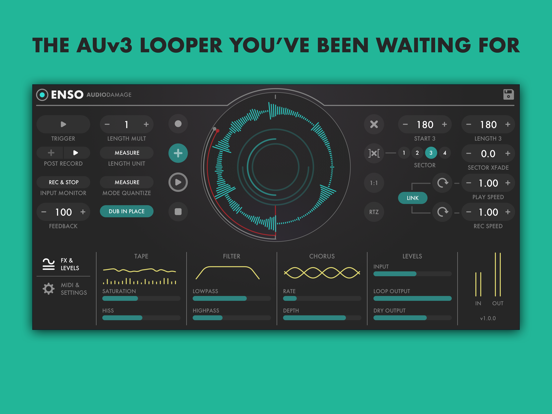
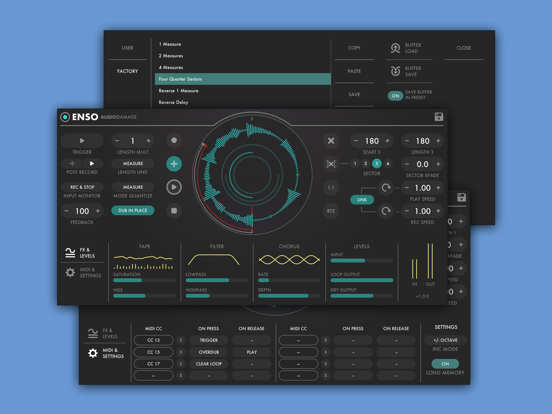
8 store screenshots


Pricing & paywalls
App Store
- Price: $7.99
Ratings & reviews
App Store
-
5/5No competition no complaints.
Getting this app will give your iOS device super looper powers of devices many times its cost in the real world. A great value and great sound.
Herr_prof · 6 Aug 2026
-
2/5Love audio damage but this app needs an update
I want to love this looper so bad. I have tried so00oOO many times (iPad Pro 2010 & now M2) to give it another shot but there is always something off with it. I saved presets (with audio buffer) to reopen sessions later and the timing is off after playing a while??? The worst is when you finally get a good take but it crashes before you can save it and ALL IS LOST!?! I guess this isn’t made for what I’m using it for and need to repurpose it somewhere else. Hopefully some bugs get worked out and I can go back to using it..
StarvedArt · 6 Aug 2026
-
3/5I love it..when it works...unfortunately too unstable
It could be an amazing looper...but...too many issues...i hit rec and wont record..i have to unloaded and loaded back a few times and sometimes it will eventually work...to make it more infuriating...that means i have to redo all midi mappings! Arghh!...but...when i get it to work its great! Please fix this! Thanks
MM266000000 · 6 Aug 2026
-
5/5This is it.
Hands-down the best looper on this or any platform.
TyrannosaurusRyan · 6 Aug 2026
-
3/5Good bye Audio Damage
I liked this app, even though I rarely use it. My problem is the excuse of blaming negative customer reviews for price increases. That’s a really poor way to do business. It also displays ignorance of how the market works. Good bye Audio Damage.
Kurt52 · 6 Aug 2026
Privacy & accessibility
App Store
Privacy
- Data Not Collected Developer declared
Accessibility
No accessibility labels collected yet.
Versions
App Store
- 1.0
-
1.0.10
> Minimum iOS raised to v11 for better compatibility. > App splash screen edited to hopefully limit confusion. Now includes links to walkthrough video and manual, and explicit instructions for use. > Many small bug fixes and improvements.
-
1.0.15
>> Much smooth. Very declicking. Wow. We have done a lot of work to minimize edge- and corner-case clicking, principally in the Sectors. You will find that, in general, the Sector features work much better, and there will be no (or minimal, in the case of legato source material) clicks when resizing and moving sectors while playback is occuring. >> Settings were not recalled correctly when restoring a session in some hosts. This has been fixed. >> MIDI notes added as sources in the CC Control section. You can now assign a MIDI note to a momentary button the same way you would a controller button. >> In all quantization modes, the playback and record speed controls now go _towards_ zero when clicking or dragging down, and _away_ from zero when clicking or dragging up. There were some differences of opinion with respect to the various speed quantizations, and this has been remedied. >> The main mode quantization now affects every momentary button except Trigger and Overdub. What this means: sector switching, RTZ, and sector clear will now respect the quantization. So if you have it set to quarter notes, your sector will switch on the beat. >> A whole heap of small bug fixes, improvements, and optimizations. >> Factory presets added back to the iOS version. They somehow got kicked out of bed in the multiple updates that platform needed.
-
1.1.2
General bug fixes, optimizations, and. modernizations.
-
1.2.4
>> Major de-clicking operation was successful; you will hear _far_ fewer clicks overall, and principally when the record head and playback head are moving in opposite directions, at weird speeds, and other places one was likely to get a click previously. If it seems like we start every changelog note with this, that's because we do. We hate clicks. More than you do. Unless you're Alva Noto, in which case you probably love them and are sad we got rid of them. Sorry, Alva. >> Settings panel added. Buffer load and save and RAM info moved here. >> Scribble strip added. Enter text in the scribble strip field on the settings panel and it will show in the center dial; handy if you have more than one Enso open to know which one is which. Saved with preset. >> New preset panel with 3 folder columns. Default preset added. Enso will auto-load the preset named Default in the root of the User folder. You may save over this to set your own preferred starting state. >> MIDI Slice mode added. You can now "play" the loop you've recorded with a MIDI controller; it is automatically sliced in to 4 to 16 equal loops. >> Numerous bug fixes and optimizations.
-
1.2.5
Various optimizations and small bug fixes.
-
1.2.6
In the previous version, if you loaded audio in to the buffer that was not at the host's current sample rate, Enso would only load silence. This has been fixed, and all audio is properly sample-rate converted on load and/or instance now.
-
1.2.7
This fixes an issue introduced with 1.2.6 that revolves around a (now) well-documented bug in XCode 15. This bug causes applications written in C++ to not work in iOS 12, 13, or 14. If you were experiencing issues after the last update, and you are on one of those three operating systems, this update should fix that.
-
1.2.9
A fix for the Xcode 15 bug that prevented Enso from working in iOS 15 and prior.
-
1.3.2
Version 1.3 is now available! >> New control: Auto RTZ (found on the settings panel), will automatically return to zero at selected time interval. Useful for syncing material that is not quite your tempo. >> New about splash with rich info contact buttons. >> New style preset manager. >> "Save buffer in preset" switch removed. Now, if the buffer has audio when you save, it will be stored. >> Many small bug fixes and optimizations.
-
1.3.3
· 19 Apr 2025
General maintenance build, some small bug fixes for compatibility with Circa.
Alternatives
- lo-fi-af — Same category + similar ratings
- Prism MIDI Sequencer — Same category + similar ratings
Availability by market
- US
Data quality & evidence
- Page completeness
- Live store listing
- Last verified
- 6 Aug 2026
- Sources
- App Store
- Apoku editorial summary has not been published yet.