
Quick verdict
- What it is
- Store information collected; independent summary not yet available.
- At a glance
-
- From $2.99/mo
- Free to download
- In-app purchases
Categories and search queries
Official categories
- Photo & Video
AppCorpus categories
Key functions
| Function | Availability | Access | Scope | Evidence |
|---|---|---|---|---|
| Free app | Yes | Free | — | Store published |
| In-app purchases | Yes | Limited free | — | Store published |
Screens
App Store
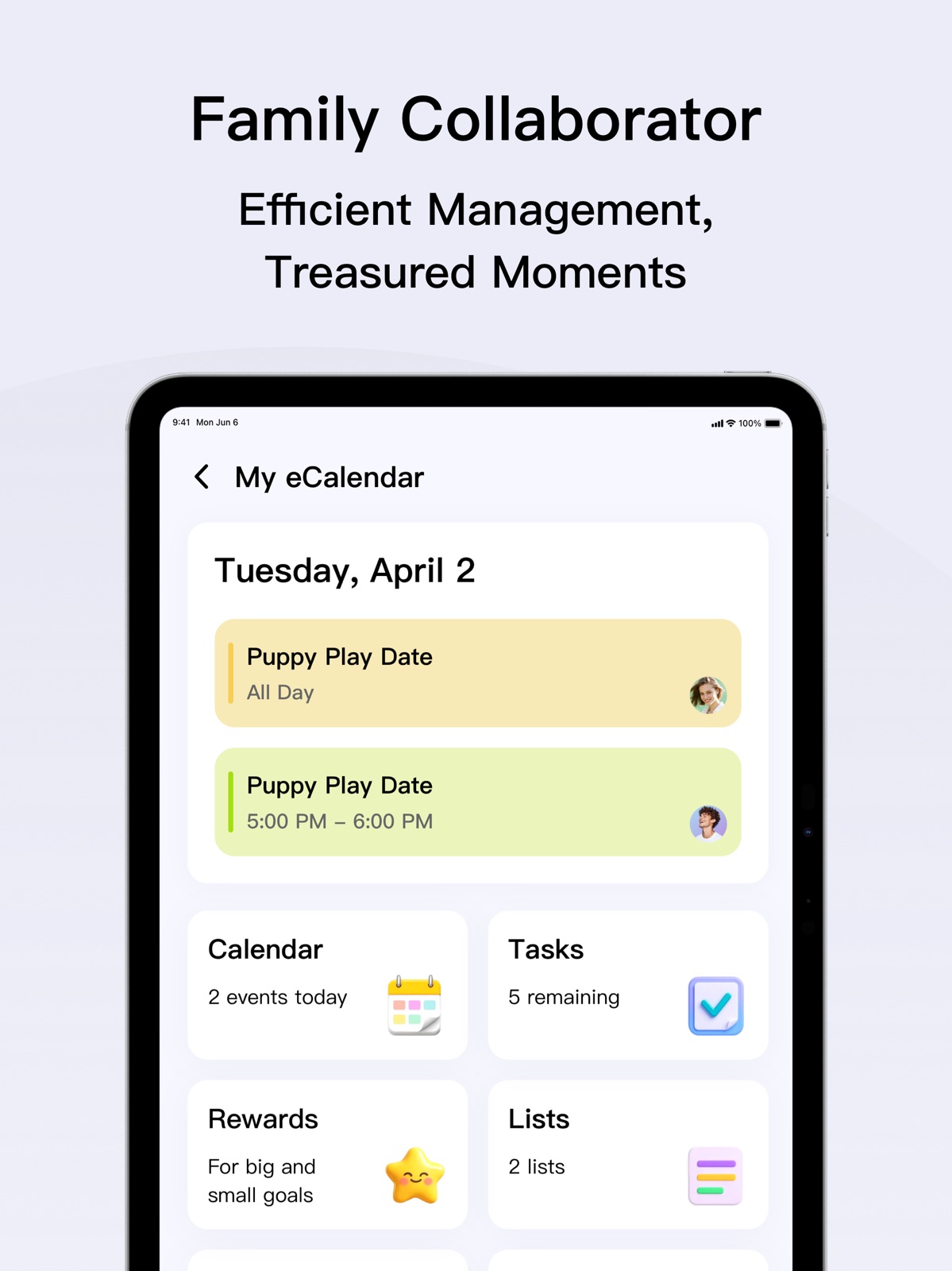
12 store screenshots


Pricing & paywalls
App Store
- eCalendar Plus Monthly — $2.99/month
- eCalendar Plus Monthly — $29.90/year ($2.49/mo)
- 7-Day Free Trial — $29.99/week
Ratings & reviews
App Store
-
4/5Great for keeping family informed
The whole family loves the house calendar and takes the time to look at upcoming events and tasks around the house, and they are more likely to complete the tasks since they can easily see and track them. My daughter is also motivated by earning stars so she can get a reward. My only complaint is that some things can only be done from the app, and I wish the options were exactly the same on the house calendar. For instance, when adding a task on the house calendar, I cannot assign stars, but can if I do so from the app. Also, rewards can only be assigned from the app, and I wish it could also be done from the house calendar. I understand this may be for control so kids can’t give themselves rewards, but this should instead be available on both the app and house calendar, with the option to turn it off. Overall, we love it, but there are just those couple changes that I hope can be made.
kellyd923 · 30 Aug 2026
-
3/5Great idea but…
I love having a digital calendar that syncs with the app on my phone. So many glitches though. My biggest issue is that I have something scheduled on the calendar for a certain time, and when the app gives me a notification on my phone, the time is never correct. Most of the time it says the appointment is 2 pm for some reason. Today, I have an appointment for 4:15 pm, and the notification is for 930 pm. I always have to open the app and check the calendar for the correct times. I have tried the whole, turn it off and turn it on or turn off the wi-fi, and nothing helps. Also, the actual screen is constantly glitching on the calendar. I have unplugged it and plugged it in over and over. Sometimes it helps. I have heard the plug is just cheap and will need to buy a better one, but for this price, it should last more than one month. Yes, I’ve only had this a month. Also, There is a major issue with putting menus in for a week. They never show up when you go to look at them, so you have to scroll back to the prior week or ahead to the next one and then come back to the current week for it to show up. It’s just weird and glitchy. Way too expensive for so many issues.
MN Mom71 · 30 Aug 2026
-
3/5App needs work!
The device is great! Love the way it makes a large family stay connected ok what all is going on! My problem is the app is slow! Adding photos from the app is a hassle too! To add a caption I have just been given up because the page jumps around and you can’t see what you’re typing. About issues is you can only add 9 photos at a time but the other night it wouldn’t even let me confirm the photos I selected to be added, so i was already aggravated trying to put captions on the photos and wasted all kind of time then it wouldn’t even load them New comment. Being we are such a large family and we caregiver for our grand parents my calendar stays full with multiple appointments in one day it would help me out gratefully more colors to choose from plus the colors that we are able to choose from our so close in the same color category, it makes it hard when you have to separate people with close colors with appointments in one day I would like to be able to look at my calendar and really tail between the two different purples and the pink red orange etc. Would be nice if we can choose from a spectrum of colors.
cajuncar · 30 Aug 2026
-
2/5I really wanted to like this!
For a busy family, having a centralized device for calendars makes a lot of sense… this does sync to our iPhone fam Google Calendar and has our photos as a screen saver, but that is all you can do from your phone … you have to manually add everything else which doesn’t make sense: adding to-do lists for kids (chores, practice, exercise for older kids), grocery shopping lists, reminders, etc, none of that can be pushed from your ecalendar app. I don’t have time to write a list then update it when I get home, it defeats the purpose. If I was home 24/7 with no other electronics then maybe it would work? My kids can’t figure out how to check off their rewards either, maybe they need a separate profile. Again none of this is intuitive. Software updates lag and the only way to make changes to the photos showing on screen was to manually delete them. After asking and informing customer service, they still didn’t give me any help or fix the bug. It only used the first upload of photos. An wouldn’t remove any. The touchscreen is nice, the size is nice. But that’s it. I’m not sure I will get the real thing either, maybe it’s just not a fit for us.
Mechelle21 · 30 Aug 2026
-
3/5Please update list, stars, calendar
I love having this on our wall as a joint calendar and task list of things as well as the photo gallery screensaver. I really wish that you all would consider an update for the stars to where they delete or you can have a setting to delete them at end of week or end of month or at the end of the day type of thing. It’s fine and it hurts to heartbeat one another, but the stars have been tallying up for several months now with no way of deleting past stars earned so it’s like the one person keeps winning now because his score was already high. for the calendar. We still have no way of syncing our iPhone calendars to this main calendar, which is weird the steps does not work to do this and I have the latest iPhone 17 Pro.. can you please also consider having the list when making a grocery list to have the option to sort it by aisle grocery store or buy prior or something like that would be a as well. Fingers crossed.
tmo19 · 31 Jul 2026
Privacy & accessibility
App Store
Privacy
- Data Not Collected Developer declared
Accessibility
No accessibility labels collected yet.
Versions
App Store
-
1.14.0
1.Optimize webcal protocol 2.Optimize user management
-
1.15.0
1. Optimize the function of password reset. 2. Correct the problem of copywriting.
-
1.16.0
1.Fixed the problem of unresponsive tasks in some scenarios
-
1.17.0
Optimized Third-party Calendar Synchronization List
-
1.18.0
1.New & Improved Photo Albums
-
1.19.0
1. Global interface optimization of the app 2. Interactive experience optimization of the app
-
1.19.1
1. Input method optimization.
-
1.20.0
GDPR General Data Protection Regulation Update and Optimization.
-
1.30.0
1. Add alarm clock entry
-
1.31.0
1. Support Custom Task Icons. 2. Sound and Animation Effects for Task Completion. 3. Support Device Deletion. 4. Fixed Known Bugs
-
1.33.0
1.Update competitive tasks. 2.Upgrade reward redemption animations. 3.Fix known issues.
-
1.33.1
1.Fix known issues
-
1.34.0
1.Bug fixes for cross-day events 2.New: Two-way iCloud Sync
-
1.35.0
1.Multi-device Sync: Now supports real-time data sharing (App update required). 2.Album UI: Visual design optimized. 3.Bug Fixes: Various issues resolved.
-
1.36.0
1.Record the task completion time. 2.Update the penalty system.
-
1.37.0
1. The meal plan now supports multiple selections and includes a feature to add images. 2. Third-party sync functionality has been optimized. 3. View settings have been added to the to-do list.
-
1.38.0
1.Task reward icons now support custom images. 2.Added a task template library. 3.Tasks completed after the deadline can be set to earn no stars. 4.Added star history records. 5.Reward redemptions can be set to become non-cancelable after 12:00 AM on the following day.
-
1.40.0
1. iCloud Two-Way Sync: Add and edit iCloud calendar events directly within the eCalendar app and on your device. 2. Completely Optimized Homepage Logic: Log in to the app and directly access the feature summary page without unnecessary redirects.
-
1.41.0
1. iOS Widgets: Quickly check schedules, tasks and lists directly on your home screen. 2. Optimized List Features: Add members and images, support multi-view mode for efficient to-do management. 3. Member Optimization: Customize member colors and choose from cartoon avatar templates. 4. Holiday Subscription: One-click subscription to public holidays of mainstream countries. 5. Meal Plan Daily View: Switch freely between weekly and daily views to arrange daily meals easily.
-
1.41.1
1. Fixed known bugs 2. Optimized user experience
-
1.42.0
1. Copy tasks: One-click copy to add repeated plans quickly. 2. Meals: Built-in recipes with ingredients and cooking steps. 3. Storage : Record household items, locations and expiry dates.
-
1.43.0
1. Anniversaries: Countdown for birthdays & milestones, never miss important dates 2. Custom Reminders: Flexible alert time for all tasks & events
-
1.44.0
1. Notes: Jot down ideas anytime, leave messages for family
-
1.45.0
AI Assistant: Member Beta exclusive. Use natural language to create schedules, tasks, meal plans, and shopping lists for easier family planning.
-
1.46.0
· 28 Jul 2026
1.Routine: Set recurring morning, afternoon and evening routines for family members. 2.Fix the issue where profile cannot be edited for events under iCloud bidirectional sync
-
1.47.0
1. Optimize the flow for creating households and binding devices 2. Fix known bugs and improve user experience
-
1.47.1
1. Optimize the flow for creating households and binding devices 2. Fix known bugs and improve user experience
-
1.47.2
· 25 Aug 2026
Resolved an issue that prevented family email creation in some countries and regions.
Alternatives
- GlowUp - Photo Editor — Same category + similar ratings
- Beautify - Hairstyle Try On — Same category + similar ratings
- AI Video Generator-HiCut — Same category + similar ratings
- Uhale — Same category + similar ratings
- Photo Prints Now: CVS Photo — Same category + similar ratings
- Glowify - AI Hairstyle Try On — Same category + similar ratings
Availability by market
- US
Data quality & evidence
- Page completeness
- Live store listing
- Last verified
- 30 Aug 2026
- Sources
- App Store, Google Play
- Independent summary has not been published yet.