
Quick verdict
- What it is
- Store information collected; independent summary not yet available.
- At a glance
-
- $1.99
- In-app purchases
Categories and search queries
Official categories
- Productivity
- Utilities
AppCorpus categories
Key functions
| Function | Availability | Access | Scope | Evidence |
|---|---|---|---|---|
| In-app purchases | Yes | Limited free | — | Store published |
Screens
App Store
13 store screenshots


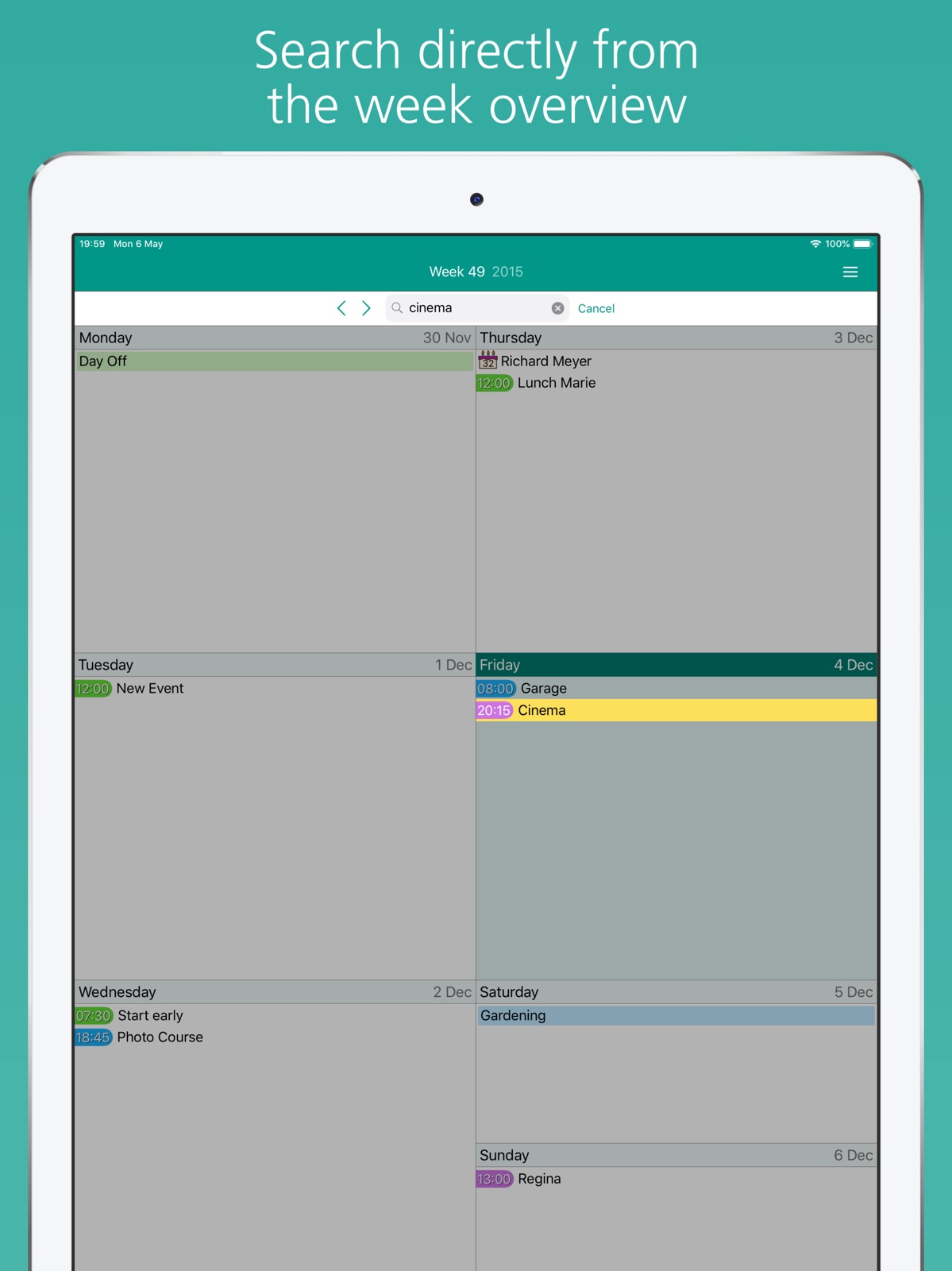
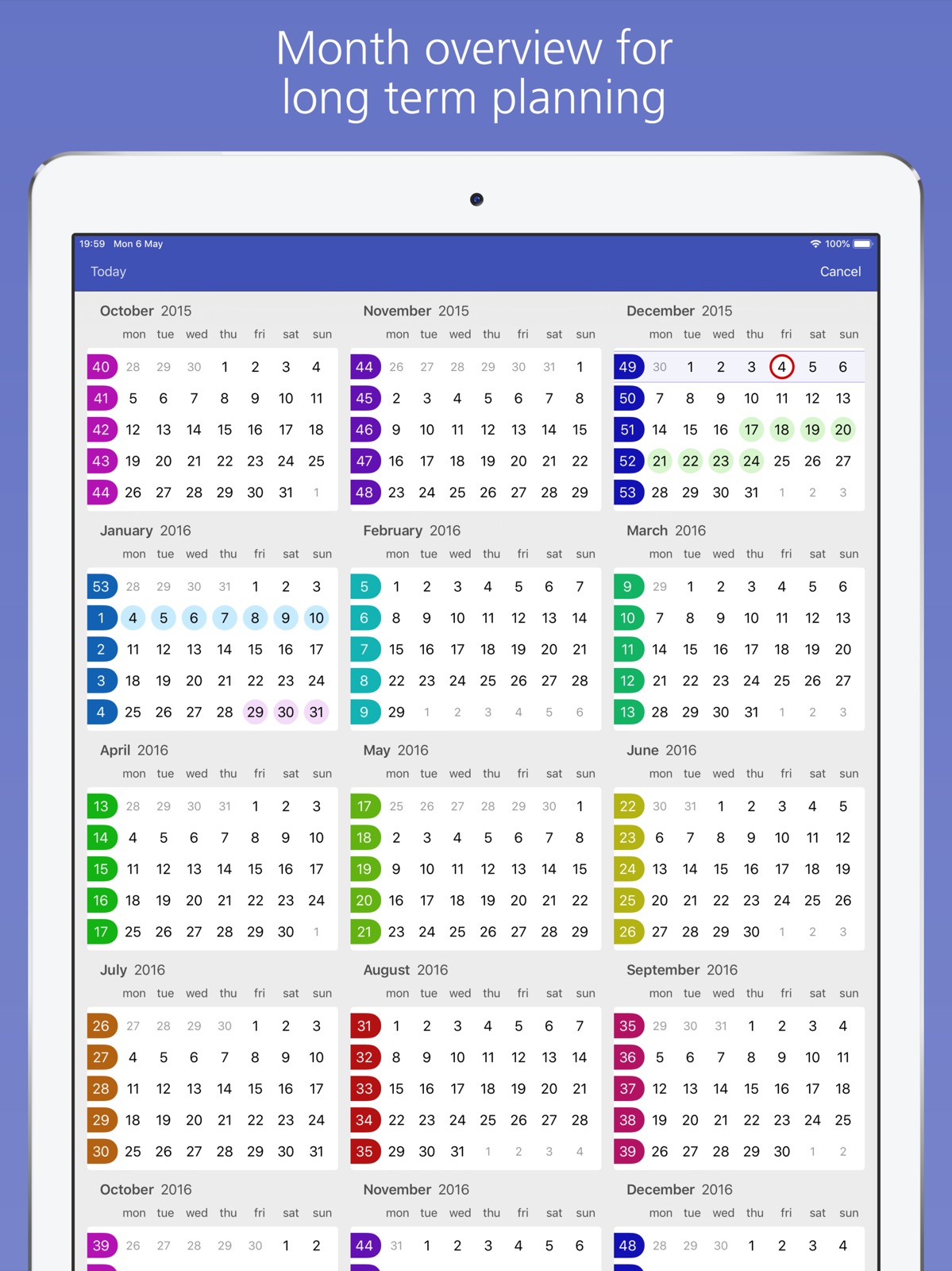
Pricing & paywalls
App Store
- Price: $1.99
- In-app purchases
Ratings & reviews
App Store
-
5/5A great calendar
Very easy to use and clean design. It has the best weekly view available, which was a strong feature for my selection. Easy to change appointments, whether individual or recurring. And I can’t recommend highly enough the responsiveness of their support. I have only had two issues over the years, and both were my fault caused by how I had implemented iOS updates. The problems were identified quickly and solutions presented in language I understood. An excellent app which I have used exclusively for years now.
Seawall Attorney · 31 Jul 2026
-
5/5Great organizer
I love being able to create color-coded calendars and edit/change them as needed. Viewing the week at a glance with color coded events makes things so much easier & is why I purchased your app over others. However I truly hate that you removed the ability to invite others to an event/meeting in your app, requiring that I create the event in your app - that I use all the time - then exit your app to search for the event in iCal, invite my people, and then return to your app. PLEASE bring this function back!!!!! Great response time from developer with “fix” for adding the menu back in. Still not as smooth as before - but much better not having to exit the app to get to invitees.
NoleHoney · 31 Jul 2026
-
5/5What a Huge Change!
I use the OmniFocus system which basically slaps everything I put in their reminder/ project lists and adds that info to the other two calendars I refer to the most. I used easy calendar a few years ago and appreciated the ease of use regarding this calendar and I did use it mostly for quick entry, not as my main calendar. Just checked it out after the new update last night and now instead of that annoying blue (I hate basic blue) I find I can customize the colours, have a dark theme and colour tags, increase font size and resize the calendar's windows. And now, you can actually change the app icon colour, which is very cool. I only have one other app that has implemented that feature, so far. Anyway, what was once just simple, is still that, plus customisable, useful and stylish.
Clurichaun · 31 Jul 2026
-
5/5SOOO AWESOME!
I previously purchased the Planner app with the impression that it would sync automatically with my iPhone calendar. But I was sadly mistaken. So when I came across this app I was unsure if it was what I needed. MUCH to my surprise, not only does the app sync to my iPhone calendar, but it does so instantly when you download the app, and you do not have to do anything to it. Simplified special dates or appointments you add to this app can be done through the app directly, but what I love is that if there is more detail that needs to be added to the event it takes you directly to your iPhone calendar to be completed, and then syncs to the Easy Calendar. I LOVE IT! PLUS the little graphics of birthday cakes and such along with the color coded events makes this app fun, and visually appealing! I agree with other users that the app logo could use some work, but all in all it was well worth the $1.99 purchase! Well done!!! And thanks!
HoneySweetPride · 31 Jul 2026
-
4/5Great calendar app
This app presents my Calendar in a very user friendly way. The problem with the Apple Calendar is that I don’t get to see enough information about what is on my calendar when I am making appointments or reviewing what’s ahead for my week. Easy Calendar app gives me a very clear look at my week, in a clean easy to read font, with color codes and with the time displayed. Easy Calendar automatically syncs with the Apple Calendar App. I rely on my Apple Calendar to accept appointments from my office staff who are using Outlook, so I can still accept those Outlook appointments and they immediately sync with Easy Calendar. Let me sum it up like this, the Easy Calendar app is so good, Apple is probably going to buy the company, then tweak the app, and ruin the app. Until that happens, I’m going continue using and enjoying this app.
SkylerNine · 31 Jul 2026
Privacy & accessibility
App Store
Privacy
- Data Not Linked to You — Analytics — Diagnostics — Crash Data Developer declared
- Data Not Linked to You — Analytics — Usage Data — Product Interaction Developer declared
- Data Not Linked to You — Diagnostics Developer declared
- Data Not Linked to You — Usage Data Developer declared
Accessibility
No accessibility labels collected yet.
Versions
App Store
-
4.10.0
We're excited to introduce Premium features that make your calendar more personal and powerful than ever: • Reminders - Fully integrated reminders so you never forget anything important • Special Days - Design your own holidays, anniversaries, and special occasions • Live Weather - Get weather forecasts right in your calendar view • Live Events - Sports, holidays, and more automatically added to your calendar Upgrade to Premium to unlock all these features and support the continued development of Easy Calendar!
-
4.10.1
Minor improvements
-
4.10.10
Minor bugfixes
-
4.10.11
• Fixed problem with adding calendar notes • Fixed crashes that could occur during calendar synchronization • Fixed wind speed unit conversions
-
4.10.13
• Reminders performance improvements • New setting to control display of completed reminders • New setting to control display of repeated reminder occurrences • Bug fix for rare event saving issue
-
4.10.15
Minor bugfixes
-
4.10.16
• Special day widgets • Hide end time when it matches the start time • Improved support for the iOS 26 interface
-
4.10.17
Bug fixes
-
4.10.18
Ongoing improvements
-
4.10.19
Ongoing improvements
-
4.10.20
World Cup 2026 calendars. Pick your country and add the match schedule from the menu.
-
4.10.21
Continuous improvements.
-
4.10.22
· 25 Jun 2026
Bug fixes
-
4.10.3
Improvements
-
4.10.4
We're excited to introduce Premium features that make your calendar more personal and powerful than ever: • Reminders - Fully integrated reminders so you never forget anything important • Special Days - Design your own holidays, anniversaries, and special occasions • Live Weather - Get weather forecasts right in your calendar view • Live Events - Sports, holidays, and more automatically added to your calendar Upgrade to Premium to unlock all these features and support the continued development of Easy Calendar!
-
4.10.5
- Fixed issues with copy/pasting events - Fixed hiding individual reminder lists - Improved city search for weather - Weather correctly displays in Fahrenheit (based on phone settings) - Added setting for weekday text background in day view headers
-
4.10.6
- Fixed UI issue with moving events - Implemented repeating special days - Improved Yahoo integration for Reminders - Added option to display notes icon in the overview - Added option to display end time in the overview - Added support for weather Beaufort Scale
-
4.10.7
Bugfixes for premium features
-
4.10.8
Minor bugfixes
-
4.9.1
Fixed 12-hour time notation in iOS 17.
-
4.9.2
Fixed iOS 17 issues including big margins on widgets and calendar access problems.
-
4.9.3
Fixed problem with calendar authorization in IOS 17.
-
4.9.4
Fixed a bug in iOS 18 where the month/year button at the top was not responding after switching between dark and light mode.
-
4.9.5
Bugfixes
-
4.9.7
Introduce setting to toggle between 10:00a and 10:00 AM notation
Alternatives
- Cali - The Calendar App — Same category + similar ratings
Availability by market
- US
Data quality & evidence
- Page completeness
- Live store listing
- Last verified
- 31 Jul 2026
- Sources
- App Store
- Independent summary has not been published yet.