
Quick verdict
- What it is
- Store information collected; independent summary not yet available.
- At a glance
-
- Free to download
Categories and search queries
Official categories
- Reference
- Books
AppCorpus categories
Key functions
| Function | Availability | Access | Scope | Evidence |
|---|---|---|---|---|
| Free app | Yes | Free | — | Store published |
Screens
App Store
13 store screenshots


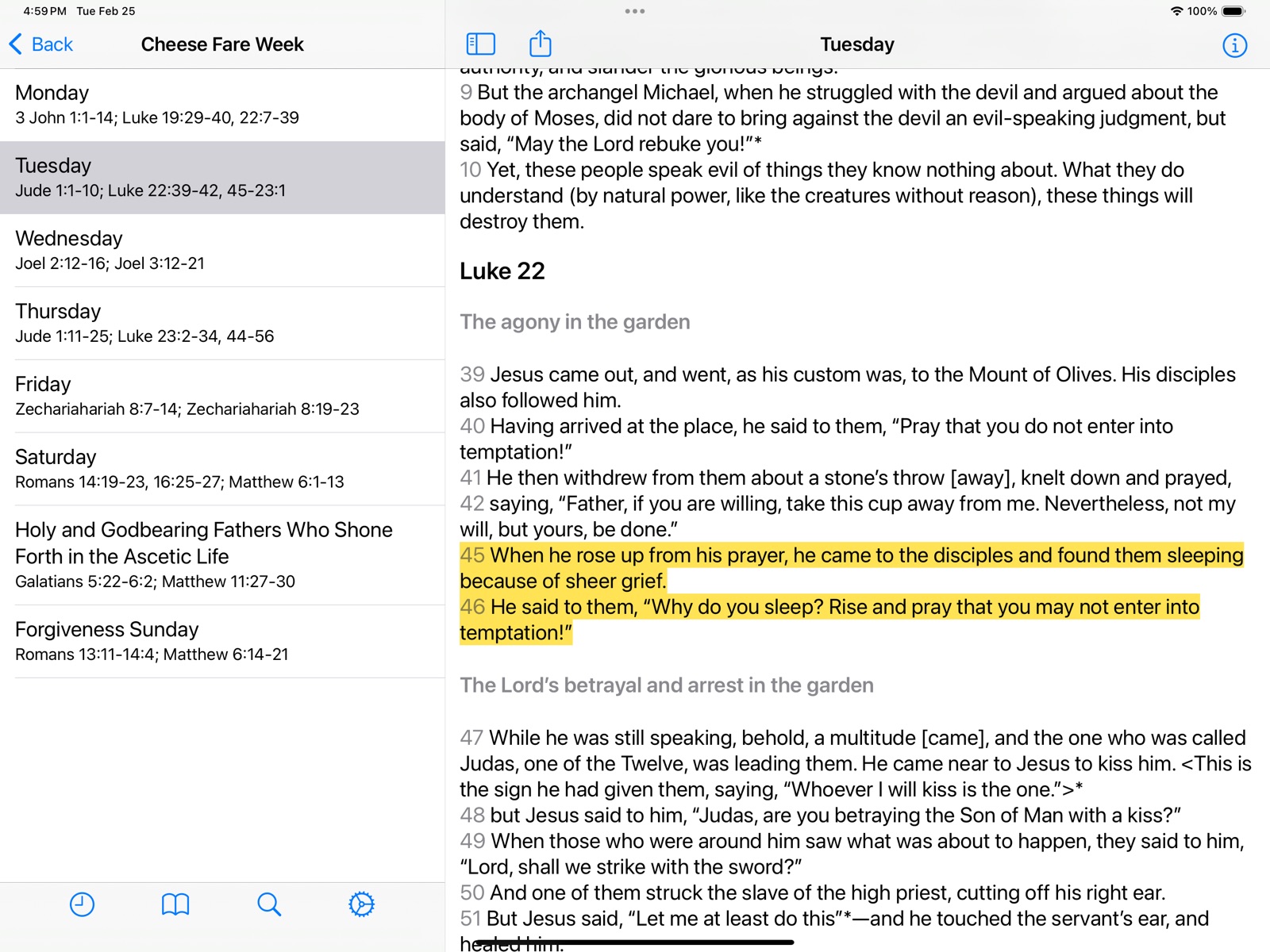

Pricing & paywalls
App Store
- Free
Ratings & reviews
App Store
-
4/5Old Testament
Would be a 5 star if it had the Old Testament
GottaGetTheBread · 31 Jul 2026
-
5/5A very good app
A very good app for Christians who want to want to read the Bible but doesn't have one
zash942 · 31 Jul 2026
-
4/5The app has disappeared
Unable to reopen it
Mystikofos · 31 Jul 2026
-
5/5Very Good Bible, Have Been Using It For A While
This Bible is very good. Helped me get closer with my Lord and Savior Jesus Christ!
bruheberynameistaken · 31 Jul 2026
-
5/5Great app. Would love to use on iPad too
This app is great and it makes navigating this translation of the Bible very easy. I also enjoy this developer's Orthodox Study Bible app, and hope that its handy "Today's Reading" feature gets ported over to this EOB app when possible (I assume the developer is waiting on the Old Testament translations to be completed). Regarding the EOB as a Bible translation, I have heard good things about its accuracy, though I myself am unqualified to evaluate this. I do though find it to be very readable and appreciate the extensive footnotes and introductions to each book. Would love to use both apps on my iPad too. Thank you for very easy to use and cleanly designed apps.
mid atlantic traveler · 31 Jul 2026
Privacy & accessibility
App Store
Privacy
- Data Not Collected Developer declared
Accessibility
No accessibility labels collected yet.
Versions
App Store
-
1.0.2
- Restored missing Matthew footnotes
-
1.1
- Updated for iPhone 5 & iOS 6 - Improved accessibility (VoiceOver) functionality - Added New Testament reading plan - Added Times New Roman font option - Other minor fixes & improvements
-
1.1.1
1.1.1: - Fixed obscured text in 1-chapter books - Fixed some iPhone 5 background image issues 1.1: - Updated for iPhone 5 & iOS 6 - Improved accessibility (VoiceOver) functionality - Added New Testament reading plan - Added Times New Roman font option - Other minor fixes & improvements
-
1.1.2
- Improved/fixed Facebook sharing - Other minor fixes, improvements
-
1.1.3
- Fixed History (previous days now work again) - Fixed several crashing bugs - Minor enhancements - Many fixes to Lectionary reading plan - Fixed Acts readings in New Testament plan
-
5.0.1
- Modernized interface for iOS 7 & 8 - Updated for iPhone 6 and 6+ - Uses Dynamic Type for increased readability - Added support for "landscape" orientation - Improved "low light mode" - Other minor improvements and bug fixes
-
5.0.3
- Fixed so iPhone app icon is not blank on iPad - Fixed some crashes in Readings - Multi-line bookmark tag names no longer truncated In 5.0: - Modernized interface for iOS 7 & 8 - Updated for iPhone 6 and 6+ - Uses Dynamic Type for increased readability - Added support for "landscape" orientation - Improved "low light mode" - Other minor improvements and bug fixes
-
5.1
- Converted Highlights to "Bookmarks w/highlight" -- Highlights can now be easily browsed and tagged - Added "experimental" back-ups of Bookmarks (& Highlights) to iCloud - Fixed problems that could occur in History when changing time zones - Fixed Settings screen to fill out iPhone 6 and 6+ screens - Fixed problem with Highlights not appearing when scrolling between chapters - Fixed crash going to Tags screen if no tags existed - Tapping bookmark in Reading Plan no longer crashes - Now built specifically for (and thus faster on) 64-bit devices - Other minor fixes and improvements
-
5.1.1
** Some people updating from 5.0 are still experiencing start-up crashes. We are working on a 5.1.2 update with a verified fix. Apologies! ** 5.1: - Converted Highlights to "Bookmarks w/highlight" -- Highlights can now be easily browsed and tagged - Added "experimental" back-ups of Bookmarks (& Highlights) to iCloud - Fixed problems that could occur in History when changing time zones - Fixed Settings screen to fill out iPhone 6 and 6+ screens - Fixed problem with Highlights not appearing when scrolling between chapters - Fixed crash going to Tags screen if no tags existed - Tapping bookmark in Reading Plan no longer crashes - Now built specifically for (and thus faster on) 64-bit devices - Other minor fixes and improvements
-
5.1.2
5.1.2: - Fixed persistent crash many iOS 8 users updating from 5.0 were seeing - Fixed History so one can see entries >1 day old 5.1: - Converted Highlights to "Bookmarks w/highlight" -- Highlights can now be easily browsed and tagged - Added "experimental" back-ups of Bookmarks (& Highlights) to iCloud - Fixed problems that could occur in History when changing time zones - Fixed Settings screen to fill out iPhone 6 and 6+ screens - Fixed problem with Highlights not appearing when scrolling between chapters - Fixed crash going to Tags screen if no tags existed - Tapping bookmark in Reading Plan no longer crashes - Now built specifically for (and thus faster on) 64-bit devices - Other minor fixes and improvements
-
6.0
- Individual bookmarks can now be "unlisted" (e.g. if you do not want highlighted verses to appear in Bookmarks list) - Now a universal app, supports both iPhone and iPad - Other minor updates for iOS 10, improvements and bug fixes
-
6.1
New in 6.1: - Greatly improved "Share" functionality; easily share scriptures on Messages, Facebook, Twitter and more or save to Photos - Other minor improvements New in 6.0: - Individual bookmarks can now be "unlisted" (e.g. if you do not want highlighted verses to appear in Bookmarks list) - Now a universal app, supports both iPhone and iPad - Other minor updates for iOS 10, improvements and bug fixes
-
6.2
New in 6.2: - iPad now has "low light" mode (see Settings) - Share now works on iPad - Fixed crash that could occur on Book screen - Fixed crash that could prevent iCloud backup from completing - Other minor fixes/improvements New in 6.1: - Greatly improved "Share" functionality; easily share scriptures on Messages, Facebook, Twitter and more or save to Photos New in 6.0: - Individual bookmarks can now be "unlisted" (e.g. if you do not want highlighted verses to appear in Bookmarks list) - Now a universal app, supports both iPhone and iPad
-
6.3
- BIGGER TEXT (back by popular demand, adjust text size independent of system settings) - Fixed crash that could occur when using filter on Book screen New in 6.2: - iPad now has "low light" mode (see Settings) - Share now works on iPad - Fixed crash that could occur on Book screen - Fixed crash that could prevent iCloud backup from completing - Other minor fixes/improvements New in 6.1: - Greatly improved "Share" functionality; easily share scriptures on Messages, Facebook, Twitter and more or save to Photos New in 6.0: - Individual bookmarks can now be "unlisted" (e.g. if you do not want highlighted verses to appear in Bookmarks list) - Now a universal app, supports both iPhone and iPad
-
6.4
- Simplified Highlights & Bookmarks (they are once again conceptually separate) - Added 3D Touch shortcuts to App icon, "Bible" and "Reading Plan" - Fixed some Footnotes issues that occurred in Low Light mode - Some other crash and minor bug fixes
-
6.4.1
- Fixed some iCloud backup/restore issues New in 6.4: - Simplified Highlights & Bookmarks (they are once again conceptually separate) - Added 3D Touch shortcuts to App icon, "Bible" and "Reading Plan" - Fixed some Footnotes issues that occurred in Low Light mode - Some other crash and minor bug fixes
-
6.4.2
- Fixed so we now return to correct place in chapter when returning to app or selecting item in history - Fixed navigation via Contents screen (e.g. in Additional content) - Updated Additional content to be standard font size, more readable
-
6.5
- Updated to fully use screens of latest iPhones and iPads - Fixed "blank screen" that could appear on app start-up - Removed third-party analytics - Other minor fixes
-
6.5.2
- Fixed crash that occurred on iPad when deleting a bookmark - Fixed so we don't have mixed light/dark components when iOS appearance is set to "Dark" - Fixed issue where some text could appear under navigation bars and toolbars on iOS 10 - And some other minor things Updated in 6.5: - Updated to fully use screens of latest iPhones and iPads - Fixed "blank screen" that could appear on app start-up - Removed third-party analytics
-
6.6
- Improved VoiceOver screen reading (please let me know if you encounter a place it could be improved!) - Added new serif font option - Improved Search, including having results show the full verse with search terms in bold - Improved support for large text in Settings and Reading Plans - Improved browsing of Reading Plans, displaying sub-readings if there's room (instead of just saying "Day X") - Improved Bookmark screen - Fixed problem on iPad where app could start with mostly blank screen
-
6.6.1
- Cleaned up VoiceOver text that was causing some text formatting errors - Fixed some network logic (e.g. Latest App News) Updated in 6.6: - Improved VoiceOver screen reading (please let me know if you encounter a place it could be improved!) - Added new serif font option - Improved Search, including having results show the full verse with search terms in bold - Improved support for large text in Settings and Reading Plans - Improved browsing of Reading Plans, displaying sub-readings if there's room (instead of just saying "Day X") - Improved Bookmark screen - Fixed problem on iPad where app could start with mostly blank screen
-
6.6.2
- Fixed Search Results "index" (the abbreviated book names on right side of screen) - Added search bar to Tags screen - Made it easier to add Tag to a Bookmark - Fixed search bars in low-light mode - Made highlighted verse numbers a little more readable in low-light mode
-
7.0
- Improved how the app looks and works on later versions of iOS - Reworked iPad functionality to better support side-by-side display
-
7.0.1
- Improved (fixed?) how the app returns you to and displays the correct screen on start-up - Fixed some text issues - Added larger text size option - Fixed so numbers of Chapters list don't get truncated at higher sizes - Fixed so Greek and Hebrew text display correctly
-
7.0.6
· 6 Mar 2025
- Added button to show/hide left pane on iPad - Added margins to right pane on iPad - And a number of other fixes and improvements
Alternatives
- Orthodox Bible — Same category + similar ratings
Availability by market
- US
Data quality & evidence
- Page completeness
- Live store listing
- Last verified
- 31 Jul 2026
- Sources
- App Store
- Independent summary has not been published yet.