
Quick verdict
- What it is
- Store information collected; independent summary not yet available.
- At a glance
-
- $64.99
- In-app purchases
Categories and search queries
Official categories
- Entertainment
- Utilities
AppCorpus categories
Key functions
| Function | Availability | Access | Scope | Evidence |
|---|---|---|---|---|
| In-app purchases | Yes | Limited free | — | Store published |
Screens
App Store
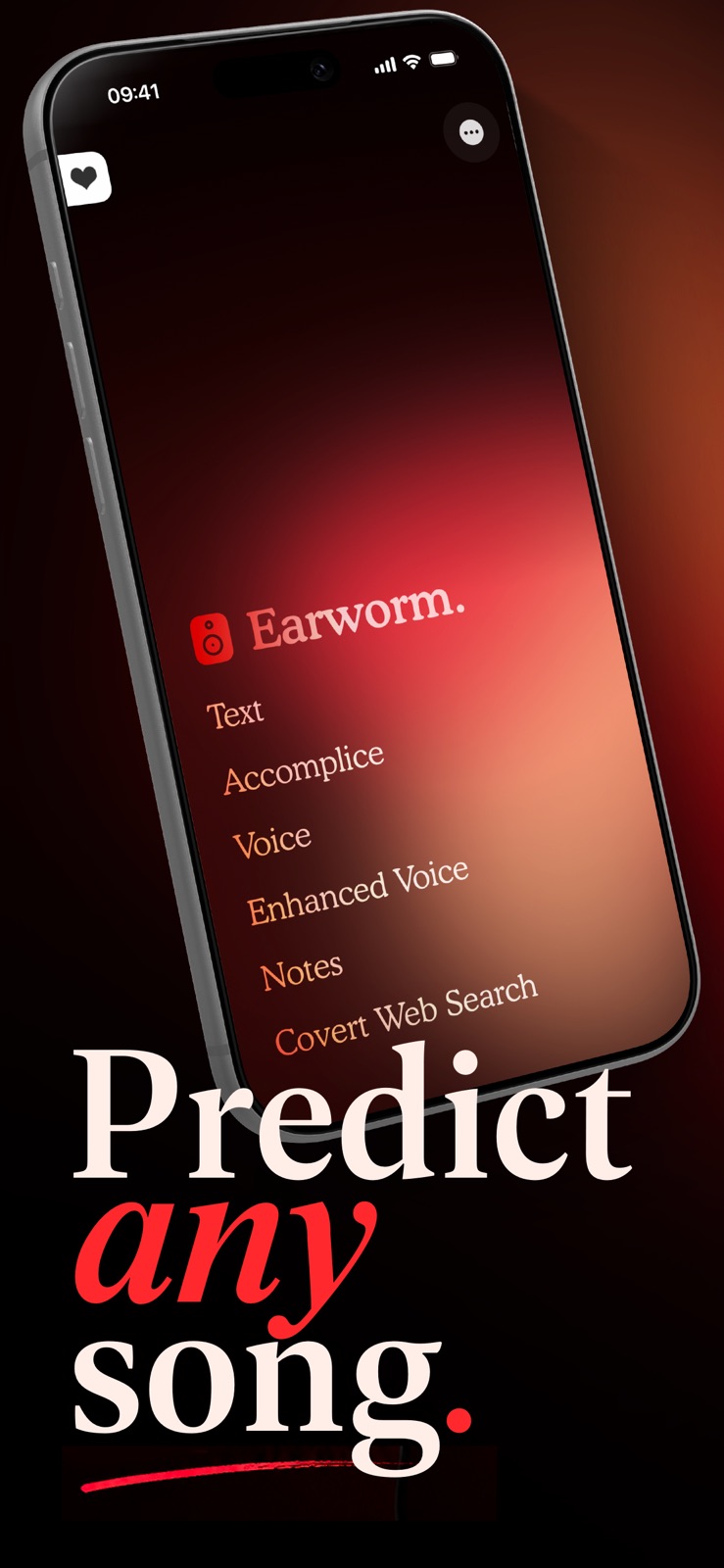
4 store screenshots


Pricing & paywalls
App Store
- Price: $64.99
- Earworm Pro — $49.99
- Earworm Remote — $49.99
Ratings & reviews
App Store
-
1/5App does not work
This app does not work. AVOID!
Mrrobvs · 6 Aug 2026
-
5/5Awesome app
This app works perfectly. A real fooler. It's easy to learn and the support from Mark is great. I recommend this very highly. Five stars for sure. There is even the Facebook group for owners of this app, where you can share ideas with other magicians. How cool is that?
jaizon1106 · 6 Aug 2026
-
5/5Excellent!!!!!!
Did not think it would fly but I was wrong it worked great.This is a must have 5 stars
Aceman 631 · 6 Aug 2026
-
5/5It really works
This app works as advertise and it has really freaked the people I have performed it for out. And what is even better is Marc, the creator, continues to enhance with user feedback. Love it.
Invictus01 · 6 Aug 2026
-
3/5Out dated
I’m a solo performer so maybe this is different if you have a assistant with you. Keeping it short, now when you try to submit the song their phone won’t automatically go back to YouTube. Apple will ask you “do you wish to open this in YouTube” which ruins the whole thing. You could try to work around it by saying you’re going to “press play for them” but that’s just not as special. I’d like assistance with this if anyone has work around but honestly I think this app now fails because of this.
Preston.smith · 6 Aug 2026
Privacy & accessibility
App Store
Privacy
- Data Linked to You — App Functionality — Contact Info — Email Address Developer declared
- Data Linked to You — App Functionality — Contact Info — Name Developer declared
- Data Linked to You — App Functionality — Identifiers — User ID Developer declared
- Data Linked to You — App Functionality — Search History Developer declared
- Data Linked to You — Developer’s Advertising or Marketing — Contact Info — Email Address Developer declared
- Data Linked to You — Developer’s Advertising or Marketing — Contact Info — Name Developer declared
- Data Linked to You — Contact Info Developer declared
- Data Linked to You — Identifiers Developer declared
- Data Linked to You — Search History Developer declared
Accessibility
No accessibility labels collected yet.
Versions
App Store
-
2.2.1
Small bug fixes.
-
2.2.2
- Some more tiny fixes!
-
2.3
- General housekeeping and bug fixes. - WikiTest integration if using both apps sequentially.
-
2.3.1
2.3.1: - Small bug fixes 2.3: - General housekeeping and bug fixes. - WikiTest integration if using both apps sequentially.
-
2.3.2
Dark mode for iOS 13
-
3.0
- Introducing Earworm Remote - you can now perform Earworm remotely. - Voice input works in all languages. - Notes input optionally links to WikiTest. - iOS 14 UI updates. - Bug fixes.
-
3.0.1
3.0.1: bug fixes. 3.0: - Introducing Earworm Remote - you can now perform Earworm remotely. - Voice input works in all languages. - Notes input optionally links to WikiTest. - iOS 14 UI updates. - Bug fixes.
-
3.0.2
3.0.2: More bug fixes for smaller devices. ---- Version 3 brings: - Introducing Earworm Remote - you can now perform Earworm remotely. - Voice input works in all languages. - Notes input optionally links to WikiTest. - iOS 14 UI updates. - Bug fixes.
-
3.0.3
3.0.3: iPhone SE fixes (sorry!) ---- Version 3 brings: - Introducing Earworm Remote - you can now perform Earworm remotely. - Voice input works in all languages. - Notes input optionally links to WikiTest. - iOS 14 UI updates. - Bug fixes.
-
3.0.4
- UI bug fixes for smaller devices. - Further app integrations.
-
3.0.5
Bug fixes: - "Default screen" setting no longer overrides external app launches. - Tweaked logic for which app to launch.
-
3.0.6
Further app integration support.
-
3.1
- iOS 15 bug fixes - UI fixes and enhancements - Third party app integration API
-
3.1.1
Bug fixes: - Set multiple web search text options - More language options (thanks Philo!) - Default site changed - Animations fixed - iOS 14 support
-
3.1.2
Bug fixes, and new future app integration support.
-
3.1.3
Song submission bug fix
-
3.1.4
- Added Diverter integration letting you use Earworm's Notes or Web Search inputs with Diverter - Option to delete account
-
3.2
Bugs fixed in instructions & web search Clarity added to performance settings
-
3.2.1
- UI fixes - Bug fixes
-
3.2.2
- Voice input bug fix
-
3.2.3
- Bug fixes - Dark Mode icon a
-
4.0
Introducing Earworm 4 Earworm 4 is a major update that's free for all users, bringing a brand new design, new input methods, expanded language support, deeper integrations, and more: Brand New Design - Earworm 4 brings a brand new design across the entire app. - Every part of Earworm including each input method has been updated and refined for the latest iOS. Integrations - More third-party app integrations added. - New "Send To Bridge" support added. - Improved integration setup and account connection. Translations and Languages - More translation options added. - Voice recognition now better respects the device language/locale. - Improved support for non-English performance workflows. - Covert Web Search and voice inputs have improved language handling. Voice Input - New speech recognition engine for much greater accuracy. - Offline AI can be used for "fuzzy keywords", which allow speech to flow more naturally while keeping you in control of what is detected. (Requires iOS 26 or later). - Added black mode for covert use, including brightness control, hidden UI and vibration cues. Covert Web Search Input - Covert typing has been rebuilt for the new browser. - Multiple placeholder text selections. - Tap on search results to load pages (iOS 26 or later) - Added swipe back and forwards support. - More language settings, including improved support for non-Latin input. Notes Input - Updated to the latest iOS - Prepend text - allow for a tapped note to already have content, such as a previous list of songs that you're gathering. (With text in the current note ignored on submission). - Notes input can now work with supported peek devices in Earworm Pro. Introducing Earworm Pro Earworm Pro is a new optional one-off upgrade with advanced tools for working performers, such as: Enhanced Voice input - Automatically detect songs mentioned in conversation. - Uses your own funded AI account and API key for best-in-class recognition. - Black mode offers a covert input with vibration cues. Earworm Remote v2 - Perform Earworm without touching the spectator's phone. - A new, even more natural way to share your video link. - Auto Redirect and WikiTest integration for pairing and redirecting. Send To Earworm - Allow supported third-party apps to submit to Earworm, letting you reveal a freely chosen song via their input methods. Peek Device Support - New support for compatible peek devices. - Live Peek support for the Notes input (to make it seem that you really did predict the chosen song!) - Native PeekSmith and Lumen Duo support is built into Earworm Pro Earworm Pro is available to purchase in Earworm 4.0 or later.
-
4.0.1
4.0.1: Bug fixes: - Web search homepage setting fixed - “Done” in Notes input now respects language settings (Thanks to 이우주) - Text more legible with Reduce Transparency enabled (Thanks to Josh Janousky) - iOS 18.2 support - Tap search results now load on iOS 18 (for Demian Max) - Metadata fixes 4.0: Introducing Earworm 4 Earworm 4 is a major update that's free for all users, bringing a brand new design, new input methods, expanded language support, deeper integrations, and more: Brand New Design - Earworm 4 brings a brand new design across the entire app. - Every part of Earworm including each input method has been updated and refined for the latest iOS. Integrations - More third-party app integrations added. - New "Send To Bridge" support added. - Improved integration setup and account connection. Translations and Languages - More translation options added. - Voice recognition now better respects the device language/locale. - Improved support for non-English performance workflows. - Covert Web Search and voice inputs have improved language handling. Voice Input - New speech recognition engine for much greater accuracy. - Offline AI can be used for "fuzzy keywords", which allow speech to flow more naturally while keeping you in control of what is detected. (Requires iOS 26 or later). - Added black mode for covert use, including brightness control, hidden UI and vibration cues. Covert Web Search Input - Covert typing has been rebuilt for the new browser. - Multiple placeholder text selections. - Tap on search results to load pages - Added swipe back and forwards support. - More language settings, including improved support for non-Latin input. Notes Input - Updated to the latest iOS - Prepend text - allow for a tapped note to already have content, such as a previous list of songs that you're gathering. (With text in the current note ignored on submission). - Notes input can now work with supported peek devices in Earworm Pro. Introducing Earworm Pro Earworm Pro is a new optional one-off upgrade with advanced tools for working performers, such as: Enhanced Voice input - Automatically detect songs mentioned in conversation. - Uses your own funded AI account and API key for best-in-class recognition. - Black mode offers a covert input with vibration cues. Earworm Remote v2 - Perform Earworm without touching the spectator's phone. - A new, even more natural way to share your video link. - Auto Redirect and WikiTest integration for pairing and redirecting. Send To Earworm - Allow supported third-party apps to submit to Earworm, letting you reveal a freely chosen song via their input methods. Peek Device Support - New support for compatible peek devices. - Live Peek support for the Notes input (to make it seem that you really did predict the chosen song!) - Native PeekSmith and Lumen Duo support is built into Earworm Pro Earworm Pro is available to purchase in Earworm 4.0 or later.
-
4.0.2
- Speech recognition peek goes to peek devices - Setting to play chosen song on own device Bugs fixed: - Speech recognition fixes for some devices - Settings are now more responsive - Default site setting fix
-
4.0.3
· 21 Jul 2026
- Duo left or right button mode - Web Search bug fixes - Bottom toolbar for Notes input - Earworm Remote UI upgrades - More default screen options
Alternatives
- The Architect of Predictions — Same category + similar ratings
- Actions - Magic and Mentalism — Same category + similar ratings
- ThoughtCast Digital Mentalism — Same category + similar ratings
- Notarized - Magic & Mentalism — Same category + similar ratings
- PeekSmith (BS Magic) — Same category + similar ratings
- Hydra Pro by Shameer Salim — Same category + similar ratings
Availability by market
- US
Data quality & evidence
- Page completeness
- Live store listing
- Last verified
- 6 Aug 2026
- Sources
- App Store
- Independent summary has not been published yet.