AppCorpus MCP gives your agent current app data, prices, screens, features and sources.
View JSON
GET /api/v3/apps/6450056192
{
  "app_id": 6450056192,
  "canonical_url": "https://appcorpus.com/apps/dudel-draw-6450056192",
  "identity": {
    "name": "Dudel Draw",
    "slug": "dudel-draw",
    "developer": {
      "name": "Silly Little Apps LLC",
      "url": "https://appcorpus.com/developers/silly-little-apps-llc-developer_f78ca8490afbdf299a35e4e803f2c5a4"
    },
    "icon_url": "https://is1-ssl.mzstatic.com/image/thumb/Purple211/v4/bd/7e/db/bd7edbd4-575f-ce2c-6d47-0ed08cc2144c/AppIcon-0-1x_U007epad-0-0-0-11-0-0-85-220-0.png/512x512bb.jpg",
    "stores": [
      "apple"
    ],
    "platforms": [
      "iphone",
      "ipad"
    ],
    "status": {
      "state": "active",
      "label": "Active",
      "last_checked": "2026-07-31",
      "last_checked_label": "31 Jul 2026",
      "banner": null,
      "region_note": null
    }
  },
  "listings": [
    {
      "store": "apple",
      "status": "ACTIVE",
      "url": "https://apps.apple.com/us/app/dudel-draw/id6450056192?uo=4",
      "rating": 4.8,
      "rating_count": 551,
      "formatted_price": "Free",
      "is_free": true,
      "has_iap": false,
      "has_subscription": false,
      "version": "0.2.0",
      "updated": "2026-06-14",
      "currency": "USD"
    }
  ],
  "summary": {
    "one_liner": null,
    "summary": null,
    "best_for": [],
    "not_for": [],
    "status": "fallback",
    "at_a_glance": [
      "Free to download"
    ]
  },
  "categories": {
    "official": [
      "Graphics & Design",
      "Games",
      "Puzzle"
    ],
    "appcorpus": [
      {
        "category_id": "graphics-design",
        "label": "Graphics & design",
        "url": "https://appcorpus.com/categories/graphics-design"
      }
    ]
  },
  "use_cases": [],
  "features": [
    {
      "capability_id": "free_app",
      "label": "Free app",
      "availability": "yes",
      "access_level": "free",
      "scope": null,
      "evidence": "Store published"
    }
  ],
  "pricing": [
    {
      "store": "apple",
      "formatted_price": "Free",
      "is_free": true,
      "has_iap": false,
      "has_subscription": false,
      "currency": "USD",
      "market": "gb",
      "last_verified": "2026-07-31",
      "rows": [
        "Free"
      ]
    }
  ],
  "screens": [
    {
      "url": "https://is1-ssl.mzstatic.com/image/thumb/PurpleSource211/v4/ef/af/9e/efaf9e1c-111e-bea5-a9d8-e4de0fc3106f/13.2.png/1600x1600bb.jpg",
      "store": "apple",
      "platform": "ipad",
      "alt": "Dudel Draw ipad screenshot 1"
    },
    {
      "url": "https://is1-ssl.mzstatic.com/image/thumb/PurpleSource211/v4/73/bc/17/73bc1726-ecbe-4b10-bc83-e70a86298bbf/13.3.png/1600x1600bb.jpg",
      "store": "apple",
      "platform": "ipad",
      "alt": "Dudel Draw ipad screenshot 2"
    },
    {
      "url": "https://is1-ssl.mzstatic.com/image/thumb/PurpleSource211/v4/02/47/7c/02477cbb-de5f-a226-2c7a-b08c3cb3210b/13.4.png/1600x1600bb.jpg",
      "store": "apple",
      "platform": "ipad",
      "alt": "Dudel Draw ipad screenshot 3"
    },
    {
      "url": "https://is1-ssl.mzstatic.com/image/thumb/PurpleSource221/v4/c9/f9/5c/c9f95c3f-759f-7cd2-4075-ad74c607ddb7/13.5.png/1600x1600bb.jpg",
      "store": "apple",
      "platform": "ipad",
      "alt": "Dudel Draw ipad screenshot 4"
    },
    {
      "url": "https://is1-ssl.mzstatic.com/image/thumb/PurpleSource211/v4/71/da/3a/71da3a86-6bad-c968-beb8-b032ad8f154f/13.6.png/1600x1600bb.jpg",
      "store": "apple",
      "platform": "ipad",
      "alt": "Dudel Draw ipad screenshot 5"
    },
    {
      "url": "https://is1-ssl.mzstatic.com/image/thumb/PurpleSource211/v4/7e/ba/61/7eba616d-ce69-e661-f701-f139057941a3/13.7.png/1600x1600bb.jpg",
      "store": "apple",
      "platform": "ipad",
      "alt": "Dudel Draw ipad screenshot 6"
    },
    {
      "url": "https://is1-ssl.mzstatic.com/image/thumb/PurpleSource211/v4/a3/79/a5/a379a5bd-5a1d-c1ed-1e81-62ffd90a74dd/6.9_2.png/1320x1600bb.jpg",
      "store": "apple",
      "platform": "iphone",
      "alt": "Dudel Draw iphone screenshot 7"
    },
    {
      "url": "https://is1-ssl.mzstatic.com/image/thumb/PurpleSource211/v4/73/d3/32/73d33226-4c78-cd86-a843-5b0e8d761032/6.9_3.png/1320x1600bb.jpg",
      "store": "apple",
      "platform": "iphone",
      "alt": "Dudel Draw iphone screenshot 8"
    },
    {
      "url": "https://is1-ssl.mzstatic.com/image/thumb/PurpleSource211/v4/3b/75/75/3b7575e1-35cf-d5a9-016d-62a59ae79070/6.9_4.png/1320x1600bb.jpg",
      "store": "apple",
      "platform": "iphone",
      "alt": "Dudel Draw iphone screenshot 9"
    },
    {
      "url": "https://is1-ssl.mzstatic.com/image/thumb/PurpleSource211/v4/2f/7c/f9/2f7cf9ce-838d-5775-fc0c-b13be2bab8c5/6.9_5.png/1320x1600bb.jpg",
      "store": "apple",
      "platform": "iphone",
      "alt": "Dudel Draw iphone screenshot 10"
    },
    {
      "url": "https://is1-ssl.mzstatic.com/image/thumb/PurpleSource211/v4/ab/c1/39/abc139a5-62ad-75ae-9fae-4b44234ffdc6/6.9_6.png/1320x1600bb.jpg",
      "store": "apple",
      "platform": "iphone",
      "alt": "Dudel Draw iphone screenshot 11"
    },
    {
      "url": "https://is1-ssl.mzstatic.com/image/thumb/PurpleSource211/v4/dd/4b/f5/dd4bf5d3-657d-c252-b08a-b89e41f7970f/6.9_7.png/1320x1600bb.jpg",
      "store": "apple",
      "platform": "iphone",
      "alt": "Dudel Draw iphone screenshot 12"
    }
  ],
  "ratings": [
    {
      "store": "apple",
      "average": 4.8,
      "count": 551,
      "market": "gb",
      "observed_at": "2026-07-31",
      "reviews": [
        {
          "rating": 5,
          "title": "Love the app, have some recommendations",
          "body": "I love how simple and creative this app is. My brother and I downloaded it and have been sending each other doodles all week. We’re having tons of fun, but there are some features I really wish were in the app. For one, I would love the ability to rotate the shapes so that they are horizontal. I would also love the ability to save certain shapes to come back to them later, or even share with others so we could try doodling on the same one (like the daily shape). But again, the app is great and even if this review is never seen I will still enjoy it as it is.",
          "author": "AmmoniteMan1",
          "date": "31 Jul 2026"
        },
        {
          "rating": 5,
          "title": "The perfect app for sparking creativity!",
          "body": "I teach digital art to middle schoolers and high schoolers and I’ve been using Dudel Draw as a warm up in all of my classes this school year. The kids are absolutely wild about it… they come in, grab their iPad and start. I often get requests to keep going with Dudel Draw instead of our scheduled curriculum. On a personal note, it’s help reignite my own creativity and what started as a warm up for my kids is now a daily practice for me too. Absolutely love this app!",
          "author": "fiskers99",
          "date": "31 Jul 2026"
        },
        {
          "rating": 4,
          "title": "So close",
          "body": "I feel like this app is so close to being perfect. I love challenging myself and being creative and I feel like this app provides me with a way to do both. The only thing this app is missing is an eraser and/or palm rejection. Whenever I just my pen with my iPad I get these little random lines because I tend to rest my hand on the iPad as I’m working. Also the undo button only works about half the time for me. I don’t know if this is just a me thing or if others have been having this issue as well. It feels like I’m hitting the undo button 10+ times to get rid of one line that I just drew.",
          "author": "MsKaylaE",
          "date": "31 Jul 2026"
        },
        {
          "rating": 5,
          "title": "Low-risk creativity",
          "body": "It might sound silly, but sitting down to do something intentionally creative can be kind of anxiety inducing for me. It’s the perfectionism, I know. But Dudel gives me a super low-risk, fun way to be creative. The constraints are narrow, so I don’t have to create my own. I can just start. Plus the artwork is fun and inspiring, and the app is so clean and easy to use. Great, simple app.",
          "author": "derailer351",
          "date": "31 Jul 2026"
        },
        {
          "rating": 4,
          "title": "Fun, but limited things to do",
          "body": "I generally like this one. No ads get in the way, and the shapes do get me thinking. I would like to see more available shapes in practice mode, though, as I run into some of the same ones in there sometimes. It would also be nice to see a 90 degree flip option as well as the existing 180 degree flip and mirror rotation tools. An eraser would also help for small details.",
          "author": "Shifty_K",
          "date": "31 Jul 2026"
        }
      ]
    }
  ],
  "privacy": [
    {
      "store": "apple",
      "declarations": [
        {
          "title": "Data Not Collected",
          "detail": "",
          "source": "Developer declared"
        }
      ],
      "accessibility": []
    }
  ],
  "changes": [
    {
      "store": "apple",
      "version": "0.1.0",
      "released_at": null,
      "notes": ""
    },
    {
      "store": "apple",
      "version": "0.1.1",
      "released_at": null,
      "notes": "- A new countdown timer is added just before midnight when your shape changes. - A sharing sheet has been implemented, allowing you to share your drawings with your friends. - The image you download has been changed from JPEG to PNG, resulting in a sharper image of your drawing. - Fixed a bug on the \"Skip\" button during onboarding. - Addressed a bug where stroke lines would persist when your image changes at midnight; they will now disappear. - Social media icons have been added to connect you with our growing community. - Also, an app review request has been added."
    },
    {
      "store": "apple",
      "version": "0.1.2",
      "released_at": null,
      "notes": "- Fixed bug on the share sheet"
    },
    {
      "store": "apple",
      "version": "0.1.3",
      "released_at": null,
      "notes": "- Fixed iPad bug on share sheet for iOS 17 users"
    },
    {
      "store": "apple",
      "version": "0.2.0",
      "released_at": "2026-06-14",
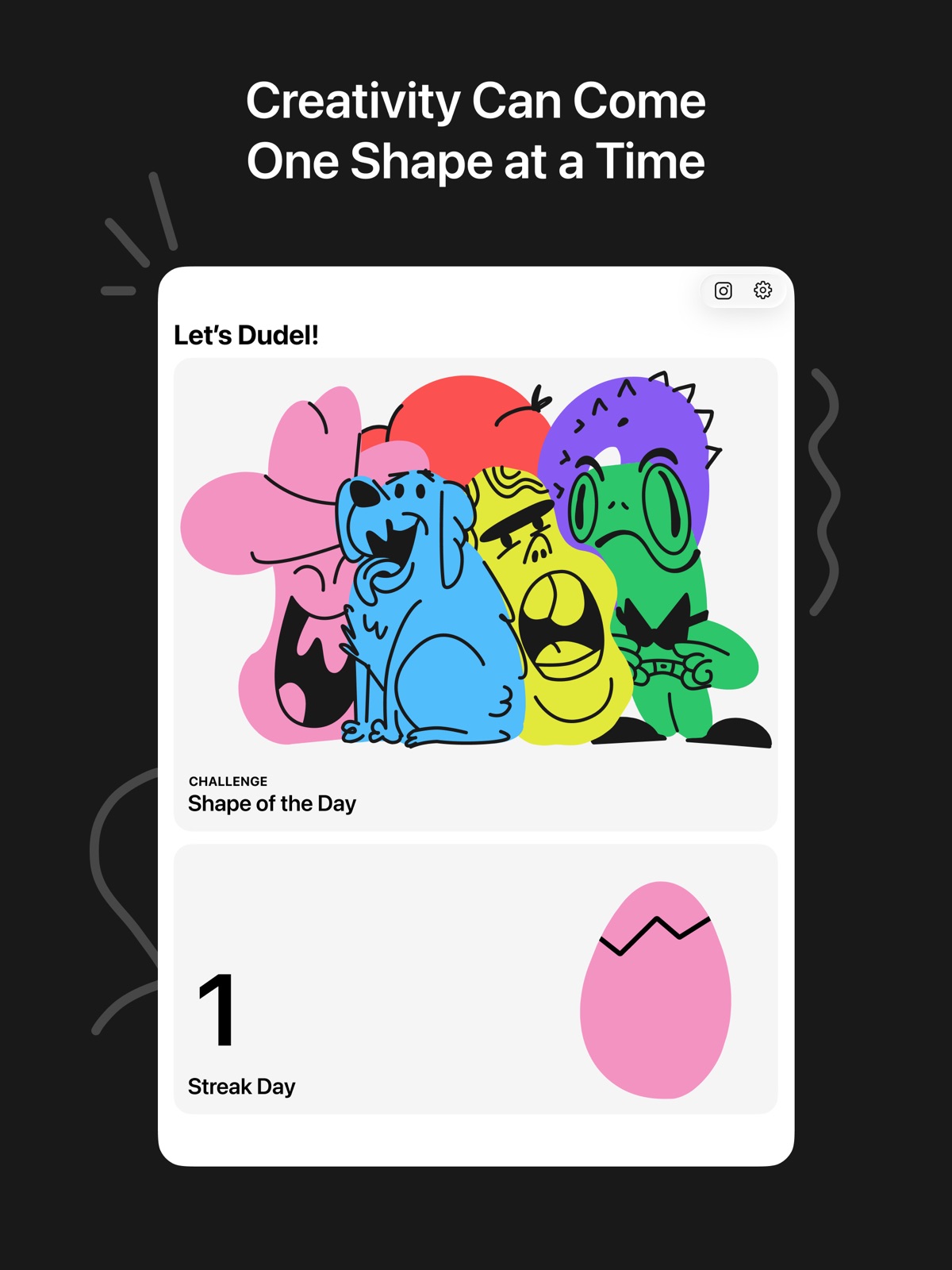
      "notes": "Latest updates: Home screen widget: See your shape of the day and your drawing right from your home screen Streak tracking: Draw every day and watch a tiny egg hatch into a chicken All new drawing engine: Dudel now uses PencilKit, which means smarter palm rejection, Apple Pencil support, and a much smoother drawing experience overall Eraser tool: Because every artist needs a do-over Pinch to zoom: Get up close and add all the tiny details to your drawings Fast action shortcuts: Two-finger tap to undo and two-finger double-tap to redo All new shapes: A fresh batch waiting for you"
    }
  ],
  "alternatives": [
    {
      "app_id": 560586497,
      "name": "Concepts",
      "url": "https://appcorpus.com/apps/concepts-560586497",
      "reason": "Same category + similar ratings"
    },
    {
      "app_id": 1024210402,
      "name": "Vector & SVG Maker - Assembly",
      "url": "https://appcorpus.com/apps/vector-svg-maker-assembly-1024210402",
      "reason": "Same category + similar ratings"
    }
  ],
  "evidence_summary": {
    "index_state": "S1",
    "evidence_level": 1,
    "level_label": "Live store listing",
    "indexable": true,
    "last_verified_at": "2026-07-31",
    "unknown_fields": [
      "Independent summary has not been published yet."
    ],
    "sources": [
      "App Store"
    ]
  },
  "availability_markets": {
    "live": [
      "us"
    ],
    "selected": "gb",
    "note": "No LIVE observation for GB yet."
  },
  "feature_events": {
    "events": []
  },
  "features_slice": {
    "plans": [
      {
        "code": "free",
        "label": "Free",
        "kind": "free",
        "status": "inferred",
        "prices": [],
        "trial": null
      }
    ],
    "features": [],
    "unknown_features": [],
    "data_cutoff": "31 Jul 2026"
  }
}