
Quick verdict
- What it is
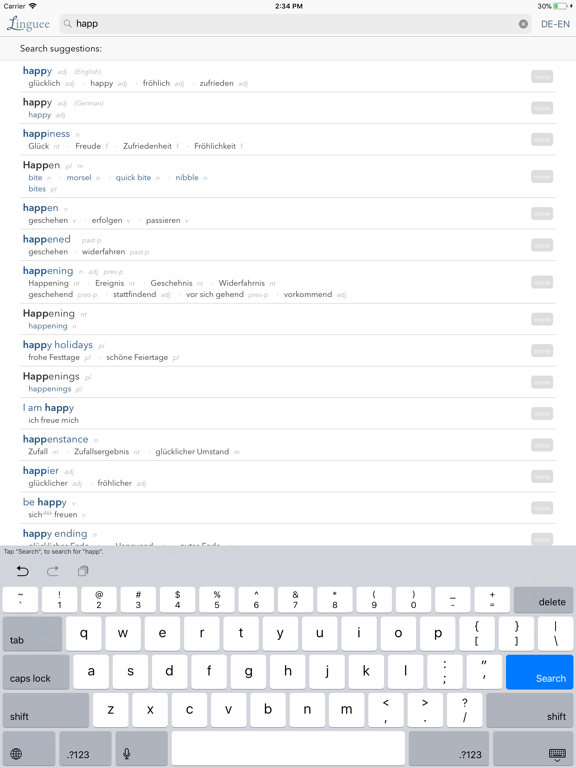
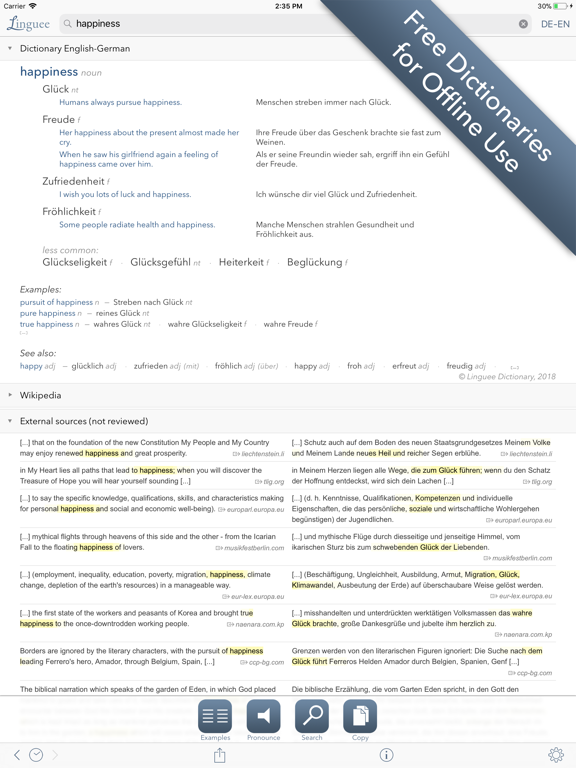
- The Dictionary Linguee app provides translations in multiple languages, including French, Spanish, and German, and is available offline. It also features a translation search engine, quick search, and pronunciation guides.
- Best for
-
- someone who needs a dictionary
- language learners
- frequent travelers
- At a glance
-
- Free to download
Categories and search queries
Official categories
- Reference
- Education
Apoku categories
Key functions
| Function | Availability | Access | Scope | Evidence |
|---|---|---|---|---|
| Free app | Yes | Free | Context-specific | Store published |
Screens
App Store
15 store screenshots


Pricing & paywalls
App Store
Shown for US
- Free to download
Ratings & reviews
App Store
Shown for US
-
5/5Perfect tool for any skill level
I am a native English speaker who speaks Spanish well, but not often. For the speaker whose grammar is good, but who needs an active vocabulary of the words you commonly use in English, Linguee is the perfect tool. It’s a very comprehensive translation engine for anyone seeking the context and subtlety that matches the way you normally speak English, without having to flounder around in a static vocabulary dictionary. The beauty is that there are scores of snippets of published speech, so you can easily and quickly choose the translation that most closely matches the closes sense of meaning you intend. I have searched quite a bit, and have yet to find a better product for learning, and for keeping my vocabulary growing. It really works well. -Scott Portland, OR.
biscuitson · 29 Sep 2026
-
2/5Almost good but fatally flawed
I’ve been using this dictionary a lot over the last few months. It has a lot of great features. For instance, it will show you idiomatic phrases related to the word you’re looking up. This is really handy. It also will show you examples of the word in action, culled from the web. It is however, unstable and more dependent on Internet access then it claims to be, even if you’ve downloaded an offline dictionary. Periodically after a dozen or so look ups the application starts to get very slow. Often I will type of word and nothing happens for 10 to 15 seconds. Over time this gets worse until finally the only recourse is to force quit the application and restart it. This morning I reached the final straw. I fired up the app and noticed that it said I didn’t have an Internet connection, which I totally did. Looking upwards now simply spawns a spinning wheel and never any definitions. So I guess I’m done with it. It’s too frustrating.
CrackWilding · 29 Sep 2026
-
5/5Awesome!
I use it for English to German translations. I can enter a word or two and the app provides a number of choices. Additionally, there are English sentences which are translated into German so that I can find the word being used in various circumstances. This is so helpful in finding the correct useage! It’s very handy when reading online. I don’t have to find my dictionary or open another website-just go to the app and check. An additional useful feature is the back arrow. It allows you to revisit the translations of words you recently looked up so that you can reinforce your memory. And yet another feature is pronunciation. You can press the button and the pronunciation will be supplied. It’s a wonderful app! Thank you very much!
The Wild Wild Midwest · 29 Sep 2026
-
5/5Contextual clues make it great!
For every word there are many examples, many sentences, that show exactly how whatever you are looking up is used in daily life. This is so much better than ordinary dictionary‘s they just give you a definition but don’t show you how people use it to communicate. Ordinary dictionary‘s lead to very stilted and awkward conversational skills in Portuguese. The real value of this program comes when you reach intermediate skills, and can appreciate the value of knowing the many ways a word is used in ordinary conversation. This is not to say that it has no value for a beginner, it does. But it has my conversational skills got better I can do appreciate more the incredible design of this program.
Why Did I Beleive · 29 Sep 2026
-
4/5Great service, frustrating app bugs
I use Linguee dozens of not hundreds of times a day learning German. I am a huge fan! However it also means if I’m running into the same issues all the time, the app freezing, being unable to type / search when returning to the app, it gets really beyond frustrating. I feel like I’m at a point where I don’t want to use another app for my go to mobile dictionary, but I may need to. I think the issue may lie with suspending the app while searching, and it not handling this event properly. Without this one bug of being able to quickly search a term without clicking on a search result causing the app to freeze or sometimes crash, it’s effectively everything I want in a multi-lingual dictionary. Please fix this y’all ;_;
MargaretDax · 29 Sep 2026
Privacy & accessibility
App Store
Privacy
- Data Not Linked to You — App Functionality — Diagnostics — Crash Data Developer declared
- Data Not Linked to You — Diagnostics Developer declared
Accessibility
No accessibility labels collected yet.
Versions
App Store
-
1.1.2
- Bugfix in History
-
1.2
- Bugfixing - Reading queries from clipboard
-
1.2.1
- Support for iPhone 5 - Bugfixes
-
1.2.2
Bugfix: Support for all orientations reactivated
-
1.5.0
- enhanced search finds many more results - history can now be edited - enhanced online/offline mode
-
1.5.1
- Bugfixes - Some adjustments for compatibility with iOS 7
-
1.5.2
Fixes crash for iOS 6
-
1.5.3
- Support for iOS 8, iPhone 6 and 64 bit - Bugfixes
-
2.0.0
The Linguee app has been completely redeveloped. It now not only includes an extensive editorial dictionary but also quick search, pronunciation, Apple Watch support and new additional iOS 9 features. New with iOS 9: With iOS 9 Linguee is so well integrated into your system that you can easily look up words from any other app. - Slide Over and Split View on iPad: Open Linguee alongside of your favorite app. To see translations, all you need to do is copy the word you are looking for. - Share in context menu: You can look up a word you select in any other app on Linguee by selecting "share" in the context menu. - System wide search: Using Spotlight to search for content will now also include results from Linguee.
-
2.1.0
We have seamlessly integrated 3D Touch into our bilingual dictionary app Linguee. - Peek and Pop in our autocompletion lets you Peek into result articles. - Peek and Pop in result articles: You can press on words to quickly Peek into translations of them.This way you can research the translations you’ve chosen in more detail, without interrupting your primary navigation flow. Pop opens the complete articles for these words. - Quick Actions: From the home screen you can access your last searches just by pressing the Linguee icon.
-
2.1.1
Troubleshooting
-
2.1.2
Troubleshooting
-
2.2.0
With iOS 9 Linguee is so well integrated into your system that you can easily look up words from any other app. - Slide Over and Split View on iPad: Open Linguee alongside of your favorite app. To see translations, all you need to do is copy the word you are looking for. - Share in context menu: You can look up a word you select in any other app on Linguee by selecting "share" in the context menu. - System-wide search: Using Spotlight to search for content will now also include results from Linguee.
-
2.2.1
Fixed issues with offline dictionaries
-
2.2.3
Fixed issues with offline dictionaries.
-
2.3.0
- Toggle button for online and/or offline mode - Several improvements and fixed issues
-
2.3.1
- Bug fixes - Settings displayed via pop-up menu.
-
2.4.0
New improved offline mode and bug fixes
-
2.4.1
Troubleshooting
-
2.4.2
Troubleshooting
-
2.5.0
+ Optimization and several bug fixes + Examples for individual results now displayed properly in online mode even with offline dictionaries installed + Preferred keyboard configuration saved based on selected dictionary + Display order of offline dictionaries improved
-
2.5.1
Troubleshooting
-
2.5.2
- Troubleshooting - iPhone X compatible
-
2.5.3
Bug fixes and improvements
-
2.5.4
· 14 Sep 2022
- Bug fixes and improvements
Alternatives
- WordReference Dictionary — Same category + similar ratings
- Reverso translate and learn — Same category + similar ratings
- Dictionary & Translator — Same category + similar ratings
- Oxford Dictionary & Thesaurus — Same category + similar ratings
- German Dictionary for Learners — Same category + similar ratings
- LingoClip — Same category + similar ratings
Availability by market
- US
Data quality & evidence
- Page completeness
- Apoku summary published
- Last verified
- 29 Sep 2026
- Sources
- App Store