
Quick verdict
- What it is
- Store information collected; independent summary not yet available.
- At a glance
-
- Free to download
- In-app purchases
Categories and search queries
Official categories
- Photo & Video
- Utilities
AppCorpus categories
Key functions
| Function | Availability | Access | Scope | Evidence |
|---|---|---|---|---|
| Family Sharing | Yes | Unknown | App Store | Store published |
| Free app | Yes | Free | — | Store published |
| In-app purchases | Yes | Limited free | — | Store published |
Screens
App Store
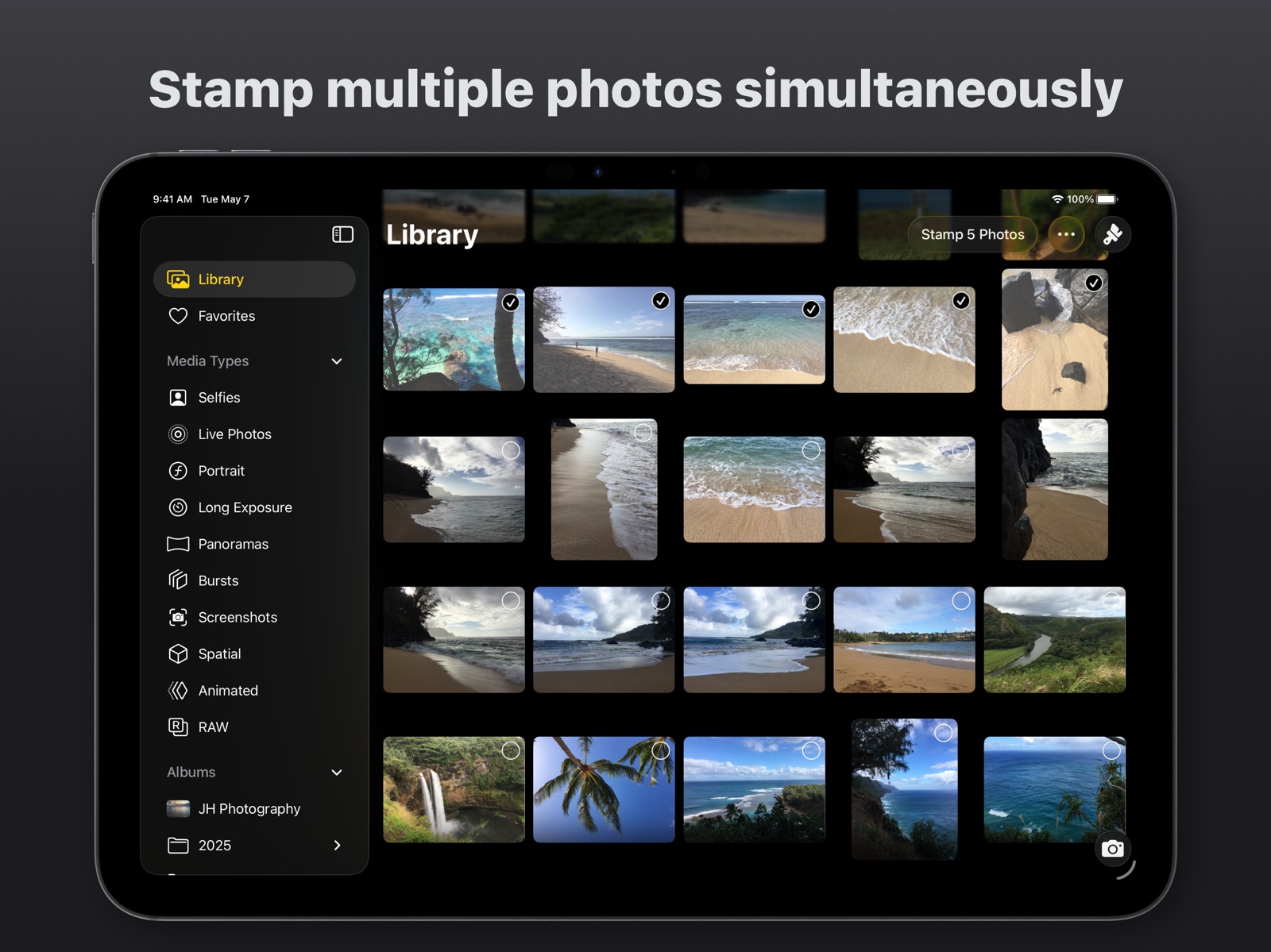
19 store screenshots



Pricing & paywalls
App Store
- Free to download
- In-app purchases
Ratings & reviews
App Store
-
5/5Awesome! Exactly what I needed!
My brother was in a custody battle with his ex wife and we had tons of pictures and evidence on our phones but in order for them to be able to be used in court the have to be time and date stamped. This app uses the metadata stored in your phone and does it flawlessly. You will have to pay the $1.99 and the $2.99 fees to upgrade to full features but it is worth $5.00 if you really need pictures dated and timed! The only suggestion I have for this app is it has the ability to select all pictures in your album to stamp but does not have the ability to select all pictures to restore to original. I only suggest that because I have 6000 pictures in my album but only needed 700 stamped. Because I didn’t want all my family photos stamped I had to go through the album and just choose the ones I wanted. Overall great app! I’m sure I will be using again and again! And thank you!!
LegallyHelpful · 31 Jul 2026
-
5/5Dates for printed pics AWESOME!!
I am an early childhood educator and I print photos for each parent as a Christmas gift each year. I love the fact that I can print the date on each pic for future reference. This current generation will be lucky if they ever hold a picture of themselves in their hands and digital data is so easily lost. I love knowing that the children will be able to look at these pictures of their childhoods until they are old and gray. update- figured out you can change the date on a screen shot from a video that you edited after the video taken date! Extra sweet!!
racita · 31 Jul 2026
-
5/5Perfect!
I needed this app! I’ve been spending a lot of time individually date stamping or adding to a date stamp by another program. DateStamper is flexible with data display, fonts, colors, positions and formats. Changing color insures that I can always read my date stamp against a very bright or very dark ocean, and any color in between. For my personal research project, I often take over one hundred photos at a time, and I need the date, time, location and my name assigned to each photo. DateStamper reads the photo’s metadata (info from camera) and applies it to the photo. I purchased the expanded program on a one-time purchase, and I’m glad I did!
Sgo4th · 31 Jul 2026
-
5/5Revised to 5-Stars
UPDATED review. It was the light areas on the photo that made it unable to see the stamp. I did an all dark shot and it was fine. Also, the developer wrote back with help if needed and very promptly. Thank you for that!! I upgraded to the paid version because I’m going to be wanting more options. Great app. [Even though I moved the stamp around, it still wasn’t visible...I think the areas were too light.] I was excited about this app and it all seemed to go smoothly. I tried a few photos and it says the date stamp was added but it wasn’t. I don’t know what I’m missing? Any help would be greatly appreciated! Thank you!!
DEValleyGirl · 31 Jul 2026
-
5/5Awesome App & Customer service
I'm a realtor in Florida and have the need to take pictures to upload several banks for REO property listings that need the time and date stamp. This app fits the bill nicely, easy to use, plenty of options and very fast! A+ customer service: I noticed I was having a issue with photos not showing up on when uploading with google drive after applying the dates. I contacted the developer and he quickly found in a few hours that it was a problem with my Apple phone and google drive and not the app. Very professional and fast customer service. Highly recommend the app to anyone!
eliteteams · 31 Jul 2026
Privacy & accessibility
App Store
Privacy
- Data Not Linked to You — Analytics — Identifiers — Device ID Developer declared
- Data Not Linked to You — Analytics — Usage Data — Product Interaction Developer declared
- Data Not Linked to You — Identifiers Developer declared
- Data Not Linked to You — Usage Data Developer declared
Accessibility
- Dark Interface — SUPPORTED Store published
- Differentiate Without Color Alone — SUPPORTED Store published
- Larger Text — SUPPORTED Store published
- Reduced Motion — SUPPORTED Store published
- Sufficient Contrast — SUPPORTED Store published
- Voice Control — SUPPORTED Store published
- VoiceOver — SUPPORTED Store published
Versions
App Store
-
10.0
DateStamper 10 brings a refreshed design and new features to your iPhone and iPad with full support for iOS and iPadOS 26. • Liquid Glass design makes interacting with the app more dynamic and delightful • All-new location address format options allow you to choose your desired granularity, such as city or full address • Background processing continues to stamp photos after you close the app • In-app camera makes it easier to capture multiple photos • HDR boost in the custom color picker allows you to brighten colors • Styles inspector on iPad enables you to customize your stamp in a more accessible and persistent sidebar • Menu bar on iPad lets you discover and perform actions throughout the app • Stamp Photos Individually setting is more reliable when a large number of photos are selected • Preserve Live Photos is a new setting that gives you a way to turn off Live Photo in the stamping process • Various enhancements and bug fixes make this the best version of DateStamper yet
-
10.0.1
DateStamper 10 brings a refreshed design and new features to your iPhone and iPad with full support for iOS and iPadOS 26. • Liquid Glass design makes interacting with the app more dynamic and delightful • All-new location address format options allow you to choose your desired granularity, such as city or full address • Background processing continues to stamp photos after you close the app • In-app camera makes it easier to capture multiple photos • HDR boost in the custom color picker allows you to brighten colors • Styles inspector on iPad enables you to customize your stamp in a more accessible and persistent sidebar • Menu bar on iPad lets you discover and perform actions throughout the app • Stamp Photos Individually setting is more reliable when a large number of photos are selected • Preserve Live Photos is a new setting that gives you a way to turn off Live Photo in the stamping process • Various enhancements and bug fixes make this the best version of DateStamper yet
-
10.0.4
This update includes minor enhancements and bug fixes.
-
10.0.5
This update includes minor enhancements and bug fixes.
-
10.0.6
This update includes performance improvements when stamping a large number of photos.
-
10.0.7
This update includes performance improvements when stamping a large number of photos.
-
10.1
· 24 Jun 2026
• Vibrant style is now more visible atop light photos and busy backgrounds • Blend Modes allows you to customize how the stamp blends into photos
-
1.0.2
DateStamper 10 brings a refreshed design and new features to your iPhone and iPad with full support for iOS and iPadOS 26. • Liquid Glass design makes interacting with the app more dynamic and delightful • All-new location address format options allow you to choose your desired granularity, such as city or full address • Background processing continues to stamp photos after you close the app • In-app camera makes it easier to capture multiple photos • HDR boost in the custom color picker allows you to brighten colors • Styles inspector on iPad enables you to customize your stamp in a more accessible and persistent sidebar • Menu bar on iPad lets you discover and perform actions throughout the app • Stamp Photos Individually setting is more reliable when a large number of photos are selected • Preserve Live Photos is a new setting that gives you a way to turn off Live Photo in the stamping process • Various enhancements and bug fixes make this the best version of DateStamper yet
-
1.0.3
DateStamper 10 brings a refreshed design and new features to your iPhone and iPad with full support for iOS and iPadOS 26. • Liquid Glass design makes interacting with the app more dynamic and delightful • All-new location address format options allow you to choose your desired granularity, such as city or full address • Background processing continues to stamp photos after you close the app • In-app camera makes it easier to capture multiple photos • HDR boost in the custom color picker allows you to brighten colors • Styles inspector on iPad enables you to customize your stamp in a more accessible and persistent sidebar • Menu bar on iPad lets you discover and perform actions throughout the app • Stamp Photos Individually setting is more reliable when a large number of photos are selected • Preserve Live Photos is a new setting that gives you a way to turn off Live Photo in the stamping process • Various enhancements and bug fixes make this the best version of DateStamper yet
-
8.0
I’m thrilled to announce DateStamper is now available on the Mac! DateStamper 8 includes various new features and enhancements on iOS and iPadOS as well. • Refreshed design for iPad features a sidebar to easily switch albums • New Styles sheet in the Photos app extension allows you to adjust options with the photo fully visible on iPhone • Multiple selected photos can be shared, favorited, reverted, or deleted • The vibrant style is more vibrant than ever • Photos from other apps can be imported • Limited Photos options to switch between Recents and Favorites albums • Expanded keyboard shortcuts including copy and print • Drag and drop photos into albums • Remove photos from albums • Light mode support • URL schemes to open the app: datestamper:// and datestamper://camera
-
8.0.1
This update includes various minor enhancements and fixes.
-
8.0.2
This update includes minor improvements.
-
8.1
• Ability to stamp a photo while viewing it full-screen • Support for HEIF, the high efficiency image format • Simplified the DMS location coordinates format, now the default format • Added an App Shortcut to take a new photo • Compatibility improvements • Various bug fixes and enhancements
-
8.2
• Option to change the app appearance • Option to choose an app icon • Option to stamp photos individually • Ability to change the text alignment • Ability to stamp images using Shortcuts
-
8.2.1
• Option to change the app appearance • Option to choose an app icon • Option to stamp photos individually • Ability to change the text alignment • Ability to stamp images using Shortcuts • Resolved an issue where the stamp was not positioned correctly
-
8.2.2
This update includes minor enhancements and bug fixes.
-
8.2.3
◦ Resolves an issue where Exif metadata may not be preserved upon changing a photo's date ◦ Addresses scenarios where an incorrect date or time may appear for photos taken in different time zones
-
9.0
◦ Refreshed design for iOS 18 and iPadOS 18 ◦ Immersive mode when viewing photos full-screen hides the buttons to let you focus on your photo ◦ New options to change the sort order of photos in your library and albums ◦ Additional style customizations, including rounded background corners, smaller padding options, and adjusted size options ◦ More efficient photo editing process that preserves HDR ◦ Improvements to the drag and drop import process ◦ Various improvements and bug fixes, including an issue where custom delimiters may not appear as expected
-
9.0.1
This update includes various enhancements and bug fixes.
-
9.1
◦ Media Types allows you to access different types of photos from your library ◦ Various enhancements and bug fixes
-
9.2
◦ New capitalization option allows you to use UPPERCASE, lowercase, or Capitalize ◦ More premium fonts: Daniel, DSEG7, Hey August, Lemon Tuesday, Pixel Operator, and Pulang ◦ Ability to sort Media Types collections by oldest or newest ◦ Various enhancements and bug fixes
-
9.2.1
This update includes stability improvements.
-
9.2.2
This update includes stability improvements.
-
9.2.3
This update includes stability improvements.
-
9.2.4
This update includes stability improvements.
Alternatives
- Timestamp It - Proof Camera — Same category + similar ratings
- Timestamp Camera: Date Stamper — Same category + similar ratings
Availability by market
- US
Data quality & evidence
- Page completeness
- Live store listing
- Last verified
- 31 Jul 2026
- Sources
- App Store
- Independent summary has not been published yet.