
Quick verdict
- What it is
- Store information collected; independent summary not yet available.
- At a glance
-
- From $5.99/mo
- Free to download
- In-app purchases
Categories and search queries
Official categories
- Business
- Productivity
AppCorpus categories
Key functions
| Function | Availability | Access | Scope | Evidence |
|---|---|---|---|---|
| Family Sharing | Yes | Unknown | App Store | Store published |
| Free app | Yes | Free | — | Store published |
| In-app purchases | Yes | Limited free | — | Store published |
Screens
App Store
13 store screenshots
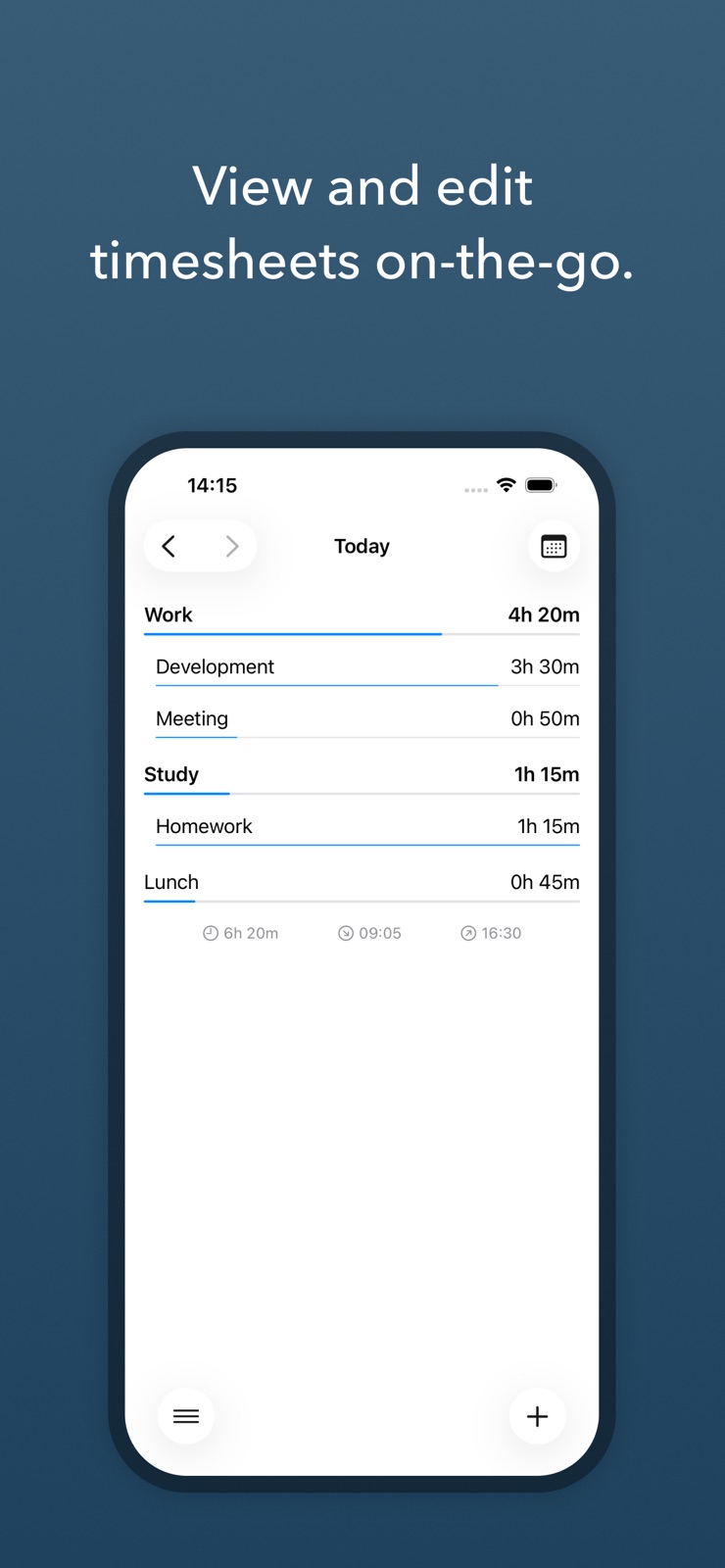
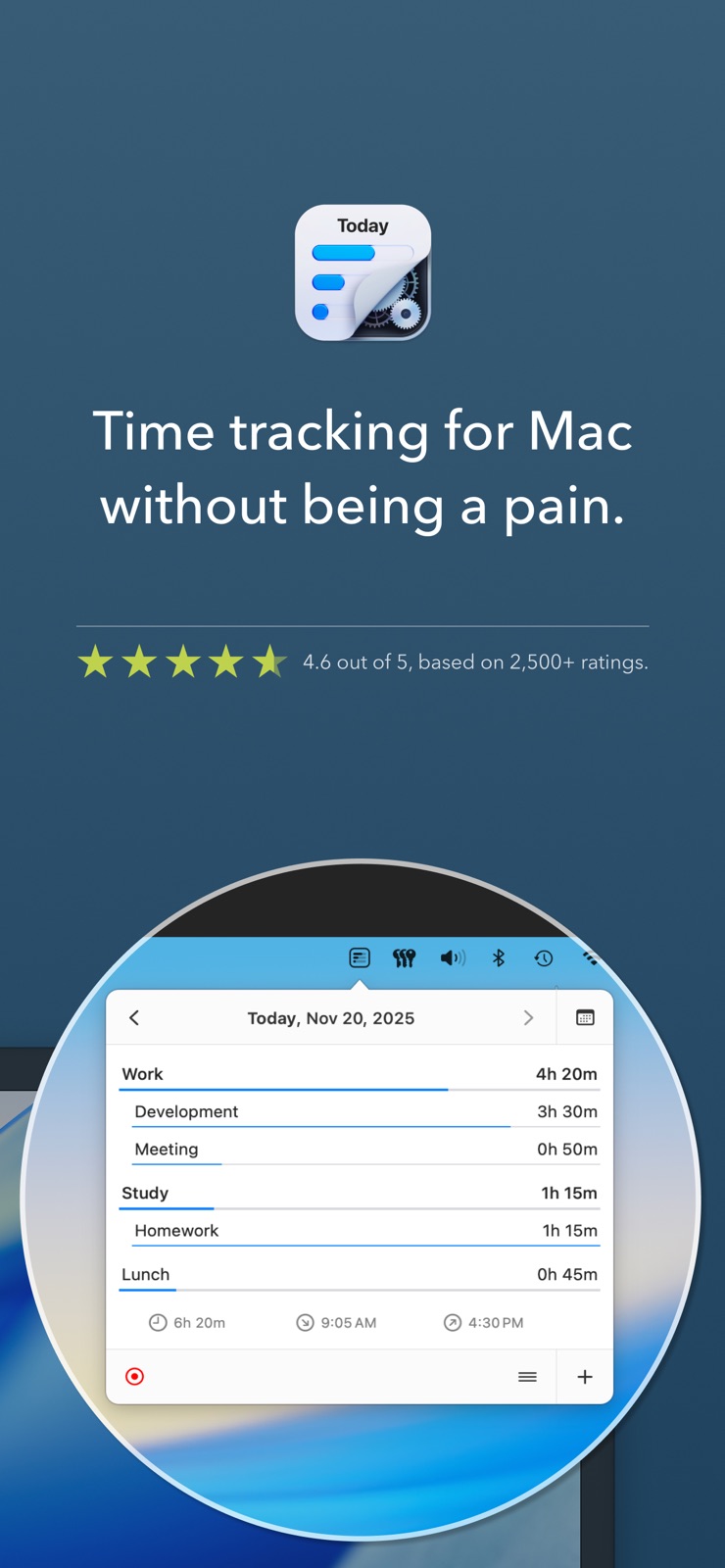
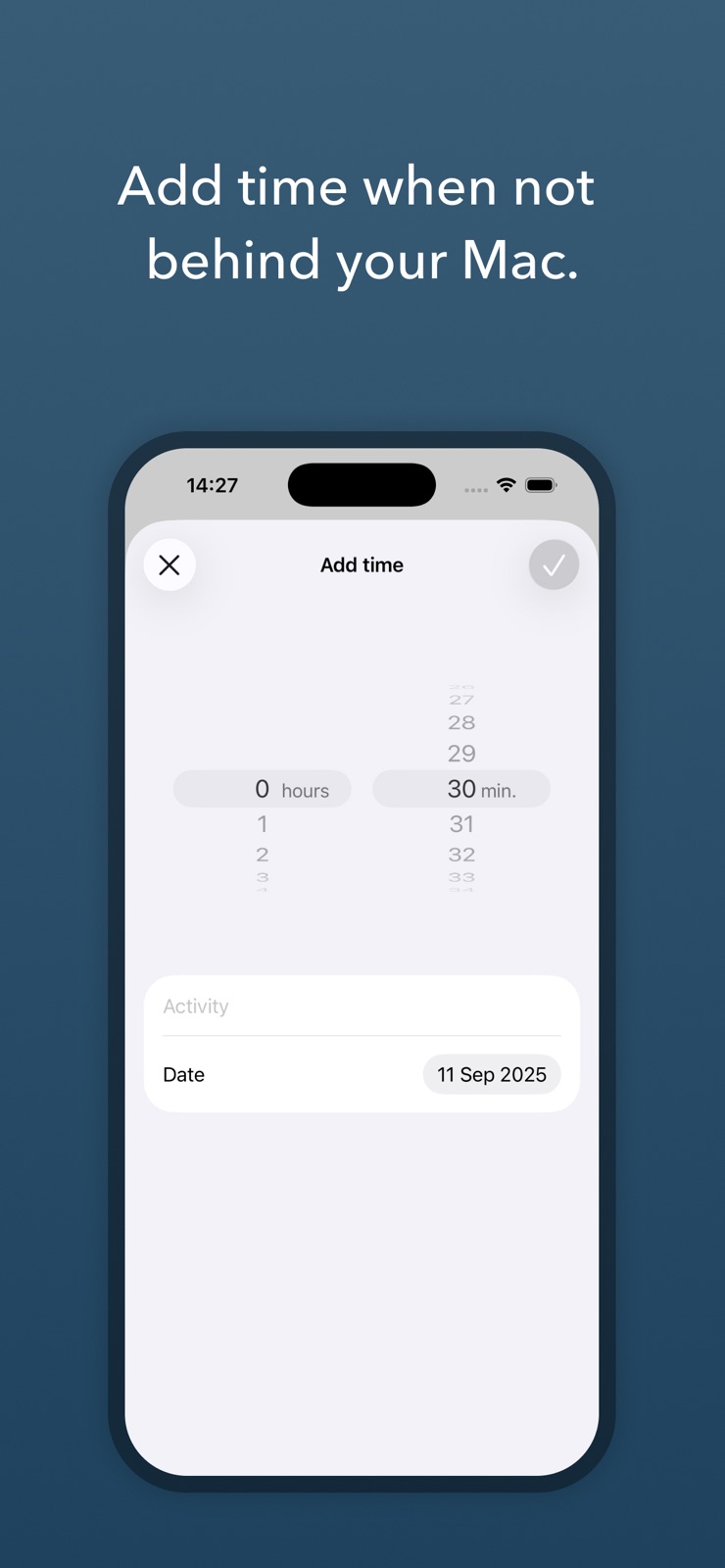
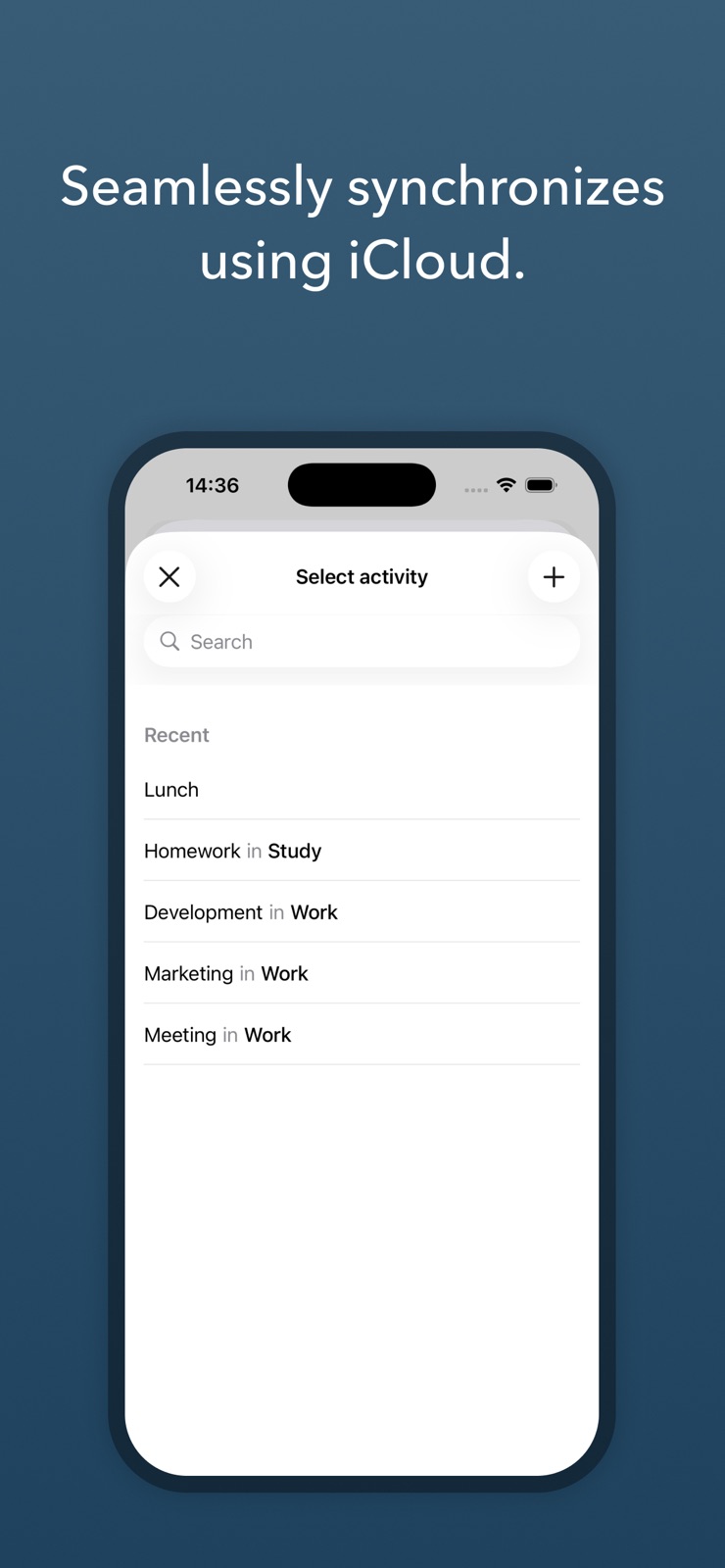
Pricing & paywalls
App Store
- Quarterly — $5.99/month
- Quarterly — $17.99/quarter
- Quarterly — $34.99/year ($2.91/mo)
- Lifetime — $69.99
Ratings & reviews
App Store
-
5/5Love the Pop-Up Window!
If you're looking for an app that will record your hours and then use that data to create an invoice for you, this is not the one for you. If your looking to track your hours in an easy setup and intuitive format and non-distracting way to record what you've been doing on your computer for a project or how your spend your time, this is a excellent choice. I tried a few others, but there was time needed to invest figuring out how to use it. There was no Lifetime purchase option only a subscription option. But what won me over is the pop-up screen that asks you "what are you currently doing?". You select what your doing from a drop-down list that you've created. Your activity time has been recorded and then you keep on working. Easy! (You also enter how often you want it to appear in an hour. I have mine set for every 15min) As a freelance designer, I move from project to project multiple times in a day. So not having to press a button to stop and go for each project I work on is the BIGGEST win for me. Without the pop-up screen, I say no way Jose. I went all in and bought the Lifetime option. Also, in the past, when I have had a couple of questions on separate occasions, the developer has always replied back to me within 48 hours with a detailed explanation that I could understand. And one last mention. By using this app, it means that I do write my own invoices, but that’s part of doing business. The functionality of this app suits me the best and thus the pros outweigh the cons.
lcough · 7 Aug 2026
-
5/599% perfect
I quickly paid for this. Does exactly what it needs to do, be annoying (but not overtly) and remind you to log time. Simple yet very useful set of settings. After using it for several months now I just set up the API connection so I could build a dashboard of my hours logged, pretty great. I work in peace now during the day knowing that my time is logged and accurate. The ONLY thing that might make this one percent better is if I could leave a little note with my log, so I could say what exactly I was just doing for the project I’m working on. This is debatable though - it might make clicking that check button slightly less straightforward, and thus more stressful. But I can see that being an optional add- log time without note. Regardless, highly highly recommend!
modamatrixlab · 7 Aug 2026
-
5/5Time Saver that Tracks Time
This is an ingenious little app that solves the annoying problem of managing and keeping a timesheet. This unobtrusive app does the heavy lifting for you and frees your mind and your time from the mundane drudgery of trying to remember what you worked on and noting it down. Set it up once with your preferences and a schedule and forget it; it will automatically run in the menu bar and pop up throughout the day to ask you what you are currently working on. Overtime, you’ll build your list of activities that you can access from a drop down menu. If you’re working on something new, simply create the task in the app and it will be available for future reference. I love it and highly recommend it if you want an accurate, low maintenance way to track your hours throughout the day and then have a printout of all your activities instantly. This syncs with iClouds and works flawlessly between laptops, Mac desktops, iPhones and iPads. 5 stars all the way.
td3k · 7 Aug 2026
-
4/5Best tool I’ve found, but hard to trust results
I’ve been using Daily for about a year, so this review is for the past and current version (I only upgraded a few weeks ago). I’ve tried a lot of tools for tracking time (including wearing a stopwatch around my neck), and the pattern Daily uses of asking what I’m doing is the best I’ve seen (at least for my needs). However, I don’t understand the sampling system and it sometimes produces very odd results. Fortunately, I’m just doing it for my own edification and don’t need to charge clients so exact results are not necessary. I wish I fully understood the logic behind the sampling (eg. how does the normal sampling interact with manually entered times? why does it sample at inconsistent intervals?) Issues: 1) I have it set to the highest frequency of asking, but sometimes, it stops asking for an hour and just attributes the time to the last thing I entered. This seems to happen most in the afternoon and evening. 2) When something is wrong (from user error, or system error) it is very difficult to correct. Frequently, I’ll set an entry to 0min to delete it only to have it appear again 30 minutes later. 3) The “number of hours tracked” and the “start & end times” at the bottom of the widget get out of sync very easily and I have to make modifications to make them match. Desired Features: 1) I wish I could export the timestamp of the samples so that I could see how much uninterrupted work I have and at what times of day different work is centralized.
DevHead42 · 7 Aug 2026
-
5/5Nicely built and perfectly minimal tracking tool.
I've been wary of the sample based/popup approach to tracking, but the developers have clearly taken care to make Daily Time Tracker unintrusive and fluid to use. The AppleScript integration is a nice touch, although it could use more documentation. I especially appreciate the developer's privacy policy. As of writing activities are locally stored, and personal data isn't shared with anyone (increasingly rare, needless to say). I'm happy to pay for a solid product that doesn't make its money slinging my data. The only thing I've felt is missing is sync across machines. I use multiple Macs throughout the day, and it would be useful to continue tracking when switching. It would be great if this could be done in a way that wouldn't detract from the privacy, say using iCloud Drive instead of a remote database. Or just adding an AppleScript action to import data could let users tinker this together themselves.
0x0100 · 7 Aug 2026
Privacy & accessibility
App Store
Privacy
- Data Not Collected Developer declared
Accessibility
No accessibility labels collected yet.
Versions
App Store
- 1.0.0
-
1.0.1
• Improved links.
-
1.0.2
• Added a minor enhancement that is not noticeable to users.
-
1.0.3
• Added a minor enhancement that is not noticeable to users.
-
1.1.0
• Added the option to exclude archived activities.
-
1.1.1
• Fixed an issue causing the app to crash when opened.
-
1.1.2
• Fixed an issue where the toolbar buttons for adding or editing time were not appearing.
-
1.1.3
• Various minor improvements, mainly in preparation for iOS 26. • Added support for integrations through the web API, coming soon to Daily for Mac.
-
1.1.4
• Minor technical improvements.
-
1.1.5
Added support for iOS 26, including the new Liquid Glass design.
-
1.1.6
• Various stability improvements.
-
1.1.7
· 29 Jun 2026
• Improved the default date when adding time.
Alternatives
- Rocket Typist — Same category + similar ratings
- Godspeed – To Do List — Same category + similar ratings
- GreenBooks: Money Manager — Same category + similar ratings
Availability by market
- US
Data quality & evidence
- Page completeness
- Live store listing
- Last verified
- 7 Aug 2026
- Sources
- App Store
- Independent summary has not been published yet.