
Quick verdict
- What it is
- Store information collected; an Apoku editorial summary is not yet published.
- At a glance
-
- $8.99
Categories and search queries
Official categories
- Developer Tools
- Utilities
Apoku categories
Key functions
| Function | Availability | Access | Scope | Evidence |
|---|---|---|---|---|
| Family Sharing | Unknown | Unknown | Scope unknown | Store published |
Screens
App Store
10 store screenshots

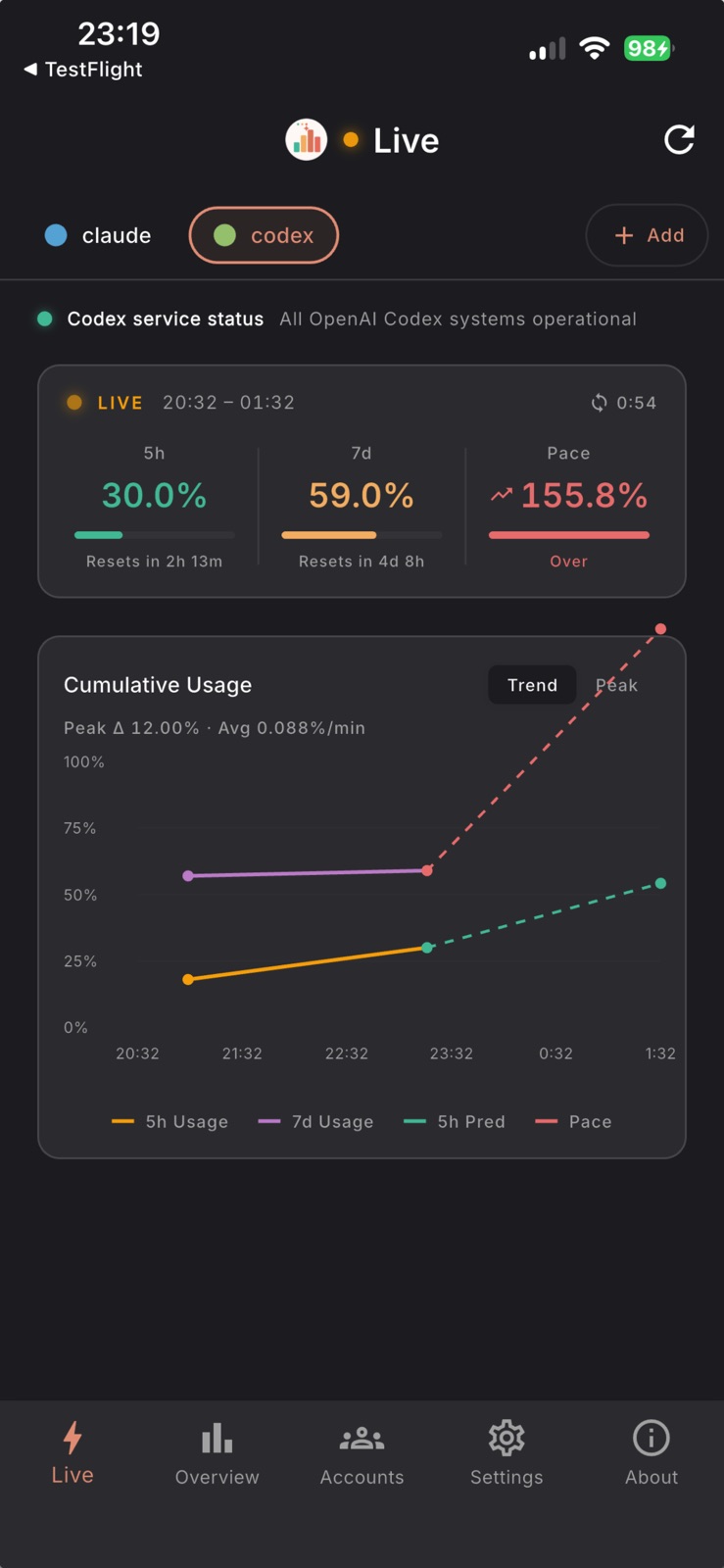

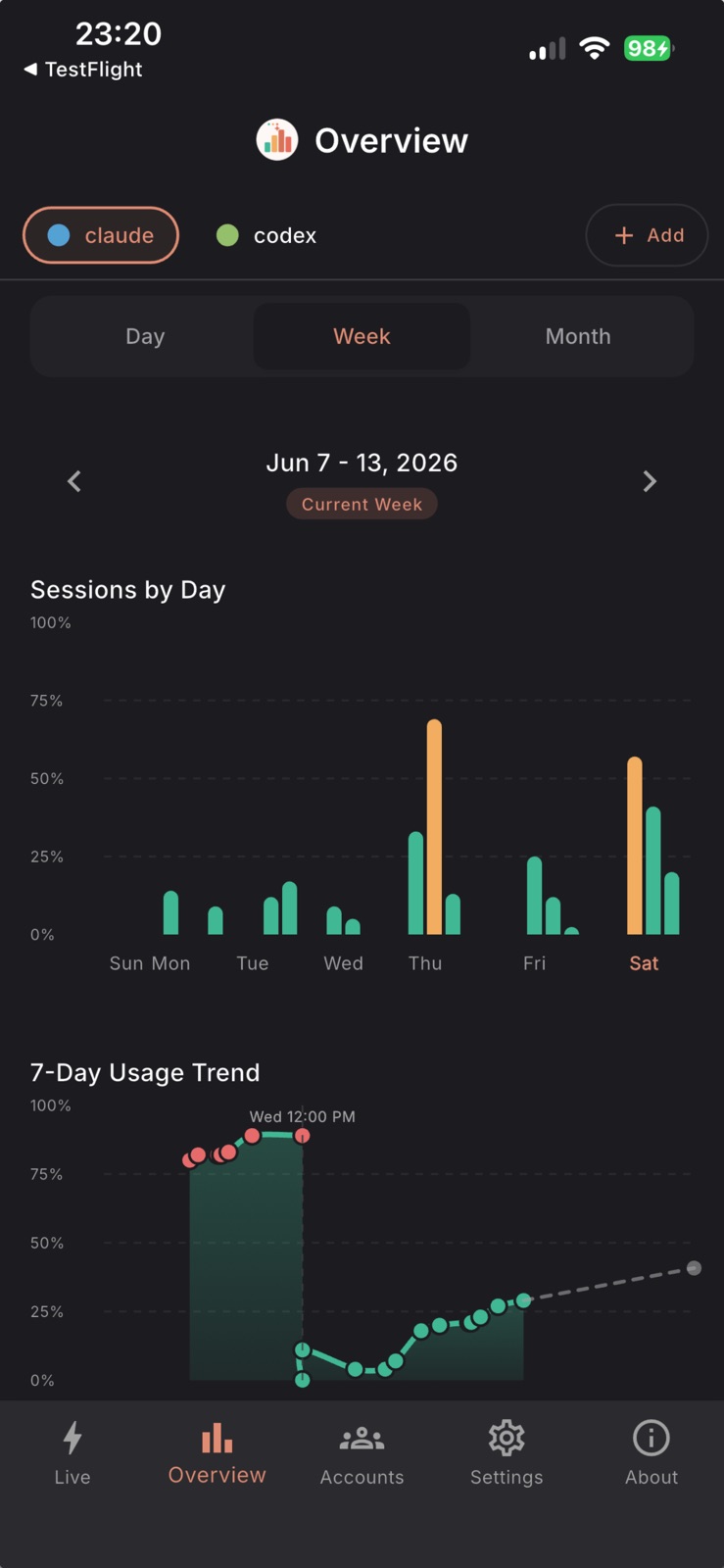
Pricing & paywalls
App Store
- Price: $8.99
Ratings & reviews
App Store
No store reviews collected for App Store · US
Privacy & accessibility
App Store
Privacy
- Data Not Collected Developer declared
Accessibility
No accessibility labels collected yet.
Versions
App Store
- 1.0.1
-
1.1.0
New: Pace Metric for Smarter Usage Planning! Predict your weekly usage before you hit the limit: • Pace shows projected usage at reset time • Color-coded status: Healthy, Risky, or Over • Visual progress bar for at-a-glance tracking • Projection line on cumulative chart Also in this release: • Improved chart visualizations • Better Weekly Limits layout • Enhanced accessibility support
-
1.1.1
Enhanced 7-Day Trend Charts and Live Session View! 7-Day Usage Trend upgrade: - Session-level detail: multiple data points per day - Dashed prediction line shows projected end-of-week usage - Vertical reset indicators mark weekly usage resets - Rich tooltips with date, time window, and usage change New unified live session view: - Hero header with inline cumulative and peak charts - Cleaner, more informative live monitoring layout Also in this release: - Extra usage (overage) credit tracking - Codex account support with OAuth - Improved widget deep linking
-
1.1.2
Multi-Account Widget Dashboard! New large (4x4) home screen widget: - See all your connected accounts (up to 5) at a glance - Per-account 5-hour, 7-day usage, pace projection, and reset times - Color-coded rows matching your in-app account colors Pace tracking in all widget sizes: - Small widget: usage ring with pace arrow indicator - Medium widget: 5-Hour, 7-Day, and Pace rings side-by-side - Large widget: full multi-account dashboard table Other improvements: - Widgets show your account alias instead of email - Fixed widget data sync issue (App Group ID mismatch)
-
1.1.3
Background Widget Refresh & 2× Promotion! Widgets stay fresh automatically: - Usage data updates every ~15 minutes in the background - No need to open the app to see current stats - All accounts refresh independently 2× Usage Promotion Indicator (Claude): - Gold shimmer badge appears during double usage windows - Shows in live session header and all widget sizes - Auto-detects your timezone for the correct schedule - Displays next window time when outside a 2× period Widget improvements: - All accounts now show pace projections (not just active) - Smoother background data sync for multi-account setups
-
1.1.4
Multi-Org Support & 2x Promo Fix! Multi-organization support: - Users with multiple Claude organizations can now choose which org to monitor - Organization picker appears automatically during account setup - Selected org is persisted for accurate usage tracking 2x promotion indicator fix: - Fixed incorrect 2x status for timezones outside US/Europe/Asia - Now uses UTC-based peak detection — works correctly worldwide - Accurate countdown timers showing when standard/2x periods begin Bug fixes and improvements.
-
1.2.0
Peak Hours, Service Status & Custom Thresholds! New features: - Peak hours indicator shows when Claude is in high-demand usage hours - Live Claude service status in the app and home screen widget - Set your own usage alert thresholds in Settings - Multi-organization account support Reliability improvements: - Overhauled widget background refresh for more reliable updates - Fixed false "limit hit" reports on Overview screen - Fixed duplicate sessions and auth token expiry issues - Improved session grouping accuracy Note: iOS widgets refresh automatically but the system caps how often background updates can occur. For real-time data, open the app. All data stays on-device — no server required.
-
1.3.0
Live view, redesigned. What's new: - Redesigned Live view with a compact popup-style card layout inspired by the macOS menu-bar app - Service status and peak hours now share a single status strip at the top - Session, pace, and chart stats merged into one unified card with a Trend / Peak segmented toggle - Pace projection line now matches the pace status color (Healthy / Risky / Over) so everything stays visually consistent Thanks for using CUStats Go!
-
1.4.0
• Get alerts when Claude Code or Codex status degrades. • Bug fixes: session window in local timezone; correct per-component status in notifications.
-
1.4.1
• Clearer first-launch experience: when no account is registered, the Live view now shows a guided 'Not Connected' empty state and routes new users to Settings. • Provider-neutral wording that mentions both Claude Code and Codex. • Help link to the session-key setup guide at custats.info/getting-started.
-
1.4.2
• New privacy control: optionally send anonymous crash reports to help fix bugs. Off by default — diagnostics only, never usage data or credentials. • Codex reconnect now preserves your existing usage stats and keeps rotated tokens working. • Clearer, more honest privacy wording throughout the app.
-
1.4.3
• Smoother usage charts — refreshed live consumption, cumulative, and weekly trend views with cleaner day-by-day history bucketing • Polished reset-time labels in usage rings • Updated build for the latest iOS SDK so CuStats keeps running smoothly on the newest iOS releases
-
1.5.0
smarter notifications, and Codex manual resets. What's new: - Notifications settings — permission status, master switch, per-alert toggles, and send test notification - Codex manual reset credits on the Live tab when OpenAI reports them
-
1.5.1
smarter notifications, and Codex manual resets. What's new: - Notifications settings — permission status, master switch, per-alert toggles, and send test notification - Codex manual reset credits on the Live tab when OpenAI reports them
-
1.5.2
All Accounts, smarter notifications, and Codex manual resets. New in this version: - New All Accounts tab — compare every Claude/Codex account at once with widget-style rings, compact cards, and refresh-all - Notifications settings — permission status, master switch, per-alert toggles, and send test notification - Codex manual reset credits on the Live tab when OpenAI reports them - Smoother usage charts and shared fetch plumbing across Live, Overview, and All Accounts Fixes: - Live tab shows the correct provider service status label - About screen no longer flashes a placeholder version before the real build loads - Startup navigation and account-rename dialog stability Builds with Xcode 26 / iOS 26 SDK are supported.
-
1.6.0
Smarter limit visibility and more reliable alerts. What's new: - Weekly unused-usage reminder shows how much plan quota may go unused before the weekly reset - iOS now checks Claude usage thresholds in the background, so alerts can arrive even when the app is not open - Live view now shows 7-day usage limits for every Claude model your account reports Fixes: - Fixed foreground notification delivery and stale enabled-state handling
-
1.6.1
· 31 Jul 2026
Know when Claude and Codex come back up. What's new: - Service status recovery alerts tell you when Claude or Codex is fully operational again, not just when it goes down - Recovery alerts have their own notification per service, so they appear alongside the outage alert instead of replacing it Fixes: - A dropped status check no longer hides a service going down — you could previously sit through a whole outage in silence after one failed check - A partial improvement (outage back to degraded) correctly stays quiet while the service is still impaired
Alternatives
- VibeCheck - Limits Companion — Same category + similar ratings
- TokenBar Mobile — Same category + similar ratings
- OpenCoderMan — Same category + similar ratings
- ShieldNode: API keys for AI — Same category + similar ratings
- PVE Admin — Same category + similar ratings
- Model Usage — Same category + similar ratings
Availability by market
- US
Data quality & evidence
- Page completeness
- Live store listing
- Last verified
- 6 Aug 2026
- Sources
- App Store
- Apoku editorial summary has not been published yet.