
Quick verdict
- What it is
- Store information collected; independent summary not yet available.
- At a glance
-
- Free to download
- In-app purchases
Categories and search queries
Official categories
- Productivity
- Utilities
AppCorpus categories
Key functions
| Function | Availability | Access | Scope | Evidence |
|---|---|---|---|---|
| Free app | Yes | Free | — | Store published |
| In-app purchases | Yes | Limited free | — | Store published |
Screens
App Store
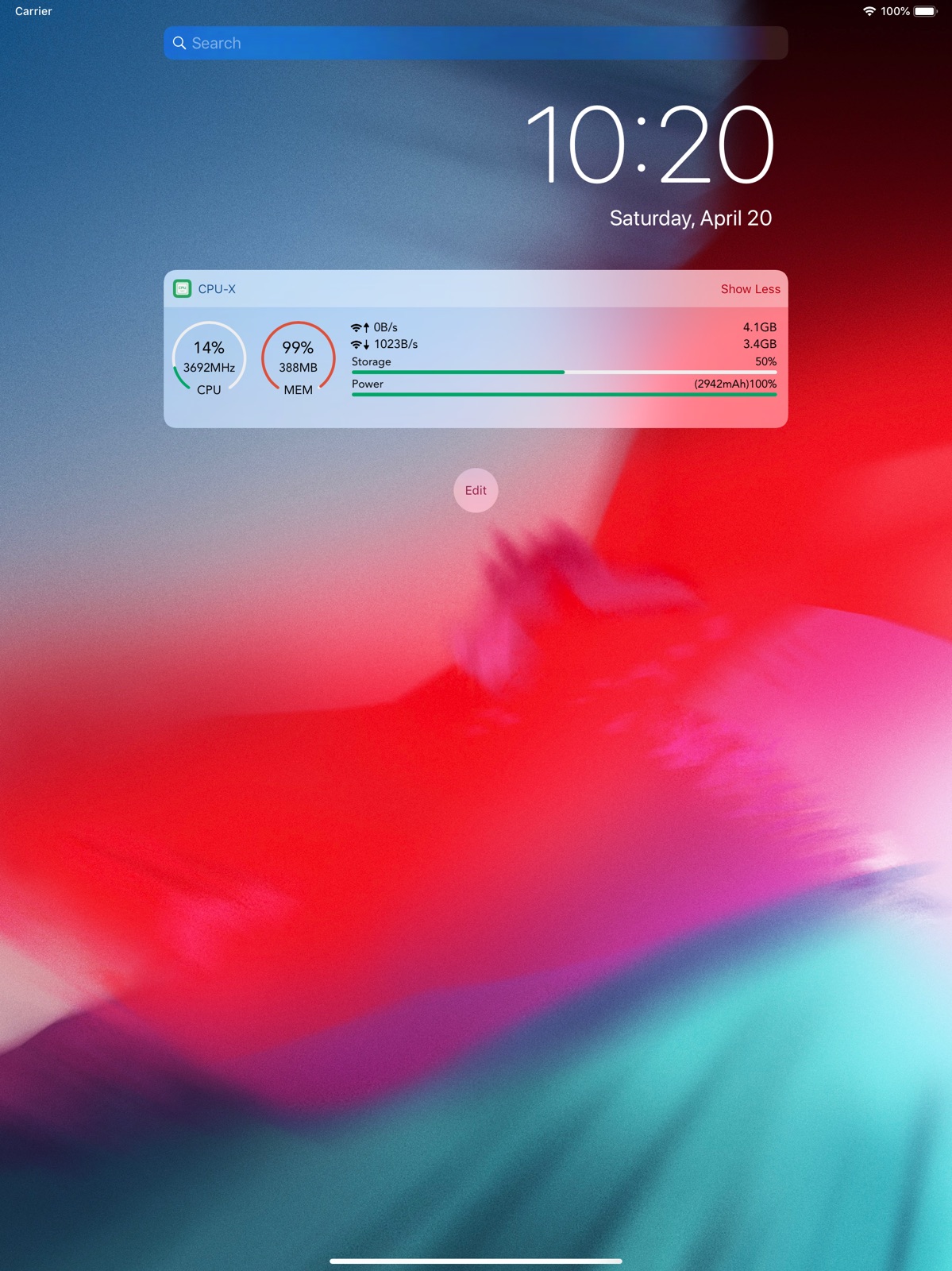
25 store screenshots



Pricing & paywalls
App Store
- Donate — $0.99
- Donate — $3.99
- Donate — $14.99
- Pro Feature Pack — $2.99
Ratings & reviews
App Store
-
5/5Amazing App
I have been using this app for a little over a Month and it’s just amazing! I love the fact I can view the inner workings of my device and know the functionality specifications of how the device works in real time. Keeps track of actual data usage on my device and has added memory function that frees up space and clears cache. The only thing I’d suggest is display the iPhones “Actual Battery Cycle” & remove the hyperlink to the App Store that takes u to another app to install for different battery charging animations. The whole reason I got this app was to monitor my Battery Cycle Count and although that feature isn’t available “to my knowledge” I got a lot more features that I didn’t know I needed and really wanted! Apple really needs to integrate some these features in their iOS. Also can you fix the Widget issue…the widget options imbedded in app for you to choose are not what is available on the iPhone device widget options. Some of the CPU iPhone widget options are cool and the others not so much in my opinion. I would really love the CPU App widget options that are within the app! Also CPU can you add “Purple” to your color options!!! 🙏🏼🪬☮️💜✨
REsQ♾️🪬 · 4 Sep 2026
-
5/5This app has some unique features I can’t find other places.
It allows you to speed up the process in a two ways. Honestly I haven’t found any other free app that even does anything of that type. There are also other features that are valuable and just kind of fun to check out. Now I do say this is a free app but there is a pay feature for all the features BUT they do have a option to watch an ad to use the features for a day. You can do this many times so technically you could use basically all the features for free if you are willing to watch a ad whenever you want to use the paid features.
JohnCrews · 4 Sep 2026
-
4/5What’s up? It’s like the app just went to being worse
I enjoy this app a lot and use it everyday, especially the traffic monitor. But now it happens that one of the widgets don’t even work anymore that’s the one that says (traffic monitor pro) or something. It doesn’t update and remains 0.00… although it’s on mobile data but even after checking, there isn’t an option to change it to wifi so it can track the traffic as I use only wifi. I also noticed the battery percentage in the app only updates at every 5% unlike before, it gives you the exact battery level as it is… what’s really going on?? I believe any update should make the app better not the other way round. I enjoy the app a lot so please, help fix these issues… thank you 🙏🏽
NoName?lol! · 4 Sep 2026
-
1/5Un-usable
This app is practically useless. It opens and has a list of basic details that are all available in the settings menu of any apple device. If you try to tap on ANY of the lines to get more detailed information as the app is intended for it simply closes and my home screen is displayed. I have even tried the “pro” version and the same thing happens, tapping on any line to acces more detailed information, the app simply closes....terrible and useless app! I thought apple developers are supposed to make good apps?!?!? Somehow they took one of the best and most informative apps for PC cpu info and completely destroyed its usability. I would give “0” or negative stars if I could for wasting my time with useless junk. I feel terribly bad for the 6.1Mb of storage space my iPad had to give up to display absolutely nothing that I can’t already see in settings, as a matter of fact, I’m fairly certain I get more details in the apple settings than I do in this app.
Xently · 4 Sep 2026
-
5/5useful app that’s easy to use and full of info
One of the few apps that I opted to buy a subscription for (but had rhe free version for a long time and its fantastic as well with very minimal ads)out of love for it so I could give thanks and support to the people who made it. Intuitive layout that’s quick to pick up with a host of useful tools and information to let you keep a closer eye on things that your phone may be doing or just to monitor the performance and resources used. I’ve had it for at least a couple years and make use of it multiple times daily through the info widgets and several times a week probably for opening it up and getting deeper. Can’t imagine not having it after getting used to the extra info being at hand. 5/5 easily for both the free and paid versions
CometDwN_ramaMew · 4 Sep 2026
Privacy & accessibility
App Store
Privacy
- Data Not Linked to You — Analytics — Diagnostics — Crash Data Developer declared
- Data Not Linked to You — Analytics — Diagnostics — Performance Data Developer declared
- Data Not Linked to You — App Functionality — Health & Fitness — Fitness Developer declared
- Data Not Linked to You — App Functionality — Health & Fitness — Health Developer declared
- Data Not Linked to You — App Functionality — Location — Coarse Location Developer declared
- Data Not Linked to You — Third-Party Advertising — Identifiers — Device ID Developer declared
- Data Not Linked to You — Diagnostics Developer declared
- Data Not Linked to You — Health & Fitness Developer declared
- Data Not Linked to You — Identifiers Developer declared
- Data Not Linked to You — Location Developer declared
- Data Used to Track You — Identifiers — Device ID Developer declared
- Data Used to Track You — Identifiers Developer declared
Accessibility
No accessibility labels collected yet.
Versions
App Store
-
1.4.0
▸ Add all-new iOS14 widgets, the previous widgets is still available ▸ Added Italian and German ▸ Fix the problem that the iPad icon change does not take effect ▸ The widget supports a solid color background ▸ Add ruler function ▸ Add gateway and DNS to network information ▸ Add daily traffic display to the Pro version widget ▸ Optimize the experience and stability If you have any interesting ideas or suggestions, please feel free to let us know in the APP feedback.
-
1.4.1
▸ Add all-new iOS14 widgets, the previous widgets is still available ▸ Added Italian and German ▸ Fix the problem that the iPad icon change does not take effect ▸ The widget supports a solid color background ▸ Add ruler function ▸ Add gateway and DNS to network information ▸ Add daily traffic display to the Pro version widget ▸ Optimize the experience and stability If you have any interesting ideas or suggestions, please feel free to let us know in the APP feedback.
-
1.4.2
▸ Add all-new iOS14 widgets, the previous widgets is still available ▸ iOS14 widget background supports manual switching ▸ Added Italian and German ▸ Fix the problem that the iPad icon change does not take effect ▸ The widget supports a solid color background ▸ Add ruler function ▸ Add gateway and DNS to network information ▸ Add daily traffic display to the Pro version widget ▸ Optimize the experience and stability If you have any interesting ideas or suggestions, please feel free to let us know in the APP feedback.
-
1.4.3
▸ Add a professional desktop widget ▸ Dark background of desktop widgets (two kinds of black) ▸ Optimize traffic statistics function ▸ Optimize the experience and stability Recently updated: ▸ Add all-new iOS14 widgets, the previous widgets is still available ▸ iOS14 widget background supports manual switching ▸ Added Italian and German ▸ Fix the problem that the iPad icon change does not take effect ▸ The widget supports a solid color background ▸ Add ruler function ▸ Add gateway and DNS to network information ▸ Add daily traffic display to the Pro version widget ▸ Optimize the experience and stability If you have any interesting ideas or suggestions, please feel free to let us know in the APP feedback.
-
1.4.4
▸ Add a health widget ▸ Fix that the professional version cannot be modified icon ▸ Optimize the experience and stability If the widget is abnormal after the update, restart the system to recover. Recently updated: ▸ Dark background of desktop widgets (two kinds of black) ▸ Optimize traffic statistics function ▸ Add all-new iOS14 widgets, the previous widgets is still available ▸ iOS14 widget background supports manual switching ▸ Added Italian and German ▸ Fix the problem that the iPad icon change does not take effect ▸ The widget supports a solid color background ▸ Add ruler function ▸ Add gateway and DNS to network information ▸ Add daily traffic display to the Pro version widget ▸ Optimize the experience and stability If you have any interesting ideas or suggestions, please feel free to let us know in the APP feedback.
-
1.5.0
▸ Optimized equipment hardware widget and added network categories ▸ Display of heating condition of new equipment ▸ Add CSV export for daily traffic details ▸ Optimize the experience and stability It is recommended to open the App once after the update, and then restart the system to prevent abnormalities of the widgets. Recently updated: ▸ Add a health widget ▸ Dark background of desktop widgets (two kinds of black) ▸ Optimize traffic statistics function ▸ Add all-new iOS14 widgets, the previous widgets is still available ▸ iOS14 widget background supports manual switching ▸ Added Italian and German ▸ Fix the problem that the iPad icon change does not take effect ▸ The widget supports a solid color background ▸ Add ruler function ▸ Add gateway and DNS to network information ▸ Add daily traffic display to the Pro version widget ▸ Optimize the experience and stability If you have any interesting ideas or suggestions, please feel free to let us know in the APP feedback.
-
1.5.1
It is recommended to open the App once after the update, and then restart the system to prevent abnormal widgets. ▸ Adapt to iOS15/iPadOS15, iPhone13 series and iPad Mini 6 models ▸ Pro version of traffic widget and clock widget add extra large size on iPad ▸ You can choose the theme of the clock widget now ▸ Optimized the display of today widgets (today widgets are still available on iOS14 and above, and there are tutorials for adding in the App) ▸ Optimize the experience and stability Recently updated: ▸ Optimized equipment hardware components and added network categories ▸ Display of heating condition of new equipment ▸ Added CSV export for daily traffic details ▸ Added a health widget ▸ Dark background of desktop widgets (two kinds of black) ▸ Added a new iOS14 desktop widget, the previous widgets are still available ▸ iOS14 widget background supports manual switching ▸ Added Italian and German ▸ Added ruler function ▸ Added gateway and DNS to network information ▸ Added daily traffic display to the Pro version widget ▸ Optimize the experience and stability If you have any interesting ideas or suggestions, please feel free to let us know in the APP feedback.
-
1.5.2
It is recommended to open the App once after the update, and then restart the system to prevent abnormal widgets. ▸ Added a new today widget ▸ Storage and traffic rounding optional 1KB=1024B or 1KB=1000B ▸ Added floating bubble function ▸ Optimize usage experience and stability Recently updated: ▸ Adapt to iOS15/iPadOS15, iPhone13 series and iPad Mini 6 models ▸ Optimized equipment hardware components and added network categories ▸ Display of heating condition of new equipment ▸ Added CSV export for daily traffic details ▸ Added a health widget ▸ Dark background of desktop widgets (two kinds of black) ▸ Added a new iOS14 desktop widget, the previous widgets are still available ▸ iOS14 widget background supports manual switching ▸ Added Italian and German ▸ Added ruler function ▸ Added gateway and DNS to network information ▸ Added daily traffic display to the Pro version widget ▸ Optimize the experience and stability If you have any interesting ideas or suggestions, please feel free to let us know in the APP feedback.
-
1.5.3
It is recommended to open the App once after the update, and then restart the system to prevent abnormal widgets. ▸ Added a new today widget ▸ Storage and traffic rounding optional 1KB=1024B or 1KB=1000B ▸ Added floating bubble function ▸ Optimize usage experience and stability Recently updated: ▸ Adapt to iOS15/iPadOS15, iPhone13 series and iPad Mini 6 models ▸ Optimized equipment hardware components and added network categories ▸ Display of heating condition of new equipment ▸ Added CSV export for daily traffic details ▸ Added a health widget ▸ Dark background of desktop widgets (two kinds of black) ▸ Added a new iOS14 desktop widget, the previous widgets are still available ▸ iOS14 widget background supports manual switching ▸ Added Italian and German ▸ Added ruler function ▸ Added gateway and DNS to network information ▸ Added daily traffic display to the Pro version widget ▸ Optimize the experience and stability If you have any interesting ideas or suggestions, please feel free to let us know in the APP feedback.
-
1.6.0
It is recommended to open the App once after the update, and then restart the system to prevent abnormal widgets. ▸ Added iOS16 Lock Screen widgets ▸ Optimize the user experience and stability Recent Updates: ▸ Added an old notification bar widget. Thanks to @Shelus for the suggestion ▸ Storage and traffic carry optional 1KB=1024B or 1KB=1000B ▸ Added floating window function ▸ Device hardware widget optimization and new network classification ▸ Added the display of equipment heating ▸ Added CSV export for daily traffic details ▸ Add a health widget ▸ Desktop widget dark background (two kinds of black) ▸ Added new iOS14 desktop widgets, the previous widgets are still available ▸ Added ruler function ▸ Network information add gateway and DNS ▸ Pro version widget adds daily traffic display If you have any interesting ideas or suggestions, please feel free to let us know in the APP feedback.
-
1.6.1
It is recommended to open the App once after the update, and then restart the system to prevent abnormal widgets. ▸ Added iOS16 Lock Screen widgets ▸ Support for the new iPhone 14 ▸ Optimize the user experience and stability Recent Updates: ▸ Added an old notification bar widget. Thanks to @Shelus for the suggestion ▸ Storage and traffic carry optional 1KB=1024B or 1KB=1000B ▸ Added floating window function ▸ Device hardware widget optimization and new network classification ▸ Added the display of equipment heating ▸ Added CSV export for daily traffic details ▸ Add a health widget ▸ Desktop widget dark background (two kinds of black) ▸ Added new iOS14 desktop widgets, the previous widgets are still available ▸ Added ruler function ▸ Network information add gateway and DNS ▸ Pro version widget adds daily traffic display If you have any interesting ideas or suggestions, please feel free to let us know in the APP feedback.
-
1.6.2
It is recommended to open the App once after the update, and then restart the system to prevent abnormal widgets. ▸ Added iOS16 Lock Screen widgets ▸ Support for the new iPhone 14 ▸ Added pasteboard function ▸ Optimize the user experience and stability Recent Updates: ▸ Added an old notification bar widget. Thanks to @Shelus for the suggestion ▸ Storage and traffic carry optional 1KB=1024B or 1KB=1000B ▸ Added floating window function ▸ Device hardware widget optimization and new network classification ▸ Added the display of equipment heating ▸ Added CSV export for daily traffic details ▸ Add a health widget ▸ Desktop widget dark background (two kinds of black) ▸ Added new iOS14 desktop widgets, the previous widgets are still available ▸ Added ruler function ▸ Network information add gateway and DNS ▸ Pro version widget adds daily traffic display If you have any interesting ideas or suggestions, please feel free to let us know in the APP feedback.
-
1.6.3
It is recommended to open the App once after the update, and then restart the system to prevent abnormal widgets. ▸ Added iOS16 Lock Screen widgets ▸ Support for the new iPhone 14 ▸ Added a new icon style ▸ Optimize the user experience and stability Recent Updates: ▸ Added pasteboard function ▸ Added an old notification bar widget. Thanks to @Shelus for the suggestion ▸ Storage and traffic carry optional 1KB=1024B or 1KB=1000B ▸ Added floating window function ▸ Device hardware widget optimization and new network classification ▸ Added the display of equipment heating ▸ Added CSV export for daily traffic details ▸ Add a health widget ▸ Desktop widget dark background (two kinds of black) ▸ Added new iOS14 desktop widgets, the previous widgets are still available ▸ Added ruler function ▸ Network information add gateway and DNS ▸ Pro version widget adds daily traffic display If you have any interesting ideas or suggestions, please feel free to let us know in the APP feedback.
-
1.6.4
It is recommended to open the App once after the update, and then restart the system to prevent abnormal widgets. ▸ Fix the problem of obtaining external network IP ▸ Optimize the user experience and stability Recent Updates: ▸ Added iOS16 Lock Screen widgets ▸ Support for the new iPhone 14 ▸ Added a new icon style ▸ Added pasteboard function ▸ Added an old notification bar widget. Thanks to @Shelus for the suggestion ▸ Storage and traffic carry optional 1KB=1024B or 1KB=1000B ▸ Added floating window function ▸ Device hardware widget optimization and new network classification ▸ Added the display of equipment heating ▸ Added CSV export for daily traffic details ▸ Add a health widget ▸ Desktop widget dark background (two kinds of black) ▸ Added new iOS14 desktop widgets, the previous widgets are still available ▸ Added ruler function ▸ Network information add gateway and DNS ▸ Pro version widget adds daily traffic display If you have any interesting ideas or suggestions, please feel free to let us know in the APP feedback.
-
1.6.5
It is recommended to open the App once after updating and then restart the system to prevent widget abnormalities. ▸ The traffic statistics added will be reset according to the cycle of 3/7/14/28/30. ▸ Added a new floating view, each CPU core usage graph ▸ Adapt to iOS17 and fix known issues ▸ Optimize user experience and stability Recent Updates: ▸ Added iOS16 Lock Screen widgets ▸ Support for the new iPhone 14 ▸ Added a new icon style ▸ Added pasteboard function ▸ Added an old notification bar widget. Thanks to @Shelus for the suggestion ▸ Storage and traffic carry optional 1KB=1024B or 1KB=1000B ▸ Added floating window function ▸ Device hardware widget optimization and new network classification ▸ Added the display of equipment heating ▸ Added CSV export for daily traffic details ▸ Add a health widget ▸ Desktop widget dark background (two kinds of black) ▸ Added new iOS14 desktop widgets, the previous widgets are still available ▸ Added ruler function ▸ Network information add gateway and DNS ▸ Pro version widget adds daily traffic display If you have any interesting ideas or suggestions, please feel free to let us know in the APP feedback.
-
1.6.6
It is recommended to open the App once after updating and then restart the system to prevent widget abnormalities. ▸ The traffic statistics added will be reset according to the cycle of 3/7/14/28/30. ▸ Added a new floating view, each CPU core usage graph ▸ Adapt to iOS17 and fix known issues ▸ Optimize user experience and stability Recent Updates: ▸ Added iOS16 Lock Screen widgets ▸ Support for the new iPhone 14 ▸ Added a new icon style ▸ Added pasteboard function ▸ Added an old notification bar widget. Thanks to @Shelus for the suggestion ▸ Storage and traffic carry optional 1KB=1024B or 1KB=1000B ▸ Added floating window function ▸ Device hardware widget optimization and new network classification ▸ Added the display of equipment heating ▸ Added CSV export for daily traffic details ▸ Add a health widget ▸ Desktop widget dark background (two kinds of black) ▸ Added new iOS14 desktop widgets, the previous widgets are still available ▸ Added ruler function ▸ Network information add gateway and DNS ▸ Pro version widget adds daily traffic display If you have any interesting ideas or suggestions, please feel free to let us know in the APP feedback.
-
1.6.7
It is recommended to open the app once after updating and then restart the system once to prevent widget abnormalities. ▸ Added RGB Pickup Lamp function. ▸ Daily details for data usage now support viewing usage within the plan. ▸ Adapted for iPhone 15 series. ▸ Improved user experience and stability. Recent updates: ▸ Added data usage reset options for 3/7/14/28/30-day cycles. ▸ Added a floating view for CPU core utilization graphs. ▸ Added iOS 16 lock screen widget. ▸ Added floating window functionality. ▸ Optimized and added network categorization to hardware widgets. ▸ Added device temperature display. ▸ Daily data usage details can now be exported as CSV. ▸ Added a health widget. ▸ Dark background option for desktop widgets (two shades of black). ▸ Added brand new iOS 14 desktop widgets, while previous widgets remain available. ▸ Added ruler functionality. ▸ Network information now includes gateway and DNS. ▸ Professional widget now includes daily data usage display. If you have any interesting ideas or suggestions, please feel free to let us know through the feedback feature in the app.
-
1.7.0
It is recommended to open the app once after the update and then restart the system to prevent widget issues. ▸ Added a new floating view for GPS information ▸ iOS17 and above systems support widget refresh; click the refresh button or the right third section. This feature can be toggled on or off in the app's desktop widget settings. ▸ Multiple new style options for the time widget have been added. After adding the widget, long press it to enter edit mode and choose a style. ▸ Optimized user experience and stability Recent updates: ▸ Added RGB sound pickup light feature ▸ Traffic statistics now support resetting in 3/7/14/28/30-day cycles ▸ Added a new floating view displaying CPU core usage ▸ Added iOS16 lock screen widgets ▸ Added floating window feature ▸ Optimized device hardware widgets and added a new network category ▸ Added device heat status display ▸ Daily traffic details now have CSV export ▸ Added a health widget ▸ Dark background for desktop widgets (two types of black) added ▸ Added new iOS14 desktop widgets, previous widgets remain usable ▸ Added ruler feature ▸ Added gateway and DNS information to network details ▸ Pro version widgets now show daily traffic If you have any interesting ideas or suggestions, please let us know through the app’s feedback section.
-
1.7.1
The iOS18 system has removed the negative screen widget with real-time refresh, so this widget is no longer available in systems above iOS18. It is recommended to open the app once after updating and then restart the system to prevent widget abnormalities. ▸ Adaptation for the iPhone16 series ▸ Added a floating view with GPS information ▸ Widgets in iOS17 and above systems support refresh: click the refresh button or the right third of the widget. You can turn this feature on or off in the app's desktop widgets settings. ▸ The time widget now has multiple style options. After adding the widget, press and hold it, then select the style in edit mode. ▸ Improved user experience and stability. Recent updates: ▸ Added RGB sound-reactive light feature ▸ Traffic statistics now support reset by cycles of 3/7/14/28/30 days ▸ Added a floating view showing each CPU core's usage ▸ Added iOS16 lock screen widget ▸ Added floating window feature ▸ Device hardware widgets optimized, network category added ▸ Device overheating status display added ▸ Daily traffic details export to CSV ▸ Added a new health widget ▸ Dark background for desktop widgets (two types of black) ▸ Added new iOS14 desktop widgets, previous widgets still available ▸ Added ruler feature ▸ Network information now includes gateway and DNS ▸ Pro version widgets now display daily traffic If you have any interesting ideas or suggestions, feel free to let us know through the app's feedback.
-
1.7.2
The iOS18 system has removed the negative screen widget with real-time refresh, so this widget is no longer available in systems above iOS18. It is recommended to open the app once after updating and then restart the system to prevent widget abnormalities. ▸ Adaptation for the iPhone16 series ▸ Added a floating view with GPS information ▸ Widgets in iOS17 and above systems support refresh: click the refresh button or the right third of the widget. You can turn this feature on or off in the app's desktop widgets settings. ▸ The time widget now has multiple style options. After adding the widget, press and hold it, then select the style in edit mode. ▸ Improved user experience and stability. Recent updates: ▸ Added RGB sound-reactive light feature ▸ Traffic statistics now support reset by cycles of 3/7/14/28/30 days ▸ Added a floating view showing each CPU core's usage ▸ Added iOS16 lock screen widget ▸ Added floating window feature ▸ Device hardware widgets optimized, network category added ▸ Device overheating status display added ▸ Daily traffic details export to CSV ▸ Added a new health widget ▸ Dark background for desktop widgets (two types of black) ▸ Added new iOS14 desktop widgets, previous widgets still available ▸ Added ruler feature ▸ Network information now includes gateway and DNS ▸ Pro version widgets now display daily traffic If you have any interesting ideas or suggestions, feel free to let us know through the app's feedback.
-
1.7.3
The iOS 18 system has removed the real-time refreshing widgets from the Today View, so these widgets are no longer available in iOS 18 and above. It is recommended to open the app once after updating, then restart the system to prevent widget issues. ▸ Supports iPhone 16 series ▸ Today View widgets are added to the floating window ▸ New GPS info floating view ▸ Widgets on iOS 17 and above support refresh; click the refresh button or the right 1/3 area. This feature can also be toggled in the app's desktop widgets. ▸ New styles available for the time widget. Long press the widget to enter edit mode after adding it. ▸ Optimized user experience and stability Recent updates: ▸ Added RGB pickup light feature ▸ Traffic statistics can now reset periodically (3/7/14/28/30 days) ▸ Added a floating view for CPU core usage graphs ▸ Added iOS 16 lock screen widget ▸ Added floating window feature ▸ Optimized hardware widget and added network classification ▸ Added device heat display ▸ Daily traffic details now include CSV export ▸ Added a health widget ▸ Dark background for desktop widgets (two shades of black) ▸ Introduced new iOS 14 desktop widget, previous widgets still available ▸ Added ruler feature ▸ Network info now includes gateway and DNS ▸ Pro version widgets added daily traffic display If you have any interesting ideas or suggestions, please feel free to let us know in the app's feedback section.
-
1.8.0
The iOS18 system has removed the real-time refreshable widgets on the "Today View" (negative one screen), so these widgets are no longer available on systems above iOS18. We recommend opening the app once after updating, then restarting the system to prevent widget malfunctions. ▸ Compatible with iOS26 ▸ Added charts to CPU, memory, and network detail pages ▸ Added new blue-green boundary test ▸ Optimized user experience and stability Recent updates: ▸ Added the "Today View" widget display into the floating window ▸ Added a new floating view for GPS information ▸ Widgets on iOS17 and above systems support refresh by tapping the refresh button or the right third of the screen. This feature can be toggled on/off in the app under Desktop Widgets. ▸ Added new RGB sound-responsive light feature ▸ Data usage statistics can now be reset in 3/7/14/28/30-day cycles ▸ Added a new floating view showing usage graph for each CPU core ▸ Added iOS16 lock screen widget ▸ Added floating window functionality ▸ Optimized device hardware widget with added network categorization ▸ Added device overheating status display ▸ Added CSV export for daily data usage details ▸ Added a health widget ▸ Dark background for desktop widgets (two types of black) ▸ Added a brand-new iOS14-compatible desktop widget; previous widgets remain usable ▸ Added ruler function ▸ Added gateway and DNS to network information ▸ Pro version widgets now display daily data usage If you have any interesting ideas or suggestions, please feel free to let us know via the feedback feature in the app.
-
1.8.1
The iOS18 system has removed the real-time refreshable widgets on the "Today View" (negative one screen), so these widgets are no longer available on systems above iOS18. We recommend opening the app once after updating, then restarting the system to prevent widget malfunctions. ▸ Compatible with iOS26 ▸ Added charts to CPU, memory, and network detail pages ▸ Added new blue-green boundary test ▸ Optimized user experience and stability Recent updates: ▸ Added the "Today View" widget display into the floating window ▸ Added a new floating view for GPS information ▸ Widgets on iOS17 and above systems support refresh by tapping the refresh button or the right third of the screen. This feature can be toggled on/off in the app under Desktop Widgets. ▸ Added new RGB sound-responsive light feature ▸ Data usage statistics can now be reset in 3/7/14/28/30-day cycles ▸ Added a new floating view showing usage graph for each CPU core ▸ Added iOS16 lock screen widget ▸ Added floating window functionality ▸ Optimized device hardware widget with added network categorization ▸ Added device overheating status display ▸ Added CSV export for daily data usage details ▸ Added a health widget ▸ Dark background for desktop widgets (two types of black) ▸ Added a brand-new iOS14-compatible desktop widget; previous widgets remain usable ▸ Added ruler function ▸ Added gateway and DNS to network information ▸ Pro version widgets now display daily data usage If you have any interesting ideas or suggestions, please feel free to let us know via the feedback feature in the app.
-
1.8.2
The iOS18 system has removed the left-edge screen widget with real-time refresh, so it's no longer available on iOS18 and later systems. We recommend opening the app once after updating, then restarting the system to prevent widget anomalies. ▸ Compatible with iOS26 and iPhone17 series devices ▸ Added chart displays to CPU, memory, and network detail pages ▸ Fully redesigned sensor interface ▸ New blue-green boundary test added ▸ Improved user experience and stability Recent updates: ▸ Left-edge screen widget view integrated into floating window ▸ New GPS info floating view added ▸ Widget refresh supported on iOS17 and above — tap refresh button or right third area. Can be toggled on/off in app's desktop widget ▸ Added RGB sound-reactive light feature ▸ Traffic stats can be reset by 3/7/14/28/30-day cycles ▸ Added a floating view showing CPU core usage per core ▸ Added iOS16 lock screen widget ▸ Added floating window feature ▸ Device hardware widget optimized with new network category ▸ Added device heat status display ▸ Daily traffic details support CSV export ▸ Added health widget ▸ Dark background for desktop widgets (two black styles) ▸ Added brand-new iOS14 desktop widgets — old ones still work ▸ Added ruler function ▸ Added gateway and DNS to network info ▸ Pro version widget shows daily traffic If you have any interesting ideas or suggestions, please let us know via feedback in the app.
-
1.8.3
· 22 Mar 2026
iOS 18 has removed the legacy Today View widgets that support real-time refreshing; therefore, these widgets are no longer available on iOS 18 and later. We recommend opening the App once after updating and then restarting your system to prevent widget anomalies. ▸ Adapted for the latest iPhone 17e and iPad Air 8 models ▸ Data reset date now supports specific time selection for the current day ▸ Optimized user experience and stability Recent Updates: ▸ Added chart displays to CPU, Memory, and Network detail pages ▸ Completely reconstructed sensor interface ▸ Added Blue-Green boundary test ▸ Today View widget view integrated into the Floating Window ▸ Added a new GPS info floating view ▸ Widgets on iOS 17 and later now support refreshing; tap the refresh button or the right 1/3 area. This feature can be toggled in the App's Home Screen Widget settings. ▸ Added RGB Sound-Reactive Light feature ▸ Added data usage reset cycles for 3/7/14/28/30 days ▸ Added a new floating view for per-CPU core usage charts ▸ Added iOS 16 Lock Screen widgets ▸ Added Floating Window feature ▸ Optimized Device Hardware widgets and added Network category ▸ Added device thermal status display ▸ Added CSV export for daily data usage details ▸ Added a Health widget ▸ Dark backgrounds for Home Screen widgets (two types of black) ▸ Added brand new iOS 14 Home Screen widgets; previous widgets remain available ▸ Added Ruler feature ▸ Added Gateway and DNS to Network info ▸ Added daily data usage display to Pro widgets If you have any interesting ideas or suggestions, please feel free to let us know via Feedback in the App.
Alternatives
- Lockdown Privacy: AdBlock VPN — Same category + similar ratings
Availability by market
- US
Data quality & evidence
- Page completeness
- Live store listing
- Last verified
- 4 Sep 2026
- Sources
- App Store
- Independent summary has not been published yet.