
Quick verdict
- What it is
- Store information collected; independent summary not yet available.
- At a glance
-
- Free to download
Categories and search queries
Official categories
- Utilities
- Travel
AppCorpus categories
Key functions
| Function | Availability | Access | Scope | Evidence |
|---|---|---|---|---|
| Free app | Yes | Free | — | Store published |
Screens
App Store
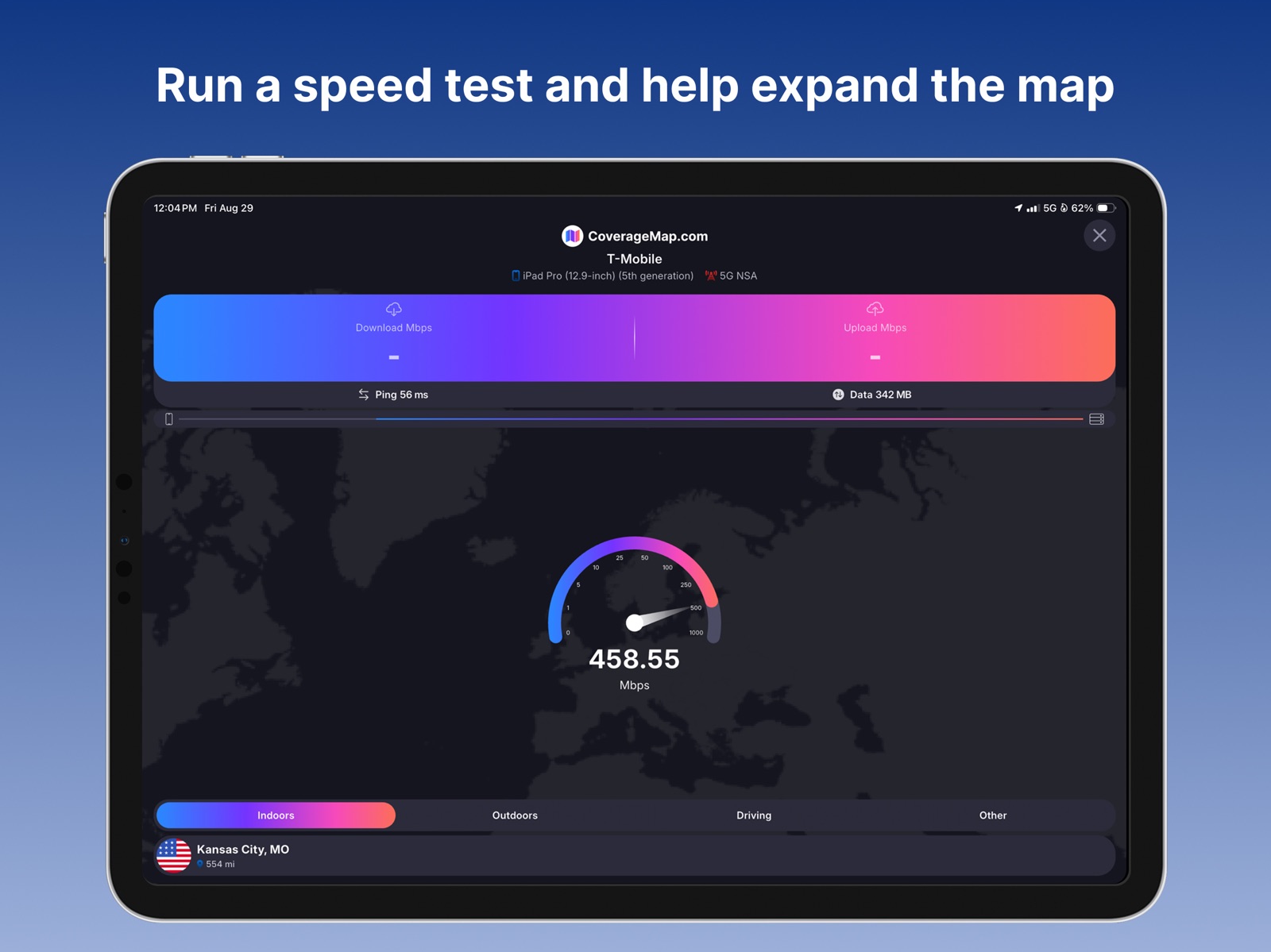
20 store screenshots



Pricing & paywalls
App Store
Shown for US
- Free
Ratings & reviews
App Store
Shown for US
-
5/5A project turned into reality
I’m so proud of the team that started this whole thing. They had an idea, and despite their small group in the beginning they have grown and was able to make this amazing app. It’s flawless IMO, and I love that I can help contribute data to help others make a better decision on which carrier works the best in their area. There’s VERY few paid features (like two, I think. Seriously.). You have nothing to lose to try it out! But if you’re going to contribute, make sure you’re on an unlimited data plan! Doing a bunch of speed tests on your cell phone can quickly add up on your data usage!
ItsTheJu · 5 Aug 2026
-
4/5Great app but could be improved on iPad
When zoomed in the resolution is great. However, when you zoom out the hexagons quickly get grouped together into larger averaged hexagons. This can leave the impression of service in areas when there is clearly no service once you zoom in. It would be nice if the averaging is not performed until you zoom out much further. This is especially the case on iPads where you have so much more useable screen than a phone. Downloading the FCC coverage map for offline use would also be great. Typically I want to see coverage when I am road tripping and when I am trying to see when or where I will get coverage back, there is already no coverage so I can’t see the map.
Bryson H. · 5 Aug 2026
-
5/5A real root metrics replacement
Ever since ookla gobbled up root metrics and canceled their amazing app I’ve been looking for a replacement. I don’t want to just do speed tests. I wanted a map where I could see real speed test data instead of the fake coverage maps carriers provide. Want to know if your vacation rental will have service and what the service will be like? This is the app for you. And it even has a multiple speed test mode so I can help fill out the map while driving hands free. Wow best app I’ve seen in a long time.
triple c92 · 5 Aug 2026
-
4/5Good app but would like few improvements
I recently discovered the app and I like it so far but i would like to see few small improvements. Can it run multiple / continuous tests in the background or does it need to be in a foreground? Can you add results filter to filter out results based on date? For instance i would like to see only data from the last 3 or 6 months, not from 2 years ago? Also, can you add an option to run continuous tests based on time? For instance if my drive will be 45 minutes l, i would like to set my test to also run for 45 minutes that why i could collect the results on my route.
mlody_me · 5 Aug 2026
-
3/5Love the app, hate the array of permissions granted
I love that this app is made by an actual person and not a company. It seems to work well and I commend that. My issue are the permissions, there is no reason you need to access all types of personal data like photos and identifying assets. Please restrict permissions to only what’s truly needed. And please explain the need for those truly needed for app functionality. Otherwise it can only be assumed this data mining which makes this typical legit app that still operates like spyware. Yes the big developers do this but is a shameful strategy. I accept you need some return on work developing unless it’s truly a charitable app for the masses. Data mining is a shameful practice!
@That1Guy · 5 Aug 2026
Privacy & accessibility
App Store
Privacy
- Data Linked to You — Analytics — Diagnostics — Crash Data Developer declared
- Data Linked to You — Analytics — Diagnostics — Performance Data Developer declared
- Data Linked to You — Analytics — Identifiers — Device ID Developer declared
- Data Linked to You — Analytics — Identifiers — User ID Developer declared
- Data Linked to You — Analytics — Usage Data — Advertising Data Developer declared
- Data Linked to You — Analytics — Usage Data — Other Usage Data Developer declared
- Data Linked to You — Analytics — Usage Data — Product Interaction Developer declared
- Data Linked to You — App Functionality — Contact Info — Email Address Developer declared
- Data Linked to You — App Functionality — Diagnostics — Crash Data Developer declared
- Data Linked to You — App Functionality — Diagnostics — Other Diagnostic Data Developer declared
- Data Linked to You — App Functionality — Diagnostics — Performance Data Developer declared
- Data Linked to You — App Functionality — Identifiers — Device ID Developer declared
- Data Linked to You — App Functionality — Identifiers — User ID Developer declared
- Data Linked to You — App Functionality — Location — Coarse Location Developer declared
- Data Linked to You — App Functionality — Location — Precise Location Developer declared
- Data Linked to You — App Functionality — Usage Data — Other Usage Data Developer declared
- Data Linked to You — App Functionality — User Content — Other User Content Developer declared
- Data Linked to You — Developer’s Advertising or Marketing — Location — Precise Location Developer declared
- Data Linked to You — Developer’s Advertising or Marketing — Usage Data — Advertising Data Developer declared
- Data Linked to You — Product Personalization — Identifiers — Device ID Developer declared
- Data Linked to You — Product Personalization — Identifiers — User ID Developer declared
- Data Linked to You — Product Personalization — Location — Precise Location Developer declared
- Data Linked to You — Product Personalization — Usage Data — Other Usage Data Developer declared
- Data Linked to You — Third-Party Advertising — Usage Data — Advertising Data Developer declared
- Data Linked to You — Contact Info Developer declared
- Data Linked to You — Diagnostics Developer declared
- Data Linked to You — Identifiers Developer declared
- Data Linked to You — Location Developer declared
- Data Linked to You — Usage Data Developer declared
- Data Linked to You — User Content Developer declared
- Data Not Linked to You — Analytics — Search History Developer declared
- Data Not Linked to You — App Functionality — Search History Developer declared
- Data Not Linked to You — Developer’s Advertising or Marketing — Location — Coarse Location Developer declared
- Data Not Linked to You — Product Personalization — Location — Coarse Location Developer declared
- Data Not Linked to You — Location Developer declared
- Data Not Linked to You — Search History Developer declared
Accessibility
No accessibility labels collected yet.
Versions
App Store
- 1.0.0
-
1.0.1
Bug fixes
-
1.0.2
Added support for iOS 16.0
-
1.0.3
Bug fixes and UI improvements
-
1.1.0
• Newly designed Maps tab to showcase additional maps • New Carrier Coverage map • New Coverage Search tool • Bug fixes and performance improvements A all-new map for Pro users is coming soon! Stay tuned :)
-
1.1.1
• Newly designed Maps tab to showcase additional maps • New Carrier Coverage map • New Coverage Search tool • Fixed a bug that caused the map to reload when closing and re-opening the app A all-new map for Pro users is coming soon! Stay tuned :)
-
1.1.2
• Updated design • New Coverage Search tool • New Coverage Report Map • Faster loading speed on the Results tab • Sort speed tests by tapping column headers • More vibrant colors in maps
-
1.1.3
• Now upload speed tests directly from SpeedSmart and other apps using the Share Sheet!
-
1.1.4
• Fixed an issue that prevented changes to the Contact email from being saved in the account settings
-
2.0.0
• New built-in Speed Test • New Maps Tab design • New Results Tab design • New Result filters • New Account Settings design and statistics
-
2.0.1
• New built-in Speed Test • New Maps Tab design • New Results Tab design • New Results filters • New Account Settings design and statistics • Improved LTE/5G indicator accuracy
-
2.0.2
• New built-in Speed Test • New Maps Tab design • New Results Tab design • New Results filters • New Account Settings design and statistics • Improved LTE/5G indicator accuracy • Added ability to delete speed tests from mobile app
-
2.0.3
• New built-in Speed Test • New Maps Tab design • New Results Tab design • New Results filters • New Account Settings design and statistics • Improved LTE/5G indicator accuracy • Added ability to delete speed tests from mobile app • Improved No Coverage Zone mapping
-
2.0.4
• Fixed an issue that caused a user to get logged out when the Internet connection was lost
-
2.0.5
• Fixed account logout issue when Internet connection was lost
-
2.2.22
• New Smart Automatic Speed Test Mode: run recurring tests and only start the next test when you have moved 0.1km or more • New Test Duration Settings: customize the download and upload duration of the test • New Design: refreshed look to match iOS 26 • New Privacy Mode: hide sensitive information in the app so you can take screenshots & share results without revealing your location • New Permissions Settings: easily manage the app permissions • Global Leaderboard: view leaderboard rankings for all supported countries and regions • More Accurate Data Usage Stats: improved accuracy of data usage tracking • Improved Automatic Server Selection: automatic server selection now pings 5 closest servers to select the best one
-
2.2.25
• Added ability to purchase and manage Coverage Map Pro subscription
-
2.2.26
• Improved CSV upload system
-
2.2.30
• Improved the speed test algorithm and upload performance • Added device names for iPhone 17, iPhone 17 Pro, iPhone 17 Pro Max, and iPhone Air • Minor bug fixes
-
2.2.34
• No account needed, view your past results without signing in • If you choose to create an account, past speed tests are now associated with your account • Fixed a bug where the technology indicator would not update when switching between SIM cards
-
2.3.3
• Added social links to follow CoverageMap.com on X and YouTube • Added link to join the CoverageMap.com Discord community • Fixed bug where Share Sheet would not show when trying to share the app • Other bug fixes & improvements
-
2.3.4
• Minor bug fixes
-
2.4.11
• Improved the speed test algorithm for more accurate results
-
2.4.7
• New onboarding experience when users first open the app • New always-on display option
-
2.5.11
· 1 Aug 2026
• Bug fixes and performance improvements
Availability by market
- US
Data quality & evidence
- Page completeness
- Live store listing
- Last verified
- 5 Aug 2026
- Sources
- App Store
- Independent summary has not been published yet.