
Quick verdict
- What it is
- Store information collected; an Apoku editorial summary is not yet published.
- At a glance
-
- Free to download
Categories and search queries
Official categories
- Books
- Entertainment
Apoku categories
Key functions
| Function | Availability | Access | Scope | Evidence |
|---|---|---|---|---|
| Free app | Yes | Free | Context-specific | Store published |
Screens
App Store
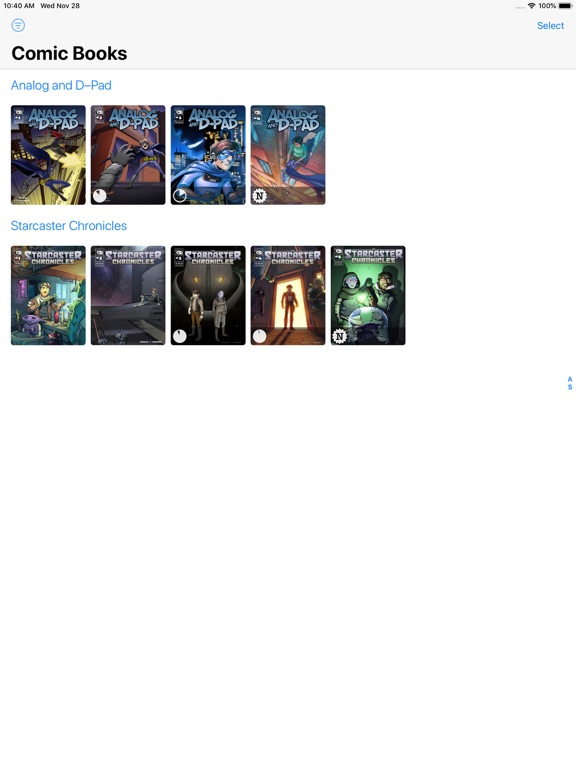
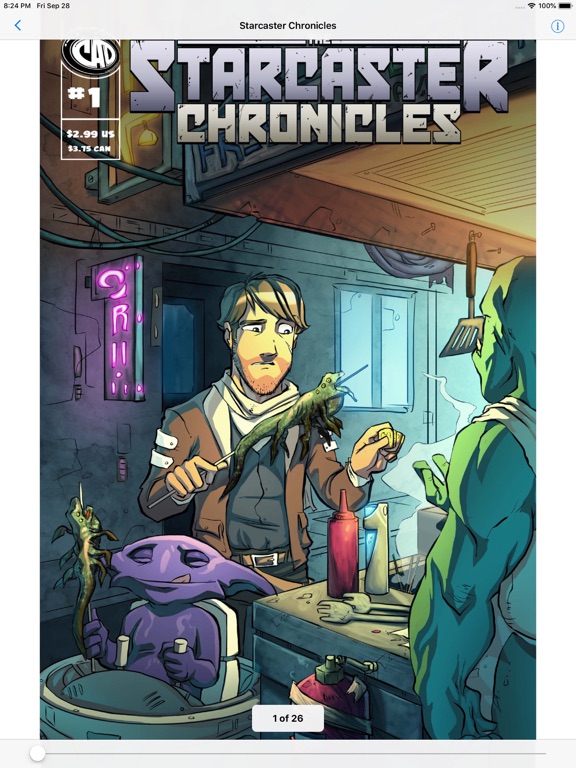
6 store screenshots


Pricing & paywalls
App Store
Shown for US
- Free to download
Ratings & reviews
App Store
Shown for US
-
4/5Great App!
I will change this to 5-stars when I get a definitive answer to this question. Once I add the comics to this app, can I delete the file in the folder? I use an iPhone for this app and I cannot find any detailed information about this app or how to contact the developer. I want to free up some space and it seems I can free up about 15+ GB if I can delete the files in the folder once adding the comic books to the app. You might want to consider explaining that the files are being uploaded directly to the app, so people like me do not get confused as to whether or not I have to keep the files in the folder. I tested 1 comic I finished to see by deleting the file from my download folder, but the comic still works in this app. That is an important feature to explain in the overview for this app, and you may consider explaining that while in the app so people don’t save 15+ GB of files they don’t need to have… I have an iPhone and the storage is limited. Thank you. I love the app a lot and every thing works great!
Magewright · 6 Aug 2026
-
5/5Hands down the best comic book reader for iOS
This is exactly what I am looking for in a comic book reader. This app allows you to easily import CBR and CBZ files and allows you to edit metadata like series and issue right in the user interface. The sort features are perfect. And it performs exactly as expected. No loading screens, snappy UI, and has no issues managing a very large library or very large books within your library. Plus it’s free and has no ads. This would easily be worth $10. The only things that could make this app better are an option to disable screen rotation while the app is open and an option to have separate libraries (so I can separate manga from comics). The tag system is good but I want to group by series while having these tags separated. I also wish I could find a regular eReader that works as well as this app with all the same features. The closest thing so far is Yomu and there are some major bugs that make it difficult to use. Everything else either doesn’t let you import your own books easily, doesn’t let you properly sort by author while grouping books by series, or doesn’t let you edit metadata in the app.
lmanstl · 6 Aug 2026
-
2/5Not quite useful
Have been looking for an alternative to the classic “Bookman Pro” which did *exactly* what I needed and nothing more. There are three important features that this one lacks. The thing is, Comics aren’t the only thing I want to read, I store books and manuals, and good luck finding them in this app out of some 1000 document images of the first page, many of which don’t have pictorial front covers. So the first lack is a list by document name. Second thing is organization- there’s more than one way to achieve this, Bookman had multiple bookshelves, so I could have one designed to select by pictorial front cover, and another shelf where I could pick from a list of document titles sorted alphabetically. And lastly, Bookman had an integrated browser you could use to download PDF files directly from the web. Or if not that, if at least there was an online import of some kind where I could use Safari to find a document and download it via some import ability directly into this app. Maybe it has all these features and I just can’t find them, the reader part of this program is fine, but selection, organization, and web integration seems weak.
Zinc7 · 6 Aug 2026
-
4/5Great App (Feedback)
Great app for viewing comic books you own already. It does something the iPhone should do natively but somehow doesn’t. Glad this solution exists. Really love how you can just push a button and it goes backward for manga or vice versa for wester comics. The thing that keeps it from being 5 star is it’s a bit hard to tell what is read and what is unread. I am on a 27 volume comic, and in the middle of it. Once you finish the comic, the progress wheel goes away. I wish it greyed out the comic, dimmed it, or put a check mark on it to show what I have read and what I haven’t. Sometimes I am clicking into and out of comics back and forth trying to figure out which one I’m on.
Tood S · 6 Aug 2026
-
4/5Easy to use!
Great app for reading .cbz files. It keeps track of your progress, and can switch directions if you go between manga and western works. I only have two criticisms at the moment: sometimes the page turn animation stutters a little, and I would like the option to view two pages side-by-side when in landscape mode on the iPad. The tablet is about the same size as an open Tankobon, and sometimes the panels flow better when you can see both pages
Beastleviath · 6 Aug 2026
Privacy & accessibility
App Store
Privacy
- Data Not Collected Developer declared
Accessibility
No accessibility labels collected yet.
Versions
App Store
-
1.5
• Improved metadata extraction and display. • The library now sports an index to quickly scroll through a large amount of comics. • Support for comics in cb7 format. This format is painfully slow to decode and not recommended. • Support for older devices (with iOS 9.3.5) came back.
-
1.6
• Fixed a crash on startup or when adding certain pdf files.
-
2.0
• Complete rewrite of the backend to improve performance. • Added a setting to disable autolock during reading • Added a setting to keep the zoom factor persistent when switching pages • Added support to group comics by date
-
2.1
• Added support for iPhone X • Overhauled user interface • Provides thumbnails for the files app • Bug fixes and stability improvements
-
2.10
• Improved file import: files having a mismatching compression / extension now can be imported • Improved handling of cbz and cbr files • Fixed a bug where pages would be displayed in the wrong order in some cases • Other small fixes and improvements
-
2.11
• Minimum supported iOS 12.4 • Support for OS 14 • Presents the pages in left-to-right or right-to-left reading order, depending on metadata (isManga, Manga, reading-direction, readingDirection) • Shows two pages on iPad in landscape orientation • Improved handling of cbr files • Appearance (dark or light) now can be overridden in the settings • Various small fixes and improvements • Now supports metadata in AdvancedComicBook-Format and in CoMet-Format
-
2.12
• Supports opening comics in-place, without the need to import them into the library • Fixed a bug where pages could be shown in the wrong order • Added a setting to toggle the double page display in landscape mode on iPad • Fixed a bug where selecting or deselecting a group in the library could crash • Improved stability
-
2.13
• Removed support for opening comics in-place, this lead to too many bugs • Fixed bugs where pages could be shown in the wrong order • Page direction can now flipped while reading • Fixed a bug that could lead to a crash • Support to import whole folders from the files app
-
2.14
• Fixed a bug where the wrong page would be shown after switching the app • Fixed an annoying flickering when switching the app or opening a comic
-
2.15
• Fixed a bug where an already imported file could not be properly imported again • Added a new and easier way to import comics from within the app
-
2.16
• Fixed a crash during startup. Sorry for the inconvenience!
-
2.17
• Fixed a sporadic crashes when opening cbr files • Fixed a bug that prevents the user from importing comics using the + button
-
2.18
• Fixed bug where first and last page of a pdf archive would be broken. • Fixed a crash where an archive containing file names with very large numbers would lead to an integer overflow. • Brought back feature to not identify the file type by its uti but rather by its magic bytes. This helps if the file is named *.cbz when it is a *.cbr instead.
-
2.19
• Fixed bug where some comics could not be imported due to corruption despite being perfectly fine. • Allows to zoom in some more. • Remembers last selected reading order.
-
2.2
• The popup showing the current page is now hidden in fullscreen mode • Bug fixes and stability improvements
-
2.20
• Fixed bug where some comics could not be imported due to corruption despite when containing certain macOS-related metadata
-
2.21
• Small fixes and support for iOS 26
-
2.22
· 23 Dec 2025
• Fixed a bug with the latest iOS release that broke the scrollbar Sorry for the long delay!
-
2.3
• Fixed a bug that could corrupt custom tags during upgrade • Added support for archives containing WebP images • Improved the hints shown when the library is empty • Various other small improvements
-
2.4
• Unread comics are now marked with a blue triangle • Support for iOS 12
-
2.5
• Implemented numerous UI improvements • Added a setting to display large covers in the library. This improves the performance on iPad • Improved searching - search for all, only new or only read comics • Fixed a bug with the Spotlight integration • Fixed a bug where searching for comics could not be cancelled on iPad Thank you for your feedback!
-
2.6
• Added a welcome alert to instruct users that there are options in the settings app • Improved speed of first launch after app upgrade - upgrades from version 1.x are no longer possible • Added the ability to rename single or multiple files by changing the issue, the series and/ or the title • Added grouping by writer, publisher, genre and reading progress • Comics now show their reading progress by either a badge for new comics, or a pie chart for comics being read • In the reader view, tapping on the left or right side now navigates to the previous or next page • Fixed french localisation • Other bug fixes and stability improvements
-
2.7
• Added support for Dark Mode • Small fixes and improvements • Support for iOS 13
-
2.8
• Fixed a bug that would prevent the app from opening on iOS 12
-
2.9
• Supports sending multiple files via AirDrop (when sending to another iOS device, only files of the same type are supported) • Improved library: whole groups now can be selected or deselected • Library now supports grouping by file type (cbz, cbt, cbr, pdf, cb7) • Dark Mode improvements
Alternatives
- Manga Viewer - CBZ(CBR) Reader — Same category + similar ratings
- Panels - Comic Reader — Same category + similar ratings
- Comic Reader CBR, CBZ & PDF — Same category + similar ratings
- SideBooks — Same category + similar ratings
- KedaReader — Same category + similar ratings
- Smart Comic Reader — Same category + similar ratings
Availability by market
- US
Data quality & evidence
- Page completeness
- Live store listing
- Last verified
- 6 Aug 2026
- Sources
- App Store
- Apoku editorial summary has not been published yet.