
Quick verdict
- What it is
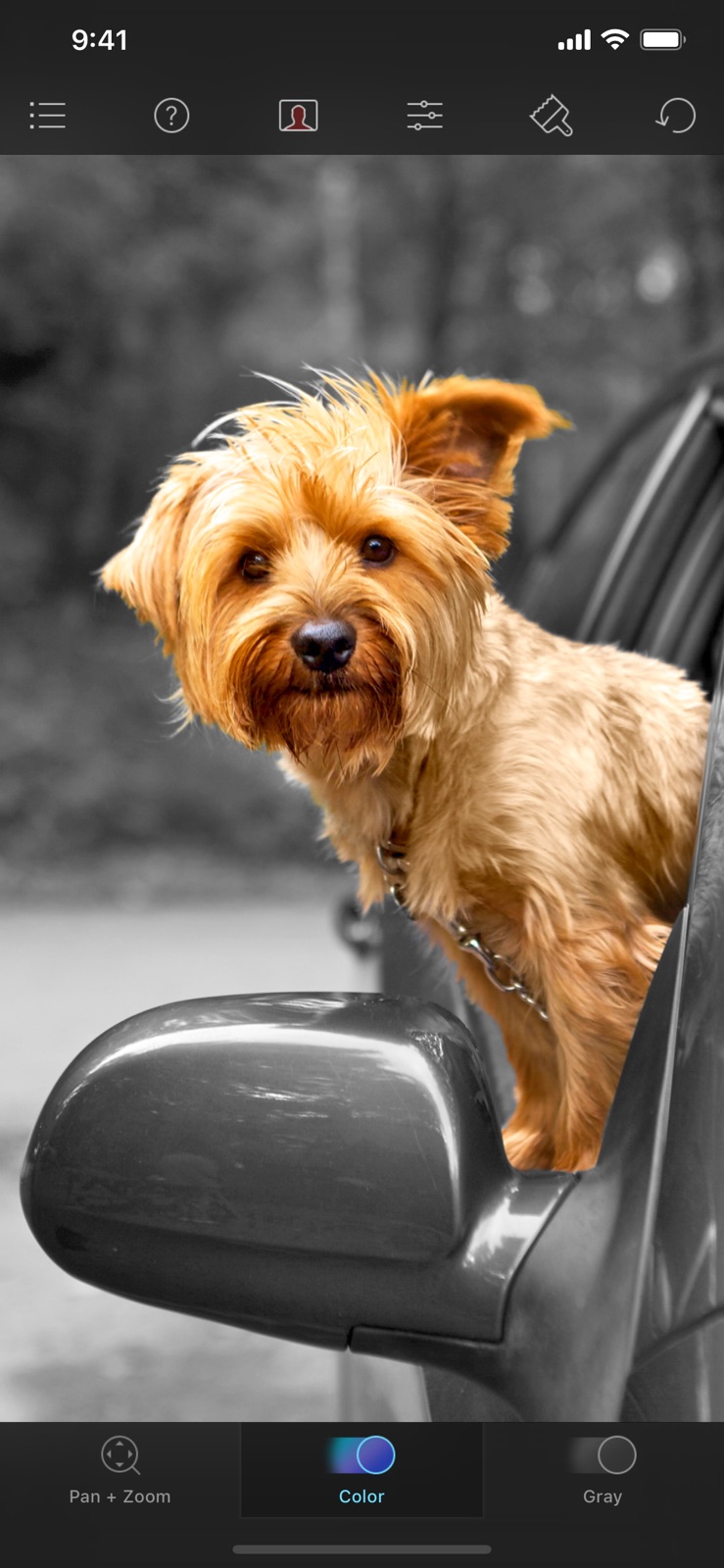
- Color Splash is a photo editing app that allows users to convert photos to black and white while keeping selected details in color.
- Best for
-
- someone who edits photos
- a photographer
- At a glance
-
- $1.99
Categories and search queries
Official categories
- Photo & Video
- Entertainment
AppCorpus categories
Key functions
| Function | Availability | Access | Scope | Evidence |
|---|---|---|---|---|
| Family Sharing | Yes | Unknown | App Store | Store published |
Screens
App Store
4 store screenshots



Pricing & paywalls
App Store
- Price: $1.99
Ratings & reviews
App Store
-
5/5Creativity unlocked
This app works like a fidget spinner in some ways you can just take a photo and with the swipe of a finger completely isolate people or things or colors or moods or emotions in your photographs. Pension Zoom, two fingers to move. It’s so easy everyone should try this app at least once. You will find you use it all the time and when you add it with other apps, you can make some outstanding photographs.
8184 · 31 Jul 2026
-
5/5Does EXACTLY what I was looking to do
I'm very happy to have found this app. It's easy to figure out and use. The short, five-screen tutorial tells you everything you need to know to get started right away. You have complete control over every step you take, and the zoom allows you to make very finely detailed changes. I highly recommend it!
Sereniti1952 · 31 Jul 2026
-
5/5Fantastic app
This does exactly what it says it does – and is very easy to use. In addition to being able to single out items on a photo in color, there are decent photo editing tools to make the picture more dramatic. What takes it to five stars IMO is the fantastic video you get on first use of the app. So easy to understand, and a great overview of how to use the app. Well done.
rngrlrun1218 · 31 Jul 2026
-
5/5THE BEST
The best and always has been. I’ve used this for years along with others for a while but I deleted all of the others. The red overlay is so cool and makes it super easy to see where you’re brushing. One tab adds color in, the other brings thing back to black and white in case you made a mistake. Zoom in for precision work. What more can you want.??? Get it.
leanerMEANER · 31 Jul 2026
-
5/5The Best!!! Seriously.
I was so pleased with Juxtaposer’s simple yet powerfully amazing UI that buying Color Splash was and still is a no-brainer! The only difference between the two apps is that this one uses the same UI to color or “uncolor”, so to speak, instead of erasing and “unerasing”. Like Juxtaposer, you can zoom in to edit pictures pixel by pixel rendering professional quality images that’ll have your friends and family begging for copies! You’ll be glad to know you saved an arm and leg by purchasing this app because there is nothing better. I’ve spent the money and I regret not having Color Splash and Juxtaposer in my previous repertoire. I will be following these developers indefinitely as I am eager to see what ways they can apply the same ingenuity to other photo editing angles/aspects in the future. Thank you Pocket Pixel Inc. once again! You are the best!
AmesMoore · 31 Jul 2026
Privacy & accessibility
App Store
Privacy
- Data Not Linked to You — Analytics — Diagnostics — Other Diagnostic Data Developer declared
- Data Not Linked to You — App Functionality — Diagnostics — Crash Data Developer declared
- Data Not Linked to You — App Functionality — Diagnostics — Other Diagnostic Data Developer declared
- Data Not Linked to You — Diagnostics Developer declared
Accessibility
No accessibility labels collected yet.
Versions
App Store
-
3.10
- Improved loading of RAW images - Improved compatibility with future iOS versions - Fixes crashes on iOS 9.0, 9.1 and 9.2 - Other bug fixes and minor improvements
-
3.11
Updated for iOS 13
-
3.11.1
- Fixed UI issues with a future version of iOS. - Fixed appearance of the brush size selector. - Removed Facebook and Instagram integration, because Instagram shut down their API, and Facebook repeatedly caused apps using their SDK to crash on launch.
-
3.12
- Updated to use the new iOS 14 photo picker. - A few other fixes for improved iOS 14 compatibility.
-
3.13
- Updated for new iPhone screen sizes - Fixes for a few different minor UI issues
-
3.14
· 20 Sep 2024
Updated the app for iOS 18, adding dark and tinted variants of the app icon for your customized home screens and fixed a few minor issues
-
3.2
- Optimized for the larger screens of the iPhone 6 and iPhone 6 Plus. - Improved photo library user interface on iOS 8.
-
3.2.1
- Added back access to the Camera Roll album in iOS 8.1 - Minor bug fixes
-
3.3
- Updated and improved Facebook integration.
-
3.3.1
This update brings some bug fixes and performance improvements. The photo library should open much faster now for users of iCloud Photo Library. The app's photo browser now also shows some folders and albums it didn't before, for more complete access to all of your photo library. And we fixed (amongst other things) the appearance of the adjustment sliders on iOS 8.3.
-
3.3.2
Minor bug fixes and performance improvements
-
3.4
- We made erasing and unerasing even more responsive and accurate by using the new low latency touch processing technologies introduced in iOS 9. - You can now adjust the square crop applied to your image when sending your edited image to Instagram. - If you would like to find out about new photo editing apps and new features that we at Pocket Pixels are working on you can now sign up for our email newsletter from the in-app help page.
-
3.5
- Support for pressure sensitive drawing on the iPhone 6S On the latest iPhones you can now temporarily increase the brush size simply by pressing harder on the screen while you are drawing. This is great for quickly coloring in large areas. We also added new settings that allow you to customize the behavior of this new feature.
-
3.5.1
- Fixed a bug that on iOS 8 sometimes made it impossible to paint. Added in 3.5: - Support for pressure sensitive drawing on the iPhone 6S On the latest iPhones you can now temporarily increase the brush size simply by pressing harder on the screen while you are drawing. This is great for quickly coloring in large areas. We also added new settings that allow you to customize the behavior of this new feature.
-
3.5.2
- Fixed a bug that for some users resulted in blank photo thumbnails showing in the photo library browser. - Updated Instagram integration.
-
3.5.3
- Fixes blurry photo library thumbnails
-
3.5.4
Fixed a few minor bugs.
-
3.6
You can now send your edited image via iMessage from inside the app. We also fixed a few minor bugs.
-
3.6.1
Fixed a bug that on some devices caused saved sessions to not load correctly on iOS 10.
-
3.7
• Updated for iOS 11 • Improved handling of wide color gamut images • Fixed a few minor bugs and made some performance improvements
-
3.7.1
• Updated the Dropbox integration to work with Dropbox's new API. • Fixes a few layout problems in the menus on iOS 11.
-
3.8
- Fixed possible delay when opening "All photos" view for the first time - Added support for iPhone X - Some iOS 11 layout fixes and performance improvements
-
3.8.1
- Fixed and improved posting of your edited image to Facebook from inside the app (if you choose to do so). - Fixed display of tutorial movies on the iPhone 5(S) & SE.
-
3.9
- Added new setting for left handed users, to show the brush monitor on the right instead of the left side - Added support for iOS 12 and the newest iPhones
-
3.9.1
- Fixed loading of Nikon RAW images (.NEF files)
Alternatives
- Distressed FX : Plus — Same category + similar ratings
- Slow Shutter Cam — Same category + similar ratings
Availability by market
- US
Data quality & evidence
- Page completeness
- Independent summary published
- Last verified
- 31 Jul 2026
- Sources
- App Store