
Quick verdict
- What it is
- Store information collected; an Apoku editorial summary is not yet published.
- At a glance
-
- From $15.99/mo
- Free to download
- In-app purchases
Categories and search queries
Official categories
- Developer Tools
- Productivity
Apoku categories
Key functions
| Function | Availability | Access | Scope | Evidence |
|---|---|---|---|---|
| Free app | Yes | Free | Context-specific | Store published |
| In-app purchases | Yes | Limited free | Context-specific | Store published |
Screens
App Store
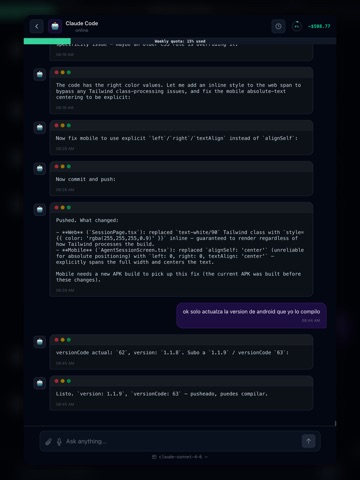
16 store screenshots


Pricing & paywalls
App Store
- CodeAgent Pro — Monthly — $19.99/month
- CodeAgent Pro — Monthly — $191.99/year ($15.99/mo)
Ratings & reviews
App Store
No store reviews collected for App Store · US
Privacy & accessibility
App Store
Privacy
- Data Not Collected Developer declared
Accessibility
No accessibility labels collected yet.
Versions
App Store
- 1.0
-
1.2
1.2.9 — Your chat just became an IDE. Two big leaps this release: a chat surface that finally treats every type of agent output the way it deserves, and a real code editor inside the app. Rich rendering for every output type We threw away the monospace dump. Now every thing the agent emits gets its own dedicated visual component: • Markdown — real headings, lists, quotes, **bold**, *italic*, `inline code`, links and auto-detected URLs. • Code blocks — 200+ languages with GitHub-Dark syntax highlighting (TypeScript, Python, Kotlin, Rust, Swift, Go, SQL, Bash, JSON, YAML, PHP, Ruby, Scala, Haskell, Elixir, Dart and more) inside a macOS-window frame with one-tap Copy. • Tables — Markdown pipes, Unicode box-drawing or ASCII-art, all turned into a real interactive table: tap any header to sort (numeric-aware), search box to filter rows, Copy CSV button. • Diffs — WebStorm-style side-by-side viewer with two columns, per-side line numbers, word-level highlighting that paints the exact tokens that changed, and Copy patch that gives you a `git apply`-ready .patch. • Tool-call cards — Read, Update, Write, Edit, Create, Delete, Bash, Search — each with its own colored chip, icon, and +N/−M line counter. • Mermaid diagrams — flowcharts, sequence, gantt, ER, state, class, mindmap — rendered as real SVG. • Math — TeX/LaTeX equations rendered with KaTeX, paper-grade typography. • JSON — collapsible tree explorer with color-coded scalars. • Images — inline rendering for PNG, JPG, GIF, WebP, SVG, AVIF, HEIC. Mini-IDE on your phone Tap any file card in the chat and a fullscreen modal opens with Monaco — the actual VS Code editor engine — running locally. Read, edit, and save back to disk through your paired CLI, VS Code extension or JetBrains plugin. Cmd/Ctrl+S to save. 200+ languages with proper highlighting, bracket-pair colorization, indent guides, smooth scrolling — the same editor you already love, in your pocket. What this means in practice You can now read your code, review diffs, and tweak files from anywhere kitchen, gym, queue at the airport without ever opening a laptop. The agent's reply isn't a log anymore. It's a product. Free for everyone Every renderer, every block type, the mini-IDE, sort, search, copy buttons — all of it ships on the free plan. No paywall on the visual experience.
-
1.3
Team Space is here. Bring your whole team into the conversation — chat side-by-side with your teammates and summon a coding agent into the same room. Anyone can hand off a task, jump in mid-turn, or watch the agent work in real time. What's new in 1.3: - Team Space — group chats with shared AI coding sessions - Email invites with one-tap deeplinks straight into the team chat - Smarter auto-scroll — new messages always land at the bottom - Faster, more reliable streaming. - Polished chat UI with rich rendering for code, diffs, and commits
-
1.4
Run a real coding agent from your phone. No laptop, no SSH, no setup. CodeAgent Mobile now connects directly to GitHub Codespaces. Spin up a cloud workspace, attach Claude Code to it, and start coding — all from the app. The codespace lives on GitHub's infrastructure with full repo access, real git, real terminal, real installs — and you drive it from your phone. - One-tap deploy. Pick a repo, pick a branch, pick a machine size. We provision the codespace, install the agent, and auto-pair it back to your session. From "I want to fix this on the train" to "Claude is reading the codebase" in under a minute. - Bring your own Claude credentials. API key or OAuth — we never store them server-side, they ride encrypted to your codespace and stay there. - Start, stop, delete from the app. Stopped codespaces don't burn GitHub minutes; deleted ones are gone for good. No need to bounce to GitHub's dashboard. - Counts toward your plan's device limit. Same accounting as pairing an IDE plugin — codespaces and laptops live in one budget so you stay in control of your seat usage. Open the app, tap + Pair Device → Cloud Workspace, sign into GitHub, and you're coding from the cloud in seconds.
-
1.4.1
- Added Posthog for analytics. - Improvements for Team Space. - Improvements in app performance. - Now Supporting Codex in Code Spaces.
-
1.5
- In App Purchase - UI/UX Enhancements - Prompt composer AI Powered - Quick Actions on Agent responses - Prompt templates - Context profile - Integrated Codeam-IDE
-
2.0
What's new in 2.0: • Push Notifications • Performance improvements Tap an agent's session to keep up with what it's building while you're away from the desk.
-
3.0
What's new in 3.0: • Inline review — approve, reject, or comment each diff hunk right inside the conversation. No tab-switching. • Pending Review queue — every unreviewed change waiting on you, grouped by file and session. • One-tap Codespaces with your agent pre-installed and authed — Claude Code, Codex, Cursor, Aider, CodeRabbit. • Team Spaces — share a live session, @codeagent to dispatch, @mention to ping. Real-time pushes for mentions. • Smart Composer + Templates with variables. • Full visual rebrand — cyberpunk design system across every screen. Tap an agent's session to keep up with what it's building while you're away from the desk.
-
3.1
What's new in 3.1.0: • Gemini support — supervise Google's coding agent alongside Claude, Copilot, Cursor, and the rest • Live preview — embed your running dev server in the app via tunnel • First mobile-native ACP (Agent Client Protocol) runtime — cleaner agent output, faster lifecycle events • Codespace setup resumes where you left off after a tab switch • Team chat polish — image attachments render, 280-char description cap, BottomNav stays anchored • Push notifications fixed on iOS • OTA-ready — JS fixes now ship in seconds Tap an agent's session to keep up with what it's building while you're away from the desk
-
3.2
What's new in 3.2: • 14-day Pro trial — unlimited agent tasks, up to 5 linked devices, and priority infra. No credit card. • Reuse a running Codespace — start a new session on one you already have up instead of spinning up another • Sessions grouped by workstation — a CLI and an IDE plugin on the same machine now share one card • Redesigned terminal-first session view — a clearer real-time look at what your agent is building • Faster session history and a more reliable agent selector when you connect a new plugin • Stability — fixed a rare crash on launch and tightened Codespace cleanup
-
3.3
What's new in 3.3: • Talk — have a hands-free voice conversation with your coding agent: speak your request, it gets to work, and reports back out loud • Voice composer — turn a voice note or a screenshot into a clear, ready-to-run prompt, in your language • Offline indicator so you always know your connection status • Faster, more reliable sessions. Tap an agent's session to keep up with what it's building while you're away from the desk
-
3.4
· 30 Jul 2026
What's new in 3.4: • Configuration fixes.
Alternatives
- iPerf Reloaded — Same category + similar ratings
- Nice SSH — Same category + similar ratings
- LogCat Analyzer: Debug Toolkit — Same category + similar ratings
- CodeAgents Mobile — Same category + similar ratings
- Text Editor : Code Editor — Same category + similar ratings
Availability by market
- US
Data quality & evidence
- Page completeness
- Live store listing
- Last verified
- 7 Aug 2026
- Sources
- App Store
- Apoku editorial summary has not been published yet.