
Quick verdict
- What it is
- Store information collected; an Apoku editorial summary is not yet published.
- At a glance
-
- Free to download
Categories and search queries
Official categories
- Developer Tools
- Productivity
Apoku categories
Key functions
| Function | Availability | Access | Scope | Evidence |
|---|---|---|---|---|
| Free app | Yes | Free | Context-specific | Store published |
Screens
App Store
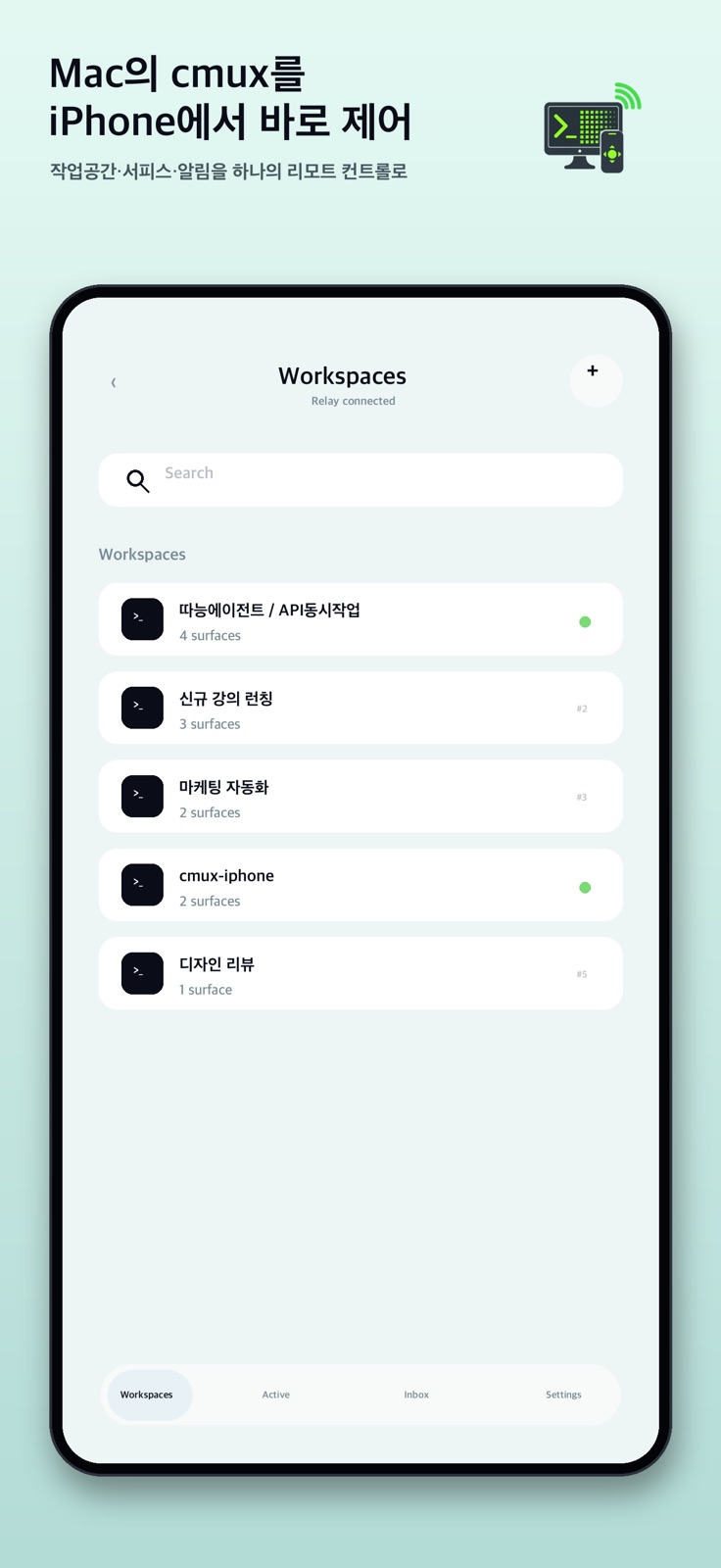
5 store screenshots


Pricing & paywalls
App Store
Shown for US
- Free to download
Ratings & reviews
App Store
Shown for US
-
5/5flawless cmux remote access
works great! thank you for making this.
Nervkil1 · 31 Jul 2026
-
4/5Clever app, I like it. Please add:
Would be great to be able to highlight and copy terminal text- right now you have to screenshot. Also- something is weird with double dashes, making it hard to prompt from the app. It’s a clever little app, these features would make a big difference!
jgadinas · 31 Jul 2026
Privacy & accessibility
App Store
Privacy
- Data Not Collected Developer declared
Accessibility
No accessibility labels collected yet.
Versions
App Store
- 1.0
-
1.0.1
Improved relay reliability when the local cmux connection is interrupted. Added per-workspace notification badges so new activity is easier to spot. Workspace badges now clear consistently when opening a workspace from the list, inbox, or drawer.
-
1.0.2
Cmux Remote 1.0.2 improves everyday remote control from your phone. - Better keyboard behavior: Enter now dismisses the keyboard after sending, and the terminal/composer layout stays visible when the keyboard is open. - Workspace management: create workspaces with the requested title, rename existing workspaces, and close unused workspaces from the workspace list. - Faster input controls: refreshed shortcut buttons, including /new and Space for OMX selection flows. - Image attachments: attach a photo from your phone and send it through the relay to the connected computer. - Connected computer status: show battery information when the relay can provide it. - Inbox improvements: Claude/Codex-style needs-input events now appear more reliably in the Inbox.
-
1.0.3
Cmux Remote 1.0.3 is an urgent reliability fix for real-device Mac connections. - Fixed an issue where the relay could keep using a stale cmux socket path after cmux restarted or rotated its local Unix socket. - Prevents the iPhone app from getting stuck on repeated “Connection refused” errors when reconnecting to the Mac. - Improved relay reinstall behavior so future cmux restarts are discovered automatically.
-
1.0.4
Cmux Remote 1.0.4 improves terminal responsiveness and prepares the renderer for richer terminal styling. - Speeds up terminal rendering by caching parsed rows and drawing style runs instead of reprocessing every cell on each frame. - Keeps a larger bounded terminal history during subscribe and refresh, reducing abrupt 24-line refreshes and unnecessary full-screen reloads. - Adds 256-color and true-color ANSI rendering support for relay data that includes ANSI styles, while preserving Korean/CJK and emoji column alignment. - Improves checksum reconciliation so styled rows do not trigger redundant full refreshes. - Verified on a physical iPhone against a live cmux relay connection.
-
1.0.5
Cmux Remote 1.0.5 focuses on mobile terminal input polish and keyboard-safe viewing. - Adds LIVE input mode for immediate per-character terminal input, so English typing and quick key edits can be sent without pressing Enter or Submit. - Protects Korean/Hangul IME input by keeping composed Korean text out of LIVE immediate-send mode, preventing jamo from being split while typing. - Removes the bottom gap under the terminal input panel so the composer sits flush with the bottom edge when the software keyboard is hidden. - Adds five terminal rows of extra bottom scroll room, making it possible to pull terminal content above the input panel when the bottom rows would otherwise be covered. - Improves Claude/Codex-style “needs input” Inbox coverage and regression tests for notification visibility.
-
1.0.6
Cmux Remote 1.0.6 focuses on mobile terminal input polish, keyboard shortcuts, notification delivery, and refreshed App Store copy. - Adds LIVE input mode for immediate per-character terminal input, so English typing and quick key edits can be sent without pressing Enter or Submit. - Protects Korean/Hangul IME input by keeping composed Korean text out of LIVE immediate-send mode, preventing jamo from being split while typing. - Adds a dedicated Ctrl-C shortcut to the terminal keyboard bar for interrupting commands while coding. - Removes the bottom gap under the terminal input panel so the composer sits flush with the bottom edge when the software keyboard is hidden. - Adds five terminal rows of extra bottom scroll room, making it possible to pull terminal content above the input panel when the bottom rows would otherwise be covered. - Adds native Inbox push delivery for cmux events and Claude/Codex-style “needs input” prompts, with APNs-backed routing and regression coverage. - Refreshes all five App Store screenshots to match the latest workspace, terminal, keyboard, Inbox, and settings screens.
-
1.0.7
Cmux Remote 1.0.7 focuses on quieter notifications, and refreshed App Store copy. - Adds native Inbox push delivery for cmux events and Claude/Codex-style "needs input" prompts, with APNs-backed routing and regression coverage. - Adds a Settings control to reduce notification noise — only events that need your input raise an iOS banner, while everything still lands in the Inbox with unread badges.
-
1.0.8
· 23 Jul 2026
Cmux Remote 1.0.8 focuses on mobile terminal input polish, keyboard shortcuts, quieter notifications, and refreshed App Store copy. - Adds LIVE input mode for immediate per-character terminal input, so English typing and quick key edits can be sent without pressing Enter or Submit. - Protects Korean/Hangul IME input by keeping composed Korean text out of LIVE immediate-send mode, preventing jamo from being split while typing. - Adds a dedicated Ctrl-C shortcut to the terminal keyboard bar for interrupting commands while coding. - Removes the bottom gap under the terminal input panel so the composer sits flush with the bottom edge when the software keyboard is hidden. - Adds five terminal rows of extra bottom scroll room, making it possible to pull terminal content above the input panel when the bottom rows would otherwise be covered. - Adds native Inbox push delivery for cmux events and Claude/Codex-style "needs input" prompts, with APNs-backed routing and regression coverage. - Adds a Settings control to reduce notification noise — only events that need your input raise an iOS banner, while everything still lands in the Inbox with unread badges. - Fixes overlapping Korean/CJK text in the terminal mirror, so wide Hangul glyphs no longer bleed into neighboring columns on wide panes. - Stops iOS smart punctuation from turning "--" into an em dash in the command composer, so CLI flags reach the terminal verbatim. - Refreshes all five App Store screenshots to match the latest workspace, terminal, keyboard, Inbox, and settings screens.
Alternatives
- Orca IDE — Same category + similar ratings
Availability by market
- US
Data quality & evidence
- Page completeness
- Live store listing
- Last verified
- 31 Jul 2026
- Sources
- App Store
- Apoku editorial summary has not been published yet.