
Quick verdict
- What it is
- Store information collected; independent summary not yet available.
- At a glance
-
- Free to download
Categories and search queries
Official categories
- Business
- Productivity
AppCorpus categories
Key functions
| Function | Availability | Access | Scope | Evidence |
|---|---|---|---|---|
| Free app | Yes | Free | — | Store published |
Screens
App Store
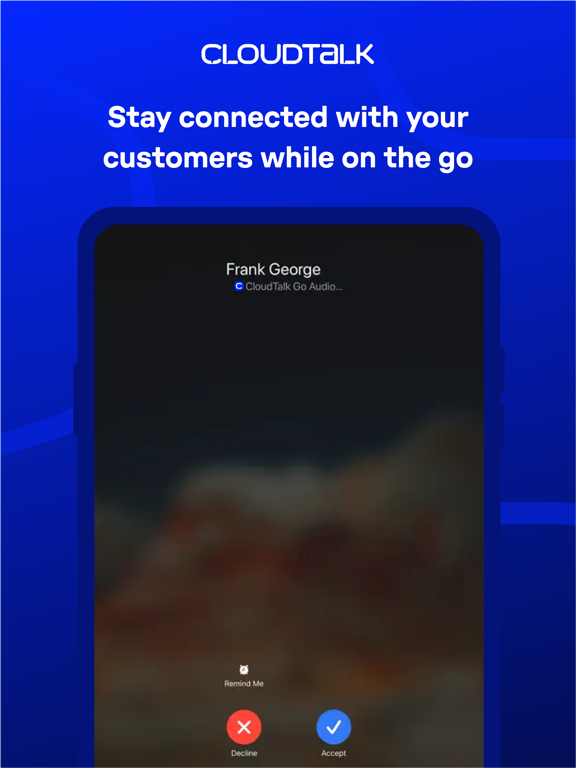
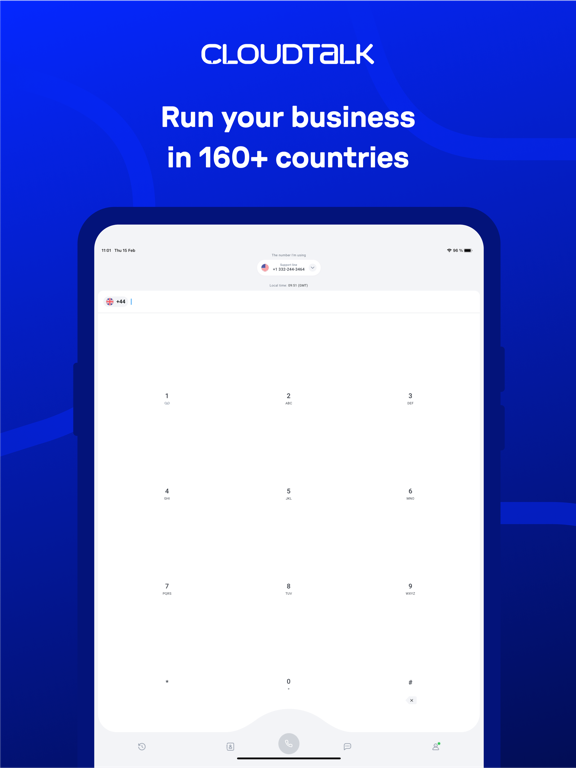
21 store screenshots


Pricing & paywalls
App Store
- Free
Ratings & reviews
App Store
-
5/5Straightforward and convenient service
I use CloudTalk's VOIP service as our primary corporate phone. It works great for the small international startup with extensive travel habits. They made it easy to add a number almost in any country (subject to local regulation). Customer service is responsive and efficient.
Shyshkinus · 6 Aug 2026
-
5/5Review
CloudTalk is simple, straightforward, and user-friendly to use. The pricing is good for our needs. If you need extra built in services, I would suggest looking into something else.
81ela · 6 Aug 2026
-
5/5Good Call Management App
Cloudtalk has become essential for managing my business calls. The app’s interface is clean, intuitive, and user friendly. It is easy to navigate, and I was able to get up and running without any hassle. It also has a robust range of features such as call recording for keeping track of important conversations. Calls are consistently clear with no drops. Overall it has been great for streamlining and organizing my calls.
lizard_ppl · 6 Aug 2026
-
5/5How CloudTalk boosted our call center's performance
Since implementing Cloud Talk, our team's productivity has skyrocketed. Call centers are notorious for being stat-heavy environments, and Cloud Talk's detailed analytics have been a revelation. We can pinpoint peak call times, identify which agents are exceeding expectations, and even track specific customer sentiment based on call recordings. This data has allowed us to optimize our scheduling, reward top performers, and tailor our approach to better serve our customer base. The learning curve for CloudTalk was minimal, which was crucial for our team. We were up and running in a matter of days, and the intuitive interface makes daily tasks a breeze. Plus, the cost savings have been significant. CloudTalk eliminated the need for multiple communication platforms, streamlining our operations and saving us a significant amount on monthly fees. Overall, CloudTalk has been a strategic win for our business. Data-driven insights, user-friendly interface, and cost efficiency - it's the trifecta for any call center looking to improve performance.
Snuggleshell777 · 6 Aug 2026
-
5/5Great Experience
I've had a pretty great experience using Cloudtalk at work. It integrates amazingly with Hubspot and is very helpful to my day to day work.
GabiYas · 6 Aug 2026
Privacy & accessibility
App Store
Privacy
- Data Not Linked to You — App Functionality — Identifiers — User ID Developer declared
- Data Not Linked to You — Identifiers Developer declared
Accessibility
No accessibility labels collected yet.
Versions
App Store
-
4.18.0
The new version includes essential bug fixes and improvements for an enhanced user experience.
-
4.18.2
The new version includes essential bug fixes and improvements for an enhanced user experience.
-
4.19.0
The new version includes essential bug fixes, general improvements, and a minor brand refresh to better align with CloudTalk's brand image for an enhanced user experience.
-
4.20.0
The new version includes essential bug fixes and improvements for an enhanced user experience.
-
4.21.1
The new version includes essential bug fixes and improvements for an enhanced user experience.
-
4.22.0
The new version includes essential bug fixes and improvements for an enhanced user experience.
-
4.22.1
The new version includes essential bug fixes and improvements for an enhanced user experience.
-
4.22.2
The new version includes essential bug fixes and improvements for an enhanced user experience.
-
4.22.3
The new version includes essential bug fixes and improvements for an enhanced user experience.
-
4.22.4
Call history now displays times accurately in your local timezone. We've also made improvements to the calling engine for better reliability.
-
4.23.0
The transfer list now only shows agents who are available to handle calls, keeping it clean and clutter-free.
-
4.24.0
We've redesigned the call detail screen to give you a clearer overview of your calls. Under the hood, we've improved call connectivity and reliability with enhanced network handling. This update also includes bug fixes and performance improvements for a smoother experience.
-
4.24.1
This update resolves an issue where calls would occasionally continue ringing after being canceled. We’ve also implemented general bug fixes and performance improvements to ensure a more reliable experience.
-
4.25.0
You can now set CloudTalk as your default calling app on iOS, so tapping a phone number anywhere on your device opens CloudTalk directly. We've also improved call recording reliability during transfers, along with general bug fixes and performance improvements.
-
4.25.1
We've fixed an issue where calls could be silently dropped due to permissions not updating correctly. We've also cleaned up the contact assignment options for internal calls. Along with general stability improvements under the hood.
-
4.25.2
We've fixed an issue where SSO login links wouldn't open the app correctly, and the "update available" banner no longer appears when you're already on the latest version. Tab switching now has subtle haptic feedback, and we've also implemented general bug fixes and performance improvements for a more reliable experience.
-
4.25.3
We've restored the network connection alert so you're notified right away when connectivity drops. Along with general stability improvements under the hood.
-
4.25.4
We've fixed an issue where the bottom sheet wouldn't fully open on first use, and improved contact linking when starting calls from contact list quick actions. Calls now better distinguish between ringing and active states during network switching for a smoother experience. We've also made improvements under the hood for better reliability.
-
4.26.0
We've redesigned the status display with a cleaner look, and added a new call status bar that keeps your active call visible from anywhere in the app — tap it to jump right back to your call.
-
4.27.0
This update includes general bug fixes and performance improvements for a more reliable experience.
-
4.27.1
This update fixes an issue where retrying a group call wouldn't ring on your device. We've also smoothed out image previews in messages and resolved a rare crash, along with general stability and sign-in reliability improvements.
-
4.28.0
You can now change your availability status right from the status chip — on the dialpad, in call history, on your profile, or even during a call — to go Online, Offline, or set an idle status without switching to desktop. A new reminder banner lets you know when you've been Offline for a while so you don't miss any calls. Along with general fixes and improvements for a smoother experience.
-
4.29.0
You can now control call and message notifications separately, so you get only the alerts you want. We've also fixed an issue that could unexpectedly log you out, and made the calling engine more reliable so incoming calls ring and connect consistently — along with general bug fixes and performance improvements.
-
4.29.1
We've fixed an issue that could prevent photos and other media in messages from downloading properly. Along with general stability improvements.
-
4.30.0
· 28 Jul 2026
Dark mode is here! Give your eyes a break with a sleek new dark theme that automatically follows your device's system setting — or take full control and pick light or dark yourself right in Settings. We've also squashed a bug where calls could keep ringing after they'd already ended, plus general improvements for a smoother, more reliable experience.
Availability by market
- US
Data quality & evidence
- Page completeness
- Live store listing
- Last verified
- 6 Aug 2026
- Sources
- App Store
- Independent summary has not been published yet.