
Quick verdict
- What it is
- Store information collected; an Apoku editorial summary is not yet published.
- At a glance
-
- Free to download
- In-app purchases
Categories and search queries
Official categories
- Business
- Utilities
Apoku categories
Key functions
| Function | Availability | Access | Scope | Evidence |
|---|---|---|---|---|
| Free app | Yes | Free | Context-specific | Store published |
| In-app purchases | Yes | Limited free | Context-specific | Store published |
Screens
App Store
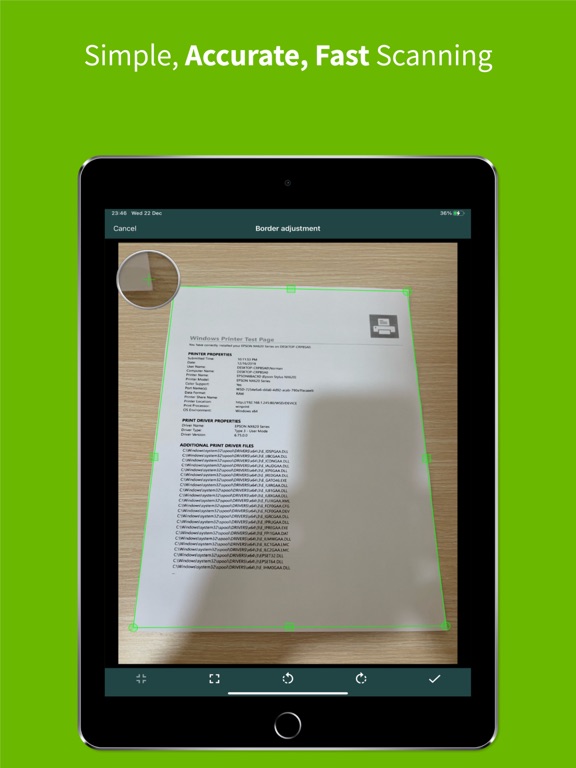
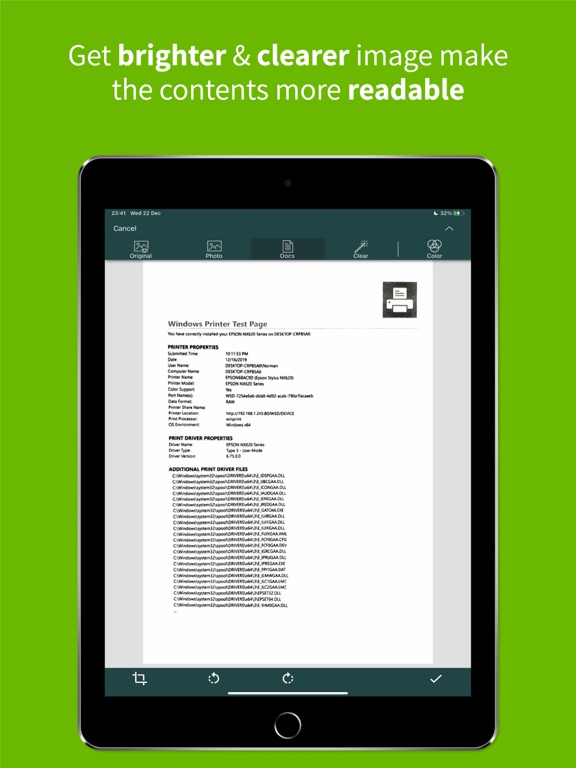
18 store screenshots


Pricing & paywalls
App Store
Shown for US
- ClearScanner Pro Monthly
Ratings & reviews
App Store
Shown for US
-
5/5A no-nonsense no subscription single payment high quality app.
Pretty much everything is in the title of my review. I went to ChatGPT to ask it for an app that had no subscription cost and had a paid option to remove ads. It gave me a bunch of items for which this was not true. I went back-and-forth and finally found this app that is very easy to use, will email or send to Cloud storage high-quality single or batched scans. This is exactly the app that I was looking for. I used to use Scannable by Evernote for which I have a paid subscription and have for many years, but scannable now requires you to scan everything into your Evernote account, which creates an unnecessary download step that renders that app basically not usable for many tasks requiring a scanner. This app does everything that Scannable used to do and does it for an extremely reasonable price. No downsides to this one. The interface is clean and simple.
hdesfca · 29 Sep 2026
-
5/5Perfect for online classes
I almost never write reviews unless the app is horrible but I want people to find this app. Pros: - intuitive and responsive interface - can take multiple pictures at once or one at a time, and it’ll automatically merge every picture into one pdf - multiple ways to save or send the pdf, I email it to myself so I can save it to my laptop and turn in hw, quizzes, whatever - when you take a picture for the pdf, it’ll automatically give a frame of what it thinks is the paper, which you can then move by dragging the corners and edges until only what you want in the pdf is included - let’s you use flash when taking the picture - let’s you reorder the pages in case you take the pictures out of order - as far as I can tell there are no limits to the free version whatsoever as far as features and how many documents you can save Cons: - honestly the only con is a pop up ad when you’re done saving/sending a pdf, and the button to close it is always easy to click and shows up right away unlike a lot of other free apps
TheGoldenActor · 29 Sep 2026
-
5/5Exactly what I needed!
I was looking into buying a portable or small desktop scanner, and thought there must be an app for that. Been using Clear Scan for awhile now and I love it. It’s not a hassle to just scan docs in case and quickly save and name them. I also like all the markup and editing settings and abilities! I dont often have conversations about scanning, but when I do, I recommend this app!
jedwin91 · 29 Sep 2026
-
5/5Stop looking because you just found it.
Welcome aboard now advise you to get this app download it and pay the 10 bucks or whatever to own it cause the man deserves it. Well spent money no other scanners better. I can scan a page from 6 foot away.
Bucktoothtroll · 29 Sep 2026
-
2/5No longer supports email function?
I’ve loved this scanner for the last 7 years but a few months ago it no longer let me email the results, despite making sure my email address was setup. The work around for me was to text the pdf or photo instead, but it’s still an inconvenience. I can’t figure out what the issue is or why my email no longer interfaces. The results of the scan are always fantastic so I’d love to get it working properly again!
Jclark345 · 29 Sep 2026
Privacy & accessibility
App Store
Privacy
- Data Linked to You — Analytics — Diagnostics — Performance Data Developer declared
- Data Linked to You — Analytics — Identifiers — Device ID Developer declared
- Data Linked to You — Analytics — Location — Coarse Location Developer declared
- Data Linked to You — Analytics — Usage Data — Advertising Data Developer declared
- Data Linked to You — Analytics — Usage Data — Product Interaction Developer declared
- Data Linked to You — Third-Party Advertising — Diagnostics — Performance Data Developer declared
- Data Linked to You — Third-Party Advertising — Identifiers — Device ID Developer declared
- Data Linked to You — Third-Party Advertising — Location — Coarse Location Developer declared
- Data Linked to You — Third-Party Advertising — Usage Data — Advertising Data Developer declared
- Data Linked to You — Third-Party Advertising — Usage Data — Product Interaction Developer declared
- Data Linked to You — Diagnostics Developer declared
- Data Linked to You — Identifiers Developer declared
- Data Linked to You — Location Developer declared
- Data Linked to You — Usage Data Developer declared
- Data Not Linked to You — Analytics — Diagnostics — Crash Data Developer declared
- Data Not Linked to You — Third-Party Advertising — Diagnostics — Crash Data Developer declared
- Data Not Linked to You — Diagnostics Developer declared
- Data Used to Track You — Diagnostics — Crash Data Developer declared
- Data Used to Track You — Diagnostics — Performance Data Developer declared
- Data Used to Track You — Diagnostics Developer declared
- Data Used to Track You — Identifiers — Device ID Developer declared
- Data Used to Track You — Identifiers Developer declared
- Data Used to Track You — Location — Coarse Location Developer declared
- Data Used to Track You — Location Developer declared
- Data Used to Track You — Usage Data — Advertising Data Developer declared
- Data Used to Track You — Usage Data — Product Interaction Developer declared
- Data Used to Track You — Usage Data Developer declared
Accessibility
No accessibility labels collected yet.
Versions
App Store
-
10.0.26
- Improved compatibility and stability with the latest iOS version. - Faster file access and smoother navigation, especially for large scan libraries. - Updated core libraries and fixed known performance issues.
-
10.0.28
- Improved compatibility and stability with the latest iOS version. - Faster file access and smoother navigation, especially for large scan libraries. - Updated core libraries and fixed known performance issues.
-
10.0.38
- Improved Markup tools with better dimension editing support. - Updated translations and added RTL language support. - General UI improvements, library updates, and performance fixes.
-
10.0.4
- Added Split View support on iPad for seamless multitasking - Smarter Camera Orientation: Icons now rotate correctly, even when your device is held flat. - Smoother & More Stable: We've crushed numerous bugs for a more reliable performance.
-
10.0.56
· 11 Jun 2026
- Library updates, UI improvements, and bug fixes.
-
10.0.67
· 30 Aug 2026
- Improved the ClearScanner Pro experience with an updated interface and easier subscription management. - UI improvements, performance enhancements, and bug fixes.
-
3.1.9
Bug Fixes & Performance Improvements.
-
3.6.6
- Create folders to organize your documents. - Sync scanned documents between devices through the cloud services such as Dropbox, OneDrive, and Google Drive. - Add trash to prevent documents from being accidentally deleted. - Display documents in a list or grid format.
-
3.7.0
Version 3.7.0 - Fixed known bugs. Version 3.6.6 - Create folders to organize your documents. - Sync scanned documents between devices through the cloud services such as Dropbox, OneDrive, and Google Drive. - Add trash to prevent documents from being accidentally deleted. - Display documents in a list or grid format.
-
3.8.4
- Dark Mode support - Add more themes. - Bug fixes and performance improvements
-
4.1.0
- Add eraser tool to remove unwanted details from document. - Insert text, image, signature image or draw on a document page. - Document collages. - Bug fixes and improvements.
-
4.1.1
- Fixed an issue the app crashing on some devices in version 4.1.0. - Add eraser tool to remove unwanted details from document. - Insert text, image, signature image or draw on a document page. - Document collages. - Bug fixes and improvements.
-
4.2.0
- Added import images menu to allowing import multiple images at once. - New feature sharing images to the app. - Other bug fixes and performance enhancements.
-
4.3.3
- Add options to view the document by page number ascending/descending. - Add option 2x4 for collage. - Bug fixes and performance improvements for Backup/Restore, Sync, Markup and more.
-
7.3.2
- Add scan ID card feature. - Add in-app camera setting. - Imported PDF can be cropped. - Several bug fixes and performance improvements. - Adjust the app version numbers to be consistent with other platforms.
-
7.6.1
- Added brightness, contrast and saturation adjustment in filter screen. - Added the ability to adjust the corner radius of the ID card. - Bug fixes and performance improvements.
-
8.0.0
- Font selection is now available for markup text. - The trash menu shows the number of files. - Enhanced filename formatting when exporting files to JPG format.
-
8.1.5
- OCR now supports to 37 languages. - Passport scanning feature. - Add a Backup / Restore feature, allows you create “backup file” and restore your data manually. - Bug fixes and performance improvements.
-
8.1.8
- Enhance the user interface in markup tool for improved usability. - Bug fixes and performance improvements.
-
8.5.3
- App supports landscape orientation on iPad. - Enhanced the in-app camera user interface. - Bug fixes and performance improvements.
-
8.5.9
- Improved the accuracy of document edge detection. - PDF import now allows setting DPI in the settings. - Improved performance and fixed issues found in previous versions.
-
8.7.0
- Added an automatic document capture option in the camera screen. - Improve camera clarity on certain devices. - Improved performance and fixed issues found in previous versions
-
8.8.2
Minor improvement: Text now scales more smoothly with your device’s settings for a better reading experience.
-
8.9.1
- Fixed synchronization issues with OneDrive. - Fixed minor issues and enhanced overall app efficiency.
-
8.9.3
- Fixed synchronization issues with OneDrive. - Fixed minor issues and enhanced overall app efficiency.
-
9.0.6
- Fixed an issue where document sharing failed due to unsupported file names - Improved overall app performance
Alternatives
- PDF Scanner App: TapScanner — Same category + similar ratings
- Scan Hero: PDF Scanner — Same category + similar ratings
- Scanner Pro - Scan to PDF — Same category + similar ratings
- Scanner – Scan PDF, ID & Docs — Same category + similar ratings
- PDF Scanner・Document Scanner — Same category + similar ratings
- Rar Sharp — Same category + similar ratings
Availability by market
- US
Data quality & evidence
- Page completeness
- Live store listing
- Last verified
- 29 Sep 2026
- Sources
- App Store
- Apoku editorial summary has not been published yet.