Quick verdict
- What it is
- Store information collected; an Apoku editorial summary is not yet published.
- At a glance
-
- Free to download
- In-app purchases
Categories and search queries
Official categories
- Utilities
- Reference
Apoku categories
Key functions
| Function | Availability | Access | Scope | Evidence |
|---|---|---|---|---|
| Free app | Yes | Free | Context-specific | Store published |
| In-app purchases | Yes | Limited free | Context-specific | Store published |
Screens
App Store
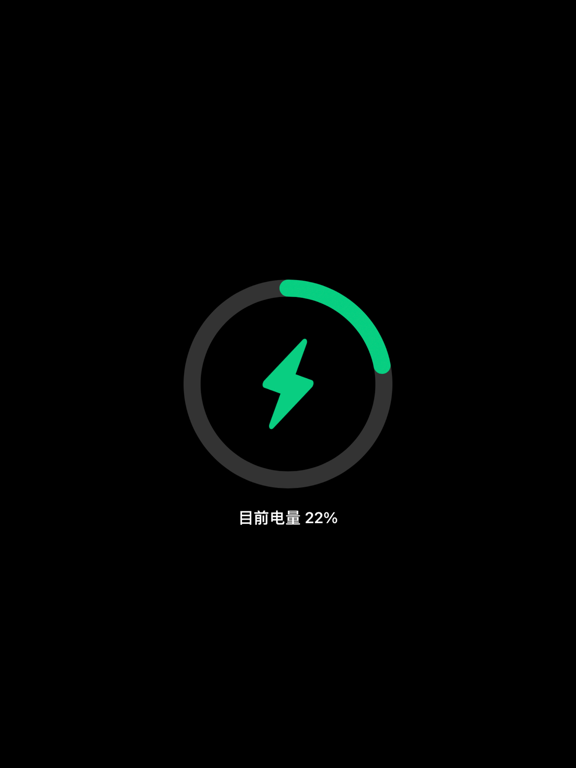
10 store screenshots

Pricing & paywalls
App Store
- Advanced features — $1.99
Ratings & reviews
App Store
-
4/5Great App! (When Shortcuts app used)
Some reviews complained that you have to manually open the app first then charge your phone. The app has step-by-step instructions to set up a shortcut. You open the shortcut app then go to animation (bottom middle) then press the plus in top right corner then choose when charging then find the charging play app in the app selection. This will cause your phone to open the charging play app when you are connected to the charging cable. One downside it that your phone will have to be unlocked during the charging process if you want to see your animation selection. If your phone is locked it will not open the app. You can also use your own photos or videos as the charging screen. Suggestion: More animation selections. Kinda hard to create one ourself if we want to have an anime character gif be the charging screen. Edit: I also seen some confusion on how to change the selection once its on the charging screen. Well you have to unplug your phone from the charging cable to see the main menu of the app. After you done that you can browse or create your own screens to your heart’s content. Once you created one or selected one of the existing ones you just have to charge your phone and it works. (Im not a developer I just have common sense lol)
AbreseNGC · 4 Oct 2026
-
4/5Uhhh can you fix this?
I love this app! I love being able to have a charging animation by just clicking a few buttons, but could you fix the add situation? I understand having to play an add if we want to change it, I get you need to make money. I just wish you would fix the add placement on this app. I own an IPhone XR so the ‘x’ is where it shows me the time on the stop of the screen. Because of this I am unable to exit out of the add when it finishes, so I have to wait 20 minutes before an add I can actually hit the ‘x’ on shows up. Could you please do something about this? Thank you!
summerfayeee · 4 Oct 2026
-
5/5This is how you change the animation
You go on the app and click the animation thing then you scroll to the bottom and you should a plus like sign then click that then click the one you want then you go click it and you agree to all the top 2 but not the 3rd one and then you will see like check animation and then you click yes or whatever is their for yes, then you go to your shortcut app, go to automation, then click create personal automation then scroll the bottom if you want it to be for your charging time, then click which ever charging method works for you, then chose the option you want in the category, then click add action then you will search for “charging play” then you’ll click next and then you will decide if you want it to run before asking or not then you’ll click done and ur all set! Hope this helps 🙂
queen zayna · 4 Oct 2026
-
4/5my opinion
this app is wonderful, it’s just that, whenever I try clicking on the app, the animation I chose, always pops up and I can never get get rid of it from my screen. When I want to change my animations into a newer one, I’d always have to redownload the app in order to be able to choose an animation again.. I feel like this app should let you be able to change your animations without having to always keep redownloading all the time. Overall, this app is great and I love it very much!!
Ali (aka) Aliyah · 4 Oct 2026
-
5/5Fantastic
I was worried about trying this because of all the bad reviews. I dunno if others had previous buggy versions or have phones that aren’t compatible for some reason but I had no problem setting up my own clips for the automation. It was very quick and easy and everything works exactly as expected. I’ve even changed a few clips around and changed how they behaved before writing this review. The ads are no trouble for me. I was able to close out of them once watching them.
Czarria · 4 Oct 2026
Privacy & accessibility
App Store
Privacy
- Data Not Linked to You — Third-Party Advertising — Identifiers — Device ID Developer declared
- Data Not Linked to You — Identifiers Developer declared
- Data Used to Track You — Identifiers — Device ID Developer declared
- Data Used to Track You — Identifiers Developer declared
Accessibility
No accessibility labels collected yet.
Versions
App Store
-
2.4
[animation of newly added battery charging] [fixed static mobile charging animation cannot be cancelled] [repair the problem that the wire drawing protection cannot be cancelled] [new English international adaptation] [fixed some known bugs]
-
2.5
[new mobile phone network speed detection] [add 8 charging animations] [optimize charging static protection, mobile phone alarm] [optimize the full charge protection function]
-
2.6
[fix 14.3 bat version system shortcut command does not display problem] [fixed some known bugs]
-
2.7
[fix static protection charging bug] [fixed some known bugs]
-
2.8
【New charging animation】 【Optimize starting speed】 【Fixed some known bugs】
-
4.0
New version 4.0 coming [add time component display, highly customized] [add a number of exquisite charging animations recommended by users] [repair charging animation playing mode] [add continuous play mode] [fixed some known bugs]
-
4.1
[optimize the launch mode after broadcast] [launch the software after playing charging prompt sound] [exit in 8 seconds without sound] [fixed some known bugs]
-
4.2
1. Fix week display inaccuracy 2. The new animation will automatically stop the screen in 30 seconds to save power 3. Add a variety of charging animations 4. New suspended flow statistics
-
4.3
Add new play mode, auto stop screen and cycle mode after 30 seconds New charging animation Fixed some known bugs
-
4.4
[fix the problem that the charging animation of iPhone 12 does not update continuously] [add charging animation of floating window to display charging animation on desktop] [fixed some known bugs]
-
4.5
[optimize startup speed, remove white line of startup loading] [optimize video playback and save power] [fix the bug of electric quantity display dislocation] [fixed some known bugs]
-
4.6
New charging desktop widget [add charging full screen clock] [add several charging animations] [optimize starting speed] [fixed some known bugs]
-
4.7
Fixed some known bugs
-
4.8
-New flashlight and camera options -Fix one hour delay of desktop widget -New automatic wallpaper change function -Optimize starting speed
-
4.9
Fix the bug of shortcut command open app error
-
5.0
New charging animation background picture settings New charging animation color settings New lock screen charging wallpaper optimization Fixed some known bugs
-
5.1
[add the simplest charging prompt tone function in the whole network] [add charging prompt sound recording function] [add charging prompt tone editing function] [optimize the starting speed of charging animation]
-
5.2
[new screen refresh rate detection function] [fix the problem that charging animation cannot be started for the first time] [fix widget ios15 adaptation] [suitable for ios15 and 13 series models] [fixed some known bugs]
-
5.3
[add charging animation] [fixed some known bugs]
-
5.4
-Added support for multiple locales -New UI interface, more concise -Add multiple charging animations -Fixed some known bugs
-
5.5
1. Fix the probability offset of multiple charging animations 2. Fix the problem that the time and date under the message screen cannot be hidden 3. Fix the problem displayed in the status bar 4. Fixed other problems
-
5.6
New charging animation Fixed some known bugs
-
6.0
-Adapt to new features of ios16 -Suitable for iPhone 14 series models -Fixed some known bugs
-
6.1
-New battery healthy iPhone14 pro and iPhone14 Pro Max adaptations. -New simulation smart charging animation, new knock on wood fish charging animation -Add iPad to query battery health -Fixed some known bugs
-
6.2
· 6 Sep 2024
-Fix the bug where adding photo albums and videos to the new system crashes -Add multiple practical charging animations -Fixed some known bugs
Availability by market
- US
Data quality & evidence
- Page completeness
- Live store listing
- Last verified
- 4 Oct 2026
- Sources
- App Store
- Apoku editorial summary has not been published yet.