
Quick verdict
- What it is
- Store information collected; independent summary not yet available.
- At a glance
-
- From $2.99/mo
- Free to download
- In-app purchases
Categories and search queries
Official categories
- Maps & Navigation
- Navigation
AppCorpus categories
Key functions
| Function | Availability | Access | Scope | Evidence |
|---|---|---|---|---|
| Free app | Yes | Free | — | Store published |
| In-app purchases | Yes | Limited free | — | Store published |
Screens
8 store screenshots


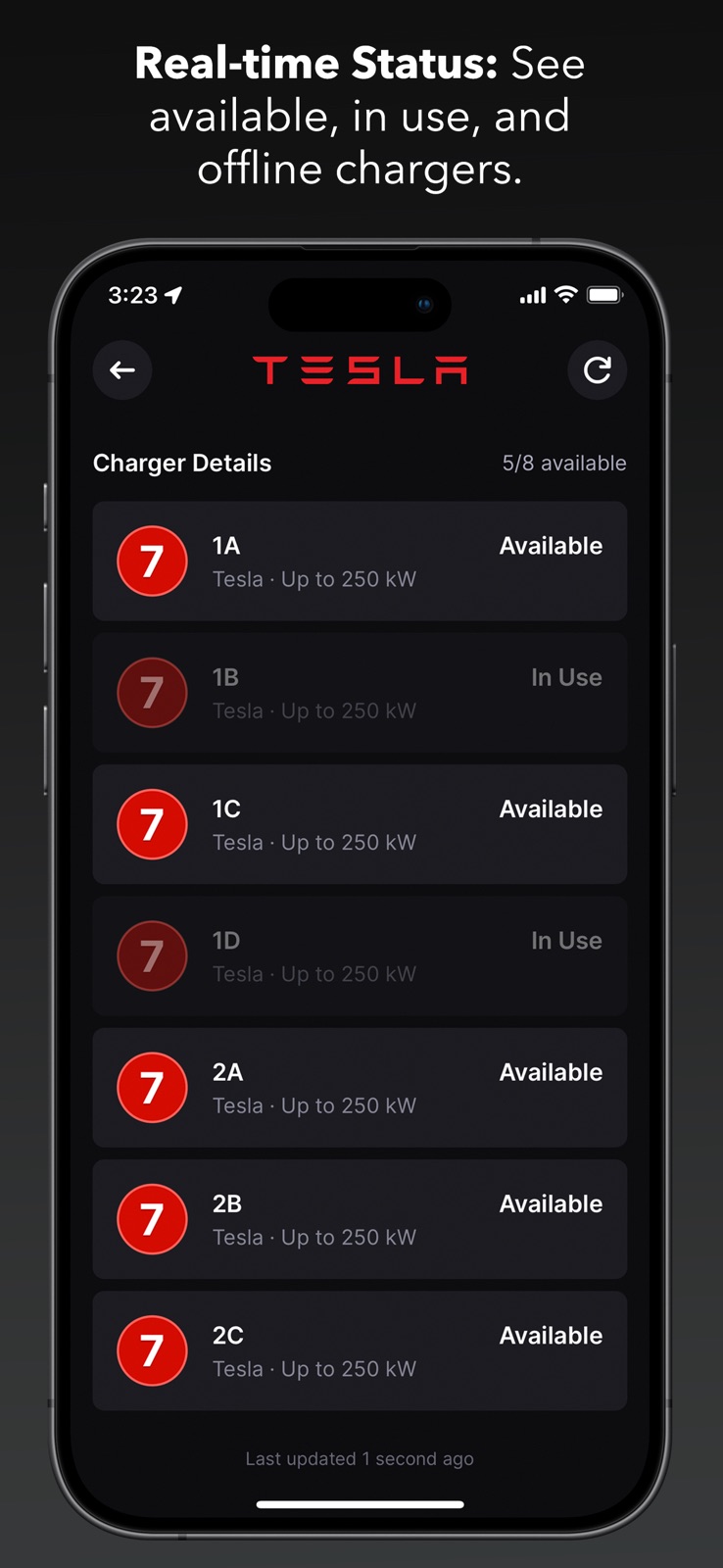
8 store screenshots


Pricing & paywalls
- Monthly — $2.99/month
- Monthly — $24.99/year ($2.08/mo)
- Free to download
- In-app purchases: $2.99 - $24.99 per item
Ratings & reviews
-
3/5Better suggestions
I have 9 EV charging apps on my phone because each app is excellent at one or more aspects of the experience but no one app is good at all aspects. In my opinion, an excellent app has to: 1) show me the eligible chargers at my current location and display how long/fast the charging will be at each unit. Also display which units are being currently used. 2) plan several routes of a trip, show the best charging options along each route and again delineate how long/fast I’ll be charging at each station then let me choose which route works best for me. 2a) understand that the best EV route is not always the google maps route. 3) Show amenities, food, activities, shopping around the EV charger where time can be occupied while charging. 4) offer user reviews of the charging station. This app comes close but doesn’t perform 2 very well. On a trip a recently took, one of the stops it recommended for all three routes recommended I charge for 4.5 hours. I don’t do these trips often but no way am I turning an 8 hour trip to one of 12+. So I use another app to plan my route and this one for other things.
Paladin906 · 6 Aug 2026
-
5/5Great App & Trip Planner
So I’m shockingly surprised just how accurate this app is. I took a 853 miles road trip using this app. It showed all the stop points to charge and the time it would take to charge. A simple click on your next charge point show you your arrival SOC and how long to charge. To my surprise it was extremely accurate for my 2020 Kia Niro EV. Routing to the next charge point you could choose Apple, Google or Waze map. I simple love this app. Tesla, Ford and Rivian has great trip planners in their vehicle. If your vehicle don’t have one you can definitely use Chargeway as your next trip planner. It’s simply layed and very easy to use. I highly recommend this app. It’s also great to use around town as well. You can’t go wrong with this. If you don’t have ABRP premium this is the app to use. Bravo team Chargeway. Very well done. Very well done!!!!
d7mysterio · 6 Aug 2026
-
2/5Nice design, mediocre functionality
Love the new design of the Chargeway app - Selecting my car with a beautiful image and all the site location photos are helpful. I don’t think the route planning works very well, however. It takes forever to load and several times, I’ve mapped a route with 1 charging stop when I really needed 2 or more. Drivers rarely go at a consistent speed, and I’m not sure if this app accounts for elevation change or other variables yet that impact driving range. I love the attempt at a numbering system, but it kinda feels like a new language instead of communicating in miles per kWh or miles per hour. Also, I see many drivers look for the highest number charger when their EVs can’t accept more than 50 kW! A faster charge isn’t always better. It needs to fit the car and intended visit time.
Mach-e-Mike · 6 Aug 2026
-
5/5Waiting for In-APP route planning!
Great app! I will be testing it in the last week of December 2024 and will provide more feedback after that. From what I’ve seen so far, I’m looking forward to the possibility of version that offers in-app navigation. The app allows you to plan your trip, showing where to stop and providing all the necessary details. It even fetches real-time data if your EV is connected. Ideally, you should be able to start the trip by simply clicking "GO." Currently, however, you have to select the first charger, choose Apple, Google, or Waze for navigation, and then leave the app to use those map services. You would do the same for each subsequent charger until you reach your destination. I understand that this requires a lot of development and testing, but Chargeway is very close to achieving this feature. Great work :-)
Ukshukla · 6 Aug 2026
-
3/5Good but devs can do better
I’m now recommending this to friends who are new to EVs. Pricing comparison and easy fo figure out UI that helps folks figure out charging for their vehicle are the two big standout features. Two big letdowns are the poor rout planing and lack of family sharing for subscribers. I recommend ABRP (a better route planner) for that specifically. So many features missing in this app for route planning compared to competitors. 2 in particular that I think can get users in a spot of trouble if they are new to EVs, such as not being able to set my desired lower limit for in route chargers stops not just final destination limit. The app constantly gives me routes that are slowing reaching the in route chargers at only 10% or less main battery. My users manual specifically says not to go below 20%. I can not easily change charger stops via their route tool either… imo their route tool needs a LOT of work before I would use it. The lack of family sharing for subscribers ensures they will only ever get one sub from our family while the other members in my family will probably not use the app as much if at all due to not having the same pricing perks our one sub account gets. Great way to make others in the family NOT want to use the app…
ThinkFlight · 6 Aug 2026
-
5/5
Good app. Easy to use. Tries to let you price compare.
Dewayne Morris · 29 Jul 2026
-
5/5
one of the easiest I used it often
Derrick · 29 Jul 2026
-
4/5
decent but somehow frustrating. I always tap wrong and have to start over
Patrick Forhan · 29 Jul 2026
-
1/5
Insists on phone number to use filters. Not cool. Should just have car make and model when adding car.
StephG V2 · 29 Jul 2026
-
1/5
You require my phone number to set up an account thereby making your app useful? No, just no. I don't disclose my phone number so you can share it with your affiliates. How about using email instead like the vast majority of apps? With the canned response of the developer it's obvious they don't get it. Add email OR phone and I will gladly try it.
Tom Macak · 29 Jul 2026
Privacy & accessibility
Privacy
- Data Linked to You — App Functionality — Contact Info — Phone Number Developer declared
- Data Linked to You — App Functionality — Contact Info — Physical Address Developer declared
- Data Linked to You — App Functionality — Identifiers — User ID Developer declared
- Data Linked to You — App Functionality — Location — Coarse Location Developer declared
- Data Linked to You — App Functionality — Location — Precise Location Developer declared
- Data Linked to You — App Functionality — User Content — Photos or Videos Developer declared
- Data Linked to You — Product Personalization — Contact Info — Name Developer declared
- Data Linked to You — Contact Info Developer declared
- Data Linked to You — Identifiers Developer declared
- Data Linked to You — Location Developer declared
- Data Linked to You — User Content Developer declared
- Data Not Linked to You — Analytics — Diagnostics — Crash Data Developer declared
- Data Not Linked to You — Analytics — Diagnostics — Performance Data Developer declared
- Data Not Linked to You — App Functionality — Diagnostics — Crash Data Developer declared
- Data Not Linked to You — Diagnostics Developer declared
Accessibility
No accessibility labels collected yet.
Privacy
- Data collected — Account management — Personal info — Name Developer declared
- Data collected — Account management — Personal info — Phone number Developer declared
- Data collected — Analytics — App activity — App interactions Developer declared
- Data collected — Analytics — App info and performance — Crash logs Developer declared
- Data collected — App functionality, Account management — Photos and videos — Photos Developer declared
- Data collected — App functionality, Analytics, Account management — Personal info — User IDs Developer declared
- Data collected — App functionality, Analytics, Fraud prevention, security, and compliance, Account management — Device or other IDs Developer declared
- Data collected — Developer communications, Account management — Personal info — Email address Developer declared
- Security practices — Your data is transferred over a secure connection — Data is encrypted in transit Developer declared
- Security practices — The developer provides a way for you to request that your data be deleted — You can request that data be deleted Developer declared
Accessibility
No accessibility labels collected yet.
Versions
-
2024.26.1
- Updated subscription promo content. - Fixed error dialog when sending charge control command for connected vehicles. - Bug fixes.
-
2024.28.1
- Fixed an issue causing CarPlay to show a vehicle not set error.
-
2024.33.2
- Performance optimizations for search and station amenities.
-
2024.34.1
- Fixed an issue where the "Open Now" label may not display for nearby station amenities. - Fixed the formatting of the "Open Now" label.
-
2024.40.1
- Fixed station lookup when viewing account photos and reviews. - Refresh networks after login; optimize data fetching on cold start.
-
2024.46.2
- Fixed a bug that may cause all networks to be unselected when updating filters immediately after the app launches. - Improved station search. - Required API updates for fetching station data.
-
2025.14.1
- Minor updates to the Network Filters user interface. - Bug fixes and other maintenance.
-
2025.18.1
- Fixed bug related to active filters indicator.
-
2025.23.1
- Tweak presentation of restricted access stations.
-
2025.27.1
- Show "No Status" instead of "Online" for stations that do not have real-time availability.
-
2025.30.2
- Improve handling of subscription errors. - Add support info to add vehicle screen. - Disable submit review button if length exceeds limit. - Fix up some layout issues when display zoom is enabled.
-
2025.38.2
- Support for real-time pricing at some station locations.
-
2025.4.1
- Improved error handling for failed trip requests. - Show an error when attempting to plan a trip with no selected networks. - Show status on aggregated stations (where supported). - Bug and compatibility fixes.
-
2025.42.1
- Chargeway+ users can now see live pricing on the station map and the est. total cost to charge
-
2025.42.3
- Chargeway+ users can now see live pricing on the station map and the est. total cost to charge
-
2025.46.1
- Adapters can now be updated from both the vehicle screen and station filters.
-
2025.48.1
- Updated partner promotions - Updated account screen with link to FAQ - Enabled compatibility mode for liquid glass - Fixed layout issue that caused the log out option to be hidden - Fixed issue that caused FREE to be shown when total pricing was enabled and your vehicle was at its charge limit
-
2025.50.1
- Prefer to show stations using the vehicle's native connector color when adapters are enabled. - Improved map behavior when viewing a place search result. - Show the prompt to review us less frequently.
-
2025.6.1
- Updated to latest vehicle connect flow for Chargeway+ users. - Added "Manage Virtual Key" action for connected vehicles. - Improved handling of vehicle connectors for NACS and multiple DC connector types. - Fix formatting of connector power when below 19.2 kW. - Fixed "Activation & Payment" info for Tesla Destination chargers.
-
2025.6.2
- Properly refresh vehicle details for connected vehicles. - Updated to latest vehicle connect flow for Chargeway+ users. - Added "Manage Virtual Key" action for connected vehicles. - Improved handling of vehicle connectors for NACS and multiple DC connector types. - Fix formatting of connector power when below 19.2 kW. - Fixed "Activation & Payment" info for Tesla Destination chargers.
-
2025.8.2
- Removed "Tesla Vehicles Only" from stations with Tesla Destination chargers. - More explicit "Adapter Required" label on station detail.
-
2026.10.1
- Updated subscription details. - Allow drivers to link email with their account. - Fixed scrolling issue on account screen.
-
2026.12.1
- Added map type to account preferences (satellite or standard).
-
2026.14.1
· 31 Mar 2026
- Added upgrade path for older Teslas with the CCS retrofit. - Show the "Chargeway+" label on the account screen for users with active subscriptions.
-
2026.6.1
- Show real-time pricing when no vehicle is added. - Fix cold start issue when authenticated and user record is missing. - Minor fixes.
- 2026.14.1 · 28 Mar 2026
Alternatives
- A Better Routeplanner (ABRP) — Same category + similar ratings
- EV Companion — Same category + similar ratings
- ChargeHub EV Charge Point Map — Same category + similar ratings
- EV Connect — Same category + similar ratings
Availability by market
- US
Data quality & evidence
- Page completeness
- Live store listing
- Last verified
- 6 Aug 2026
- Sources
- App Store, Google Play
- Independent summary has not been published yet.