
Quick verdict
- What it is
- Store information collected; an Apoku editorial summary is not yet published.
- At a glance
-
- Free to download
Categories and search queries
Official categories
- Photo & Video
- Video Players & Editors
Apoku categories
Key functions
| Function | Availability | Access | Scope | Evidence |
|---|---|---|---|---|
| Free app | Yes | Free | Context-specific | Store published |
Screens
5 store screenshots
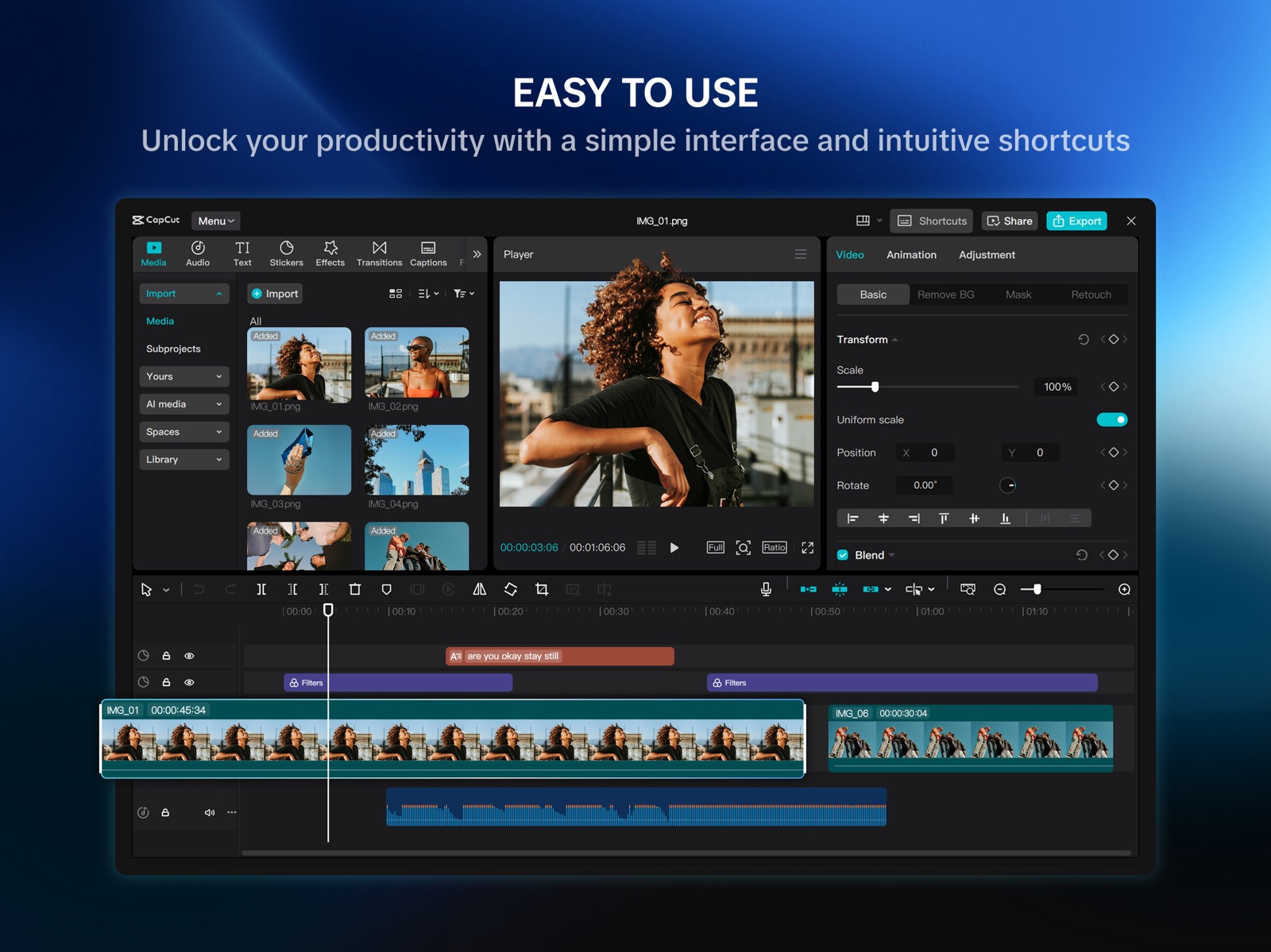


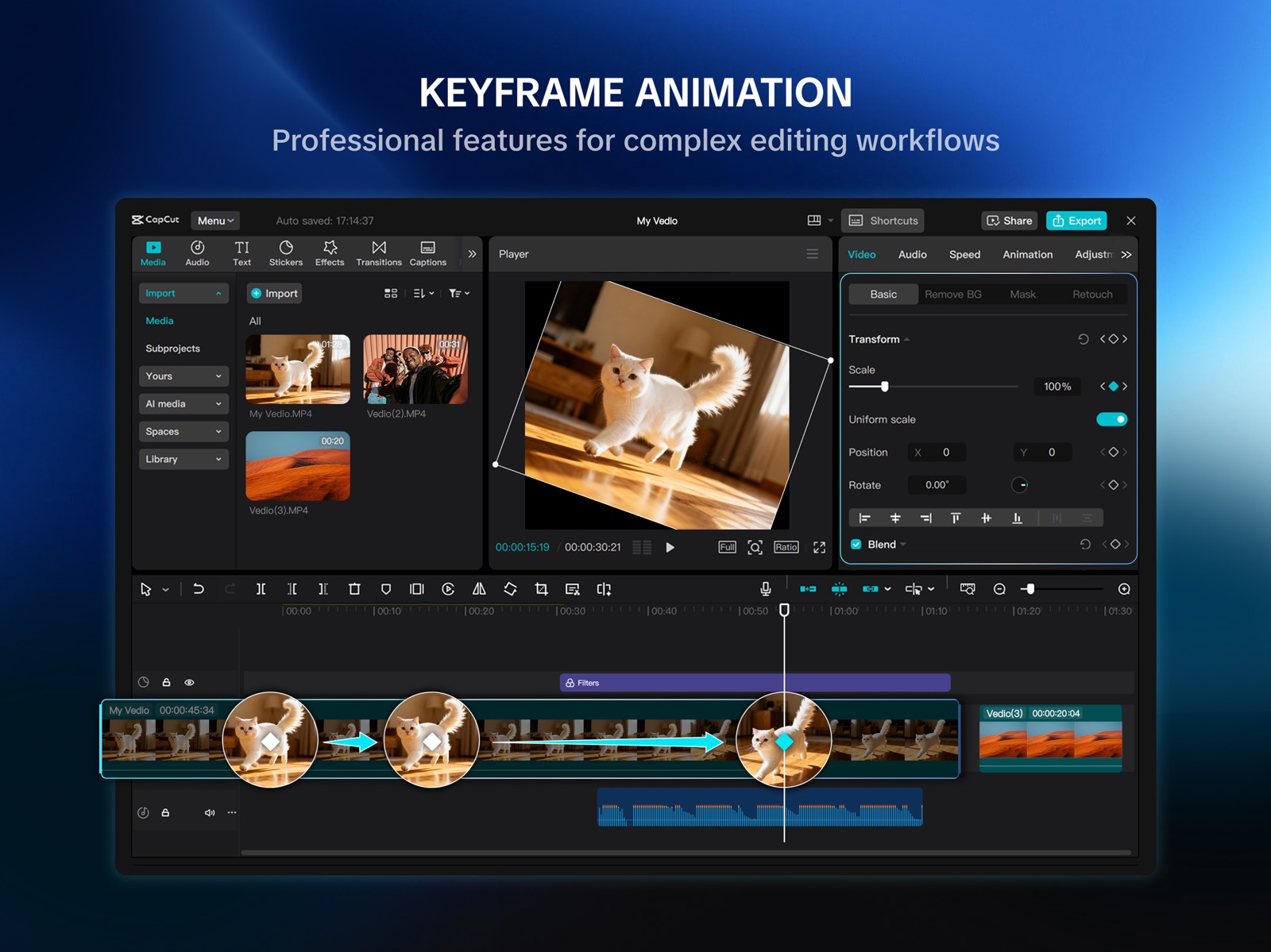
15 store screenshots


Pricing & paywalls
Shown for US
- Free to download
Shown for US
- Free to download
Ratings & reviews
Shown for US
-
4/5Decent, needs more updates.
These past few days, I've been trying out Capcut Pad and it seems like a step up from the Mobile Capcut App, bringing in a desktop feel. However, this app lacks a few features as well from Mobile Capcut like custom graphs and having the ability to keep only the stroke and not the actual text. I hope to see future updates in the future bringind those features as well as 3D elements. Additionally, this app is very laggy and hard to maneuver through. It took me a while to finally find the graph presets. Therefore, I also hope to see them add an easier ui.
AxelEstrada · 31 Jul 2026
-
1/5Overly congested UI and too sensitive for ipad, the phone app is better on iPad this app is for PC
The UI isn’t intuitive, the video screen size is about 1x1 inch, it’s impossible to see what you’re editing and you can’t edit in full screen or even select position and it remember that position when you exit full screen like the phone app can, doesn’t allow you to make small adjustments without completely moving everything around so you’re just back to guessing what position it was in again. Like let me close the windows when I don’t need them to make more room for other stuff. Only works in landscape adding to the lack of intuitiveness, the original app is way better if you’re using an iPad, this would work on a PC with like a 30 inch + screen. when making precise adjustments or trying to align images in your video it will move from your desired position when you lift your finger from the screen, it’s clearly not designed to be used for touch screen. It took me an hour to add an overlay to the left and right of a 30 second clip because I had to keep adjusting the position since it wouldn’t stay aligned when I lifted my finger, the same task took me 5 minutes in the phone app version on my iPad. It might work better with a mouse but that 100% defeats the purpose of using your iPad to do it if it cant work correctly from anywhere without a mouse.
EnrichedPastaInhaler · 31 Jul 2026
-
3/5So-so app
Moved from the og capcut app on mobile which i have used for like 5 years to here after experimenting with the actual pc version which I thought was super good. At first I thought Capcut Pad was super nice. It actually felt like I was editing with a professional software like AfterEffects or divinci. First few minutes was great, I got used to the new interface and all the new features that was on here was such a nice upgrade and saved me lots of time. HOWEVER, more I got into the edit process the more I got more frustrated. It seemed that they simply transferred the PC version of capcut into this mobile version (which i’m sure they did) and put little to no thought into it. The buttons are SO small that I kept misclicking and dragging everything on accident. Also it was so tedious going from one menu into the next with all the buttons you had to click. Also, the graphs, the SAME graph presets from the og capcut honestly looked off and strange or maybe its just me who knows. Additionally, it’s still laggy which also frustrates me. Sorry but ALSO my issue with the timeline, WHY CAN’T THE TIMELINE MOVE AS THE PLAYHEAD MOVES?? Anyways the point that I’m trying to make is that the BUTTONS ARE SO SMALL and trust me I have small fingers and a relatively normal sized ipad screen (11 inches) and just the lack of thought for the mobile experience is just so frustrating which is why I gave it the rating I did. Is the app good besides that? Yes it’s amazing, it’s the upgrade I’ve been waiting for a long time. Quality is way better and it’s great. Anyways, capcut team, if you see this, PLEASE resolve this and listen to what the audience has to say cuz I’m genuinely so frustrated of the tiny buttons like the beats and the lack of thought into adapting this interface to be more mobile-friendly.
only1nickle · 31 Jul 2026
-
5/5Add Search to other features
I was looking for a text that was usable on mobile it’s called Harmony and I couldn’t just search for manually cause there’s no search feature for it and there are like 1 million other tax presets there so it took me such a long time and I didn’t even find it in the end. I don’t know if it’s not in there or not and it also has the same thing for transitions you can’t search for transitions and I was also looking for a certain transition, which was not there so I don’t know if you guys just don’t have it all it’s called the left transition but still add to stuff that you put a lot of work on like you did a good job putting search for an animations, but I barely use animations. I’ll always use fade in and fade out so please if you if you could add the features, I’d really appreciate it
ruhuhguerhuew · 31 Jul 2026
-
3/5idk
so i figured out how to get graphs i think, you have to hold the key frame button, however it only has linear (the default), ease in, ease out, and ease. Nothing special and frankly it doesn’t look much different with them. Wish they had more options, otherwise this would be a flat 5-star. I figured out how to get graphs. First, add two keyframes. Then, hold the keyframe button. Somewhere there should be a row of 4 small buttons with graph-looking images. Tap the 1st one and there is a set of graphs. My complaint is that NO FLOW 2. that was basically the most used one in the OG one… hopefully they add flow 2 back because the other ones won’t cut it. Update, i can no longer use graphs except for the normals, making my edits very bland. I can open the graph menu, but i can’t scroll up to the top - the scale option- where it actually counts what graph i use. :P pls fix this
ButterzX3 · 31 Jul 2026
Shown for US
-
1/5
this is rubbish it refused to download after taking all my data pls avoid this app 😭
Osigwe nnamdi · 30 Sep 2026
-
1/5
it is harder to open the video and I just don't like it .
Dr. M. Nasim Sohail · 30 Sep 2026
-
1/5
app keeps crashing
heritage keppy-ekpenyong · 30 Sep 2026
-
1/5
This app is so badly optimized. It does not even want to open at all and for my xiaomi pad 5 is it impossible to do this at all.
Tian Fillies · 30 Sep 2026
-
5/5
Michelle Guims
Riley Yossel Dy · 30 Sep 2026
Privacy & accessibility
Privacy
- Data Linked to You — Analytics — Identifiers — Device ID Developer declared
- Data Linked to You — App Functionality — Identifiers — Device ID Developer declared
- Data Linked to You — Identifiers Developer declared
- Data Not Linked to You — Analytics — Diagnostics — Crash Data Developer declared
- Data Not Linked to You — Analytics — Diagnostics — Other Diagnostic Data Developer declared
- Data Not Linked to You — Analytics — Diagnostics — Performance Data Developer declared
- Data Not Linked to You — Analytics — Identifiers — User ID Developer declared
- Data Not Linked to You — App Functionality — Diagnostics — Crash Data Developer declared
- Data Not Linked to You — App Functionality — Diagnostics — Other Diagnostic Data Developer declared
- Data Not Linked to You — App Functionality — Diagnostics — Performance Data Developer declared
- Data Not Linked to You — App Functionality — Identifiers — User ID Developer declared
- Data Not Linked to You — App Functionality — Location — Coarse Location Developer declared
- Data Not Linked to You — App Functionality — User Content — Audio Data Developer declared
- Data Not Linked to You — App Functionality — User Content — Photos or Videos Developer declared
- Data Not Linked to You — Other Purposes — Contact Info — Email Address Developer declared
- Data Not Linked to You — Product Personalization — Identifiers — User ID Developer declared
- Data Not Linked to You — Contact Info Developer declared
- Data Not Linked to You — Diagnostics Developer declared
- Data Not Linked to You — Identifiers Developer declared
- Data Not Linked to You — Location Developer declared
- Data Not Linked to You — User Content Developer declared
- Data Used to Track You — Identifiers — Device ID Developer declared
- Data Used to Track You — Identifiers Developer declared
Accessibility
No accessibility labels collected yet.
Privacy
- Data collected — App functionality — Location — Approximate location Developer declared
- Data collected — App functionality, Analytics — App activity — App interactions Developer declared
- Data collected — App functionality, Analytics — App info and performance — Crash logs Developer declared
- Data collected — App functionality, Analytics — App info and performance — Diagnostics Developer declared
- Data collected — App functionality, Analytics — App info and performance — Other app performance data Developer declared
- Data collected — App functionality, Analytics — Personal info — User IDs Developer declared
- Data collected — App functionality, Analytics, Personalization — Device or other IDs Developer declared
- Data collected — Fraud prevention, security, and compliance — Personal info — Other info Developer declared
- Security practices — Your data is transferred over a secure connection — Data is encrypted in transit Developer declared
- Security practices — The developer provides a way for you to request that your data be deleted — You can request that data be deleted Developer declared
Accessibility
No accessibility labels collected yet.
Versions
- 5.8.0
-
5.8.1
- Fixed some known issues and improved the trimming experience. We thank you for supporting CapCut and look forward to creating beautiful moments together.
-
5.8.2
- Fixed some known issues and improved the trimming experience. We thank you for supporting CapCut and look forward to creating beautiful moments together.
-
5.8.3
- Fixed some known issues and improved the trimming experience. We thank you for supporting CapCut and look forward to creating beautiful moments together.
-
5.8.4
- Fixed some known issues and improved the trimming experience. We thank you for supporting CapCut and look forward to creating beautiful moments together.
-
5.8.5
- Fixed some known issues and improved the trimming experience. We thank you for supporting CapCut and look forward to creating beautiful moments together.
-
5.8.6
- Fixed some known issues and improved the trimming experience. We thank you for supporting CapCut and look forward to creating beautiful moments together.
-
7.7.0
- Fixed some known issues and improved the trimming experience. We thank you for supporting CapCut and look forward to creating beautiful moments together.
-
7.7.1
- Fixed some known issues and improved the trimming experience. We thank you for supporting CapCut and look forward to creating beautiful moments together.
-
7.7.5
- Fixed some known issues and improved the trimming experience. We thank you for supporting CapCut and look forward to creating beautiful moments together.
-
7.7.6
- Fixed some known issues and improved the trimming experience. We thank you for supporting CapCut and look forward to creating beautiful moments together.
-
7.7.7
- Fixed some known issues and improved the trimming experience. We thank you for supporting CapCut and look forward to creating beautiful moments together.
-
7.7.8
· 27 Jun 2026
- Fixed some known issues and improved the trimming experience. We thank you for supporting CapCut and look forward to creating beautiful moments together.
- 9.5.1 · 18 Sep 2026
Alternatives
- DaVinci Resolve for iPad — Same category + similar ratings
- Spring - Video Editor — Same category + similar ratings
Availability by market
- US
Data quality & evidence
- Page completeness
- Live store listing
- Last verified
- 30 Sep 2026
- Sources
- App Store, Google Play
- Apoku editorial summary has not been published yet.