Quick verdict
- What it is
- Store information collected; independent summary not yet available.
- At a glance
-
- $6.99
Categories and search queries
Official categories
- Productivity
- Business
AppCorpus categories
Key functions
| Function | Availability | Access | Scope | Evidence |
|---|---|---|---|---|
| Family Sharing | Yes | Unknown | App Store | Store published |
Screens
App Store
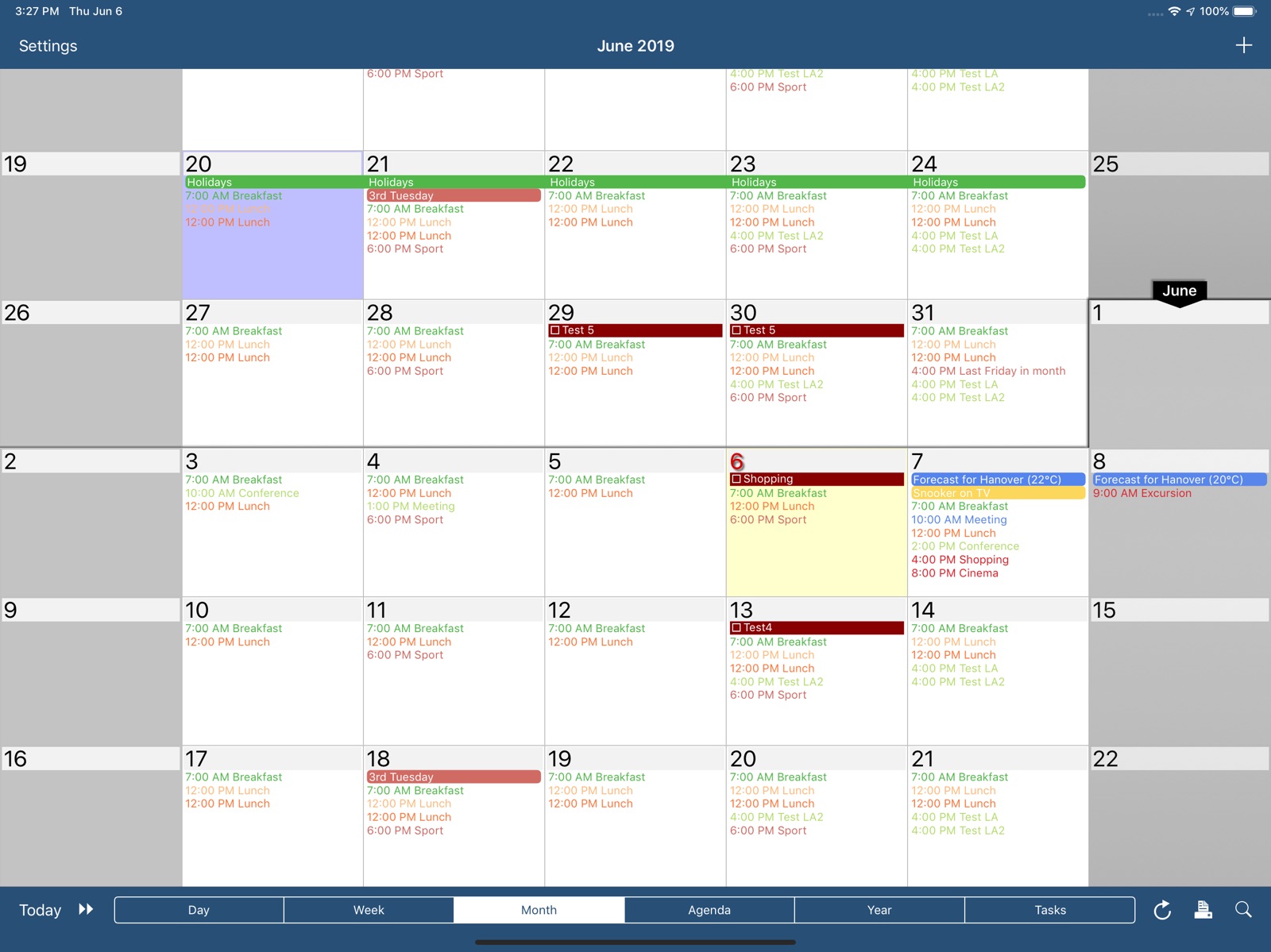
17 store screenshots



Pricing & paywalls
App Store
- Price: $6.99
Ratings & reviews
App Store
-
5/5A++ Every imaginable option exists
I've used Calengoo since its inception and the app never disappoints. It also accommodates non-Google providers, e.g. Evernote, Google Drive, Waze, Weather, and more. There’s a massive amount of customization options available which should accommodate whatever use case you throw at it. That said, customizing can be confusing at times when I’m unsure about the function or definition of a particular setting or the reason for its existence. The Calengoo website defines most of the options….and more is definitely better than being boxed into less. My advise is to periodically backup your settings before making changes in the event you need to revert. Calengoo's out of the box settings work well but i don’t care for the colors so I’ve changed them. IMO the app would advertise better in the app store with a more modern, muted color scheme, but no worries bc you can create your own. The developer has continuously improved the app and is very responsive. Beyond the initial purchase he's never asked for another dime in spite of some major upgrades. Because I rely heavily on this app I’d be willing to support a subscription model to ensure it remains sustainable for the long-term. I suspect App Store sales have plateaued for developers given the maturity of the iPhone user base. Just a suggestion to the dev and a note of my gratitude for maintaining an excellent app.
LAX20531 · 31 Jul 2026
-
5/5Love it!! (5 year user)
Support staff is responsive and awesome. Each calendar and activity is just the unique color I want. Any time I have something I don't like, it's user error and they are happy to help me. I love that I have form and beauty here. Some apps take away the words on the monthly calendar and replace with colorful bars... Or some other useless thing. With this one, I can go to month view and still see all my events. It looks good and works great! It syncs perfectly. It works great with google (including matching to my 8 calendar colors) and does all that google tasks can do (and a little more, like put all overdue tasks on today, and view multiple task folders). The new floating task feature has changed the way I do my GTD system and I can check off when I have completed events. This app has been my calendar app of choice for 5 years.... By far the app that has lived longest on my phone. (I shop and upgrade a lot.) It is interesting how this app used to be one of a kind, and now there are a few copycats, but this one still seems to have the most features that are integrated the best. Best part: I'm always finding new fun features to get more out of it! I regularly check out the expert options and always find new things to get out of the calendar. Highly recommend it!
Elizab3thTX · 31 Jul 2026
-
5/5Highly Recommend, HUGE Fan
Since the day of inception, this was the first calendar app that provided what I needed most, zoom in feature on month view and to see EVERYTHING on my month view. I don’t even remember how long I’ve had this app for. It completely changed the way I organized my day and my productivity level improved immensely. My calendar changed on the fly and it’s amazing to have a digital calendar that is better than a paper calendar everywhere I go. The colors are great. I get to sync all my other Google calendars and hide what I need to hide. It syncs with Google Contacts birthdays and holidays. Very easy to use. Over time, the features keep getting better and I didn't even realize how much I needed this new features such as a way to customize my icon badge #. Super impressed.
Raingblustar · 31 Jul 2026
-
5/5Best Apple Watch complication
Use this app if you want events to stay visible on your Apple Watch until they are done, because the developer kindly gives you control over this function (i.e., in settings you can choose for how long you want the current event to be shown & if not specified then it will remain until it is over). In contrast, the friggin’ stock Apple Watch calendar application was changed from showing events until completed, to instead showing the next event in your calendar about 10 minutes into the current one. Hey Apple, how the bleep am I supposed to know how much time I have left in my current appointment? Many thanks to the excellent developer Dominique for allowing the user to tweak the app to meet their needs! iPhone app is rock solid too.
snoop_z · 31 Jul 2026
-
5/5Amazing App!
I've been using this app for a very long time. It was one of the first apps I got when they added the App Store to the iPhone. I've since moved away from Google and thought I wouldn't be able to continue using this app, but I was wrong. It works great with iCloud and is sooooo much better than Apple's horribly designed Calendar app. The UI is extremely customizable too. It looks so much cleaner and makes planning all your upcoming events so much easier than Apple's calendar. Pinch to zoom, double tap to add an event, set pop-up reminders. If there's anything you don't like you can probably tweak it in the settings. The developer has also been incredibly responsive to questions and feedback, as well as keeping the app up to date and fixing bugs.
ICUSandman · 31 Jul 2026
Privacy & accessibility
App Store
Privacy
- Data Not Collected Developer declared
Accessibility
No accessibility labels collected yet.
Versions
App Store
-
1.5.100
Google has changed the way how birthdays are saved in Google Calendar. This new version can handle the new "eventType" field. You can find further information here: https://www.calengoo.com/documentation/posts/birthdays.html
-
1.5.101
- Improvements for Google login - Additional settings and bug fixes
-
1.5.102
- Improvements for Google login - Additional settings and bug fixes
-
1.5.103
- Added a search&replace function in the search view - Bug fixes
-
1.5.104
- New Google Drive picker - Added a switch to show all-day events in the small 1x1 widget - Added an option to remove countdown events from the today widget - Bug fixes
-
1.5.105
· 21 Apr 2026
- New Google Drive picker - Added a switch to show all-day events in the small 1x1 widget - Added an option to remove countdown events from the today widget - Bug fixes
-
1.5.81
- When inserting a contact into an event you can now choose the format ("Default", "First name Last name", "Last name First name" or "Last name, First name") under "Settings > Display and Use > Edit view > Advanced > Contact name format". - Bug fixes
-
1.5.82
- Templates can now contain more than one calendar if "Settings > Display and Use > Edit view > Expert > Save into multiple calendars" is turned on. - Added support for displaying priority icons of tasks in the today widget and other improvements for displaying tasks in the today widget. - Added a new option "Settings > Display and Use > Agenda view > Advanced > Show empty hours". - Added a function to search all Evernote notebooks at once. - Added support for "TomTom Go". - Bug fixes
-
1.5.83
- Added iOS 14 widgets ("next event" widget and "agenda" widget) - Bug fixes for iOS 14
-
1.5.84
Bug fixes for the widgets and the "export settings" function.
-
1.5.85
- Bug fix for the action menu button in the task edit screen on iPads on iOS 14. - Bug fix for the search view on iOS 13. - New configuration options and a few bug fixes for the new iOS 14 widgets.
-
1.5.86
- New settings for the iOS 14 widgets. - Bug fixes
-
1.5.87
Bug fixes and further improvements for the new iOS 14 widgets.
-
1.5.88
- Tasks in events can be displayed/edited over multiple lines ("Settings > Display and Use > Edit view > Advanced > Tasks in events > Multiline"). - Added a configuration option for the "Google Meet" row in the edit screen ("Settings > Display and Use > Edit view > Advanced > Allow creation of Google Meet links"). - Added a switch for the landscape day view to make weekends smaller and/or the current day larger. - Added an optional small month view to the portrait week view ("Settings > Display and Use > Week view > Layout"). - Added a long press menu to the agenda view. - Added a new sort order "Sort (priority reverse, due date)" for tasks in calendar views. - Bug fixes and other improvements
-
1.5.89
Many new configuration options were added and a few bugs were fixed.
-
1.5.90
Added two lock screen widgets for iOS 16.
-
1.5.91
- Added support for countdown events in Google calendars and local calendars. - Added settings to show the weekday name in agenda compact mode and to show the separator lines only between the days (with a longer line between weeks). - The search view can now use colored boxes to display the events. - Bug fixes
-
1.5.92
- Added support for countdown events in Google calendars and local calendars. - Added settings to show the weekday name in agenda compact mode and to show the separator lines only between the days (with a longer line between weeks). - The search view can now use colored boxes to display the events. - Bug fix for the day view - Further bug fixes
-
1.5.93
- Added support for countdown events in Google calendars and local calendars. - Added settings to show the weekday name in agenda compact mode and to show the separator lines only between the days (with a longer line between weeks). - The search view can now use colored boxes to display the events. - Bug fixes
-
1.5.94
- Changes for Google Drive - Added a Spanish translation - Bug fixes
-
1.5.95
Bug fixes for the year widget and the search view.
-
1.5.96
- Added a copy function for iOS reminders. - Added a way to limit how many days in advance a countdown event should be displayed. - Bug fixes
-
1.5.97
Improvements and bug fixes for iOS 18, e.g. for the widgets
-
1.5.98
Bug fixes for the event edit screen
-
1.5.99
Bug fixes and small improvements
Alternatives
- Tiny Calendar Pro — Same category + similar ratings
Availability by market
- US
Data quality & evidence
- Page completeness
- Live store listing
- Last verified
- 31 Jul 2026
- Sources
- App Store
- Independent summary has not been published yet.