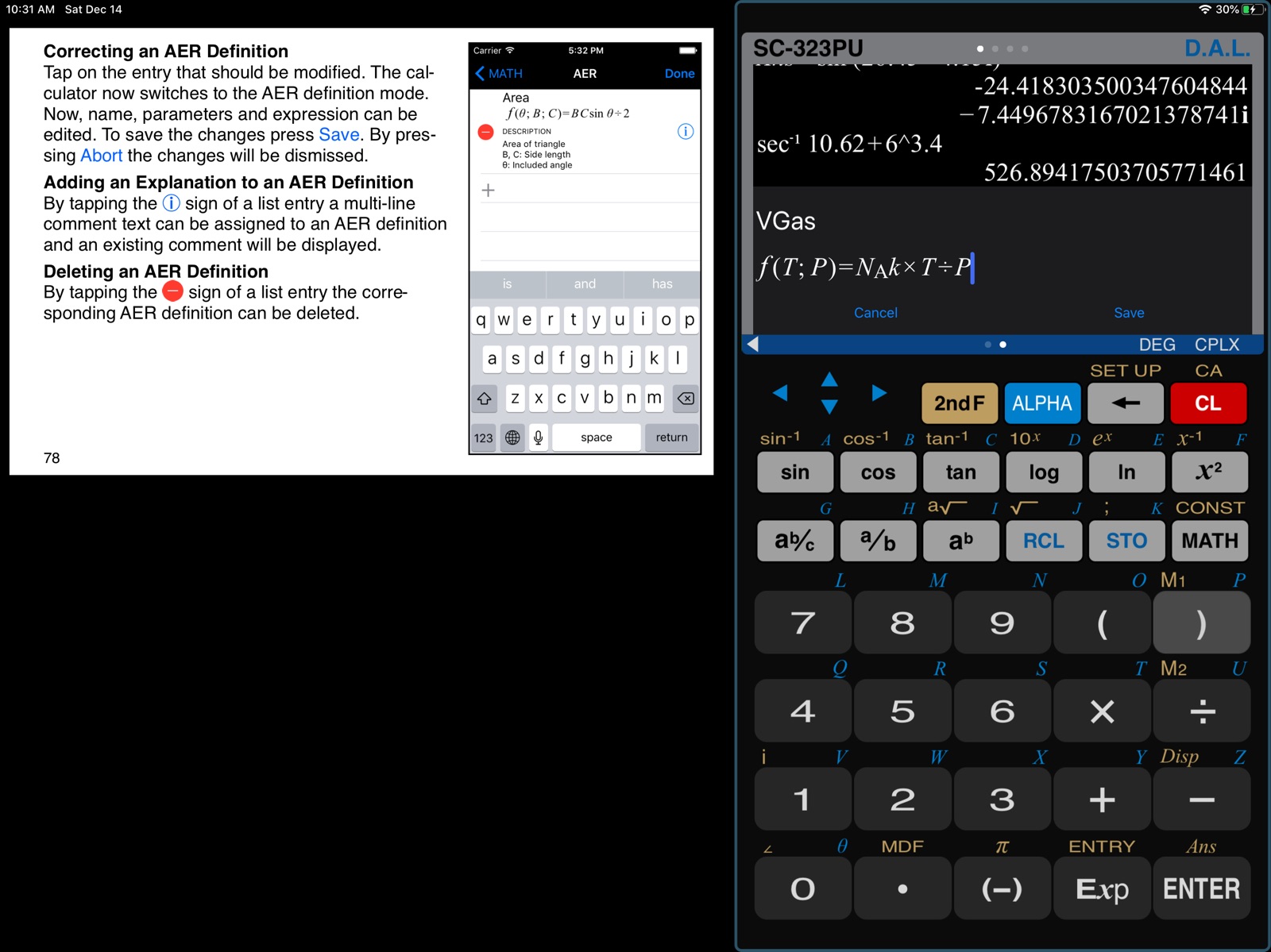
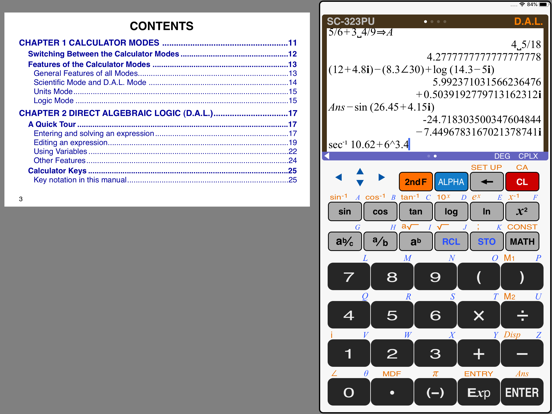
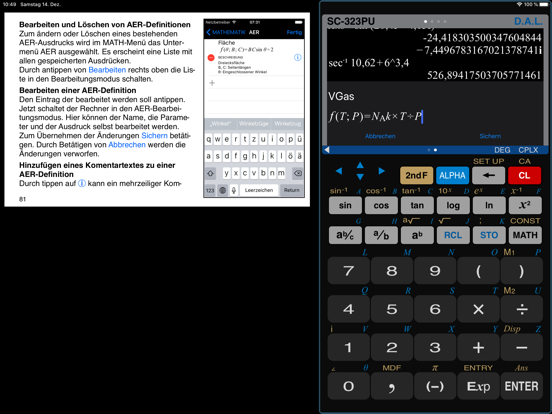
AppCorpus MCP gives your agent current app data, prices, screens, features and sources.
View JSON
GET /api/v3/apps/301290196
{
  "app_id": 301290196,
  "canonical_url": "https://appcorpus.com/apps/calculator-sc-323pu-301290196",
  "identity": {
    "name": "Calculator SC-323PU",
    "slug": "calculator-sc-323pu",
    "developer": {
      "name": "Thomas Öllinger",
      "url": "https://appcorpus.com/developers/thomas-ollinger-developer_7b39c4ce6f1753711a3f08704f4a3fbe"
    },
    "icon_url": "https://is1-ssl.mzstatic.com/image/thumb/Purple221/v4/d9/fb/ce/d9fbceca-0b17-f1db-67c6-14957332f545/AppIcon-0-0-1x_U007emarketing-0-11-0-sRGB-85-220.png/512x512bb.jpg",
    "stores": [
      "apple"
    ],
    "platforms": [
      "iphone",
      "ipad"
    ],
    "status": {
      "state": "active",
      "label": "Active",
      "last_checked": "2026-08-07",
      "last_checked_label": "7 Aug 2026",
      "banner": null,
      "region_note": null
    }
  },
  "listings": [
    {
      "store": "apple",
      "status": "ACTIVE",
      "url": "https://apps.apple.com/us/app/calculator-sc-323pu/id301290196?uo=4",
      "rating": 4.7,
      "rating_count": 118,
      "formatted_price": "$3.99",
      "is_free": false,
      "has_iap": false,
      "has_subscription": false,
      "version": "1.11.9",
      "updated": "2026-05-31",
      "currency": "USD"
    }
  ],
  "summary": {
    "one_liner": null,
    "summary": null,
    "best_for": [],
    "not_for": [],
    "status": "fallback",
    "at_a_glance": [
      "$3.99"
    ]
  },
  "categories": {
    "official": [
      "Utilities",
      "Education"
    ],
    "appcorpus": [
      {
        "category_id": "utilities",
        "label": "Utilities",
        "url": "https://appcorpus.com/categories/utilities"
      },
      {
        "category_id": "education",
        "label": "Education",
        "url": "https://appcorpus.com/categories/education"
      }
    ]
  },
  "use_cases": [],
  "features": [
    {
      "capability_id": "family_sharing",
      "label": "Family Sharing",
      "availability": "yes",
      "access_level": "unknown",
      "scope": "App Store",
      "evidence": "Store published"
    }
  ],
  "pricing": [
    {
      "store": "apple",
      "formatted_price": "$3.99",
      "is_free": false,
      "has_iap": false,
      "has_subscription": false,
      "currency": "USD",
      "market": "us",
      "last_verified": "2026-08-07",
      "rows": [
        "Price: $3.99"
      ]
    }
  ],
  "screens": [
    {
      "url": "https://is1-ssl.mzstatic.com/image/thumb/Purple123/v4/ee/1c/43/ee1c4302-8fd2-4f9e-74ee-00cb4ac6fb89/pr_source.png/1600x1600bb.jpg",
      "store": "apple",
      "platform": "ipad",
      "alt": "Calculator SC-323PU ipad screenshot 1"
    },
    {
      "url": "https://is1-ssl.mzstatic.com/image/thumb/Purple113/v4/5f/e0/f6/5fe0f6ae-3260-4efa-c9f8-b4c2edf94209/pr_source.png/1600x1600bb.jpg",
      "store": "apple",
      "platform": "ipad",
      "alt": "Calculator SC-323PU ipad screenshot 2"
    },
    {
      "url": "https://is1-ssl.mzstatic.com/image/thumb/Purple123/v4/28/64/ce/2864cefd-ac97-7965-64bb-a96d59082320/mzl.nruluolc.png/552x414bb.png",
      "store": "apple",
      "platform": "ipad",
      "alt": "Calculator SC-323PU ipad screenshot 3"
    },
    {
      "url": "https://is1-ssl.mzstatic.com/image/thumb/Purple113/v4/23/ae/c0/23aec099-a496-f2ab-bce8-996c7edab0d3/pr_source.png/552x414bb.png",
      "store": "apple",
      "platform": "ipad",
      "alt": "Calculator SC-323PU ipad screenshot 4"
    },
    {
      "url": "https://is1-ssl.mzstatic.com/image/thumb/Purple113/v4/dd/8f/cd/dd8fcdc6-037f-eaa5-f790-9af74dfb6eca/pr_source.png/1600x1600bb.jpg",
      "store": "apple",
      "platform": "ipad",
      "alt": "Calculator SC-323PU ipad screenshot 5"
    },
    {
      "url": "https://is1-ssl.mzstatic.com/image/thumb/Purple113/v4/61/4e/97/614e9748-a98d-c76a-05cd-e651939575eb/mzl.arfwyhgi.png/552x414bb.png",
      "store": "apple",
      "platform": "ipad",
      "alt": "Calculator SC-323PU ipad screenshot 6"
    },
    {
      "url": "https://is1-ssl.mzstatic.com/image/thumb/Purple113/v4/8f/f8/7a/8ff87a01-08d1-fef0-3012-771a3cd8a478/pr_source.png/1600x1600bb.jpg",
      "store": "apple",
      "platform": "ipad",
      "alt": "Calculator SC-323PU ipad screenshot 7"
    },
    {
      "url": "https://is1-ssl.mzstatic.com/image/thumb/Purple113/v4/eb/79/8a/eb798ada-14a2-2934-e74c-2665386aab23/pr_source.png/552x414bb.png",
      "store": "apple",
      "platform": "ipad",
      "alt": "Calculator SC-323PU ipad screenshot 8"
    },
    {
      "url": "https://is1-ssl.mzstatic.com/image/thumb/Purple123/v4/0e/55/dd/0e55dd27-8618-1e4e-b66e-bcac4dda3413/pr_source.png/1600x1600bb.jpg",
      "store": "apple",
      "platform": "ipad",
      "alt": "Calculator SC-323PU ipad screenshot 9"
    },
    {
      "url": "https://is1-ssl.mzstatic.com/image/thumb/Purple123/v4/08/d3/c8/08d3c859-6b1c-2d73-6960-e0fbf2e82797/pr_source.png/1600x1600bb.jpg",
      "store": "apple",
      "platform": "ipad",
      "alt": "Calculator SC-323PU ipad screenshot 10"
    },
    {
      "url": "https://is1-ssl.mzstatic.com/image/thumb/Purple123/v4/8a/15/d6/8a15d6c8-09ab-dd5a-5cb2-a2fafca09f90/mzl.etzyidon.png/552x414bb.png",
      "store": "apple",
      "platform": "ipad",
      "alt": "Calculator SC-323PU ipad screenshot 11"
    },
    {
      "url": "https://is1-ssl.mzstatic.com/image/thumb/Purple123/v4/bc/99/7b/bc997bdf-9793-c0ba-3f69-d88c25f860a9/mzl.cjknlwsk.png/552x414bb.png",
      "store": "apple",
      "platform": "ipad",
      "alt": "Calculator SC-323PU ipad screenshot 12"
    },
    {
      "url": "https://is1-ssl.mzstatic.com/image/thumb/Purple123/v4/58/7f/24/587f24f1-a8b1-d86d-a410-ea288f89f147/pr_source.png/1242x1600bb.jpg",
      "store": "apple",
      "platform": "iphone",
      "alt": "Calculator SC-323PU iphone screenshot 13"
    },
    {
      "url": "https://is1-ssl.mzstatic.com/image/thumb/Purple113/v4/7b/35/74/7b357479-c73d-a9a0-2e75-b8334e80b839/pr_source.png/1242x1600bb.jpg",
      "store": "apple",
      "platform": "iphone",
      "alt": "Calculator SC-323PU iphone screenshot 14"
    },
    {
      "url": "https://is1-ssl.mzstatic.com/image/thumb/Purple123/v4/26/ac/f2/26acf227-14df-1898-159d-819a53d720df/pr_source.png/1242x1600bb.jpg",
      "store": "apple",
      "platform": "iphone",
      "alt": "Calculator SC-323PU iphone screenshot 15"
    },
    {
      "url": "https://is1-ssl.mzstatic.com/image/thumb/Purple113/v4/02/27/72/022772e3-cc7f-bab9-288d-4468b9524d3b/pr_source.png/1242x1600bb.jpg",
      "store": "apple",
      "platform": "iphone",
      "alt": "Calculator SC-323PU iphone screenshot 16"
    },
    {
      "url": "https://is1-ssl.mzstatic.com/image/thumb/Purple123/v4/92/78/f2/9278f27f-6eea-e16d-af75-4b1a2f681c7d/pr_source.png/1242x1600bb.jpg",
      "store": "apple",
      "platform": "iphone",
      "alt": "Calculator SC-323PU iphone screenshot 17"
    },
    {
      "url": "https://is1-ssl.mzstatic.com/image/thumb/Purple113/v4/af/3a/8c/af3a8c4c-dbb5-fa27-c68e-78d75a8660c1/pr_source.png/1242x1600bb.jpg",
      "store": "apple",
      "platform": "iphone",
      "alt": "Calculator SC-323PU iphone screenshot 18"
    },
    {
      "url": "https://is1-ssl.mzstatic.com/image/thumb/PurpleSource116/v4/c3/a9/fd/c3a9fdd5-1657-2ae5-a150-44935e6e0289/44b94430-a75b-44ab-b029-5fc469eae6a5_SC-323PU_Mac_DAL.png/1600x1600bb.jpg",
      "store": "apple",
      "platform": "mac",
      "alt": "Calculator SC-323PU mac screenshot 19"
    },
    {
      "url": "https://is1-ssl.mzstatic.com/image/thumb/PurpleSource116/v4/b7/b6/61/b7b66148-6176-1f32-7d5d-514a0f072581/b18e20d7-343e-4bae-8296-242810a6c526_SC-323PU_Mac_AER.png/1600x1600bb.jpg",
      "store": "apple",
      "platform": "mac",
      "alt": "Calculator SC-323PU mac screenshot 20"
    },
    {
      "url": "https://is1-ssl.mzstatic.com/image/thumb/PurpleSource116/v4/9c/53/78/9c53781a-5960-b11a-f9dd-51229cdf9e91/105c6cf1-03f6-454f-ab6e-4fbd8c87f80a_SC-323PU_Mac_SCI.png/1600x1600bb.jpg",
      "store": "apple",
      "platform": "mac",
      "alt": "Calculator SC-323PU mac screenshot 21"
    },
    {
      "url": "https://is1-ssl.mzstatic.com/image/thumb/PurpleSource116/v4/01/5e/f4/015ef40d-5ddf-5c88-4ecf-f85f49fabff4/d45f935c-a0c6-48e3-aabf-4a1475a4ee32_SC-323PU_Mac_Logic.png/1600x1600bb.jpg",
      "store": "apple",
      "platform": "mac",
      "alt": "Calculator SC-323PU mac screenshot 22"
    },
    {
      "url": "https://is1-ssl.mzstatic.com/image/thumb/PurpleSource116/v4/59/65/d5/5965d549-2b6c-dedb-4a52-e84f79c13667/d34c60da-9a71-434f-8202-49330ff95fd6_SC-323PU_Mac_Time.png/1600x1600bb.jpg",
      "store": "apple",
      "platform": "mac",
      "alt": "Calculator SC-323PU mac screenshot 23"
    },
    {
      "url": "https://is1-ssl.mzstatic.com/image/thumb/PurpleSource116/v4/94/c2/16/94c21650-3ee4-70cd-b7bf-c45048e60ccf/4aab1e5d-b8ef-4e9e-8f33-9e1b61b12eec_SC-323PU_Mac_Currency.png/1600x1600bb.jpg",
      "store": "apple",
      "platform": "mac",
      "alt": "Calculator SC-323PU mac screenshot 24"
    },
    {
      "url": "https://is1-ssl.mzstatic.com/image/thumb/Purple113/v4/f5/e9/6b/f5e96b18-0844-8999-accd-10215e3c47bd/mzl.wwhmzout.png/312x390bb.jpg",
      "store": "apple",
      "platform": "watch",
      "alt": "Calculator SC-323PU watch screenshot 25"
    },
    {
      "url": "https://is1-ssl.mzstatic.com/image/thumb/Purple123/v4/bb/4c/05/bb4c05f9-cc2c-b563-9513-8fe6dad5e8cf/mzl.pvolzasb.png/312x390bb.jpg",
      "store": "apple",
      "platform": "watch",
      "alt": "Calculator SC-323PU watch screenshot 26"
    },
    {
      "url": "https://is1-ssl.mzstatic.com/image/thumb/Purple113/v4/65/75/52/657552c4-c4a7-8320-8db9-59554e8bdbca/mzl.emipwbly.png/312x390bb.jpg",
      "store": "apple",
      "platform": "watch",
      "alt": "Calculator SC-323PU watch screenshot 27"
    },
    {
      "url": "https://is1-ssl.mzstatic.com/image/thumb/Purple113/v4/55/d0/8e/55d08e30-a4e7-606c-9d3d-8ed43984d830/mzl.pejcxltf.png/312x390bb.jpg",
      "store": "apple",
      "platform": "watch",
      "alt": "Calculator SC-323PU watch screenshot 28"
    }
  ],
  "ratings": [
    {
      "store": "apple",
      "average": 4.7,
      "count": 118,
      "market": "us",
      "observed_at": "2026-08-07",
      "reviews": [
        {
          "rating": 5,
          "title": "Best calculator app!",
          "body": "I was looking for a simple fractional calculator app and came across this one and love it. The interface is very similar to TI or Casio scientific calculators so it's very easy to figure out how to use it. I was lamenting that it didn't have a bin/hex calculator but one day I accidentally swiped right and discovered the other calculators. I'm really impressed with the quality of this app, especially since it's free.",
          "author": "X11-56632-fr90",
          "date": "7 Aug 2026"
        },
        {
          "rating": 1,
          "title": "No",
          "body": "Nothing",
          "author": "hiewee",
          "date": "7 Aug 2026"
        },
        {
          "rating": 5,
          "title": "iPhone 6",
          "body": "Awesome scientific calculator app in the market. So detailed and accurate. Had for years. Awesome!",
          "author": "lmar757",
          "date": "7 Aug 2026"
        },
        {
          "rating": 5,
          "title": "Superb Calculator",
          "body": "Have used this calculator for many years. It is easy to use. Its hexadecimal calculating capabilities have been extremely useful as also its unit calculations and scientific calculations. Highly recommended.",
          "author": "JLW614",
          "date": "7 Aug 2026"
        },
        {
          "rating": 5,
          "title": "Must have app",
          "body": "As a business owner and engineer, this calculator is my most used utility app. Currency conversion when traveling and a quick swipe to hexadecimal for programming. Perfect! Thanks.",
          "author": "EngineerFromHell",
          "date": "7 Aug 2026"
        }
      ]
    }
  ],
  "privacy": [
    {
      "store": "apple",
      "declarations": [
        {
          "title": "Data Not Collected",
          "detail": "",
          "source": "Developer declared"
        }
      ],
      "accessibility": []
    }
  ],
  "changes": [
    {
      "store": "apple",
      "version": "1.10",
      "released_at": null,
      "notes": "• Fixed presentation of the calulator when the display zoom is enabled on the device. • The calculator can now be used on the Mac."
    },
    {
      "store": "apple",
      "version": "1.11",
      "released_at": null,
      "notes": "• Fiixed enabling scientific calculator mode for Apple Watch from Watch app on iPhone. • Removed no longer supported menu items in Apple Watch and added memory page to main view. • Added the Memory page to the main view on the Apple Watch."
    },
    {
      "store": "apple",
      "version": "1.11.1",
      "released_at": null,
      "notes": "• Stability improvements."
    },
    {
      "store": "apple",
      "version": "1.11.2",
      "released_at": null,
      "notes": "Bugs fixed: • Display in D.A.L. mode did not show all entries. • In Logic mode the FILL mode did not work correctly for the second display line."
    },
    {
      "store": "apple",
      "version": "1.11.4",
      "released_at": null,
      "notes": "Bug fixed: • Resetting calculations, variables, memories and settings works again."
    },
    {
      "store": "apple",
      "version": "1.11.6",
      "released_at": null,
      "notes": "Fixed crash when chaning the text selection."
    },
    {
      "store": "apple",
      "version": "1.11.7",
      "released_at": null,
      "notes": "Fixed crash when opening the constants selection view via [2ndF][CONST]."
    },
    {
      "store": "apple",
      "version": "1.11.8",
      "released_at": null,
      "notes": "Automatic exchange rate updates have been corrected."
    },
    {
      "store": "apple",
      "version": "1.11.9",
      "released_at": "2026-05-31",
      "notes": "• Apple Watch: currencies added or changed on the iPhone are now reliably transferred to the Apple Watch • The Croatian Kuna (HRK) has been replaced by the Danish Krone (DKK) following Croatia's adoption of the Euro – existing entries are migrated automatically • Additional bug fixes and improvements"
    },
    {
      "store": "apple",
      "version": "1.8.2",
      "released_at": null,
      "notes": "• Bug fixes: wrong sign in trigonometric functions sin, cos"
    },
    {
      "store": "apple",
      "version": "1.8.3",
      "released_at": null,
      "notes": "• Bug fixes: wrong sign on subtraction and trigonometric functions"
    },
    {
      "store": "apple",
      "version": "1.8.4",
      "released_at": null,
      "notes": "Compatibility with new iOS."
    },
    {
      "store": "apple",
      "version": "1.8.5",
      "released_at": null,
      "notes": "• iPhone 6, iPhone 6 Plus • The order of calculations when using right associative operators in the numerator or fractions (like 3²/4 or 3!/5) is now correct."
    },
    {
      "store": "apple",
      "version": "1.9",
      "released_at": null,
      "notes": "This update includes a powerful calculator extension for the Apple Watch which offers the following features: • SIMPLE CALCULATOR • SCIENTIFIC CALCULATOR • TIP CALCULATOR • UNIT and CURRENCY CONVERTER"
    },
    {
      "store": "apple",
      "version": "1.9.1",
      "released_at": null,
      "notes": "• Improved calculator extension for the Apple Watch which offers the following features: - SIMPLE CALCULATOR - SCIENTIFIC CALCULATOR - TIP CALCULATOR - UNIT and CURRENCY CONVERTER - Glance with random dice and coin • A new [CA] key as 2nd function to the [CL] key to clear the complete display in the D.A.L. mode."
    },
    {
      "store": "apple",
      "version": "1.9.10",
      "released_at": null,
      "notes": "• Fixed a crash when using backspace in D.A.L. mode and no input is active. • Fixed wrong cursor position after entering [10^]."
    },
    {
      "store": "apple",
      "version": "1.9.11",
      "released_at": null,
      "notes": "• Fixt a bug on decimal to fraction conversion in D.A.L. mode."
    },
    {
      "store": "apple",
      "version": "1.9.12",
      "released_at": null,
      "notes": "• Fixt a bug that prevented setting the number of Dezimal places."
    },
    {
      "store": "apple",
      "version": "1.9.3",
      "released_at": null,
      "notes": "• The Calculator on the Apple Watch can now be used without being connected to the iPhone. • Quicker response time of the calculator on the Apple Watch. • Improved unit converter on the Apple Watch. • Handoff from Apple Watch to iPhone. • Multitasking with Slide Over and Split View is now available on iPads supporting it. • Now also supports iPad Pro. • Home Screen Quick Actions on iPhone 6s and iPhone 6s Plus."
    },
    {
      "store": "apple",
      "version": "1.9.4",
      "released_at": null,
      "notes": "• Support for the new iPhone X. • The currency exchange rates are now updated from the European Central Bank. • Reciprocals 1/x added to the units mode."
    }
  ],
  "alternatives": [
    {
      "app_id": 438580059,
      "name": "Calc Pro - The Top Calculator",
      "url": "https://appcorpus.com/apps/calc-pro-the-top-calculator-438580059",
      "reason": "Same category + similar ratings"
    }
  ],
  "evidence_summary": {
    "index_state": "S1",
    "evidence_level": 1,
    "level_label": "Live store listing",
    "indexable": true,
    "last_verified_at": "2026-08-07",
    "unknown_fields": [
      "Independent summary has not been published yet."
    ],
    "sources": [
      "App Store"
    ]
  },
  "availability_markets": {
    "live": [
      "us"
    ],
    "selected": "us",
    "note": null
  },
  "feature_events": {
    "events": []
  },
  "features_slice": {
    "plans": [],
    "features": [],
    "unknown_features": [
      "family_sharing"
    ],
    "data_cutoff": "7 Aug 2026"
  }
}