AppCorpus MCP gives your agent current app data, prices, screens, features and sources.
View JSON
GET /api/v3/apps/571121141
{
  "app_id": 571121141,
  "canonical_url": "https://appcorpus.com/apps/calculator-hd-pro-lite-571121141",
  "identity": {
    "name": "Calculator HD Pro Lite",
    "slug": "calculator-hd-pro-lite",
    "developer": {
      "name": "Cider Software LLC",
      "url": "https://appcorpus.com/developers/cider-software-llc-developer_e240540f887baaca98d38abcde6ff368"
    },
    "icon_url": "https://is1-ssl.mzstatic.com/image/thumb/Purple221/v4/91/bf/9c/91bf9cba-ac2f-da0e-c970-9584c28bd053/Calculator_HD_Pro_Lite-0-0-1x_U007epad-0-1-0-85-220.png/512x512bb.jpg",
    "stores": [
      "apple"
    ],
    "platforms": [
      "iphone",
      "ipad"
    ],
    "status": {
      "state": "active",
      "label": "Active",
      "last_checked": "2026-09-05",
      "last_checked_label": "5 Sep 2026",
      "banner": null,
      "region_note": null
    }
  },
  "listings": [
    {
      "store": "apple",
      "status": "ACTIVE",
      "url": "https://apps.apple.com/us/app/calculator-hd-pro-lite/id571121141?uo=4",
      "rating": 4.6,
      "rating_count": 51404,
      "formatted_price": "Free",
      "is_free": true,
      "has_iap": false,
      "has_subscription": false,
      "version": "4.15.2",
      "updated": "2026-03-19",
      "currency": "USD"
    }
  ],
  "summary": {
    "one_liner": null,
    "summary": null,
    "best_for": [],
    "not_for": [],
    "status": "fallback",
    "at_a_glance": [
      "Free to download"
    ]
  },
  "categories": {
    "official": [
      "Utilities",
      "Education"
    ],
    "appcorpus": [
      {
        "category_id": "utilities",
        "label": "Utilities",
        "url": "https://appcorpus.com/categories/utilities"
      },
      {
        "category_id": "education",
        "label": "Education",
        "url": "https://appcorpus.com/categories/education"
      }
    ]
  },
  "use_cases": [],
  "features": [
    {
      "capability_id": "free_app",
      "label": "Free app",
      "availability": "yes",
      "access_level": "free",
      "scope": null,
      "evidence": "Store published"
    }
  ],
  "pricing": [
    {
      "store": "apple",
      "formatted_price": "Free",
      "is_free": true,
      "has_iap": false,
      "has_subscription": false,
      "currency": "USD",
      "market": "us",
      "last_verified": "2026-09-05",
      "rows": [
        "Free"
      ]
    }
  ],
  "screens": [
    {
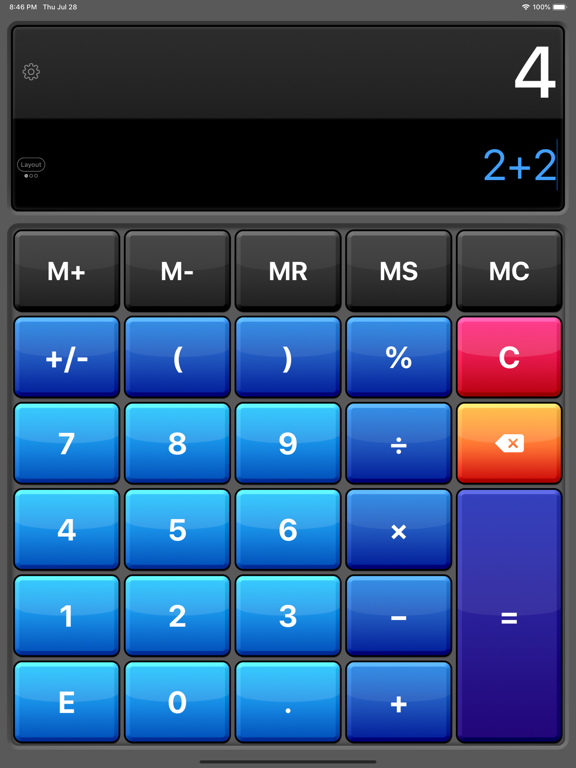
      "url": "https://is1-ssl.mzstatic.com/image/thumb/PurpleSource221/v4/7e/92/76/7e9276a1-fc89-3da3-7a6f-40c402438d8c/iPad_Pro_13-inch__U0028M4_U0029_-_1.png/1600x1600bb.jpg",
      "store": "apple",
      "platform": "ipad",
      "alt": "Calculator HD Pro Lite ipad screenshot 1"
    },
    {
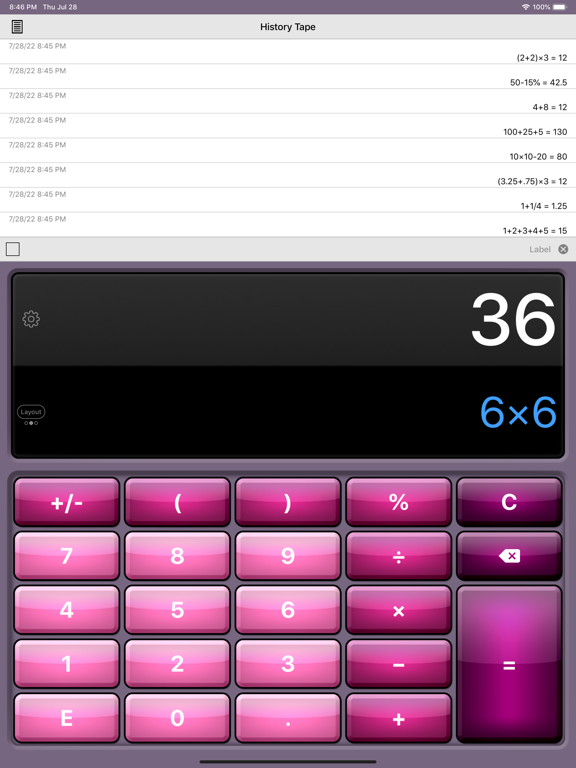
      "url": "https://is1-ssl.mzstatic.com/image/thumb/PurpleSource211/v4/77/e9/7e/77e97edc-120d-462e-6d48-571e90fac5e7/16f4868b-bf66-4cd3-a36c-6669430fd043_Simulator_Screen_Shot_-_iPad_Pro__U002812.9-inch_U0029__U00283rd_generation_U0029_-_2022-07-28_at_20.46.13.png/576x768bb.png",
      "store": "apple",
      "platform": "ipad",
      "alt": "Calculator HD Pro Lite ipad screenshot 2"
    },
    {
      "url": "https://is1-ssl.mzstatic.com/image/thumb/PurpleSource211/v4/f0/aa/a6/f0aaa624-2ca3-2f30-1441-46c3d5e217bf/iPad_Pro_13-inch__U0028M4_U0029_-_2.png/1600x1600bb.jpg",
      "store": "apple",
      "platform": "ipad",
      "alt": "Calculator HD Pro Lite ipad screenshot 3"
    },
    {
      "url": "https://is1-ssl.mzstatic.com/image/thumb/PurpleSource221/v4/bf/a9/da/bfa9da03-53ea-fdfe-8cd2-83e4222eac07/100abbf0-1506-4a8e-b256-3b3fc3d4a660_Simulator_Screen_Shot_-_iPad_Pro__U002812.9-inch_U0029__U00283rd_generation_U0029_-_2022-07-28_at_20.46.35.png/576x768bb.png",
      "store": "apple",
      "platform": "ipad",
      "alt": "Calculator HD Pro Lite ipad screenshot 4"
    },
    {
      "url": "https://is1-ssl.mzstatic.com/image/thumb/PurpleSource221/v4/f2/df/4e/f2df4eb5-15de-aa44-3263-662f90098964/iPad_Pro_13-inch__U0028M4_U0029_-_3.png/1600x1600bb.jpg",
      "store": "apple",
      "platform": "ipad",
      "alt": "Calculator HD Pro Lite ipad screenshot 5"
    },
    {
      "url": "https://is1-ssl.mzstatic.com/image/thumb/PurpleSource211/v4/4c/db/ed/4cdbed5b-1a18-1a15-0438-8cb3342940a9/aca1c15e-9777-4bca-a985-536f06ad77a6_Simulator_Screen_Shot_-_iPad_Pro__U002812.9-inch_U0029__U00283rd_generation_U0029_-_2022-07-28_at_20.46.52.png/576x768bb.png",
      "store": "apple",
      "platform": "ipad",
      "alt": "Calculator HD Pro Lite ipad screenshot 6"
    },
    {
      "url": "https://is1-ssl.mzstatic.com/image/thumb/PurpleSource221/v4/29/7b/b4/297bb4de-f93e-d616-5395-9f0b416ce6e0/iPad_Pro_13-inch__U0028M4_U0029_-_4.png/1600x1600bb.jpg",
      "store": "apple",
      "platform": "ipad",
      "alt": "Calculator HD Pro Lite ipad screenshot 7"
    },
    {
      "url": "https://is1-ssl.mzstatic.com/image/thumb/PurpleSource211/v4/22/55/6f/22556f30-7ee4-d1e4-8ea9-c4a4f90f0d95/8d7de82e-862f-4207-8c54-c3247f994454_Simulator_Screen_Shot_-_iPad_Pro__U002812.9-inch_U0029__U00283rd_generation_U0029_-_2022-07-28_at_20.55.33.png/576x768bb.png",
      "store": "apple",
      "platform": "ipad",
      "alt": "Calculator HD Pro Lite ipad screenshot 8"
    },
    {
      "url": "https://is1-ssl.mzstatic.com/image/thumb/PurpleSource221/v4/b4/ac/13/b4ac1318-aa29-f586-965f-ef8a0bfba7f0/iPad_Pro_13-inch__U0028M4_U0029_-_5.png/1600x1600bb.jpg",
      "store": "apple",
      "platform": "ipad",
      "alt": "Calculator HD Pro Lite ipad screenshot 9"
    },
    {
      "url": "https://is1-ssl.mzstatic.com/image/thumb/PurpleSource221/v4/c3/81/0b/c3810b14-2fa8-636c-cec8-01e844225ff2/d434b12b-d716-435c-a01d-829443c5f492_Simulator_Screen_Shot_-_iPad_Pro__U002812.9-inch_U0029__U00283rd_generation_U0029_-_2022-07-28_at_20.47.17.png/576x768bb.png",
      "store": "apple",
      "platform": "ipad",
      "alt": "Calculator HD Pro Lite ipad screenshot 10"
    },
    {
      "url": "https://is1-ssl.mzstatic.com/image/thumb/PurpleSource221/v4/df/d9/9c/dfd99cdc-d9b2-4082-207a-7cc6a53e8a47/iPhone_16_Pro_Max_-_1.png/1320x1600bb.jpg",
      "store": "apple",
      "platform": "iphone",
      "alt": "Calculator HD Pro Lite iphone screenshot 11"
    },
    {
      "url": "https://is1-ssl.mzstatic.com/image/thumb/PurpleSource221/v4/0c/ae/58/0cae585c-0ad6-26cb-faa7-426e7c4819cb/iPhone_16_Pro_Max_-_2.png/1320x1600bb.jpg",
      "store": "apple",
      "platform": "iphone",
      "alt": "Calculator HD Pro Lite iphone screenshot 12"
    },
    {
      "url": "https://is1-ssl.mzstatic.com/image/thumb/PurpleSource221/v4/3e/d2/7a/3ed27a7b-4fe5-1d88-f96b-5e5931d05f9a/iPhone_16_Pro_Max_-_3.png/1320x1600bb.jpg",
      "store": "apple",
      "platform": "iphone",
      "alt": "Calculator HD Pro Lite iphone screenshot 13"
    },
    {
      "url": "https://is1-ssl.mzstatic.com/image/thumb/PurpleSource221/v4/95/f0/7a/95f07aff-77fb-ea0d-95aa-6d63c4e1eb88/iPhone_16_Pro_Max_-_4.png/1320x1600bb.jpg",
      "store": "apple",
      "platform": "iphone",
      "alt": "Calculator HD Pro Lite iphone screenshot 14"
    },
    {
      "url": "https://is1-ssl.mzstatic.com/image/thumb/PurpleSource211/v4/8d/34/4a/8d344ab1-5c05-3c3d-f81f-c5ed89abf352/iPhone_16_Pro_Max_-_5.png/1320x1600bb.jpg",
      "store": "apple",
      "platform": "iphone",
      "alt": "Calculator HD Pro Lite iphone screenshot 15"
    }
  ],
  "ratings": [
    {
      "store": "apple",
      "average": 4.6,
      "count": 51404,
      "market": "us",
      "observed_at": "2026-09-05",
      "reviews": [
        {
          "rating": 5,
          "title": "Excellent, full-featured calculator",
          "body": "This is the only calculator I've found that has everything I need and more. I use the five-key memory, automatic constant, and paper tape almost every day. The running total on chain calculations is a nice touch. The calculator also has a pretty thorough list of advanced math functions. The only thing on my wish list is an \"ANS\" key. Some scientific calculators automatically store the results of the last calculation in a memory register and display the number when the ANS (answer) key is pressed. That is useful if you need to make intermediate calculations before you use the prior answer, and would be a faster alternative to getting the number from the tape. The existing \"=\" key is longer than it needs to be. Part of that could be used for an ANS key, which would make an already great calculator even better.",
          "author": "Navigator917",
          "date": "5 Sep 2026"
        },
        {
          "rating": 5,
          "title": "I absolutely love it!!!",
          "body": "It's the best calculator out there, it's free and I use it every day!! What I love about it the most, is that you see every key you type and you can erase one or more digits if you make a mistake, without retyping everything all over again. Also, the result appears automatically without pressing the 'equal' key. If you do press it, the result will be recorded and you can see it anytime later on the tape. I highly recommend it to everybody and I insisted that all my students downloaded it. It's THAT good!!!! Great job and THANK YOU VERY MUCH for creating this app and offering it for free! Thank you!!",
          "author": "Ddraj",
          "date": "5 Sep 2026"
        },
        {
          "rating": 4,
          "title": "Unrelated ads that pop up",
          "body": "1. Every time I try to add figures, some of these unrelated Ads interrupt what I’m doing. This is very aggravating, especially when I have to start over. 2. Some of the advertisements make it very difficult for you to remove them. You can’t find an X or an arrow… it just keeps going on and on and on. Then I just stop using your app. There needs to be better way for your users to remove unwanted, ads, im not interested in. if your advertisers think by not removing their advertisement that I will suddenly get interested in their product… They’re wrong. I’m totally not interested! 3. As far as the calculator I like it! I just don’t like all these unwanted ads that you can’t get rid of easily.",
          "author": "xhrcbgsgkoj",
          "date": "5 Sep 2026"
        },
        {
          "rating": 5,
          "title": "Great functional calculator",
          "body": "I really wanted a few simple features in a calculator….to see the figures I put in for a visual accuracy check, function keys in a specific spot, large key pad for accuracy, historical review. This has all I needed and more. Have used it for several years now and it has my go to. Ads are ok but is worth the money to purchase. Love this calculator and in my life and work it is used a lot!",
          "author": "MTmamma2020",
          "date": "5 Sep 2026"
        },
        {
          "rating": 5,
          "title": "My Go Calculator!!",
          "body": "It's an awesome app! Sooo functional! There are 3 great layout choices. What I love most is that whatever function you're doing the answer is showing as you enter the last number! No need to touch the \"=\" button. You can see the numbers you've entered as you add, sub, etc. Great for checking multiple numbers. How convenient! They thought of the most basic needs for FREE and the ads don't bother me!",
          "author": "Escape510",
          "date": "5 Sep 2026"
        }
      ]
    }
  ],
  "privacy": [
    {
      "store": "apple",
      "declarations": [
        {
          "title": "Data Linked to You",
          "detail": "Analytics — Diagnostics — Performance Data",
          "source": "Developer declared"
        },
        {
          "title": "Data Linked to You",
          "detail": "Analytics — Identifiers — Device ID",
          "source": "Developer declared"
        },
        {
          "title": "Data Linked to You",
          "detail": "Analytics — Location — Coarse Location",
          "source": "Developer declared"
        },
        {
          "title": "Data Linked to You",
          "detail": "Analytics — Usage Data — Advertising Data",
          "source": "Developer declared"
        },
        {
          "title": "Data Linked to You",
          "detail": "Analytics — Usage Data — Product Interaction",
          "source": "Developer declared"
        },
        {
          "title": "Data Linked to You",
          "detail": "Third-Party Advertising — Diagnostics — Performance Data",
          "source": "Developer declared"
        },
        {
          "title": "Data Linked to You",
          "detail": "Third-Party Advertising — Identifiers — Device ID",
          "source": "Developer declared"
        },
        {
          "title": "Data Linked to You",
          "detail": "Third-Party Advertising — Location — Coarse Location",
          "source": "Developer declared"
        },
        {
          "title": "Data Linked to You",
          "detail": "Third-Party Advertising — Usage Data — Advertising Data",
          "source": "Developer declared"
        },
        {
          "title": "Data Linked to You",
          "detail": "Third-Party Advertising — Usage Data — Product Interaction",
          "source": "Developer declared"
        },
        {
          "title": "Data Linked to You",
          "detail": "Diagnostics",
          "source": "Developer declared"
        },
        {
          "title": "Data Linked to You",
          "detail": "Identifiers",
          "source": "Developer declared"
        },
        {
          "title": "Data Linked to You",
          "detail": "Location",
          "source": "Developer declared"
        },
        {
          "title": "Data Linked to You",
          "detail": "Usage Data",
          "source": "Developer declared"
        },
        {
          "title": "Data Not Linked to You",
          "detail": "Analytics — Diagnostics — Crash Data",
          "source": "Developer declared"
        },
        {
          "title": "Data Not Linked to You",
          "detail": "Third-Party Advertising — Diagnostics — Crash Data",
          "source": "Developer declared"
        },
        {
          "title": "Data Not Linked to You",
          "detail": "Diagnostics",
          "source": "Developer declared"
        },
        {
          "title": "Data Used to Track You",
          "detail": "Diagnostics — Crash Data",
          "source": "Developer declared"
        },
        {
          "title": "Data Used to Track You",
          "detail": "Diagnostics — Performance Data",
          "source": "Developer declared"
        },
        {
          "title": "Data Used to Track You",
          "detail": "Diagnostics",
          "source": "Developer declared"
        },
        {
          "title": "Data Used to Track You",
          "detail": "Identifiers — Device ID",
          "source": "Developer declared"
        },
        {
          "title": "Data Used to Track You",
          "detail": "Identifiers",
          "source": "Developer declared"
        },
        {
          "title": "Data Used to Track You",
          "detail": "Location — Coarse Location",
          "source": "Developer declared"
        },
        {
          "title": "Data Used to Track You",
          "detail": "Location",
          "source": "Developer declared"
        },
        {
          "title": "Data Used to Track You",
          "detail": "Usage Data — Advertising Data",
          "source": "Developer declared"
        },
        {
          "title": "Data Used to Track You",
          "detail": "Usage Data — Product Interaction",
          "source": "Developer declared"
        },
        {
          "title": "Data Used to Track You",
          "detail": "Usage Data",
          "source": "Developer declared"
        }
      ],
      "accessibility": [
        {
          "title": "Dark Interface",
          "detail": "SUPPORTED",
          "source": "Store published"
        },
        {
          "title": "Differentiate Without Color Alone",
          "detail": "SUPPORTED",
          "source": "Store published"
        },
        {
          "title": "Larger Text",
          "detail": "SUPPORTED",
          "source": "Store published"
        },
        {
          "title": "Sufficient Contrast",
          "detail": "SUPPORTED",
          "source": "Store published"
        },
        {
          "title": "VoiceOver",
          "detail": "SUPPORTED",
          "source": "Store published"
        }
      ]
    }
  ],
  "changes": [
    {
      "store": "apple",
      "version": "4.10",
      "released_at": null,
      "notes": "- Improved button click sounds. - Fixed issue with plus minus button not working correctly for some regional number formats. - Fixed issue with scientific notation not always being parsed correctly. - The default maximum decimal digits has been changed to 8. Can still change this in settings up to 12. - Overall performance improvements."
    },
    {
      "store": "apple",
      "version": "4.11",
      "released_at": null,
      "notes": "- Added volume control for the button clicks. - UI improvements."
    },
    {
      "store": "apple",
      "version": "4.11.1",
      "released_at": null,
      "notes": "- Fixes issue with landscape layout 3 not always displaying correctly."
    },
    {
      "store": "apple",
      "version": "4.11.2",
      "released_at": null,
      "notes": "- Miscellaneous performance improvements."
    },
    {
      "store": "apple",
      "version": "4.11.3",
      "released_at": null,
      "notes": "- Miscellaneous improvements."
    },
    {
      "store": "apple",
      "version": "4.11.4",
      "released_at": null,
      "notes": "- Miscellaneous improvements."
    },
    {
      "store": "apple",
      "version": "4.11.5",
      "released_at": null,
      "notes": "- Miscellaneous improvements."
    },
    {
      "store": "apple",
      "version": "4.12",
      "released_at": null,
      "notes": "- UI improvements and bug fixes. - Added the date and time to the history tape when sharing. - Fixed issue where pasting into the input sometimes did not work."
    },
    {
      "store": "apple",
      "version": "4.12.1",
      "released_at": null,
      "notes": "- UI improvements and bug fixes"
    },
    {
      "store": "apple",
      "version": "4.13",
      "released_at": null,
      "notes": "・Added dark and tinted icons. ・Miscellaneous improvements and bug fixes."
    },
    {
      "store": "apple",
      "version": "4.13.1",
      "released_at": null,
      "notes": "・Bug fixes and performance improvements."
    },
    {
      "store": "apple",
      "version": "4.13.2",
      "released_at": null,
      "notes": "・Bug fixes and performance improvements."
    },
    {
      "store": "apple",
      "version": "4.14",
      "released_at": null,
      "notes": "- UI Improvements"
    },
    {
      "store": "apple",
      "version": "4.15",
      "released_at": null,
      "notes": "・New: Paid version can now import data from the free version ・Improved translations across all supported languages ・Minor bug fixes and performance enhancements"
    },
    {
      "store": "apple",
      "version": "4.15.2",
      "released_at": "2026-03-19",
      "notes": "・Bug fixes and performance improvements"
    },
    {
      "store": "apple",
      "version": "4.6",
      "released_at": null,
      "notes": "Additions: - Updated the label input on the history tape so that you can now change the label color before hitting enter. - New dark mode and settings - auto, dark, or light. Changes: - Swipe gestures on the input have been removed. - Eliminated blinking cursor from widget. - Gold, Rose Gold, Silver, Snow, and Glow themes have been improved. - Update help screens. - UI improvements. Bug fixes: - Fixed issue with Copy From Clipboard message appearing on launch."
    },
    {
      "store": "apple",
      "version": "4.6.1",
      "released_at": null,
      "notes": "- Added a Setting to allow you to adjust the History Tape Height (affects only the History Tape layout while in Portrait orientation). - Fixed an issue with Voiceover not working for the numbers and operators on the keypad."
    },
    {
      "store": "apple",
      "version": "4.6.2",
      "released_at": null,
      "notes": "- Added number formatting support for more countries."
    },
    {
      "store": "apple",
      "version": "4.7",
      "released_at": null,
      "notes": "- Added ability to change decimal notation - Reduced ad frequency - Bug fixes"
    },
    {
      "store": "apple",
      "version": "4.7.1",
      "released_at": null,
      "notes": "- Minor bug fixes affecting editing and formatting"
    }
  ],
  "alternatives": [
    {
      "app_id": 554836784,
      "name": "Calculator·",
      "url": "https://appcorpus.com/apps/calculator-554836784",
      "reason": "Same category + similar ratings"
    },
    {
      "app_id": 487127942,
      "name": "Calculator⁼",
      "url": "https://appcorpus.com/apps/calculator-487127942",
      "reason": "Same category + similar ratings"
    },
    {
      "app_id": 486645049,
      "name": "Calculator‰",
      "url": "https://appcorpus.com/apps/calculator-486645049",
      "reason": "Same category + similar ratings"
    },
    {
      "app_id": 576156235,
      "name": "Calculator Plus #1",
      "url": "https://appcorpus.com/apps/calculator-plus-1-576156235",
      "reason": "Same category + similar ratings"
    },
    {
      "app_id": 351815470,
      "name": "Calculator +",
      "url": "https://appcorpus.com/apps/calculator-351815470",
      "reason": "Same category + similar ratings"
    },
    {
      "app_id": 1427806736,
      "name": "Calculator for iPhone and iPad",
      "url": "https://appcorpus.com/apps/calculator-for-iphone-and-ipad-1427806736",
      "reason": "Same category + similar ratings"
    }
  ],
  "evidence_summary": {
    "index_state": "S1",
    "evidence_level": 1,
    "level_label": "Live store listing",
    "indexable": true,
    "last_verified_at": "2026-09-05",
    "unknown_fields": [
      "Independent summary has not been published yet."
    ],
    "sources": [
      "App Store"
    ]
  },
  "availability_markets": {
    "live": [
      "us"
    ],
    "selected": "us",
    "note": null
  },
  "feature_events": {
    "events": []
  },
  "features_slice": {
    "plans": [
      {
        "code": "free",
        "label": "Free",
        "kind": "free",
        "status": "inferred",
        "prices": [],
        "trial": null
      }
    ],
    "features": [],
    "unknown_features": [],
    "data_cutoff": "5 Sep 2026"
  }
}