
Quick verdict
- What it is
- Store information collected; independent summary not yet available.
- At a glance
-
- $4.99
Categories and search queries
Official categories
- Health & Fitness
- Food & Drink
AppCorpus categories
Key functions
| Function | Availability | Access | Scope | Evidence |
|---|---|---|---|---|
| Family Sharing | Yes | Unknown | App Store | Store published |
Screens
App Store
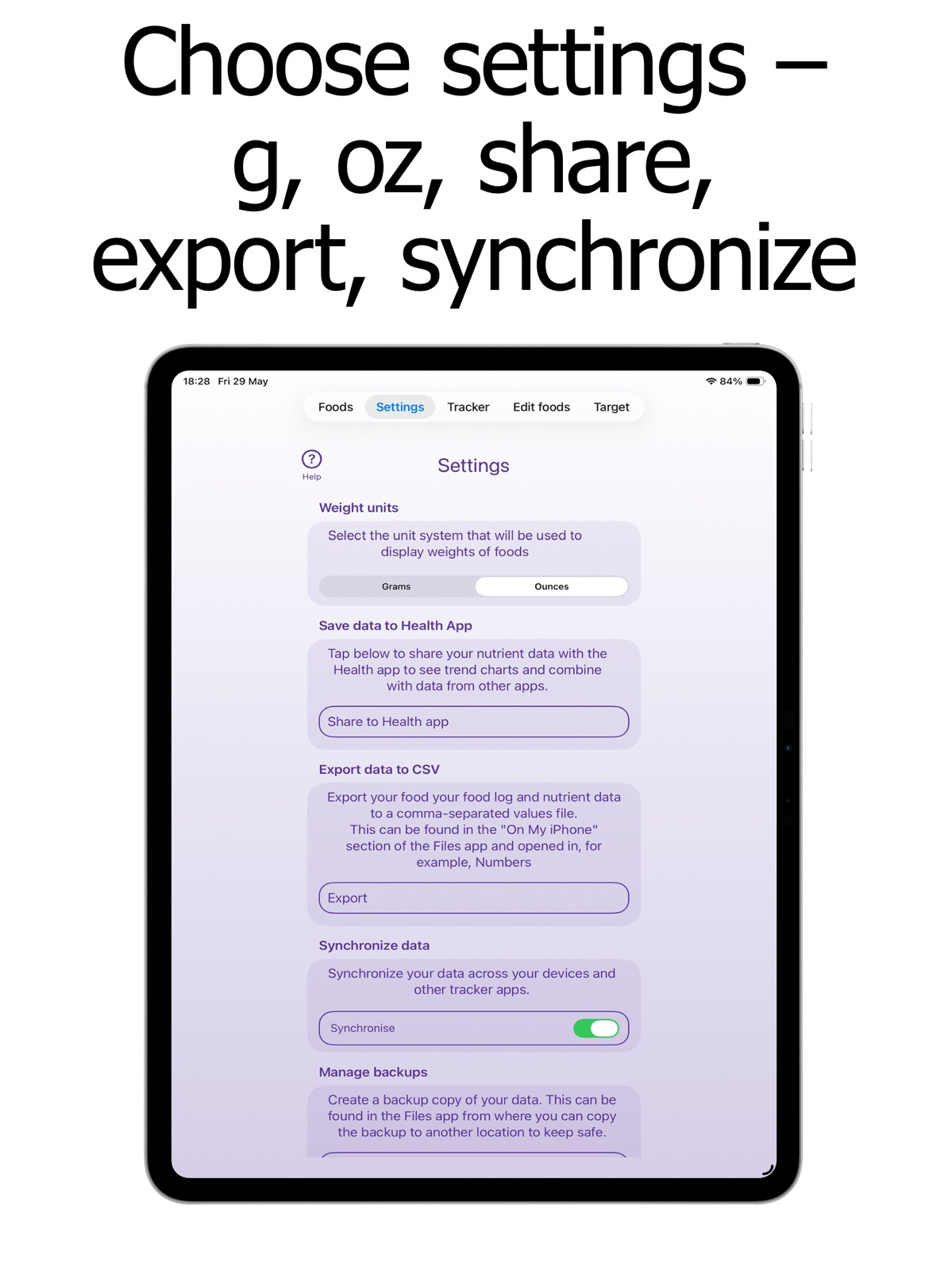
20 store screenshots



Pricing & paywalls
App Store
- Price: $4.99
Ratings & reviews
App Store
-
1/5Awful soo
Awful app. Very frustrating to use. Many items don’t scan, database doesn’t include brands, calculations don’t work. Would never recommend this app to others whether free or purchase.
2723978 · 31 Jul 2026
-
1/5Very clunky
The app is just too difficult to use. It doesn’t have a barcode database so when you scan it brings you to what it considers is the closest thing in its database so you have to spend time customizing its numbers to match the calcium content on the label. Or you enter everything yourself. Other apps simply allow you to scan; is that to difficult/expensive for these developers? I could go on about the problems. Listen to the reviewers, as I should have done, skip this one.
LHHSr · 31 Jul 2026
-
1/5Truly terrible
Not intuitive. Used scanner and Cheerios comes up with 0 data. Tried to manually fix it. Nothing worked. If you can’t even get through breakfast it’s time to delete the app
Former Cash User · 31 Jul 2026
-
2/5Agree it’s a bit clunky
I agree with another review that indicates this is a bit clunky to use. It feels very rigid; not allowing for easy changes in the amount of food you are trying to record. Also, one of the biggest issues is that the foods high in calcium are written in purple and are almost impossible to read. I don’t understand a developer not seeing this as problematic.
Measnbdof · 31 Jul 2026
-
1/5Not easy to use
Despite the fact this tracker has an area where you can enter your own foods to the list when you click on them, there is no way to add them to your daily count. The daily counter is not easy to use. The list of calcium foods to choose from is very limited. This app needs a lot of work in order to be user-friendly.
Yxyyc · 31 Jul 2026
Privacy & accessibility
App Store
Privacy
- Data Not Collected Developer declared
Accessibility
No accessibility labels collected yet.
Versions
App Store
-
2.10.2
The 212 plant-based foods/beverages in the 328-item database provided with the app now appear in the “Calcium in foods" section, searches, and daily and long-term logs in green type to help users consume the 30+ different types of plant per week recommended by experts for a healthy gut microbiome.
-
2.10.3
Redesigned "barcode scanning" screen and text popup to improve functionality on all devices, including mini iPhones. Revised coding for daily listing of logged foods so foods attributed to different meals, eg breakfast, appear together even if entered at separate times; and the ingredients of recipes logged appear in the popups detailing the contribution of each food to the daily target.
-
2.10.6
Bug fix. New screenshots for all iPhones and iPads to highlight features and functionality.
-
2.10.7
Average daily calcium intake is now displayed at the top of "Month view" screens in purple type. Calcium intake over 120% of target on any day is now indicated by a red exclamation mark within the daily total ring. Bug fixes and minor revisions to "How to use the app" instructions.
-
2.11.2
Color-coded type and icons on food popups in the 330-item database now identify healthy (plant, prebiotic, probiotic) and unhealthy (likely to be ultra-processed) foods (UPFs) to support a healthy gut microbiome diet. A notepad has been added to the record intake screen.
-
2.11.3
Improvements to the "Add Food" screen — toggle the "Values per serving" option for mg/100g, mg/1oz, or mg/serving for calcium content; use color codes and icons to highlight added foods as plant, probiotic or ultra-processed (UPF)
-
2.11.5
Twenty new items added to the app's database and improved color coding to support a healthy gut microbiome diet as follows. All plants that can be included as one of the 30 different types of plant per week recommended by experts for a healthy gut microbiome are highlighted in green type and with a green leaf icon in the food popups. The most prebiotic plants (ie, those that are particularly beneficial for the gut microbiome) are highlighted in a darker green type. Fermented foods that contain beneficial live microbes to become part of the gut microbiome (probiotics) are highlighted in gold type and with a gold microbe icon in the food popups. Foods that are likely to be ultra-processed (UPFs) — ie, contain ingredients not found in a home kitchen such as preservatives, flavorings, and emulsifiers — and are likely to have a harmful effect on the gut microbiome are highlighted in red type and with a red warning triangle in the food popups.
-
2.11.6
50 new items added to the app's database so the app now includes 400 foods and drinks color-coded to highlight plants, prebiotics, probiotics and ultra-processed foods to support a healthy gut microbiome diet.
-
2.11.7
Improved "How to use the app" instructions. Bug fix
-
2.12.0
All high-calcium foods (ie, contain more than 150mg of calcium per serving) are color-coded in purple type. Revised "How to use the app" instructions.
-
2.12.10
Revised screenshots and description
-
2.12.12
New option in Settings to be reminded to backup your data (tap Backup reminders and toggle turns green when on) and new guidance popup in Settings on choosing source of your data when synchronising the app. Improvements to "How to use the app" instructions.
-
2.12.13
Bug fixes.
-
2.12.14
Revised titles for a few screenshots.
-
2.12.2
Rapid access to calcium content for all plants, probiotics, prebiotics & ultra-processed foods (UPFs) in the 400-item database via the Info screen. Rapid access to different displays of calcium content information — mg/serving; %Target/serving; mg/100g or 1oz; %Target/100g or 1oz — for all 400 items in and items you have added to the database via the Settings screen. Bug fix.
-
2.12.4
Most food and beverage popups now highlight whether the item is high or low FODMAP per serving to support users who have irritable bowel syndrome. Bug fixes
-
2.12.5
Bug fix for devices using iOS17 and earlier iOS versions to prevent crashes with latest updates.
-
2.12.7
Revised "How to use the app" instructions to improve readability
-
2.12.8
Improved Settings screen layout for choosing weight units (ie, grams or ounces) and how you wish calcium content in foods and beverages to be displayed (ie, mg/serving, %target/serving, mg/100g, mg/1oz, %target/100g or %target/1oz). Bug fixes.
-
2.8.1
Bug fix that occurred with previous update.
-
2.9.0
Three new features: 1. Record & track time or meal (eg lunch) when recording food/beverage intake. 2. "How to use the app” instructions are now numbered 1–15 to indicate the steps to take when the app is first installed to become familiar with the app's capabilities; they have also been revised to highlight the need to allow the app access to your iPhone or iPad camera, microphone and speech recognition to scan barcodes and use dictation and speech recognition. 3. Sample recipes can be easily identified and deleted if desired, and a bug has been fixed.
-
2.9.1
Improvement to recording intake of the same food on different occasions during a day. You can now define the meal and/or time for each occasion and each recording will be listed as a separate item identified by the meal and/or time of intake.
-
3.0.1
Major upgrade with new easier-to-use interface and on-screen help files with bug fixes.
-
3.02
Bug fix for new major upgrade to address issue with calcium data for foods added by the user to the app's database in previous versions of the app.
-
3.0.4
· 26 Jul 2026
Minor bug fixes and changes to improve usability.
Availability by market
- US
Data quality & evidence
- Page completeness
- Live store listing
- Last verified
- 31 Jul 2026
- Sources
- App Store
- Independent summary has not been published yet.