
Quick verdict
- What it is
- Store information collected; independent summary not yet available.
- At a glance
-
- $5.99
- In-app purchases
Categories and search queries
Official categories
- Photo & Video
- Productivity
AppCorpus categories
Key functions
| Function | Availability | Access | Scope | Evidence |
|---|---|---|---|---|
| In-app purchases | Yes | Limited free | — | Store published |
Screens
App Store
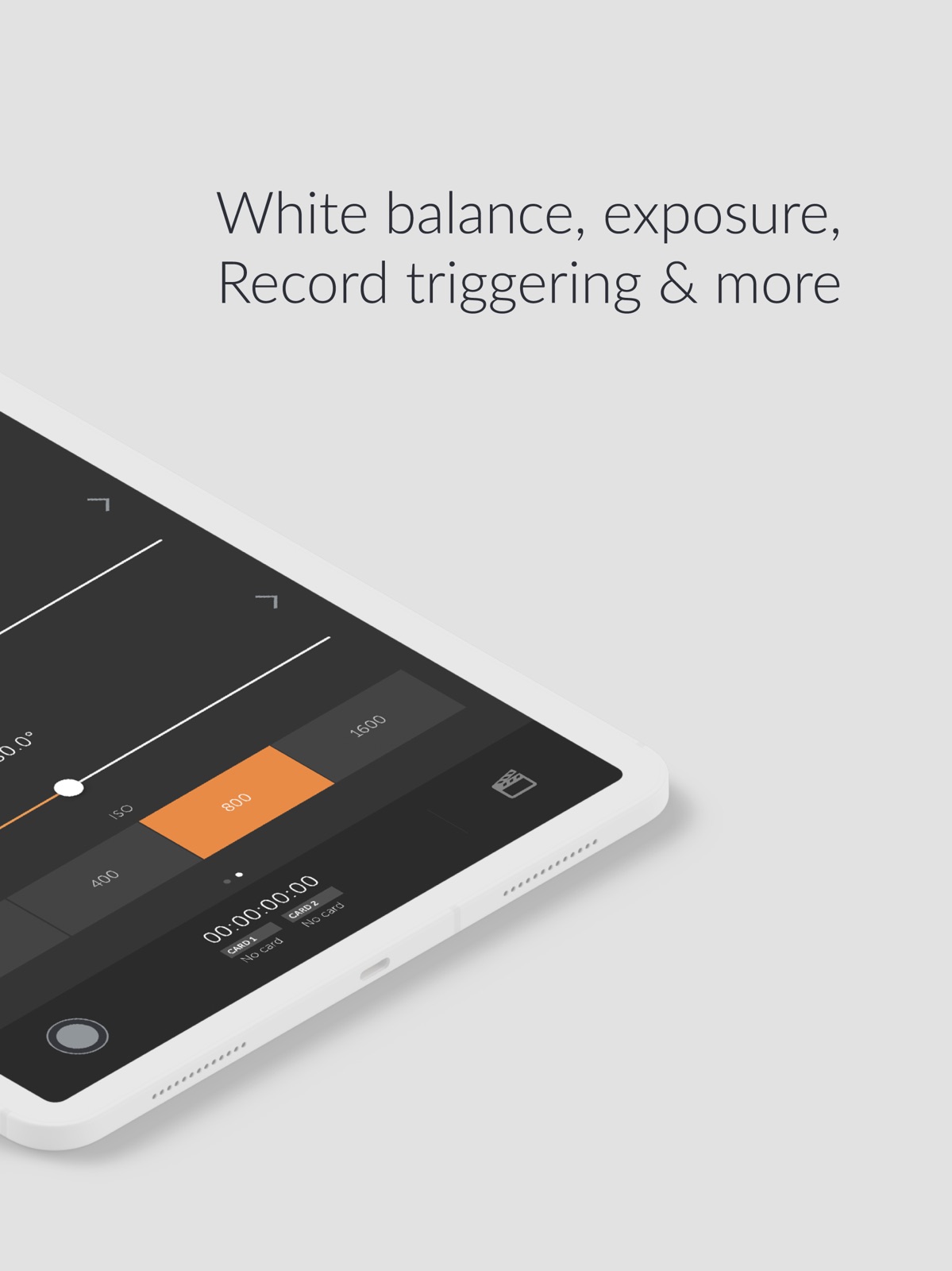
8 store screenshots


Pricing & paywalls
App Store
Shown for US
- Price: $5.99
- Pro — $5.99
Ratings & reviews
App Store
Shown for US
-
5/5Wow! Learned the app within minutes
This is very useful and the simplicity is remarkable. I almost never write reviews but I really like this app. Great work! It’s very telling of the developer(s) when the app works so well and is able to deliver results but also if the app can be understood without a long manual. This is one of those apps that don’t require a manual. I think the most useful feature for me is the focus and how smoothly I’m able to change it. I have a pocket 6k and I would totally love a way to be able to “program” focus moves or predefined setups. I think that’s one of the features that is very needed. I know it can only be done relative to the current focus but I’d love to be able to save a focus stop and then go back to it smoothly. Thanks guys!
useth · 29 Jul 2026
-
4/5Really great app but with one major bug
I use this app on my Blackmagic Pocket 6K Pro. I love all the functionality of this app and it works really well. Only issue I’ve had with it is that the app technically lets you change resolution settings but it doesn’t seem to work when changing codecs. Changing between BRAW and ProRes just doesn’t work. Once I’m in ProRes, for example, it has no issues changing between HD and 4K but I can’t change to BRAW via the app and vice versa. One thing the app does that’s also annoying is when changing the resolution in ProRes— if you change from 4K to HD, it will crop in on the sensor and there’s no way to change this with the app. I have to go into my camera and tell it to use the full sensor in ProRes HD (and not just 2.8k). I don’t think most people would need to change the codec with the app, but if the app says it will do it, then it should just work
TheRealNickBoyer · 29 Jul 2026
-
3/5Buggy but useful
I have a love / hate relationship with this app. When it works, it’s absolutely amazing. In the most recent update they added better support for the full frame BMCC6K, but now I can’t seem to be able to toggle focus assist on any of my four cameras (4K, 6K G2, 6K Pro, 6KFF). The multi cam support is frustrating because I still need to disconnect and re load the app to configure certain features in single mode on each camera one by one. As a single person content creator, I need to rely on this app so that while sitting in front of the camera, I could make some basic changes like triggering and checking the focus with focus assist, adjusting the exposure with false color and configuring my ratio and codec. I’m not sure if this is just a bug in the last update but the toggle is no longer there to turn on the focus assist. They do have settings to change the level of focus assist, but there is no longer away to toggle it on and off. Now, I have to manually walk around to the other side of the camera to turn on focus assist, then get back in front of the camera, then I can adjust the focus and I need to walk behind the camera again to turn the focus assist off and walk back again to stand in front and I need to make sure I stand in the same spot in front so the focus is still good. That’s frustrating.
AskJoe.TV · 29 Jul 2026
-
5/5Powerful For BMPCC Users! One missing feature though.
I’ve only used this app a handful of times, but every time I do it works flawlessly. The UI is clean and robust. The app response to the camera is lag-free. Using with the BMPCC 6K Pro. The only feature I would really like is the ability to see what the camera sees. It doesn’t have to be perfectly smooth. I would mainly use this feature to work with getting my composition right when I’m talking into the camera. If that was a feature, then I can really have a minimal setup for those types of videos, especially when I am out and about. All-in-all this is a great app!
DrewDiesel91 · 29 Jul 2026
-
5/5Fantastic, a request!
EDIT: Just checking in to see if an update might be coming regarding focus pulling controls. Would be super helpful still! Even as a paid add on. Thanks! —- Love this app, this is my new favorite way of pulling focus when on a shoulder rig. Two request that would make a huge difference for the focus pulling aspect: 1 - It would be amazing if the sensitivity of the focus pulling could be adjustable by the end user. Using it on my phone means that a small distance on screen can result in a pretty big throw and I would love the ability to dial that back 2 - if the focus screen could react to slides on a wider surface area, possibly the entire screen that would be helpful for eyes-off operation of the focus pull. The current slider is so tiny that if I am not looking it is easy to miss. Otherwise the app is fantastic, been a real life saver. If the functionality ever makes monitoring possible this would be the biggest thing since sliced bread.
SteveRenaults · 29 Jul 2026
Privacy & accessibility
App Store
Privacy
- Data Not Linked to You — Analytics — Diagnostics — Crash Data Developer declared
- Data Not Linked to You — App Functionality — Location — Precise Location Developer declared
- Data Not Linked to You — App Functionality — Usage Data — Product Interaction Developer declared
- Data Not Linked to You — Diagnostics Developer declared
- Data Not Linked to You — Location Developer declared
- Data Not Linked to You — Usage Data Developer declared
Accessibility
No accessibility labels collected yet.
Versions
App Store
- 1.0
-
1.1
NEW FEATURES - Apple Watch Beta - Redesign - Autofocus trigger - Better frame rate control, including off-speed switch - Prevent Sleep option to keep screen on at all times BUG FIXES - Fixed bug where shutter would incorrectly show as speed instead of angle
-
1.1.1
NEW FEATURES - Apple Watch Beta - Redesign - Autofocus trigger - Better frame rate control, including off-speed switch - Prevent Sleep option to keep screen on at all times BUG FIXES - Fixed issue where connect screen would not show - Fixed bug where shutter would incorrectly show as speed instead of angle
-
1.1.2
- Improved ISO support with the new Pocket Cinema Camera 4K - Fixed bug where shutter speed would momentarily change on app connection
-
1.1.3
Minor improvements for Pocket 4K users
-
1.2
Introducing Follow Focus - wirelessly pull focus on your Pocket 4K with supported focus-by-wire lenses. Also fixes a bug where users would not be able to stop recording when recording to an SSD on the Pocket 4K.
-
1.3
Thanks for your feedback! We've done our best to include as many requested features in this update as possible, including: - Rack focus - set up to 3 focus marks and timings to rack between them (Pocket 4K only) - Focus distance readout on supported lenses (Pocket 4K only) - Resolution and codec support, including Windowed Sensor toggle - Set focus peaking and zebra levels - Improved frame-rate support - Battery levels (can be temperamental on Pocket 4K due to firmware issues) - Improved ISO support on Ursa Mini Pro Please keep sending through your feedback, we do read it and do our best to implement what we can. Do keep in mind that there are some things that Blackmagic do not support. If there's something you'd like to see that's not in the app at this point, there is a good chance it's because it's not supported by Blackmagic's API, so do feel free to get in touch with them as well with your feature requests.
-
1.3.1
This minor update fixes an issue where the app could crash when using the focus marks, as well as adds a help screen to explain focus marks usage. For other new features, read on below… Thanks for your feedback! We've done our best to include as many requested features in this update as possible, including: - Rack focus - set up to 3 focus marks and timings to rack between them (Pocket 4K only) - Focus distance readout on supported lenses (Pocket 4K only) - Resolution and codec support, including Windowed Sensor toggle - Set focus peaking and zebra levels - Improved frame-rate support - Battery levels (can be temperamental on Pocket 4K due to firmware issues) - Improved ISO support on Ursa Mini Pro Please keep sending through your feedback, we do read it and do our best to implement what we can. Do keep in mind that there are some things that Blackmagic do not support. If there's something you'd like to see that's not in the app at this point, there is a good chance it's because it's not supported by Blackmagic's API, so do feel free to get in touch with them as well with your feature requests.
-
1.3.2
A big thank you to everyone that uses Bluetooth+ A quick note to all the Pocket 6K and Ursa Mini Pro users out there - sadly Follow Focus mode is only supported on the Pocket 4K - this is an issue on Blackmagic's end, not with the app. If that changes in the future, we will be sure to extend support to all possible cameras. This update is somewhat minor in terms of functionality, but has laid the groundwork for some big improvements coming soon. Changes include: - Fixes a bug where new frame guides introduced in firmware v6.6 would cause the app to crash - Introduces support for firmware v6.6 new frame guides, frame rates and resolutions - Fixes issue where iris could not be set on some camera models and firmware versions - Adds autofocus button to focus page (Pocket 4K only) - There seems to be a bug in the Pocket 6K firmware that means changing codec from the app is only half possible. You can change between codec variants - e.g. ProRes 422 -> ProRes HQ, but not from ProRes -> BRAW. Hoping Blackmagic fix this in their next firmware release Updating your cameras to the latest firmware is strongly recommended for most reliable app support. Thanks and happy shooting!
-
1.4
As always, a big thanks to all our users, and for those providing feedback. This update has some key improvements, including: - Limited Focus support for EF mount cameras - Due to hardware limitations, it is only possible to offset focus relative to its current position, so setting focus marks is not possible - Smoothness of the focus will depend on the lens in use. Some EF lenses can be quite jerky - This feature is primarily useful setting focus before shooting, and may not be smooth enough to pull focus during a take - Much improved UI, with tabbed navigation and… - Mini Menu - See key settings all in one place - Tap a setting to jump its page - Just swipe to hide/show the menu - A new setting to lock controls while recording - A number of bug fixes and improvements
-
1.5
Thanks everyone for your feedback and input. A good few things new in this update. It is strongly recommended that you are running the latest firmware from Blackmagic to enjoy the most reliable Bluetooth+ experience. NEW FEATURES • Ursa Mini Pro 12K support • Zoom feature for supported lenses (generally MFT lenses + Pocket 4K) • Stills capture button - requires latest firmware. Ursa Mini Pro G2 currently unsupported • Playback control - requires latest firmware, there are some notable limitations listed in full app description • Auto-Exposure control • Zebra and Focus Assist toggling from app - Pocket Cameras only • Improved Slate input - you can now manually type Scene and Take values, instead of having to use the directional arrows FIXES • Fixed an issue on the latest firmware where the app would not know which camera model was connected, and present ISO, Resolution and Codec choices for the Ursa Mini Pro regardless of camera model. • Improved Bluetooth connection when app enters background
-
2.0
MULTI-CAM MODE IS HERE This represents a lot of work, and behind the scenes, a complete re-write of Bluetooth+ Multi-Cam Mode is available via a one-time in-app purchase (get in quick for special launch price). With Multi-Cam Mode, you'll get these fantastic features: - Control up to 12 Blackmagic cameras at once - Create up to 3 distinct Control Groups, to give you fine-grain control over different settings for different cameras - You can choose to have changes made on one camera automatically update all the other cameras in its Control Group - Give your cameras Nicknames for quick, easy control Multi-Cam gives you control over the following features synced across the entire Group: - Start/Stop Recording - White Balance + Tint - Project frame rate (off-speed frame rates not supported) - Shutter Angle/Speed - ISO - Overlays (Zebras, Frame Guides, Grids, Focus Assist) - Slate - Trigger Auto-focus You can still control all other settings on a camera-by-camera basis, including: - Trigger stills capture - Iris control - Focus + Zoom (on supported lenses) - Codec + Resolution - Playback control - You can also set ISO specifically, rather than by camera group, for cases where you may have a mix of Pocket cams and Ursa Minis in the same Control Group --Other changes-- - Fixed Slate-only mode
-
2.0.1
MULTI-CAM MODE IS HERE This represents a lot of work, and behind the scenes, a complete re-write of Bluetooth+ Multi-Cam Mode is available via a one-time in-app purchase (get in quick for special launch price). With Multi-Cam Mode, you'll get these fantastic features: - Control up to 12 Blackmagic cameras at once - Create up to 3 distinct Control Groups, to give you fine-grain control over different settings for different cameras - You can choose to have changes made on one camera automatically update all the other cameras in its Control Group - Give your cameras Nicknames for quick, easy control Multi-Cam gives you control over the following features synced across the entire Group: - Start/Stop Recording - White Balance + Tint - Project frame rate (off-speed frame rates not supported) - Shutter Angle/Speed - ISO - Overlays (Zebras, Frame Guides, Grids, Focus Assist) - Slate - Trigger Auto-focus You can still control all other settings on a camera-by-camera basis, including: - Trigger stills capture - Iris control - Focus + Zoom (on supported lenses) - Codec + Resolution - Playback control - You can also set ISO specifically, rather than by camera group, for cases where you may have a mix of Pocket cams and Ursa Minis in the same Control Group --Other changes-- - Adds dedicated Autofocus button to Focus screen - Fixes a bug where app could crash when accessing settings in Multi-Cam mode - Fixes a bug where app could crash when tapping a camera in Multi-Cam mode on iPad - Minor bug fixes - Minor UI tweaks
-
2.0.2
• Adds False Color control (currently supported on Pocket cams only) • iPad UI fixes MULTI-CAM MODE IS HERE This represents a lot of work, and behind the scenes, a complete re-write of Bluetooth+ Multi-Cam Mode is available via a one-time in-app purchase. With Multi-Cam Mode, you'll get these fantastic features: • Control up to 12 Blackmagic cameras at once • Create up to 3 distinct Control Groups, to give you fine-grain control over different settings for different cameras • You can choose to have changes made on one camera automatically update all the other cameras in its Control Group • Give your cameras Nicknames for quick, easy control Multi-Cam gives you control over the following features synced across the entire Group: • Start/Stop Recording • White Balance + Tint • Project frame rate (off-speed frame rates not supported) • Shutter Angle/Speed • ISO • Overlays (Zebras, Frame Guides, Grids, Focus Assist) • Slate • Trigger Auto-focus You can still control all other settings on a camera-by-camera basis, including: • Trigger stills capture • Iris control • Focus + Zoom (on supported lenses) • Codec + Resolution • Playback control • You can also set ISO specifically, rather than by camera group, for cases where you may have a mix of Pocket cams and Ursa Minis in the same Control Group
-
2.1
• Audio Level Controls, with some limitations: - Levels can be set from Bluetooth+, but changes made on camera are not sent to the app, so we recommend validating settings before recording - Input source selection is limited to either Internal Mics, or XLR - Changing the Input Source setting on Ursa Mini Pro will change the setting for both audio channels, on Pocket Cameras it can only change Channel 1 input • Added False Color control (currently supported on Pocket cams only) • iPad UI fixes MULTI-CAM MODE IS HERE This represents a lot of work, and behind the scenes, a complete re-write of Bluetooth+ Multi-Cam Mode is available via a one-time in-app purchase. With Multi-Cam Mode, you'll get these fantastic features: • Control up to 12 Blackmagic cameras at once • Create up to 3 distinct Control Groups, to give you fine-grain control over different settings for different cameras • You can choose to have changes made on one camera automatically update all the other cameras in its Control Group • Give your cameras Nicknames for quick, easy control Multi-Cam gives you control over the following features synced across the entire Group: • Start/Stop Recording • White Balance + Tint • Project frame rate (off-speed frame rates not supported) • Shutter Angle/Speed • ISO • Overlays (Zebras, Frame Guides, Grids, Focus Assist) • Slate • Trigger Auto-focus You can still control all other settings on a camera-by-camera basis, including: • Trigger stills capture • Iris control • Focus + Zoom (on supported lenses) • Codec + Resolution • Playback control • You can also set ISO specifically, rather than by camera group, for cases where you may have a mix of Pocket cams and Ursa Minis in the same Control Group
-
2.2
-- BRAND NEW Apple Watch App -- Completely revamped Apple Watch app. You can now control almost all camera settings right from your wrist. You still need to connect via your iPhone, but once connected, you can start/stop recording, change presets , do almost anything you could want. -- Camera Presets -- You can now save and recall camera settings at the tap of a button. Moving from an interior to exterior shot? Have different settings for high-speed recording? Just save your presets and switch between almost any/all camera settings in just a second. -- Pocket 6K Pro Support -- Control the built-in NDs on the Pocket 6K Pro, as well as full codec & resolution support. Stay tuned for some more exciting updates soon!
-
2.3
-- NEW External Controllers -- Connect Tilta Nucleus Nano & Nucleus-M to control Focus, Iris and Zoom, as well as Start & Stop Recording. Zoom and Focus control are only supported on Pocket 4K. This is part of the new Pro feature set, which also includes Multi-Cam mode. Anyone that has already purchased Multi-Cam automatically gets access to all Pro features. More features will continue to be added to Pro over time. Aaaaannd, you can now give nicknames to your cameras. Hooray. More good things on the way!
-
2.3.1
Fixes an issue where certain Nucleus-M models would not be found by Bluetooth+ -- NEW External Controllers -- Connect Tilta Nucleus Nano & Nucleus-M to control Focus, Iris and Zoom, as well as Start & Stop Recording. Zoom and Focus control are only supported on Pocket 4K. This is part of the new Pro feature set, which also includes Multi-Cam mode. Anyone that has already purchased Multi-Cam automatically gets access to all Pro features. More features will continue to be added to Pro over time. Aaaaannd, you can now give nicknames to your cameras. Hooray. More good things on the way!
-
2.3.3
- Fixes an issue introduced in firmware v7.9 where the app can't stop recording - Fixes focus direction being swapped on firmware v7.9 for Pocket 4K users - For Ursa Mini Pro users, fixes an issue where the app can cause the camera to power back on after walking away and coming back in range of the camera
-
2.3.4
· 13 Jun 2024
- Support for Cinema Camera 6K - Fixed issue where app would fail to stop recording
Availability by market
- US
Data quality & evidence
- Page completeness
- Live store listing
- Last verified
- 29 Jul 2026
- Sources
- App Store
- Independent summary has not been published yet.