
Quick verdict
- What it is
- Store information collected; an Apoku editorial summary is not yet published.
- At a glance
-
- Free to download
Categories and search queries
Official categories
- Productivity
- Utilities
Apoku categories
Key functions
| Function | Availability | Access | Scope | Evidence |
|---|---|---|---|---|
| Free app | Yes | Free | Context-specific | Store published |
| Vehicle diagnostics | Yes | Unknown | Context-specific |
From listing
|
Screens
App Store
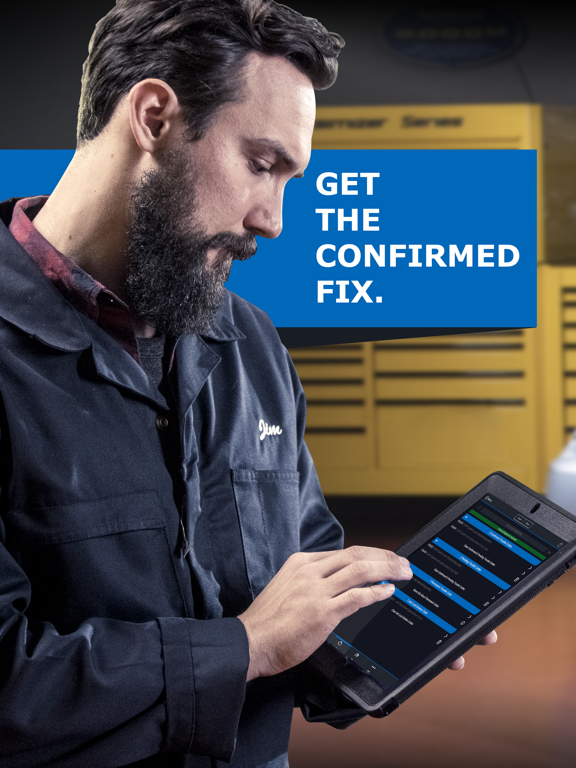
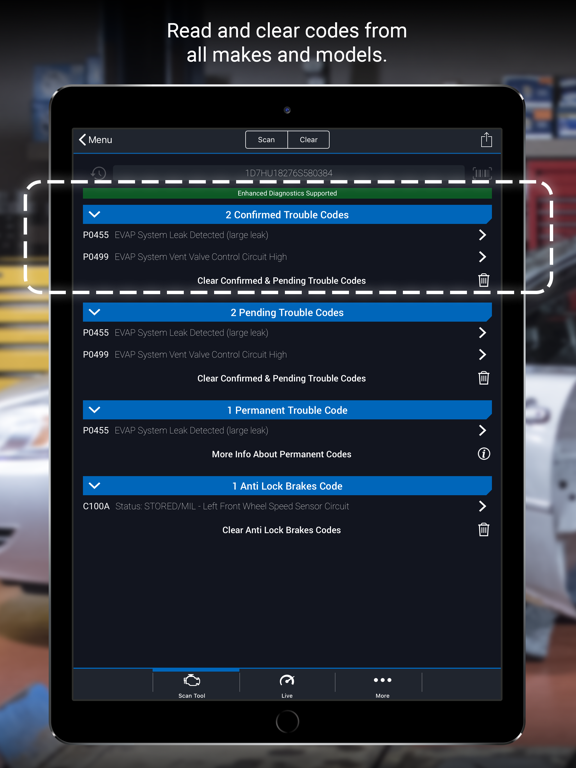
15 store screenshots


Pricing & paywalls
App Store
- Free to download
Ratings & reviews
App Store
-
5/5Best scan tool ever
First let me say I’m not a mechanic I’m a DIY guy. I have bought OB2 scanners and none of them do what BlueDriver does. BlueDriver takes the guesswork out of fixing things yourself. It’s well worth the investment so if your hesitating on purchasing the BlueDriver I’m here to tell you purchase the BlueDriver you won’t be disappointed. I’ve had the BlueDriver for three years and no issue. I just plug it in and it does the job. Also BlueDriver will tell you codes that might not show a check engine light crazy how you have this powerful little device that’s no bigger than the palm of your hand and have access to your vehicle like a professional mechanic would have. This is a must have if your a DIY guy like myself. The Bluetooth feature is so awesome no dangling cords or balky units to trip you up getting in and out of your vehicle. Bluetooth is also great when your under your hood and can look at live stats from your phone. Bottom line this is a great investment. Especially for the DIY like myself. I am truly a user of the BlueDriver I am not getting paid for me writing this. If you read my comments all the way just buy it you won’t go wrong. Thank you BlueDriver for making my life just a little bit easier.
John#730 · 6 Oct 2026
-
5/5Amazing
As a car enthusiast and someone who does their own maintenance and has for years, this tool is absolutely invaluable, you can't put a price on it. Not only does it have the capability to read and clear check engine codes, as well as every other diagnosable module on most models, but it will also provide recommended fixes for common codes and will track live data while you're driving. Don't have a temperature gauge? No problem. Open the live menu and select the engine temperature gauge as an option and it will data log the engine temperature the entire time the live log is active. You can add five or six data points to log at once (if my memory serves me correctly). All of this is viewed and controlled via the app on your phone. And no need to buy multiple scanner devices (unless you're like me and may do so to have one dedicated to each of your cars) because the scanner automatically recognizes the VIN number and identification information of the car you're diagnosing simply by plugging the scanner into the OBDII diagnostic port. I'm more than satisfied with this product and will continue to tell anyone who will listen that it is more than worth the investment.
Inked Up Ran Ran · 6 Oct 2026
-
5/5Top choice for
For a DIY mechanic, or car enthusiast….having a GOOD OBDII scanning tool that allows for multiple testing, diagnostic functions, and general maintenance procedures is a GREAT THING to have at home, and even if a pro shop; as a backup if for some reason the usual scanner is down. Now, is this for pro shops working on autos 24/7, I’m saying no, but doesn’t mean not useful and shouldn’t be disregarded out of hand. For the homeowner or home mechanic, this would be your go to, especially if on the road or out checking autos that are buying, selling, or working on. From all my time using, which been long as made first run (yep still have my first old gen/run model, and works great as STILL SUPPORTED), I’ve only had 1 issue that found w/ UI that was a bug and when reached out to Company, we had phone call and found bug and why, and wishing 7 days an update was pushed to everyone to fix the issue (that black screen along w/ no press/tap that thought evince froze, but didn’t, lol), but anyway…..great SUPPORT from both devs, company CS, and supporting the devices still be used, old or new, and to me….that makes a company GREAT, as we the people use the products and need the company, and the company needs us. Win….win!
Litekid79 · 6 Oct 2026
-
5/5Phenomenal
As a car enthusiast and someone who does their own maintenance and has for years, this tool is absolutely invaluable, you can’t put a price on it. Not only does it have the capability to read and clear check engine codes, as well as every other diagnosable module on most models, but it will also provide recommended fixes for common codes and will track live data while you’re driving. Don’t have a temperature gauge? No problem. Open the live menu and select the engine temperature gauge as an option and it will data log the engine temperature the entire time the live log is active. You can add five or six data points to log at once (if my memory serves me correctly). All of this is viewed and controlled via the app on your phone. And no need to buy multiple scanner devices (unless you’re like me and may do so to have one dedicated to each of your cars) because the scanner automatically recognizes the VIN number and identification information of the car you’re diagnosing simply by plugging the scanner into the OBDII diagnostic port. I’m more than satisfied with this product and will continue to tell anyone who will listen that it is more than worth the investment.
😎CD😎 · 6 Oct 2026
-
5/5Awesome!
I know very little about cars except that it’s expensive to get them repaired. On itemized repair bills I noticed parts aren’t always expensive but labor always is. $85 per hour here. So I wanted to start doing my own minor maintenance and was interested in getting something that would tell me what a problem may be on my vehicles. I did quite a bit of research and this device seemed to be what I was looking for and much more. Still, I was a little hesitant to pay almost $100 for this little device. Well I got it yesterday and downloaded the free app, which has free updates and no subscription fees, and gave it a shot. Not only is this app and scanner easy to set up and use, you can scan and save different vehicles, I have three. There is an online instruction manual and if you have an issue with your vehicle, it gives suggestions on how to fix it. I have already fixed a minor problem and cleared the check engine light on my Subaru. Again, I’m not mechanically inclined but I already saved around $100 in mechanics fees and part to fix a small problem. On day two of me having this device it has paid for itself. I can’t say enough about this device or the app!
Thor Job · 6 Oct 2026
Privacy & accessibility
App Store
Privacy
- Data Not Linked to You — Analytics — Identifiers — Device ID Developer declared
- Data Not Linked to You — Analytics — Usage Data — Product Interaction Developer declared
- Data Not Linked to You — App Functionality — Diagnostics — Crash Data Developer declared
- Data Not Linked to You — App Functionality — Identifiers — Device ID Developer declared
- Data Not Linked to You — App Functionality — Usage Data — Product Interaction Developer declared
- Data Not Linked to You — App Functionality — User Content — Customer Support Developer declared
- Data Not Linked to You — Diagnostics Developer declared
- Data Not Linked to You — Identifiers Developer declared
- Data Not Linked to You — Usage Data Developer declared
- Data Not Linked to You — User Content Developer declared
Accessibility
No accessibility labels collected yet.
Versions
App Store
-
8.10
- GM Coverage Update
-
8.10.1
- General Performance Enhancements
-
8.1.1
- General Performance Enhancements
-
8.11
- General Performance Enhancements
-
8.12
- General Performance Enhancements
-
8.12.1
· 22 Jul 2026
- General Performance Enhancements
-
8.12.2
- General Performance Enhancements
-
8.12.3
· 5 Oct 2026
- General Performance Enhancements
-
8.2
- General Performance Enhancements
-
8.2.1
- General Performance Enhancements
-
8.3
- General Performance Enhancements
-
8.3.1
- General Performance Enhancements
-
8.4
We heard your feedback! Creating an account is no longer required to use BlueDriver. You can jump straight into scanning and still create an account anytime to unlock features like saved history and syncing across devices.
-
8.4.1
We heard your feedback! Creating an account is no longer required to use BlueDriver. You can jump straight into scanning and still create an account anytime to unlock features like saved history and syncing across devices.
-
8.4.2
We heard your feedback! Creating an account is no longer required to use BlueDriver. You can jump straight into scanning and still create an account anytime to unlock features like saved history and syncing across devices.
-
8.4.3
We heard your feedback! Creating an account is no longer required to use BlueDriver. You can jump straight into scanning and still create an account anytime to unlock features like saved history and syncing across devices.
-
8.5
We heard your feedback! Creating an account is no longer required to use BlueDriver. You can jump straight into scanning and still create an account anytime to unlock features like saved history and syncing across devices.
-
8.6
We heard your feedback! Creating an account is no longer required to use BlueDriver. You can jump straight into scanning and still create an account anytime to unlock features like saved history and syncing across devices.
-
8.6.1
We heard your feedback! Creating an account is no longer required to use BlueDriver. You can jump straight into scanning and still create an account anytime to unlock features like saved history and syncing across devices.
-
8.6.2
We heard your feedback! Creating an account is no longer required to use BlueDriver. You can jump straight into scanning and still create an account anytime to unlock features like saved history and syncing across devices.
-
8.6.3
We heard your feedback! Creating an account is no longer required to use BlueDriver. You can jump straight into scanning and still create an account anytime to unlock features like saved history and syncing across devices.
-
8.7
We want you to have the best possible BlueDriver experience. This update includes a redesigned onboarding flow to help you get connected and scanning faster, along with bug fixes and performance improvements to ensure a smooth, reliable experience.
-
8.8
- General Performance Enhancements
-
8.8.1
- General Performance Enhancements
-
8.9
- General Performance Enhancements
-
8.9.1
- General Performance Enhancements
-
8.9.2
- General Performance Enhancements
Alternatives
- BimmerCode — Same category + similar ratings
Availability by market
- US
Data quality & evidence
- Page completeness
- Live store listing
- Last verified
- 6 Oct 2026
- Sources
- App Store
- Apoku editorial summary has not been published yet.