
Quick verdict
- What it is
- Store information collected; independent summary not yet available.
- At a glance
-
- $3.99
Categories and search queries
Official categories
- Productivity
- Utilities
AppCorpus categories
Key functions
| Function | Availability | Access | Scope | Evidence |
|---|---|---|---|---|
| Family Sharing | Yes | Unknown | App Store | Store published |
Screens
App Store
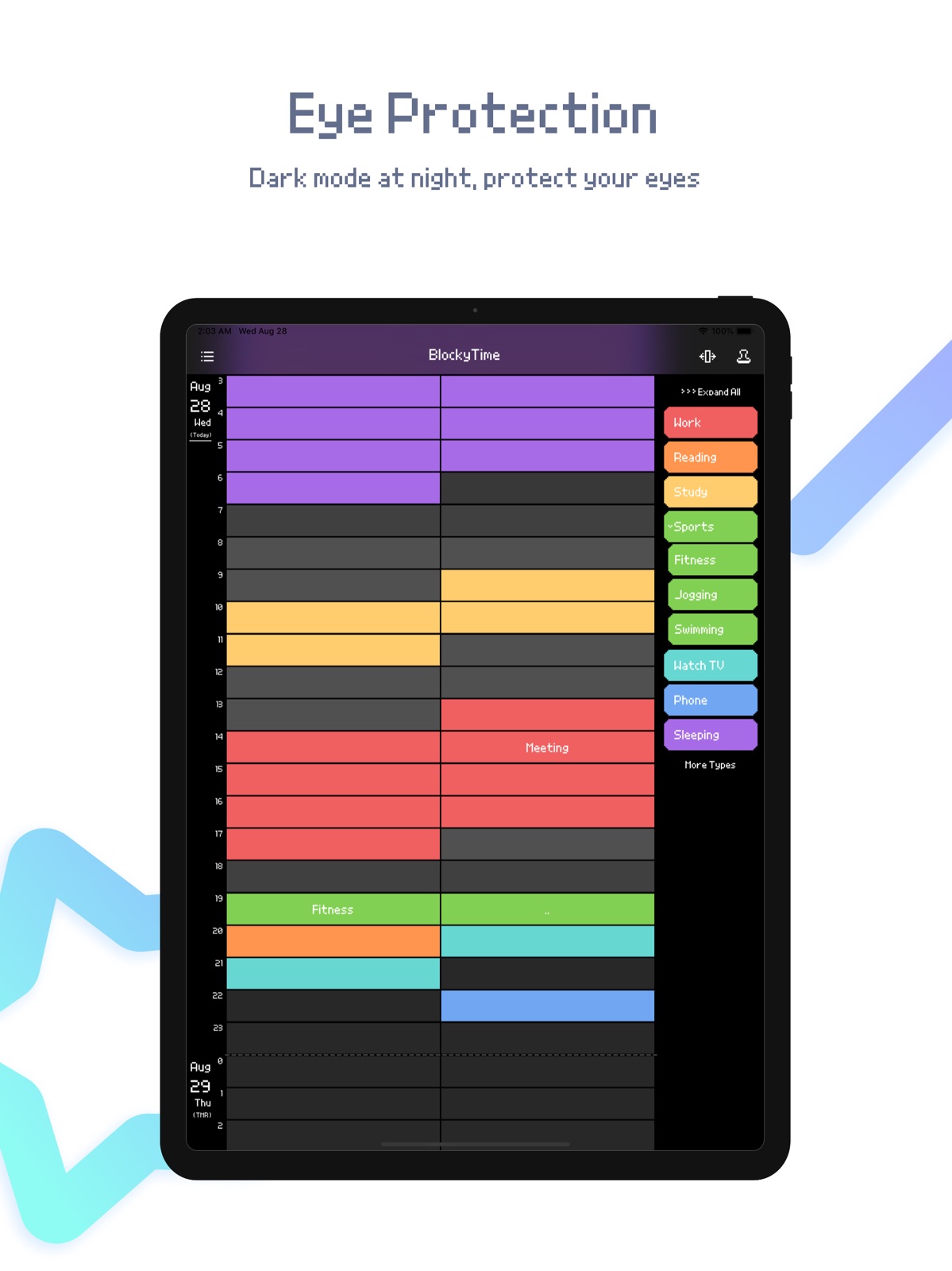
16 store screenshots


Pricing & paywalls
App Store
- Price: $3.99
Ratings & reviews
App Store
-
4/5Best way to visualize my time yet!
While it doesn’t sync with any calendars (that I’m aware of), and getting precision is difficult, I still consider this app essential. My mind absorbs things better when it can visualize it, and this app lets me do that with ease! I can quickly highlight blocks of time, group them by color and tag, and quickly see at a glance where my unstructured or free time is, and where I can cut back. It’s been crucial in helping me avoid procrastination by being able to lay out not only today, but what’s coming up. So when I find myself feeling like dawdling a bit, I can see how much that’s going to cost me.
AaronLearns2 · 31 Jul 2026
-
5/5The only one that works for me
I was hesitated at first because I don't really like the pixelated look, but they actually have an option to change the pixel UI to sleek UI. I tried so many time-tracking app. But this is the only one that works for me. As a form of gratitude, I try to mention some of the main features that I like. Hopefully, it would help people who still considering to get this app. 1. Super fast! It's very easy to track time, thus keep me motivated. 2. Lots of stats and trends. I love numbers and charts! It's useful to see how much time I spent for something. This app boosts my productivity a lot. 3. Can be used as planner. This isn't only for time-tracking, but I can set future time blocks and assign them into something. The app would remind me when I should start doing what I planned. And there's a small circle to differentiate which one has actually happened and which one was planned. So you can overwrite the planned ones as you track what actually happened. 4. Colorful! Customizable colors, categories, objects, and bunch of advanced settings. Beautiful UI, awesome functionality. 5. Easy to export and backup. To developer: I actually tried your other app to track where I put stuff. And it also works very well. I'm looking forward for your next apps!! Thank you very much for improving my life.
cassletang · 31 Jul 2026
-
5/5THAAANK YOOOOU!!!
If you've seen the movie The Devil Wears Prada, I'm the girl who only eats a cube of cheese, never sleeps, and is somehow always, always, always in the office at any given time of the day. You come into the lab at 10AM? I'm here. You need me to check the cell cultures for you at 3AM? I'm already here. It's raining Sunday night and you got a flat tire, rang me up, pleading me to move the bacterias removed from the incubators to the fridge?? Done. I'm not here by choice. I'm here because there's so much to do all the time, and there's not enough time, ever! I can't ever keep track of what I'm doing either, or whats been done, and what I'm supposed to follow up on. It's incredibly frustrating because I know work has been done, - a lot of work! But I'm just so busy to log it in real time so it all ends up in the abyss. I'm in 6th circle of hell, slowly entering the 7th. So bless this app, because it actually freaking works. Things are actually getting logged for once! And not only things, but the amount of time spent on them. Gosh I'm seeing visual data telling me I need to get the heck outta here and drink some orange juice. But yeah. This app? Life changing. To the developer: what do you think aboooout customizable palettes? Or adding one more nest to the items list? Just some ideas. The app is amazing already though, can't thank you enough.
suicideclassic · 31 Jul 2026
-
5/5Perfect easy quick time manager
Excellent, perfect, the best time management app, exactly what I was looking for and made it easy to use. Definitely human-centered design. One quick thought, can you add 2 functions? First one is if you could add “work week” (mon-fri) as a time period for statistics section, that will help because the weekend time recording messes with the recordings I really want to analyze during the work days. Second is can you add a switch to turn off the object function? I think I currently don’t need it and by not able to turn it off it botters me when showing up as empty in statistics interface. Thanks!
merrww · 31 Jul 2026
-
4/5Really cool app!
Very helpful app with an intuitive and smooth design. You can tell the developer puts a lot of care into providing an experience that actually helps the users track time consistently so it is useful rather than bog them down with “features” that get in the way. Every feature in this app both feels helpful and feels like it can get out of my way if I need it to. One area of refinement is language/grammar in the documentation. Everything is usable and I have never felt clueless as a result of it, I just notice sometimes where a sentence will feel clunky or will be missing a word. Again, nothing that hinders my use, simply something that feels out of place in an app that otherwise is clearly planned out intentionally and with love for the users.
mchisolm0 · 31 Jul 2026
Privacy & accessibility
App Store
Privacy
- Data Not Collected Developer declared
Accessibility
No accessibility labels collected yet.
Versions
App Store
-
1.6.5
+ Support multiple iCloud backup + Add System Haptics + Easy to skip the boot animation * Fixed some small bugs
-
1.7
+ Dark mode added + More convenient to switch into View mode added + Custom color adjust slightly added + Long press title in navigation bar to open calendar added + Password find tips added * Fix the bug of back to today of Standard time in Southern Hemisphere * Fix the bug of date error of latest backup in iCloud * Fix the display error of hidden switch in toolbar in Event Object * Fix several appearance details and texts
-
1.7.1
+ Add blur effect in alert windows * Fix the bug of back to today of DST in North America and Europe * Fix chart's bug in Trend * Fix failure to enable Notifications after update from BlockyTime Lite * Fix the bug of date label cover sometimes
-
1.7.10
+ Event Object can be achived + Timeline can scroll automatically when reaching the top or bottom + Slide left on Event Type or Object to edit it + Pop-ups can be chosen to close when deleting shortcut + Contract All button will be invisible when there is no shortcut in Main page + Add animation effect to Event Type contract/expand operation + Add animation effect to tap or long press any line of Event list + Tab bar can be chosen not to automatically scroll when clipboard is occupied or there are reminders on selected blocks > Change the name of "Top" to "Pin" > Exchange the buttons in Alert and Create stamper pop-ups * Fix the display bug of right scroll * Fix the display bug of drawer * Fix a few display bug of dark mode * Optimize the inexistent search work after create it as a new event object * Fix some other small bugs
-
1.7.11
+ Event Object can be merged with another * Fixed bug of date error when enable Scroll By Page * Fixed bug of crash when tap the archived Event Object * Fixed bug of Continuous Same Block's Text Config losts * Fixed bug of Event lable too narrow occasionally
-
1.7.2
* Fix the bug of crash on some devices * Fix the bug of timeline stuck on January 1, 2016 on a few devices
-
1.7.3
* Fix the bug of timeline stuck on January 1, 2016 on some specific devices * Optimize the animation of date label switch
-
1.7.4
+ Compatible iOS 13 and Automatic Dark Mode
-
1.7.5
+ Adjust to dark mode when launching + Add a switch of slide right to widen timeline + Add a switch of impact vibration + Add a switch of shake undo + Support edit name of stamper * Fix the bug of dark mode occasionally not same as the system ^ Optimize the styles of input box
-
1.7.6
* Removed the third-party library caused crash * Fixed the bug of Navigation Bar on iPhone 12 mini
-
1.7.7
+ Add home screen quick action + Make the now indicator more easy to recognize ^ Speed up opening Help page * Fix the bug of text cover in low precision track mode
-
1.7.8
+ You can run it on an M1 Mac now + Alert's Cancel button changed to the left (previous iOS still on the right)
-
1.7.9
* Fix the bug of language display wrongly * Fix the bug of iCloud Backup + Add the feature of copy and paste of multiple blocks > Improve the Toolbar's experience
-
1.8
+ Support Auto Rotation on iPad + Support Split View on iPad + Add the option of round corner of blocks + Add icons of all options + Add statistic average by the end of today + Add cut option when shortcut text is too long + Add the option of erasing all blocks + Add the option of 3D effect of blocks * Fix easily mistouching of shortcut button * Fix the bug of lack of No option when delete shortcut in Mainpage * Fix the bug of white background in Event Object page of Dark Mode * Fix the bug of disappearing of status bar of Dark Mode > Simplify the options of Setting > Modify the expand and fold effect of shortcut
-
1.8.1
+ Adapt to iOS 15 + Adapt to iPad mini (6th generation) + Blocks with Event Object can be chosen to hide Type, blocks with comment can be chosen to hide Type and Object + Custom color value can be input manually * Fix the bug of unable to open drawer occasionally * Optimize some small problems and details > Change app's Japanese name into English
-
1.8.2
+ Adapt to iOS 16 + Adapt to iPhone 14 Pro
-
1.8.3
+ Added timeline display date interval * Fixed a bug of crash when deleting Archived Event Object * Fixed a display error in Event Object page's title bar * Fixed some display errors in iPhone 15 Series * Fixed a display error in Stamper page on iPhone 14 Plus * Fixed some text error
-
1.8.4
+ Show time interval between choosed block and now * Fix crash bug when creating lock password ^ Improve the lopck password page's user experience
-
1.8.5
* Fixed a bug of incorrect language of timeline display date interval * Fixed a bug of pixel display of reminder alert view * Fixed a bug of displaying aline in Event Object page's navigation bar
-
1.9
+ Add iCloud automatic backup + Add pixel-style icons in Settings page ^ Optimize lag when multiple selecting blocks > Move title bar text to the left (in preparation for new upcoming features) * Fix issue that notifications of deleted reminders were still sent ^ Minor improvements and bug fixed ^ Daily reminder list now can be tapped to edit - Removed support for iOS 9 and earlier versions for upcoming features
-
1.9.1
+ Long press on date can add daily summary > Change "Long press on date to open calendar" to "Tap date to back to 0:00, then tap it again to open calendar" > Optimize "now" the label to make it more clear * Fix the crash of quickly mark without selecting any blocks * Fix some bugs of non-pixel icons ^ Optimize the loading speed of timeline scrolling
-
1.9.2
This update from Apple will improve the functionality of this app. No new features are included. + Improved the "Stamper" feature + Stampers now support reminders + Added TXT export, and be viewed in other apps * Fixed inaccurate position of "Now" marker on timeline + "Now" marker has a smaller triangle (classic style)
-
1.9.3
+ Added "Cut" feature to move blocks + Added animation effects for blocks + Multi-select can skip occupied blocks and mark only empty ones + Daily summaries can be added or viewed in calendar + Swipe to select from multiple buttons in popup windows > Reduced long-press duration for multi-select bubble on timeline * Fixed bottom panel on home page being easily dismissed by accident * Fixed check mark being squashed on language settings page
-
1.9.4
+ Added introduction page: animations for marking and erasing time blocks are customizable * Fixed bug where the bottom bar appeared too short on iPhone 15 Pro and newer models > Changed default time block animation and long press trigger time
-
1.9.5
· 24 Apr 2026
* Fix animation residue on timeline mark or erase + Timeline can be narrowed to enter "Compare Mode" + Settings page contents are searchable + Multi-select: long-press bottom bar can keep selected blocks + "How long time ago" on bottom bar can be set to not display + Bottom bar also shows duration when a block with content is selected + Calendar year/month can be tapped for quick switch + Mark or erase animation can respond with different vibrations ^ Speed up mark animation ^ iCloud backups will paginate when there are many ones
Availability by market
- US
Data quality & evidence
- Page completeness
- Live store listing
- Last verified
- 31 Jul 2026
- Sources
- App Store
- Independent summary has not been published yet.