
Quick verdict
- What it is
- Store information collected; independent summary not yet available.
- At a glance
-
- Free to download
- In-app purchases
Categories and search queries
Official categories
- Music
- Entertainment
AppCorpus categories
Key functions
| Function | Availability | Access | Scope | Evidence |
|---|---|---|---|---|
| Family Sharing | Yes | Unknown | App Store | Store published |
| Free app | Yes | Free | — | Store published |
| In-app purchases | Yes | Limited free | — | Store published |
| Siri Shortcuts | Yes | Unknown | App Store | Store published |
Screens
App Store
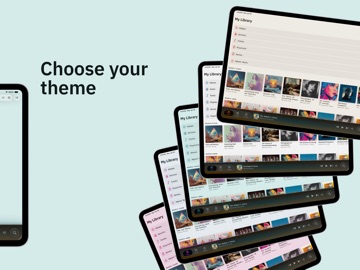
18 store screenshots


Pricing & paywalls
App Store
- BitDek Full Version — $9.99
Ratings & reviews
App Store
-
5/5Great Player
This is a great music player for iOS for those of us who prefer to buy music rather than be at the mercy of the streaming services. There are no frills here or unnecessary features, just a solid player for my collection.
pgoneill · 7 Aug 2026
Privacy & accessibility
App Store
Privacy
- Data Not Collected Developer declared
Accessibility
No accessibility labels collected yet.
Versions
App Store
-
1.1.10
Fullscreen Visualizers Double-tap, long press, or pinch to expand the visualizer edge-to-edge. All four pages stay swipeable. Tap or pinch to shrink back. Faster Import Browsing The import browser now opens immediately and scans folders in the background as you browse. No more waiting for your entire NAS or external drive to finish mapping before you can start selecting music. Audio Quality Accuracy Lossy files (MP3, AAC, OGG) playing through a wired DAC now show "Nominal Quality" instead of "Bit-Perfect" in the audio quality overlay. Bit-Perfect is reserved for lossless formats where it belongs. Bug Fixes • Fixed blank visualizers that appeared after extended listening sessions • Fixed visualizer stutter during playback • Fixed scrolling lag when selecting all folders during an active scan
-
1.1.11
Accessibility improvements across the board. BitDek now respects your Dynamic Type preferences throughout the app. Text scales with your chosen size while keeping layouts clean and readable across all settings. Display Zoom works properly too. Album grids, the player, and controls all adapt to the narrower viewport without clipping or collapsing. We also fixed visual artifacts in the library navigation that appeared with the Show Borders accessibility setting enabled.
- 1.1.7
-
1.1.8
FIXES Fixed an issue where the mini player could disappear after returning from the background. The player now reliably displays your current track when you return to BitDek. Control Center now stays in sync with your actual playback state. Previously, switching audio routes (like putting AirPods in their case) could cause Control Center to show the wrong button. Added support for AirPods stem controls to toggle playback.
-
1.2.0
CarPlay support is here. Browse your albums, artists, and playlists from the car display. Pick up where you left off with Recently Played, or jump into something you just added with Recently Added. Now Playing shows your album artwork with shuffle and repeat controls. Tap Up Next to see your queue and skip to any track. A-Z section headers keep large libraries easy to browse. Also in this update: "Bit-Perfect" has been renamed to "Lossless Passthrough," a more accurate name for how BitDek preserves your music's native sample rate through connected DACs.
-
1.2.1
Streamlined onboarding experience We've simplified the welcome screens so you can get to your music faster. The upgrade options are clearer, and your empty library now greets you with a prominent Import Music button – no hunting required.
-
1.2.2
Siri voice control. Say "Hey Siri, play Radiohead in BitDek" and your music starts. Artists, albums, songs, playlists, genres. Siri searches your library and plays what you ask for. "Play jazz in BitDek" queues your jazz collection "Shuffle my music in BitDek" shuffles your whole library "Resume BitDek" picks up where you left off BitDek teaches Siri your artist names and playlists, so recognition improves over time. Import new music, and those names are available to Siri right away. Manage Siri access anytime in Settings > Siri.
-
1.2.3
Filter your library by release date Find the music you're in the mood for, faster. A new Release Date filter on the Albums, Tracks, Artists, and Playlists screens lets you narrow your library by decade or by any of the last few years. Pick "1970s" to surface your classic rock collection, or tap "2026" to see everything you've added lately — you can mix and match as many selections as you like, and they combine with your existing Favorites and Genre filters. Also in this update • Fixed a crash when shuffling playback from the Albums screen with certain audio configurations. • Various stability and behind-the-scenes improvements.
-
1.3.0
NEW: 10-BAND EQUALIZER • Shape each band up to 12 dB on a live response curve • Automatic headroom keeps boosts clean, with no digital clipping • Save, load, and manage your own presets • Off means off. Lossless passthrough stays untouched. NEW: IMPORT FROM THE MUSIC APP • Bring in the music you own, no computer needed • Choose artists, albums, or individual tracks • Lossless files copy over without re-encoding IMPROVED • Visualizers re-tuned for honest accuracy across the full frequency range. They respond to the equalizer, too. • Playback starts without UI freezes over Bluetooth and CarPlay FIXED • Accurate bitrate readings for newly imported tracks • Stability fixes for scrubbing and audio route changes
-
1.3.1
Picking up where you left off now works exactly as it should. FIXED • Mini player always returns after a relaunch, queue intact • Playback position saves as you listen, so you resume where you actually stopped, even when iOS closes the app in the background • Scrub bar and timestamp no longer freeze when starting new music after a restored session • Timestamp no longer jumps ahead by the time you were away when you return to the app and press play • Music keeps playing when you connect AirPods or switch audio outputs mid-song • Play responds right away after reopening the app, resuming from where you left off even if you tap before the progress bar appears
-
1.3.2
Disconnecting your headphones or car now pauses your music, the way it should. And picking up where you left off is faster and smoother. FIXED • Playback pauses when your headphones, Bluetooth speaker, or CarPlay connection drops, instead of continuing loudly through the iPhone speaker • Pressing play resumes exactly where you paused, on the speaker or the next device you connect • Switching outputs yourself, like picking the speaker in the AirPlay menu, keeps the music playing as always • Reopening the app restores your music paused right at your saved spot, with no play button flicker and no brief replay of the track start • Cold starts with a long queue are quicker, with less waiting before the player is ready • Music interrupted by a timer or alarm now resumes with sound when you press play, instead of showing a playing screen with no audio • Albums with an intentionally repeated track, like one that opens and closes the album, now import completely instead of skipping the repeat
-
1.3.3
· 4 Aug 2026
Repeat, Shuffle, and Imports Repeat All now remembers that you turned it on. Shuffle comes back the way you left it. And albums that share a title stay separate. CHANGED • Repeat All stays on until you turn it off. Set it once and every album or playlist you play keeps looping, even after ejecting the queue, playing something new, or reopening the app • Repeat One still applies only in the moment. Skipping away or starting a new queue turns it off, as before • Scrolling through your library is smoother. Album grids, artist pages, and track lists draw their artwork and shadows more efficiently, with the biggest gains on 120Hz displays • The import progress banner now matches your theme in light and dark mode FIXED • Albums that share a title but belong to different artists now import as separate albums. Two recordings of the same symphony by different orchestras previously merged into one album with their tracks mixed together • Setting the Album Artist tag in your files guarantees the separation, even when both albums sit in folders with the same name • Shuffle now comes back on when reopening the app brings back a shuffled queue. Previously the queue returned in its shuffled order while the shuffle button showed off • Turning shuffle off after reopening now returns the queue to its true original order • With Repeat All on, a restored shuffled queue reshuffles when it loops back to the start • Shuffle is saved the moment you toggle it, so your choice survives even a sudden app termination. It still resets when you eject the queue or play something new
Alternatives
- Offline Music-Player & Library — Same category + similar ratings
Availability by market
- US
Data quality & evidence
- Page completeness
- Live store listing
- Last verified
- 7 Aug 2026
- Sources
- App Store
- Independent summary has not been published yet.