
Quick verdict
- What it is
- Store information collected; independent summary not yet available.
- At a glance
-
- $12.99 (App Store) · Free (Google Play)
- In-app purchases
Categories and search queries
Official categories
- Music
- Music & Audio
- Entertainment
AppCorpus categories
Key functions
| Function | Availability | Access | Scope | Evidence |
|---|---|---|---|---|
| Family Sharing | Yes | Unknown | App Store | Store published |
| In-app purchases | Yes | Limited free | — | Store published |
Screens
30 store screenshots


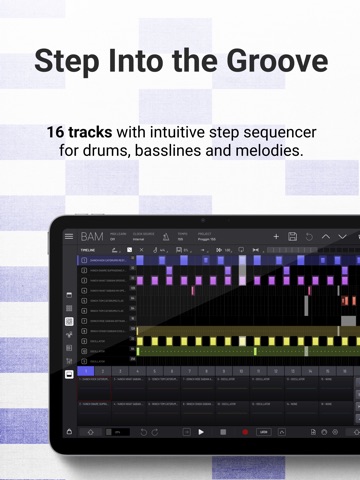
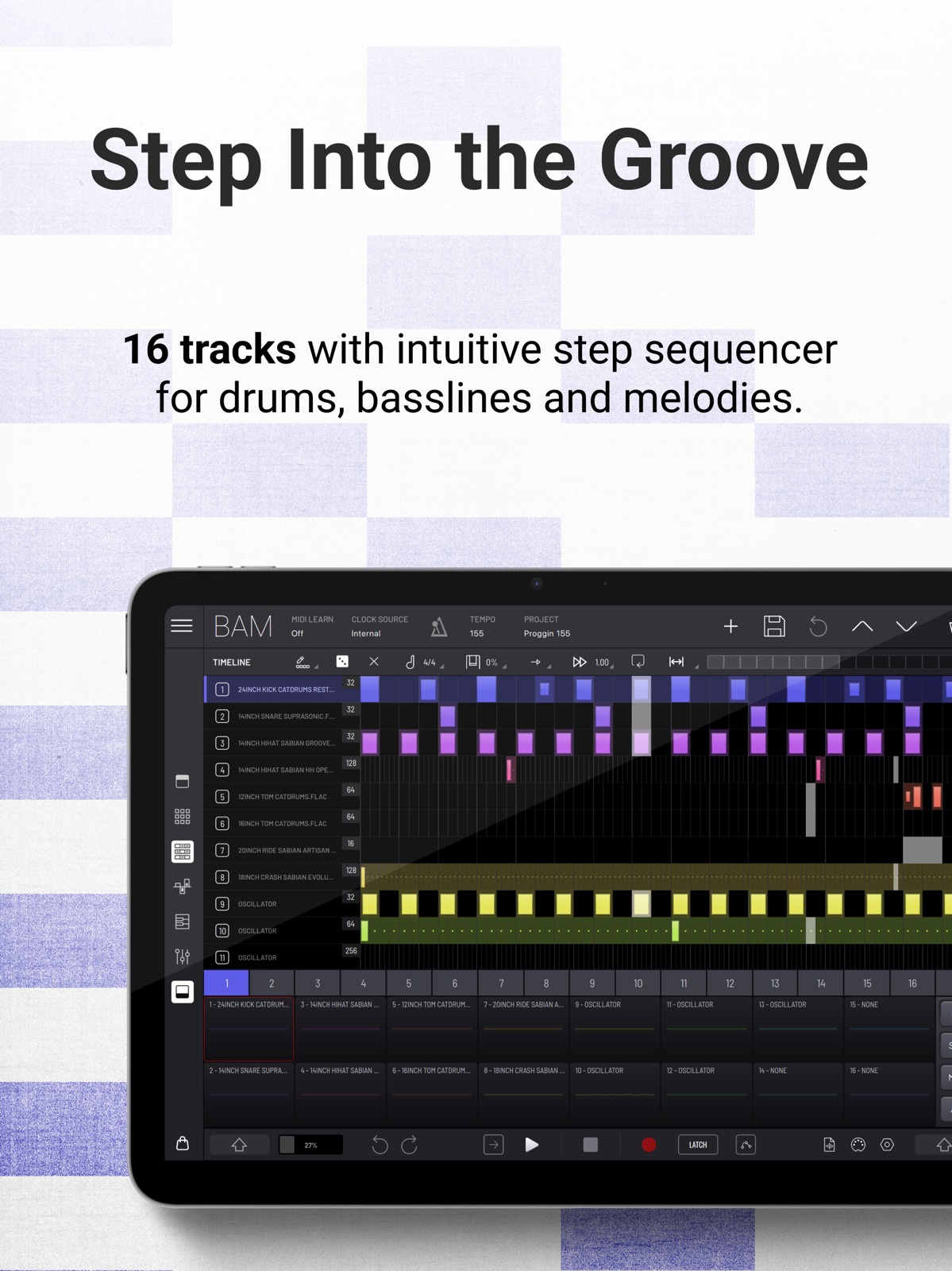
23 store screenshots


Pricing & paywalls
- Price: $12.99
- Bass Mechanics Pack — $8.99
- Brazilian Funk Pack — $8.99
- House Flavours Pack — $8.99
- Ladera Nights Pack — $8.99
- Retro Future Pack — $8.99
- Soulful Hip Hop Vol. 1 Pack — $8.99
- Techno Flavours Pack — $8.99
- Urban Beats Vol. 1 Pack — $8.99
- Urban Beats Vol. 2 Pack — $8.99
- Velvet Vibes — $8.99
- Free to download
- In-app purchases: $6.49 per item
Ratings & reviews
-
5/5Dope App! Slight learning curve!
This is great app. Most of the tutorials for it has been geared toward the step sequencer and piano roll. For iOS producers who use BM3, GB, iMPC pro 2, etc… it’s not at the moment a app you can just dive in, set you loop points and built your beat. I love work flow and GUI, but I would like to see more tutorials for traditional beat makers too, especially those who don’t use scenes like this. We call them patterns. Lol My wish list would be for loop point, a chord button on the keyboard with a preset tab, and a drag & drop sample slicer that lays the sample out chromatically. It’s a competitor to Logic Pro for IPad in my opinion. Way better than Pro Dudes Sketch! Great work!
Jerome Hunter · 6 Aug 2026
-
5/5My go to groove box
This thing really has everything you need to make full songs. I find the workflow to be the best on iPad for me to make tracks. It’s just a joy to work with and it runs really well. The expansion packs I have tried have been really good, but you don’t need them to access all the parts of this, which most other devs don’t do. Usually you gotta keep buying in app to access everything, but here you only spend more if you want samples and presets. The main app gives you access to everything for one purchase price.
Peteg12 · 6 Aug 2026
-
5/5Sample folder issue
I am having an issue on iPhone version when I try to scroll thru my folders and touch the screen folders automatically open instead of being able to scroll to a folder. For instance when I try to swipe up to my snare folder as soon as I touch the screen whatever folder I fit opens up.
BIGBolo73 · 6 Aug 2026
-
5/5One of the best makes of the best grooveboxes
Imaginando is no new name to iOS and this epic groovebox is a must have for iOS music producers. I admit I love grooveboxes, but this one is special and powerful. It also really allows for so much on top of hosting auv3 and fx plugins. You don’t really have to leave BAM, but if you want to add in other plugins you can. Awesome job!
yellow eyez · 6 Aug 2026
-
5/5Nailed it!
Ok ok! Lol this is exactly the kind of quality dream machine that makes my iOS little studio (I think it’s huge) make folks jaws hit the floor…you just did what? Lol much respect on this stability/workflow ect… lol it even makes animoog z behave lol. When you incorporate this into a daw …. SMH. I think it’s time for people to bring the Pepsi challenge! Very well done kind sirs! :)
The endless river 420 · 6 Aug 2026
-
5/5
good
Jumanne Mlawa · 1 Aug 2026
-
5/5
guys try this it's cool
Sibusiso Matomela · 1 Aug 2026
-
3/5
Loving the concept! Y'all devs definitely still have some kinks to work out of the Android release; I've had some weird functionality hiccups in my time with it so far, and there are some UX/workflow quirks I hope get patched, but I have faith! Love you guys at Imaginando, I use GRFX with Ableton on my production rig 😊
Critter Staples · 1 Aug 2026
-
1/5
bad app
Jackeline Zaninka · 1 Aug 2026
-
3/5
Great for. those want to explore synth music
Zion · 1 Aug 2026
Privacy & accessibility
Privacy
- Data Not Collected Developer declared
Accessibility
No accessibility labels collected yet.
Privacy
- Data collected — Analytics — App info and performance — Crash logs Developer declared
- Data collected — Analytics — App info and performance — Diagnostics Developer declared
- Data collected — Analytics — Device or other IDs Developer declared
- Security practices — Your data is transferred over a secure connection — Data is encrypted in transit Developer declared
- Security practices — The developer provides a way for you to request that your data be deleted — You can request that data be deleted Developer declared
Accessibility
No accessibility labels collected yet.
Versions
-
1.0.6
- Added metronome toggle to top bar - Added left padding to clock source menu - Increased touch area of window close button - Prevent showing "Open Settings" after user said it was not interested in Push Notifications - Fix audio speed when using bluetooth headphones as sound device - Fix export when using some AUv3 with an arpeggio sound - Fix Hofmann accent (note velocity bigger than 100) - Fix step removal while using smart pencil - Fixes hang notes when exporting audio - Fixes undo of Midi FX and FX addition - Fixes slider modulation marker being upside down - Fixes smart pencil usage when steps count is below 16 - Fixes smart pencil usage on pages other than first one - Fix modulator LFO rate parameter when synched - Fix patch selection when creating a new patch - Fix patch selection when bank model changes - Fix favorites bank usage - Fix factory patch name being cleared when creating a new patch from it - Fix glitch when dragging collapsed fx devices - Fix undo/redo after using smart pencil - Fix some AUv3 not loading UI when opened for the first time - Fix envelope value node not displaying - Fix last engine window opening when clicking on empty engine devices
-
1.0.7
- Added DJ style filter per track in Mixer panel - Added more Oscillator presets - Added song export by track - Fixes autosave - Presets with AUv3 can't be previewed now - Sounds recorded from master output are now auto trimmed on start/end when the recording is stopped - Hofmann cutoff range was adjusted - Compressor sidechain source changed to pre fader - Increase interaction size of transport buttons - Fixes deleting parameter from AUv3 engine not removing its automations - Fixes dropdown parameters resetting when starting playback - Fixes metronome sound recording into Export and Recorder - Fixes crash when recovering projects with modulators - Fixes volume difference in Burner when using MS mode - Fixes song speed when host is using 32 buffer size - Fixes Sampler sample step automations not updated when changing pool - Fixes Master track automations not recovering - Fixes note step modulation when interacting with composer - Fixes sound presets with MIDI FX preview - Fixes undo/redo of sound preset load - Fixes undo/redo of copy/paste track - Fixes loading track preset not clearing midi fx - Fixes learn AUv3 MIDI FX parameters for automation - Fixes learn AUv3 MIDI FX parameters to modulators
-
1.0.8
- Added Noise engine custom design - Cancel export if app is sent to background - Added notification when export is cancelled - Improved readability of parameters - Fix search engines - Fix some AUv3 windows being taller than the screen - Fix selected scene advancing on scene export - Fix AUv3 invalidated status when it fails to instantiate - Fix learned parameters for dynamic AUv3 parameters (ex: modular apps) - Fix crashes when restoring projects or states when the system memory is low
-
1.1.0
- Audio clips support (they can be added by drag/dropping into matrix cells. Clips can have both midi and audio) - Added new context menu item for matrix clip cells for managing audio clip properties - Added new House Flavours pack as in-app purchase - Added copy/paste fx without the need to have an fx loaded - Improved external midi clock and ableton link syncing - Increased compressor release time max to 300 ms - Remove MIDI Trigger settings panel Cancel option - Loop zone now appears when pressing shift - MIDI clock defaults to last tempo when no clock is received - Hide engine windows when opening context menus - Flash tempo value when midi clock input is lost - Fix occasional signal bias in tracks with nothing playing - Fix lag on visual indicator of modulation of AUv3 parameters - Fix clips always having note default value when created - Fix fx being deleted when selecting "None" engine - Fix track not being selected when a pad is pressed through midi learn, - Fix panel keyboard range change with shift and drag up/down - Fix resetting a clip not resetting its length - Fix browser search - Fix render cancelled message displaying when switching app even after render has completed - Fix preset preview not playing sometimes - Fix song speeding up when recording - Fix crash when deleting scene with undo/redo action while playing - Fix note time when duplicating a clip with swing - Fix undo of clip copy not clearing midi notes - Fix note node going out of bounds in matrix view - Fix inconsistent compressor times with different sample rates - Fix midi export when clip has chords - Fix font inconsistencies - Fix undo/redo composer interactions UI update - Fixes panel timeline and panel automations not updating number of steps when resizing clip - Fixes oscillator pulse width only updating once the voice is active - Fix tempo slide gesture interaction bug - Fix EG modulator timescale resetting when decay is changed
-
1.1.1
- Tries to improve stability - Tries to eliminate freezes - Tries to fix AUv3 crash loading a preset - Adds animation for stop button when triggered by mapping - Improves CPU load when automating AUv3 parameters - Improves sampler sample parameter interaction - Clips are now shown in their entirety when resizing them - Multichannel output is now post-fader - Fixes sample preview with multichannel output (preview audio is sent to first stereo channel) - Fixes noise when changing project with multichannel output - Fixes drag and drop on pads - Fixes crash when exporting while hosted - Fixes track rack moving when interacting with parameter - Fixes metronome being shown when hosted - Fixes some matrix actions not modifying patch - Fixes exported temporary files not being deleted after exporting - Fixes patch change with program change midi messages - Fixes Apple Pencil interaction with scrollable lists
-
1.2.0
- New expansion pack 'Techno Flavours' - Adds single sample mode to sampler - Adds internal MIDI routing between tracks - Adds rename file in recorder panel - New input high pass filter on Reverb FX - Browser now lists MIDI files - Improved shift interaction with parameters - Fixes MIDI import not loading in selected clip - Fixes Apple Pencil bugs when interacting with browser - General bug fixes and improvements
-
1.2.1
- Improved performance and stability
-
1.3.0
- Introducing iPhone support - Introducing “Bass Mechanics” Pack - New layout for DrumSynth, Oscillator and Sampler engines to make them compatible with small screens - Added playback follow option - Improved Sampler sample parameter label (now starts in 1) - Disallow problematic char in project, track, scene and recorder file names - Add metadata (size & date) to presets (Local bank) - Fixed macros not being saved along with engine presets - Fixed a bug that prevented applying sample rate changes to hosted AUv3's - Fixed crash when drawing steps while clip is changed by a follow action - Fixed sample rate error message appearing when app is in background - Fixed sampler filter pops in high pass mode when modulated by the EG - Fixed follow actions when playback is started through transport play button - Fixed looping for clips with different clip speeds - Fixed stereo enhancer causing audio clicks - Fixed parameter values when pasting an fx from sends or master track
-
1.3.1
- Added play on recording setting - Added step automation reset when double pressing it - Added multi touch in matrix - Added auto scroll grid to selected scene setting - Optimized Burner engine memory comsumption - Fixed engine window placements on iPhone - Fixed sample browser space between samples - Fixed midi effect engine not stopping when clip stops
-
1.3.2
- Added track 16 to internal midi routing list - Shift button size was increased for easier access - Fixed drop down menus - Fixed composer beat labels when zoom is close to maximum - Fixed pages view when triggering scenes - Fixed clip visual playing state when changing scenes - Fixed long steps ui when clip has few steps
-
1.3.3
- Added bypass button to engine window - Added bypass to individual parameter automations - Added move track left/right (long press on track selector) - Recordings can now be sorted by name or date - Improved volume control for sample manager audio player - Improves behaviour of recorder when no input device is selected - Improved loading time of AUv3 with many factory presets - Fixed audio engine search - Fixed crash when loading some AUv3 - Fixed virtual ports input/output names swapped - Fixed AUv3 not appearing in alphabetical order - Fix glitches when using Noise FM in Drum Synth with cutoff heigher than 1 khz - Fix feedback sound when opening projects with audio input engine and auv3 fx in the same track
-
1.4.0
- Added new Ladera Nights expansion pack - Added drag support from Files app on standalone version - Added ballistics to Compressor gain reduction meter - Added clip naming - Improved track's level meter color (grayed out when track is muted) - Improved loading time of AUv3 with many factory presets - Improved audio clips loading - Fixed icon not showing with some AUv3's - Fixed selected notes color too similar with some track's color - Fixed clip clear - Fix MIDI export button handling
-
1.4.1
- Added new 'Soulful Hip Hop Vol. 1' expansion pack - Added multi thread processing setting - Added ability to record MIDI from MIDI FX and from track engine - Added Reverb FX engine custom design - Added project export as an Ableton live song file - Fixed new empty project creation - Fixed issue when adding custom folders to sample browser - Fixed navigation problems on sample browser - Fixed matrix sample drop from pool
-
1.4.2
- Added new 'Urban Beats Vol. 1' pack - Added engine preset export - Added copy/paste notes between clips on composer - Added outline to focused/editing clip in Matrix - Added unified engine search - Fixed audio glitch when deleting audio clips - Fixed metronome enabled/disabled state - Fixed crash when opening projects with audio loops and ableton link enabled - Fixed ocasional crash when doing undo/redo gesture (3 fingers) - Fixed navigation panel page count when selecting clips - Fixes project export as an Ableton live song file
-
1.4.3
- Added configure button to edit mapped parameters in mappings panel - Added dropdown for composer actions - Added 'Select All' notes action in composer actions - Added dropdown for clip length actions - Added +1/-1 beat to clip length actions - Added +1/-1 bar to clip length actions - Added MIDI learn for panel selection buttons - Fixed Scaler 2 sync issues - Fixed crash when saving track without engine - Fixed engine window position on preset from packs and on imported presets
-
1.4.4
- Added new bank 'Retro Future' - Added new store browser - Added popup message when trying to buy add-ons in AUv3 - Added warning and information for missing samples on Sampler engine - Added preference to toggle between low and high quality time stretching - Added clip context menu to allow audio clip to be set to one-shot - Moved recording countdown to performance preferences - Fix new project action when current project is default project - Fix respect follow actions when exporting song - Fix ADSR parameter inconsistent automations - Fix BAM crashing with corrupted state - Fix clicks when using long attack in sampler's envelope
-
1.4.5
- Fixed warning when patch saving
-
1.5.0
- Added new 'Brazilian Funk Pack' - Added new Random Walk modulator engine - Added support for multi channel audio input - Added scales to keyboard & clip - Added generate and mutate melody/chords in COMPOSER - Added the ability to randomize note automation following selected scale - Added the ability to save FX chain on sends and master tracks - Improved button active visual state for boolean parameters - Fixed overlayed notes when created in the timeline panel - Fixed note stuck when automating note parameter - Fixed pitch when automating note parameter - Fixed no sound when automating note parameter with Hofmann engine - Fixed some AUv3's not showing UI
-
1.5.1
- Stop all clips when pressing stop while BAM not playing - Fixed audio loop loading issue - Fixed clip navigation item going out of bounds
-
1.5.2
- Added option to delete multiple clips and scenes at once (bin icon of matrix panel) - Added option to make new scene out of the playing clips - Added keyboard shortcuts (new project, save, save as, quit, undo, redo, track selection, mute, solo, play, toggle last view panel) - Added setting to define default clip length - Added drag&drop midi file from browser into composer panel - Added min and max ranges for mapping items - Added 14 bit midi resolution support - Fixed stuck notes when pressing composer piano roll and changing parameters in an engine window - Fixed follow action not applying when selecting a mode when 'None' was selected - Fixed follow action not applying when toggling follow action enabled button - Fixed AUv3 window in phone (windows can now be resized and moved) - Fixed toolbar options not closing when pressing the icon - Fixed Matrix panel view moving to top when removing and adding scenes - Fixed track oscilloscope with audio clips - Fixed preview player not stopping when closing browser
-
1.5.3
- FX and MIDI FX can now load up to 8 instances - Added midi mapping to undo/redo buttons - Fixed external midi drag&drop - Fixed some AUv3 engine parameter automation
-
1.5.4
Added new UI for Chorus FX Added new UI for Filter FX Added “record” hot key and metronome toggle as keyboard shortcut Added keyboard shortcut to open the export panel Slider interaction is now relative Improved hosted AUv3 performance Improved keyboard layout Fixed track armed state when creating new project Fixed AUv3 learned parameters on saved presets Fixed keyboard top row with wrong octave when folded Fixed clip length when clearing it in matrix Fixed record after clearing a clip Fixed some AUv3 appearing as invalid Fixed composer keyboard scale markers not changing when switching between clips Fixed clip still showing in the matrix after deleting automations Fixed mapping panel not showing delete and settings icon Fixed recording countdown when pressing recording for the first time
-
1.6.0
Under the hood improvements for better stability and performance
-
1.7.0
- Fixed crash when changing note's octave in certain clips - Fixed crash when deleting clips - Fixed undo/redo in clip clear - Performance improvements
-
1.7.1
· 1 Jun 2026
- Added custom graphical panel design for the Equalizer effect engine. - Added custom graphical panel design for the Bitcrusher effect engine. - Fixed crash during clip playback transitions when the active clip was unexpectedly null. - Fixed crash when refreshing the clip display during scene navigation if a clip slot was empty. - Fixed crash when adding engine parameters to modulations with an incomplete track or clip slot. - Fixed crash when opening an engine panel window while no engine was assigned.
- 1.7.1 · 3 Jun 2026
Alternatives
- EG Nodes — Same category + similar ratings
Availability by market
- US
Data quality & evidence
- Page completeness
- Live store listing
- Last verified
- 6 Aug 2026
- Sources
- App Store, Google Play
- Independent summary has not been published yet.