
Quick verdict
- What it is
- Store information collected; independent summary not yet available.
- At a glance
-
- From $1.08/mo
- Free to download
- In-app purchases
Categories and search queries
Official categories
- Productivity
- Health & Fitness
AppCorpus categories
Key functions
| Function | Availability | Access | Scope | Evidence |
|---|---|---|---|---|
| Family Sharing | Yes | Unknown | App Store | Store published |
| Free app | Yes | Free | — | Store published |
| In-app purchases | Yes | Limited free | — | Store published |
Screens
App Store
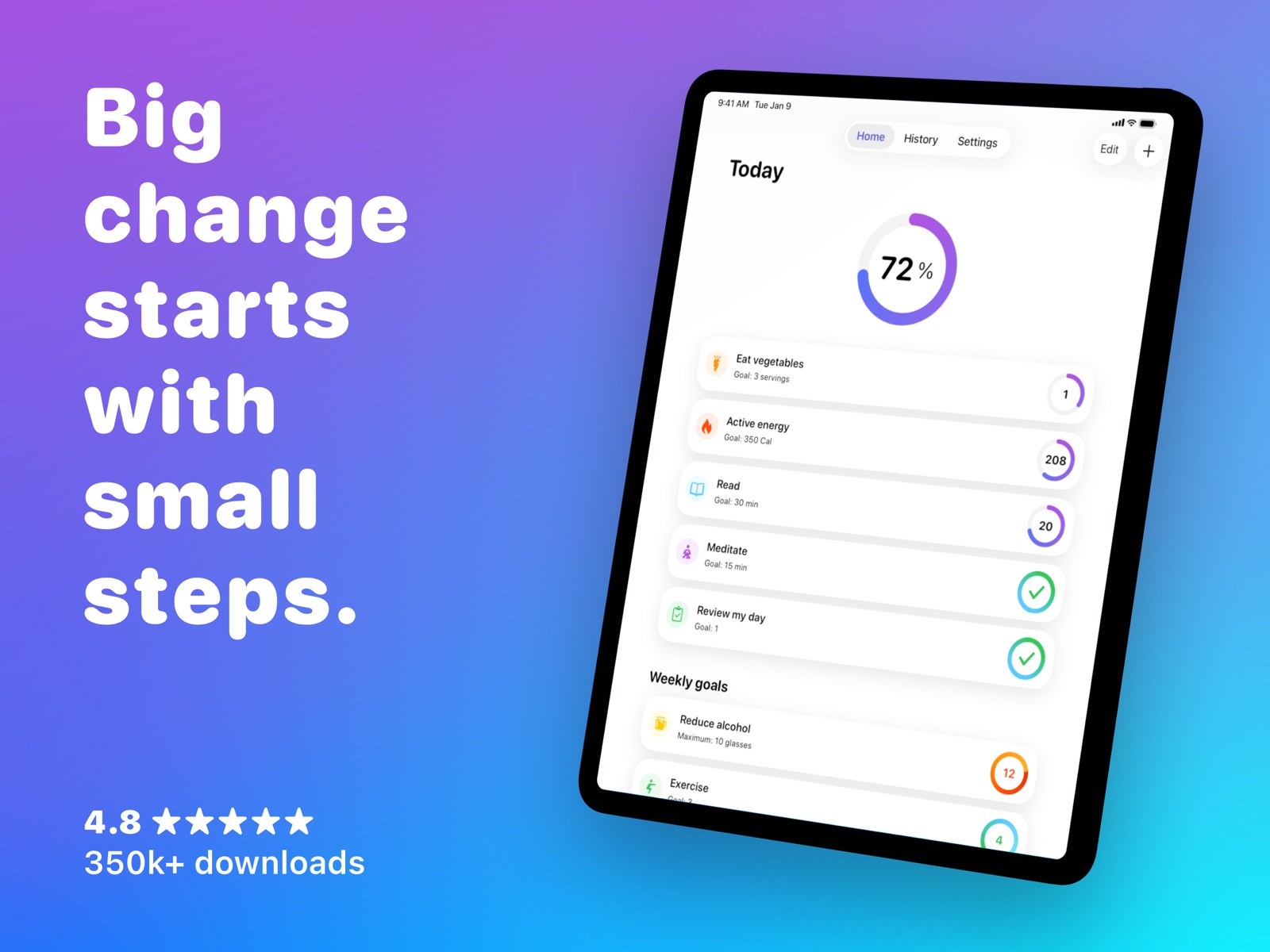
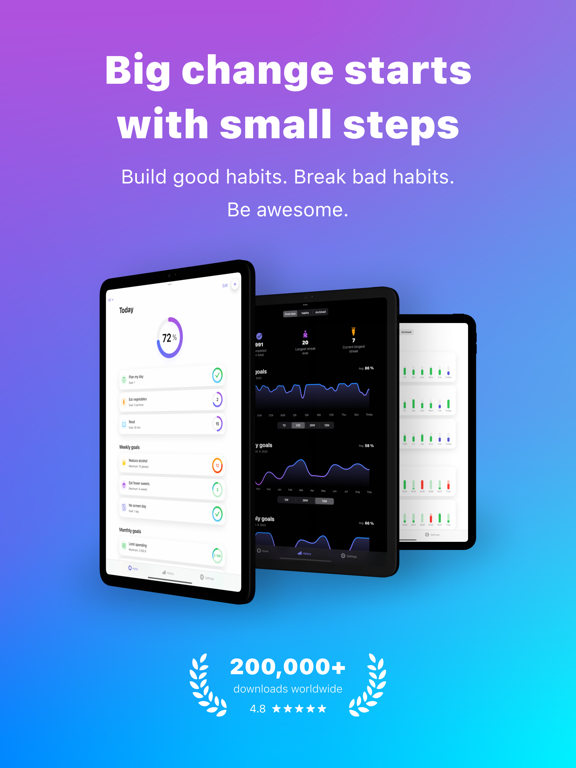
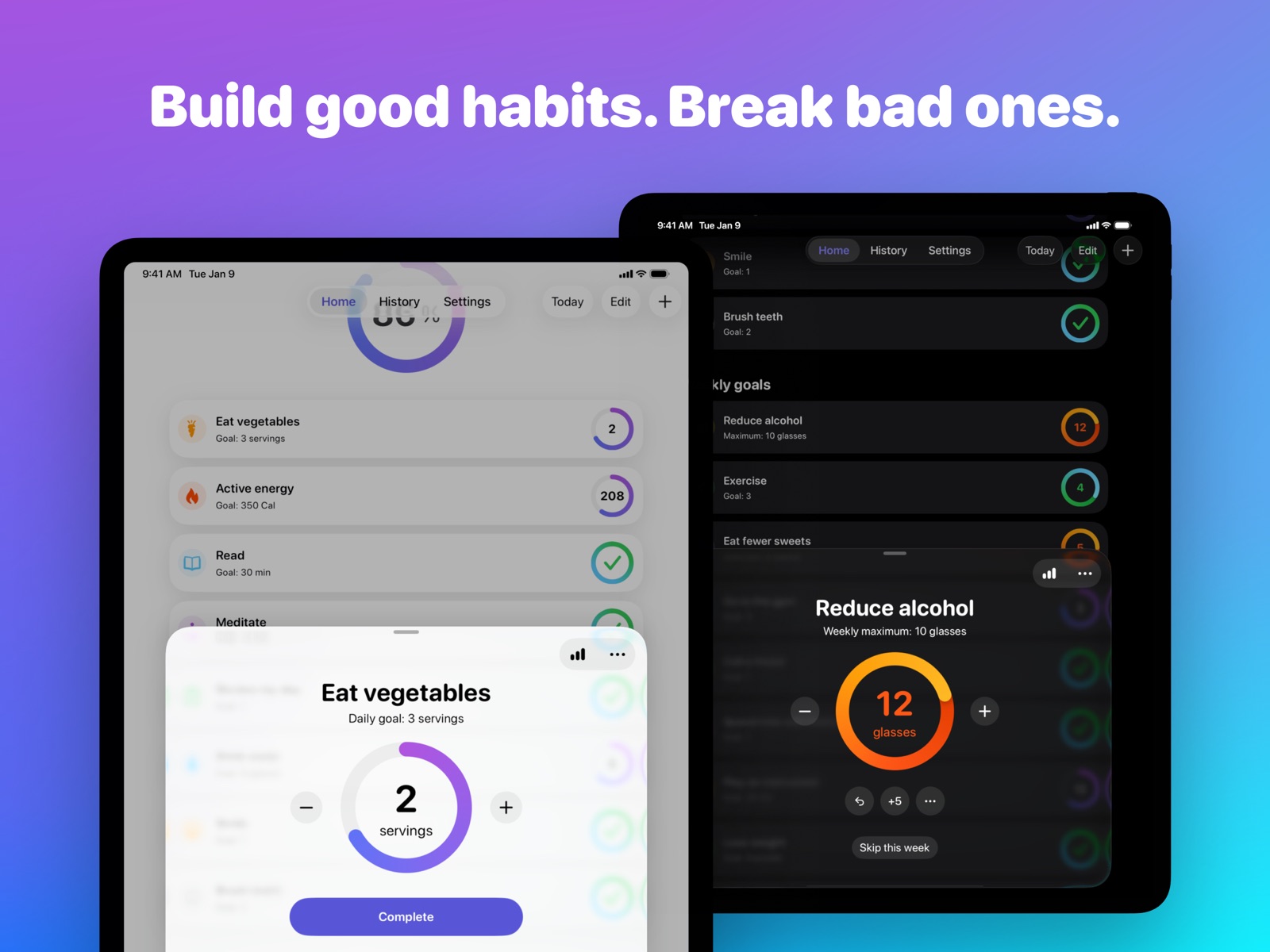
36 store screenshots

Pricing & paywalls
App Store
- Yearly Premium with Trial — $12.99/year ($1.08/mo)
- Monthly Premium Subscription — $4.99/month
- Monthly Premium Subscription — $12.99/year ($1.08/mo)
- Lifetime Premium — $22.99
Ratings & reviews
App Store
-
5/5Intuitive, and powerful
When I first loaded this app, it was almost easy to mistake it for any other habit tracker because of it doesn’t try to overcomplicate the user with too many features. But if you dig deeper, the amount of customization and power sets this app apart from the others. Pros: - Clean simple design. - Lots of customization of your habit list. - Fast cross device syncing. - Widgets have lots of options and sizes. - Can show the live habit timer inside a widget. - Live activities for habit timers. - Apps for every Apple device including MacOS. - Add urls or Apple Shortcuts to habits to quick launch whatever you want. - Apple Shortcut actions with almost full control over everything in the app. As an example power feature, you can use quick launch on a habit to launch an Apple Shortcut which marks the habit as complete, and then launches whatever else you want, creating a perfect automation companion for your habits. Cons: - The app needs to open for every Apple Shortcut action you launch. I really hope the developer can make this work in the background so Apple Shortcut Personal Automations will work with my phone locked. - More widget options couldn’t hurt, like having one for a “up next” habit which shows the next goal in your habit list for the day. As you can see, the cons are extremely minor, this app deserves five stars even despite those. Highly recommend this app if you are looking for a simple yet powerful habit app.
Ovrlrd · 6 Aug 2026
-
4/5Good so far, but I have one issue
I’ve been using this tracker for a couple of weeks now, I enjoy it and like its simplicity and organization. I pretty quickly paid for premium to try it out for a month as only 3 tracked items is a low number. I find the app and its reminders to be unobtrusive, which I like overall but could be a problem if you’re relying on it yelling at you to do or not do something. My one request/issue: one item I’d love to easily track is intermittent fasting. It is possible to do this at the moment using the timer function, however there’s no way for me to start the timer, for the fast that will end tomorrow, on the day I begin fasting. I have to wait until after midnight in order to track the completed fast as a successful item on the day I completed it. I’m not entirely sure how this would be implemented with the current setup/options in the app, but it would be great to have a timer that can be stopped and the next day’s timer started on the same day.
Cori C. · 6 Aug 2026
-
4/5Very helpful
Update: The developer responded to my concerns, which is appreciated. I figured out how to use Apple health with this, but it only syncs FROM Apple health, not TO it. I would prefer if it synced both ways. One other thing that I would like is if it added an option to sync “state of mind” from Apple health, and then have some sort of chart or statements about correlations between your mood and habits. That’s the only thing it’s really missing IMO. Overall I’ve really been enjoying this app. It’s really well thought out, and quite customizable. It’s motivating me to stay on track with my habits. The apple health habits are not working. I have habits turned on in apple health and have iCloud backup on. The problem is I add an Apple health habit, but there is no way to mark it off as completed. When I tried contacting them for help, it is asking me to download the mail app, which I do not use. So, two big problems.. no contact info, and apple health habits not working. I like the app otherwise. I am in the free trial, but likely will cancel unless these issues are resolved.
sam65436 · 6 Aug 2026
-
5/5Best habit tracking app I’ve ever used
Best habit tracking app I’ve ever used, and I’ve tried a ton of them. Interface easy to understand and yet with all the options and stats you need. Widgets very customizable. Another feature that makes this app outstanding and that other apps don’t give to much attention is the ton of icons you can choose from for your habits. You can make lists to organize your habits and see the stats by list, even have an app intertwined in other categories not only one. Another aspect that I liked about the app is that when checking the history of a habit the app is designed in a way that it doesn’t allow to accidentally modify past days, if you want to change something in the history you have to be intentional, there’s not risk of changing the history by error with the finger like in other apps. The only feature I would add is the ability to choose how many days in a week I want to track an app by quantity and not only by choosing selected weekdays like “Monday, Tuesday, etc”. I’m surprised that this app is not yet as famous as others. Ratings are great, must be only a matter of marketing. Worth every penny I paid to be a premium member, just hope that as this app grows the developers will remember my lifetime subscription because I’ve had bad experiences with apps in which I was already a lifetime member but they start charging monthly subscriptions and forget about their old offer they made with old members that were here from the beginning and apply their new terms on them too. I hope this is not the case. Keep up the good work!
Israel Hopkins · 6 Aug 2026
-
5/5Perfect in every way
I’ve never reviewed an app before, but I had to come here to gush about how amazing this app is. I’ve tried so, so many habit trackers... some paid, some free, some that took me hours to set up. I’ve been using apps for habit tracking for about 3 years, and probably tried at least 20 apps, and there’s always something not quite right. So this morning I downloaded this app and THIS IS IT. There is just so much to like, but I will try to summarize: the option to have completed tasks move automatically to the bottom of the list, so you can glance at the top to see what to do next (why is this not always a thing?!) ...how it groups tasks by frequency (daily, weekly, monthly) so you can see clearly what you have to do today, but *still see your other tasks too* (this alone makes Awesome Habits better than all the competition, because you don’t have to assign a specific day of the week to see your weekly/monthly tasks in the standard view). The actually functional status ring that lets me choose whether I want to track only today’s tasks or all of them — so having weekly tasks doesn’t have to mean you’re never “done” with everything. AND, if that wasn’t enough, it is not only iPhone, iPad, Watch (and Mac!) compatible, but the different apps are all thoughtfully done and the syncing is GREAT. It has Watch complications that show the status ring % complete for the day, and it actually syncs, and fast, between your devices. The iPhone app even has widgets that I actually want to use! It’s beautiful to look at, customizable but still simple, does everything I want and things I didn’t even know I wanted, but has no extra bulk or fluff. And finally — you choose to pay a reasonable one-time fee instead of a subscription. This app is good enough that I would maybe even consider a subscription, but the option to pay once makes this a no-brainer to me. If I could give more stars I would. Totally life changing. Thank you so much for creating this.
Jkw495 · 6 Aug 2026
Privacy & accessibility
App Store
Privacy
- Data Not Collected Developer declared
Accessibility
- Dark Interface — SUPPORTED Store published
- Larger Text — SUPPORTED Store published
- Reduced Motion — SUPPORTED Store published
- Sufficient Contrast — SUPPORTED Store published
Versions
App Store
-
6.1
• Quick actions menus: Touch and hold a habit to access quick actions like adding a custom value, adding a note, editing, archiving, and more. These quick actions are available throughout the app, including the Home tab, History tab, and calendar view. Available on iOS 17 and later. • Adaptive custom repeat: For habits with a custom repeat (e.g., exercising every 3 days), the next repeats now automatically adjust based on the last completion. This ensures you maintain the intended interval, even if you complete the goal on a different day than planned. • Bug fixes and performance improvements
-
6.2
• Personalize your habit icons like never before. With iOS 18.2, you can set custom stickers as habit icons or take advantage of Apple Intelligence (available in supported regions and on compatible devices) to create unique Genmoji icons. • To maintain optimal performance and user experience on iPadOS 18, we have decided to discontinue support for the extra-large widget. We apologize for any inconvenience this may cause and appreciate your understanding. • Bug fixes and performance improvements
-
6.2.2
Be awesome in 2025 • Reset habit history: Need a fresh start? Easily reset your habit history with the button on the history details screen. • More start of day options: Prefer updating your progress the next morning? Set your start of day to any hour between midnight and noon. • Bug fixes and performance improvements
-
6.2.4
• Get started tips: We've added a new help section with tips and how-to guides to help new users get started. • Bug fixes and performance improvements
-
6.3
• Autostop timers: Automatically stop the timer when the goal is reached. You can enable this in Edit habit > Timer options. • Add early timer alert: Get an alert before the timer goal is reached—e.g., 2 minutes early. Customize this in Edit habit > Timer options.
-
6.4
• Single habit widgets: Stay focused on what matters most with the single habit widget. Add it to your iPhone or iPad Home Screen or Lock Screen, Apple Watch face, or Mac desktop to quickly access your habit and track your progress. • Improved medium-size widgets: The medium widget now supports up to 10 habits—even on smaller devices. You can also choose to show a large progress circle alongside your habits. To access this new configuration, first remove your existing widget and then add it again. • Apple StoreKit 2 integration: We now use the Apple StoreKit 2 framework, which improves privacy and simplifies purchase handling in the app.
-
6.4.1
• Bug fixes and performance improvements
-
6.4.3
• Bug fixes and performance improvements
-
6.4.5
• Bug fixes and performance improvements
-
6.4.6
• Bug fixes and performance improvements
-
7.0
Reimagined for iOS 26 • Enjoy a refreshed and refined look with Liquid Glass. • Get habit ideas privately with Apple Intelligence (available on iOS 26, in select regions, and on supported devices). • Enjoy a smoother experience when managing a large number of habits. • Better accessibility: We’ve added support for high contrast mode and improved large text support.
-
7.0.1
Reimagined for iOS 26 • Enjoy a refreshed and refined look with Liquid Glass. • Get habit ideas privately with Apple Intelligence (available on iOS 26, in select regions, and on supported devices). • Enjoy a smoother experience when managing a large number of habits. • Better accessibility: We’ve added support for high contrast mode and improved large text support.
-
7.0.3
• Added support for Czech. More languages coming soon! • Bug fixes and performance improvements
-
7.0.4
• Bug fixes and performance improvements
-
7.0.5
• Bug fixes and performance improvements
-
7.1
• Custom reminder message: Add your own message to habit reminders. Use it for motivation or to display notes that help you complete your habit. • Better handling of delivered notifications: When you take action from a notification, only older delivered notifications are now cleared. This lets you use an action like “Complete one” on each delivered notification in order. • Improved Excel support: CSV exports are now better optimized for Excel, with improved recognition of special characters and the date format.
-
7.1.1
• Custom reminder message: Add your own message to habit reminders. Use it for motivation or to display notes that help you complete your habit. • Better handling of delivered notifications: When you take action from a notification, only older delivered notifications are now cleared. This lets you use an action like “Complete one” on each delivered notification in order. • Improved Excel support: CSV exports are now better optimized for Excel, with improved recognition of special characters and the date format.
-
7.1.2
• Custom reminder message: Add your own message to habit reminders. Use it for motivation or to display notes that help you complete your habit. • Better handling of delivered notifications: When you take action from a notification, only older delivered notifications are now cleared. This lets you use an action like “Complete one” on each delivered notification in order. • Improved Excel support: CSV exports are now better optimized for Excel, with improved recognition of special characters and the date format.
-
7.1.4
• Added support for German. More languages are coming soon! • Bug fixes and performance improvements
-
7.2
Be awesome in 2026 • Beat procrastination with alarms: Turn habit reminders and timers into real alarms. They keep ringing until you act or snooze them, making it harder to ignore your resolutions. Available on iOS 26. • Faster sync from widgets: When you update a habit from a widget or run a shortcut in the background, changes sync to your other devices faster than before.
-
7.3
• Automatic filtering in widgets: When editing a widget, set the list filter to "Mirror app" to automatically show the habit list you have selected in the app. • Switching lists with automations: We've updated the "Show Habit List" Shortcuts action so you can run it in the background (with the "Open When Run" option disabled). Use it in personal automations—for example, to switch to a list at specific times (e.g., your morning or evening routine) or when you turn on a Focus. • New Shortcuts action – Get Habits: Retrieve all your habits or a selected habit list. Combine it with "Repeat with Each" and "Get Habit Status" to create advanced shortcuts and automations. • New Shortcuts action – Export to CSV File: Easily export all your data, a selected habit list, or a specific date range to a CSV file.
-
7.3.1
• Bonjour! We've added support for French.
-
7.3.2
• Bug fixes and performance improvements
-
7.3.3
• We added support for 9 new languages.
-
7.4
· 6 Jul 2026
• Decimal values: Counted habits now accept decimals, so you can track values like 1.5 mi or 12.5 fl oz with up to two decimal places. • Custom circle tap action: Choose what tapping a habit's circle does: add a custom amount or ask you for the value every time. Find it in Edit habit, under the goal section – tap "Show more". • Seconds for timed goals: Set timed goals down to the second, and see the seconds count live right on the Home tab. • Start your week on any day: Pick any day of the week as your start of week, not just Sunday or Monday.
Alternatives
- Habit Tracker - Evoday — Same category + similar ratings
- Habit Tracker - HabitKit — Same category + similar ratings
- everyday - Habit Tracker — Same category + similar ratings
- Onrise: Habit Tracker & Focus — Same category + similar ratings
- Habit — Daily Tracker — Same category + similar ratings
- Habit Tracker - Daily Goals — Same category + similar ratings
Availability by market
- US
Data quality & evidence
- Page completeness
- Live store listing
- Last verified
- 6 Aug 2026
- Sources
- App Store
- Independent summary has not been published yet.