
Quick verdict
- What it is
- Store information collected; an Apoku editorial summary is not yet published.
- At a glance
-
- Free (App Store) · Free (Google Play)
- In-app purchases
Categories and search queries
Official categories
- House & Home
- Lifestyle
Apoku categories
Key functions
| Function | Availability | Access | Scope | Evidence |
|---|---|---|---|---|
| Free app | Yes | Free | Context-specific | Store published |
| Siri Shortcuts | Unknown | Unknown | Scope unknown | Store published |
Screens
7 store screenshots

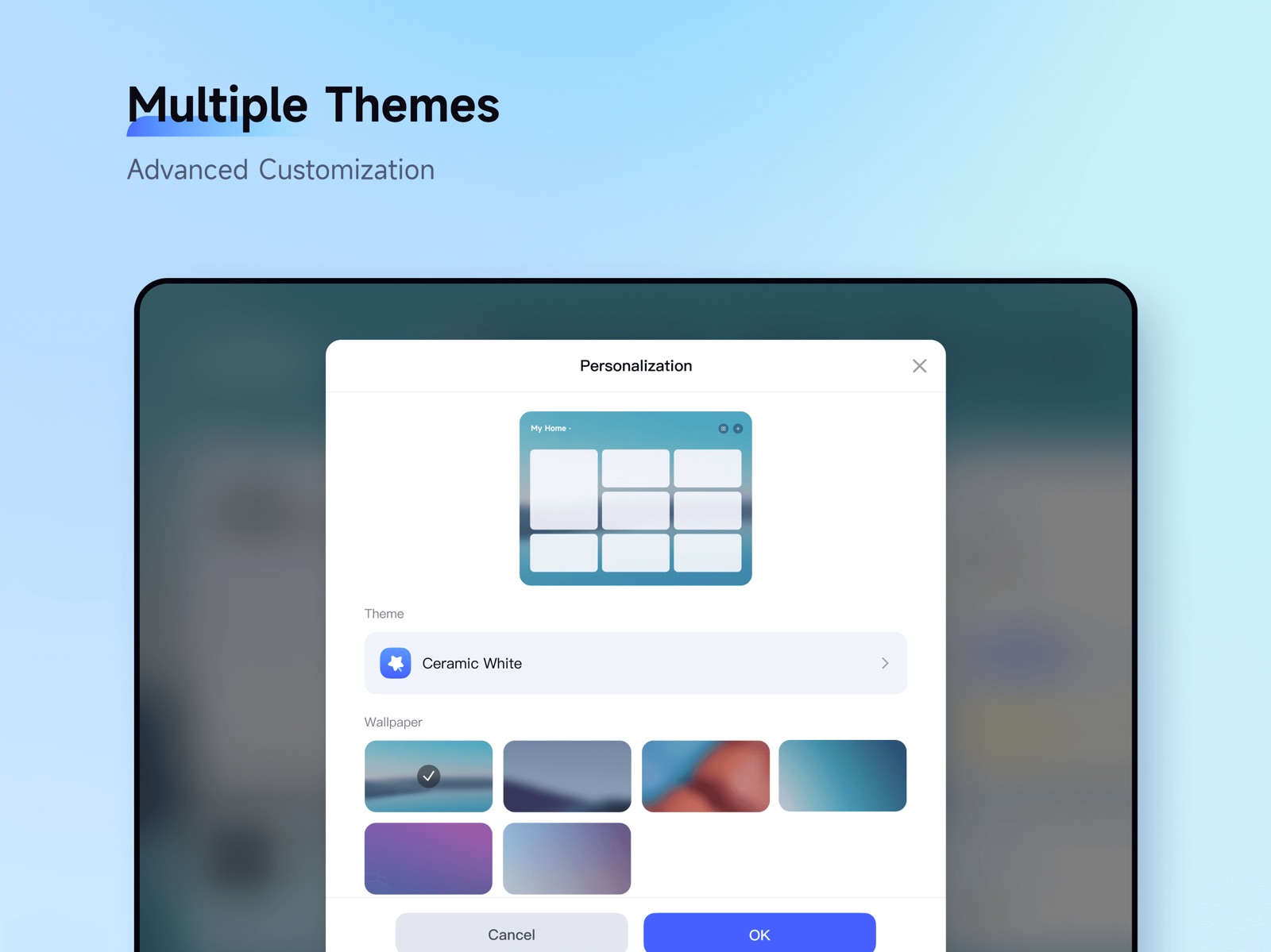
5 store screenshots


Pricing & paywalls
- Free to download
- Free to download
- In-app purchases: $0.05 - $99.99 per item
Ratings & reviews
-
4/5G5 Camera PoE camera and U100 Doorbell
This a short review but the G5 Pro outdoor cameras (PoE, not WiFi) have exceeded expectations! Love them. And the live video integration with the Home app has been excellent too. And the Home app that I shared with my WiFi is great too. She loves seeing snippets of when motion is detected and recorded (we have Apple+ subscription) all within the Home app. Everything is consolidated there with the U100 door lock too. Lights, Thermostat, sensors…you name it - the Aqara products have been working great - except for one small thing. The G410 Smart doorbell works well, especially with the Aqara Home app, but the live video in the Home app doesn’t work good at all. It says often - “not online”. However, when I go back into the Aqara app - the doorbell camera is live, I can commend to it, etc. But for whatever reason, the sync between the Aqara app and Hone just isn’t working consistently. Hopefully a firmware update on the G410 doorbell camera will fix that, either I would say choose a different model for now.
jman06 · 31 Jul 2026
-
2/5Confusing app; poor settings management
My two main issues with this app are 1) the myriad of settings buried under various different buttons and tabs, not one streamlined interface. (In other words: the app has poor UI guideline management). For example, for my doorbell, there are so many different places to set settings instead of one long settings page with everything on one screen. It’s very frustrating and all I want is one long settings page for everything having to do with the camera on one screen screen. 2) the battery indication and settings are poor. I use high-quality rechargeable batteries, and either the camera is gobbling up much of the energy far too quickly, or it is not utilizing the full potential and energy amount of the batteries. Even when I install fully recharged batteries that I know are good, it says the battery level is 60% instead of 100%. There needs to be either a calibration when new batteries are installed, or a setting to tell the app that these are rechargeable batteries, and to reset the charge amount to 100% based on the total charge level available from the current new batteries. It seems like the camera barely makes it a month or two before it hits 20% and constantly begs you to replace the batteries.
PolloTec · 31 Jul 2026
-
1/5US accounts require constant links to Chinese servers
Since instituting a solid firewall, the Aqara app says everything is disconnected, though it sees/shows all my devices, they all just appear disconnected. I have about 30 of their devices, which I’m leaning towards selling to someone who doesn’t care. I got into homekit before firewalls, which explains why i have any of their devices. I find this constant linking to servers outside the apple home hubs and apple home servers, more than irksome. Local, in home is what i am after. I have cybersecurity concerns, such as iOS devices being used as botnets, for example. Since the US has poor to no consumer protection and interest in developing a cybersecurity mindset thru education of their citizens, the EU seems to be the only game in town. When i first added Aqara devices i didn’t have a good enough firewall, but now that i have traffic allowed to only. A few countries, I see i have to part ways with Aqara. They make some of the best products, and are affordable, but their need for constant data link to china makes me have brand hate. Homekit mode has become useless over the past few years. Also, beware of camera features, using them uploads the videos to Aqara servers.
Johnney55 · 31 Jul 2026
-
4/5Ugly icon
They replaced the nice icon they had with this hideous ugly icon I now have to constantly look at on my home screen. The same update changed the large, easy to press with tiny controls. Adding a temperature sensor added a nice “Bedroom environment” info panel to the top of the app home screen. After adding another temperature sensor and trying to change the room here, the entire feature permanently disappeared. All time is in 24-hour format which no one in the US uses unless you’re in law enforcement or military. There is no dark mode, and you can’t set the app background to a normal color but instead are forced to choose from these bizarre wallpaper photos. Start time and stop time in automation doesn’t work in a logical or user friendly way. The app has an always-on alarm setting that you can’t shut off even if you want to. So I have to set it to “if the front door is open for 24 hours” to effectively disable it. The old version of the app at least had a decent name for this weird feature, now it’s even more unfriendly with the name “7*24 guard”. Randomly, error messages in the app will be in Chinese. I can’t add custom actions to an alarm going off. For example, I’d like to turn on the lights when the alarm goes off but that’s not possible. Despite all that, I still give it four stars. Overall it does its job pretty well. I wish very badly they’d add webhooks to the automation actions.
johnrcornell · 31 Jul 2026
-
3/5Needs 12 Hr. Time mode
App is generally fine to work with. I’m able to navigate through it without much issue, and have several temperature sensors running in various locations of my residence. Overall I don’t have many issues with the app except for the blasted 24 hour time format. I emailed Aqara support back in August ‘23 requesting that they add a 12 hour time format to their sensor graphs. It’s really annoying to visualize and mentally convert from 24-to-12 hour format when practically every American operates in 12 hour format. Rep “Cecilia” said that she’d pass it along to their dev team - but apparently it isn’t that high priority of a change request since that suggestion was never actualized. Not to mention I see that a user from 4 years ago requested the same time format update. Would update the review to 5 stars if they deployed this simple feature request.
EchoBravo5 · 31 Jul 2026
-
1/5
i do not understand why the camera connection established takes forever. Using the same wifi/4g I can view Tapo Camera easily, but when viewing Aqara's, it almost never work.
Tommy Leong · 1 Aug 2026
-
1/5
login session expires immediately you log in. cant even load a dashboard
Oliver Edgar · 1 Aug 2026
-
5/5
good
Arvind rakholiya · 1 Aug 2026
-
1/5
Easily Worst Smart home App
Aditya Pabuwal · 1 Aug 2026
-
1/5
a required junk and bloatware instead of a normal matter support.
Didenko Family · 1 Aug 2026
Privacy & accessibility
Privacy
- Data Linked to You — Analytics — Identifiers — Device ID Developer declared
- Data Linked to You — Analytics — Identifiers — User ID Developer declared
- Data Linked to You — Analytics — Usage Data — Product Interaction Developer declared
- Data Linked to You — App Functionality — Contact Info — Email Address Developer declared
- Data Linked to You — App Functionality — Contact Info — Phone Number Developer declared
- Data Linked to You — App Functionality — Contact Info — Physical Address Developer declared
- Data Linked to You — App Functionality — Identifiers — Device ID Developer declared
- Data Linked to You — App Functionality — Identifiers — User ID Developer declared
- Data Linked to You — App Functionality — Location — Coarse Location Developer declared
- Data Linked to You — App Functionality — Location — Precise Location Developer declared
- Data Linked to You — App Functionality — User Content — Audio Data Developer declared
- Data Linked to You — App Functionality — User Content — Customer Support Developer declared
- Data Linked to You — App Functionality — User Content — Photos or Videos Developer declared
- Data Linked to You — Contact Info Developer declared
- Data Linked to You — Identifiers Developer declared
- Data Linked to You — Location Developer declared
- Data Linked to You — Usage Data Developer declared
- Data Linked to You — User Content Developer declared
- Data Not Linked to You — Analytics — Diagnostics — Crash Data Developer declared
- Data Not Linked to You — App Functionality — Diagnostics — Crash Data Developer declared
- Data Not Linked to You — Diagnostics Developer declared
Accessibility
No accessibility labels collected yet.
Privacy
- Data collected — Analytics — App info and performance — Crash logs Developer declared
- Data collected — Analytics — App info and performance — Diagnostics Developer declared
- Data collected — Analytics — App info and performance — Other app performance data Developer declared
- Data collected — Analytics — Device or other IDs Developer declared
- Data collected — App functionality — Photos and videos — Photos Developer declared
- Data collected — App functionality, Account management — Personal info — Phone number Developer declared
- Security practices — Your data is transferred over a secure connection — Data is encrypted in transit Developer declared
- Security practices — The developer provides a way for you to request that your data be deleted — You can request that data be deleted Developer declared
Accessibility
No accessibility labels collected yet.
Versions
-
5.3.0
[New Feature] The Camera and Video Doorbell categories now support AI-Powered Video Intelligence Services: 1. AI Video Search: Search for relevant historical event footage across your entire home surveillance system using text descriptions. 2. AI Video Summary: Instantly extract key information from each video clip and present it in text format.
-
5.3.2
[Fixes] Fixed known issues.
-
6.0.0
[New features] 1.Smart Automations 2.0: Delivers greater control and flexibility with an improved interface, more customization options, and advanced WHEN/IF/THEN logic. 2.Geofencing 2.0 (Lab): Supports multi-user, multi-device detection of entry and exit from geofenced areas. 3.New “Explore” Tab: Trending: Showcases community highlights and trending activities. Services: Shows frequently used service cards and Aqara features.
-
6.0.1
[New features] 1.Smart Automations 2.0: Delivers greater control and flexibility with an improved interface, more customization options, and advanced WHEN/IF/THEN logic. 2.Geofencing 2.0 (Lab): Supports multi-user, multi-device detection of entry and exit from geofenced areas. 3.New “Explore” Tab: Trending: Showcases community highlights and trending activities. Services: Shows frequently used service cards and Aqara features.
-
6.0.2
[Fixes] Fixed known issues;
-
6.0.3
[Optimization] Automation 2.0 optimized to support bulk selection of automations and scenes, as well as bulk selection of devices as triggers. [Fix] Resolved known issues.
-
6.0.4
[New features] The Aqara Whole-house Energy Consumption now comes with an “AI Energy Butler”. By conversing with the AI butler, users can check household electricity use or manage energy settings. [Fix] Resolved known issues.
-
6.0.5
[Fix] Resolved known issues.
-
6.0.6
[Fix] Resolved known issues.
-
6.0.7
[Fix] Resolved known issues.
-
6.0.8
[Fix] Resolved known issues.
-
6.0.9
[Fix] Resolved known issues.
-
6.1.0
[Fix] Resolved known issues.
-
6.1.1
[Fix] Resolved known issues.
-
6.1.2
[Fix] Resolved known issues.
-
6.1.3
[Fix] Resolved known issues.
-
6.1.4
[Fix] Resolved known issues.
-
6.1.5
[Fix] Resolved known issues.
-
6.1.6
[Fix] Resolved known issues.
-
6.3.1
[Fix] Resolved known issues.
-
6.3.2
[Fix] Resolved known issues.
-
6.3.3
[Fix] Resolved known issues
-
6.3.6
[Fix] Resolved known issues.
-
6.3.7
[Fix] Resolved known issues.
-
6.3.8
· 28 Jul 2026
[Fix] Resolved known issues.
- 6.3.7 · 21 Jul 2026
- 6.3.9 · 25 Aug 2026
- 6.4.2 · 20 Sep 2026
Availability by market
- US
Data quality & evidence
- Page completeness
- Live store listing
- Last verified
- 30 Sep 2026
- Sources
- App Store, Google Play
- Apoku editorial summary has not been published yet.