
Quick verdict
- What it is
- Store information collected; independent summary not yet available.
- At a glance
-
- From $1.99/mo
- Free to download
- In-app purchases
Categories and search queries
Official categories
- Utilities
- Productivity
AppCorpus categories
Key functions
| Function | Availability | Access | Scope | Evidence |
|---|---|---|---|---|
| Free app | Yes | Free | — | Store published |
| In-app purchases | Yes | Limited free | — | Store published |
Screens
App Store
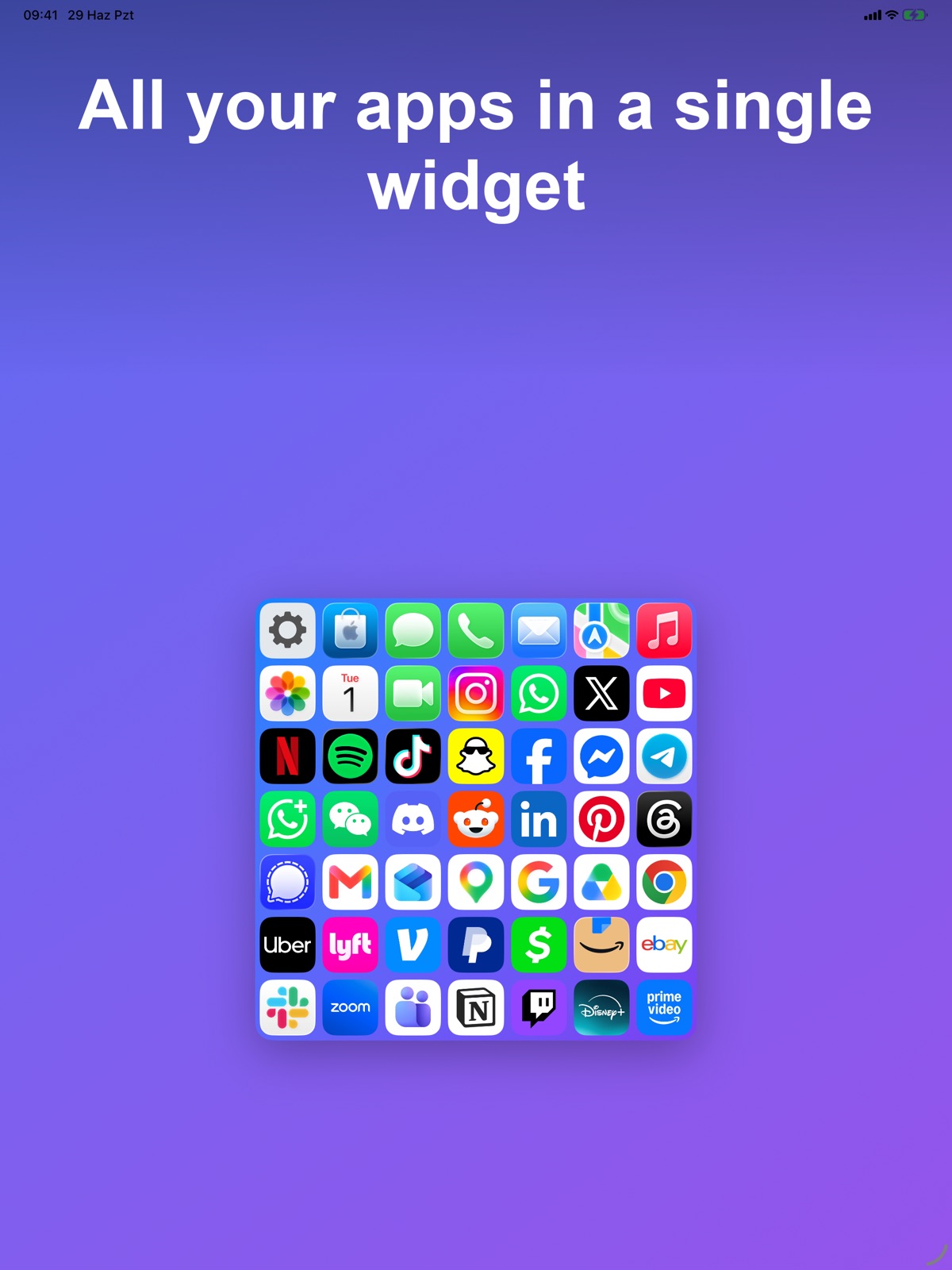
12 store screenshots


Pricing & paywalls
App Store
- FolderMini Pro Monthly — $1.99/month
- FolderMini Pro Monthly — $2.99/year ($0.24/mo)
- Coffee Tip — $2.99
- Dinner Tip — $14.99
- FolderMini Pro Lifetime — $6.99
- Pizza Tip — $6.99
Ratings & reviews
App Store
-
5/5Fantastic App In Every Way!
WOW finding this app made my day. This app is exactly what I needed. I had been using another big name widget app for years and last week they did an “upgrade” and removed a feature I have been using for years. I looked at many launcher apps but could not find what I needed until this one. This app is quick, intuitive to use, full featured and priced fairly. It is so nice the developer allows full access to the app to see how it works before purchase. I tested the app over a 2 hour period and quickly discovered it did everything that I was looking for! I have since purchased the app and could not be happier. Just as a side note this app is running great on a pre-release version of iOS, 27.0 Dev beta 3. My thanks to the developer for a fantastic app that works well and is easy to use. Job well done!
Scott1155 · 5 Aug 2026
-
5/5Not Only For Apps, But Also Websites!
This app works better than other similar apps. First, both apps and websites be added to widgets. Also, the Quick Launch bar shows the apps for a few hours once you open them, which is a very useful feature. Many thanks to the Dev for continuously updating and improving this excellent app!
jdoreview · 5 Aug 2026
-
5/5Finally, a launcher that just works.
I can add my apps easily, no fussing around with shortcuts or url schemes. I can make subfolders with relevant icons. The widget looks tidy and functions correctly. Apps launch smoothly. It just does what it's supposed to do and gets out of my way otherwise! Incredible! Breathing a sigh of relief having found this app.
Ansel1701 · 5 Aug 2026
-
5/5Excellent App
I rarely leave reviews but this app is great - this app honestly makes my OS feel like it’s fresh and updated! Exactly what I needed for arranging my apps!
jorkmcca · 5 Aug 2026
-
5/5Awesome little app
Clever little app and developer is always improving
Joehv · 5 Aug 2026
Privacy & accessibility
App Store
Privacy
- Data Not Linked to You — App Functionality — Diagnostics — Crash Data Developer declared
- Data Not Linked to You — App Functionality — Diagnostics — Other Diagnostic Data Developer declared
- Data Not Linked to You — App Functionality — Diagnostics — Performance Data Developer declared
- Data Not Linked to You — Developer’s Advertising or Marketing — Identifiers — Device ID Developer declared
- Data Not Linked to You — Diagnostics Developer declared
- Data Not Linked to You — Identifiers Developer declared
- Data Used to Track You — Identifiers — Device ID Developer declared
- Data Used to Track You — Identifiers Developer declared
Accessibility
No accessibility labels collected yet.
Versions
App Store
- 1.0
-
1.0.1
Introducing FolderMini Pro! • Unlimited folders & unlimited apps in every folder • iCloud backup to keep your layout safe and synced • Go ad-free Plus performance improvements and bug fixes.
-
1.2.0
• More room for the icons inside the widget • Improvements to system icons • Bug fixes and improvements
-
1.3.0
foldermini is more powerful — and more yours than ever: • New: Add websites to your folders — open your favorite sites straight from the widget, just like apps. • Adding and removing apps is much easier — a redesigned, category-based picker, "Select All," and a delete confirmation. • Choose your language — switch the app to any of 45 languages right from Settings, no restart. Your widgets follow along. • Make it yours — keep the clean black-and-white look or pick a primary color that tints the whole app. • Refreshed interfaces — a cleaner Settings, a library page, a badge editor, and a redesigned welcome. • A bigger app catalog and sharper dark app icons. • Tap a not-installed app in the widget to jump straight to the App Store. • Helpful tips, localized widgets, and lots of small refinements throughout.
-
1.4.0
In this version: • Folders within folders — organize your apps in nested folders • Quick launch from the Lock Screen and Dynamic Island • iPhone ↔ iPad iCloud sync • Redesigned, category-based app picker + website shortcuts • Direct App Store link for apps you don't have installed • Wide widget for iPad, smooth folder transitions • Performance improvements and bug fixes
-
1.4.1
In this version: • Folders within folders — organize your apps in nested folders • Quick launch from the Lock Screen and Dynamic Island • iPhone ↔ iPad iCloud sync • Redesigned, category-based app picker + website shortcuts • Direct App Store link for apps you don't have installed • Wide widget for iPad, smooth folder transitions • Performance improvements and bug fixes
-
1.4.2
Bug fixes and performance improvements — FolderMini is now faster and more reliable.
-
1.4.3
Glass folder widgets Transparent folders now look like real glass — and in Clear or Tinted Home Screen mode the app icons turn to glass too, matching the rest of your screen. Tip jar FolderMini is built by one person, kept as affordable as possible so anyone can have it. You can now leave a small tip to help keep it going — it unlocks nothing, it's purely a thank-you. Global widget settings Widget glass style and dark icons moved to Settings — each is one global switch now, applied to every folder widget at once. Smarter preview Opening a folder now picks the smallest widget size that shows every app — and tells you how many are hidden if you choose a smaller one. Tidied up Settings reorganized with clearer widget options, quick info tips, and various fixes.
-
1.4.4
Glass folder widgets Transparent folders now look like real glass and in Clear or Tinted Home Screen mode the app icons turn to glass too, matching the rest of your screen. Tip jar foldermini is built by one person. I kept it as affordable as I could so anyone can have it you can now leave a small tip to help keep it going. It unlocks nothing; it's purely a thank-you. Global widget settings Widget glass style and dark icons moved to Settings each is one global switch now, applied to every folder widget at once. Smarter preview Opening a folder now picks the smallest widget size that shows every app and tells you how many are hidden if you choose a smaller one. Tidied up Settings reorganized with clearer widget options, quick info tips, and various fixes.
-
2.0.0
A whole new icon studio Design every app's icon — a photo, a monogram, or 5,700+ searchable symbols. Separate looks for Light and Dark. Add apps from the App Store On any App Store page, tap Share → WidgetLoft — the app lands in your library instantly. Your own tiles Websites, Shortcuts — even apps you've hidden from the Home Screen, added by bundle ID. Widgets that tidy up After you launch an app — or after a timeout you choose — the widget returns to your main folder. Four icon sizes Small to extra large, plus fine-tuned spacing — per folder, or applied to all at once. Right app, right region WidgetLoft now matches your real App Store country, so regional apps launch correctly. Smarter dark icons The widget now follows your phone's Light and Dark Mode — and the glass widget gets its own switch. Built-in user guide Every feature and limit, explained — Settings → User Guide.
-
2.0.1
Redesigned Widgets tab A multi-column grid on iPad, a 3×3 ↔ wide size toggle, and app / website / shortcut counts on every widget. New edit mode Tap Edit, then drag to reorder your widgets and tap the red − to delete — the same on iPhone and iPad. More reliable icons Icons now always show the right app, and a slow icon can no longer freeze the whole widget. Folder icons & 3×3 Give a sub-folder its own photo or SF Symbol, and choose a 2×2 or 3×3 mini-grid. Edge margins On top of icon spacing, you can now adjust the margins around the whole grid. Smarter region picker The App Store region picker is now searchable, with favorites and your detected store pinned on top. Fixes & polish Icon editor now reopens on the right tab, better dark-mode contrast, and other small refinements.
-
2.0.2
· 30 Jul 2026
Refresh changed icons When an app rebrands, Settings can now find the new logo and show you old next to new before anything changes. Archive apps Put an app away without deleting it — it leaves your widgets and waits in the library's Archive until you restore it. Custom icons in iCloud Your own icon images now sync with your folders, so they survive a new device — and lost ones are recovered on launch. Faster folder editing Long-press an app in the add list to archive or delete it, hide ones already used elsewhere, and fit four per row. Shortcut tiles simplified One field instead of two, and names with symbols like "&" now open the right shortcut. Share with friends A new row in Settings sends the App Store link, so recommending WidgetLoft no longer means hunting for it. Fixes & polish Region-specific apps launch correctly, Pro no longer sees ads at launch, and a gentle prompt tells you when an update is out.
Availability by market
- US
Data quality & evidence
- Page completeness
- Live store listing
- Last verified
- 5 Aug 2026
- Sources
- App Store
- Independent summary has not been published yet.