
Quick verdict
- What it is
- Store information collected; an Apoku editorial summary is not yet published.
- At a glance
-
- Free to download
- In-app purchases
Categories and search queries
Official categories
- Productivity
- Utilities
Apoku categories
Key functions
| Function | Availability | Access | Scope | Evidence |
|---|---|---|---|---|
| Free app | Yes | Free | Context-specific | Store published |
| In-app purchases | Yes | Limited free | Context-specific | Store published |
Screens
App Store
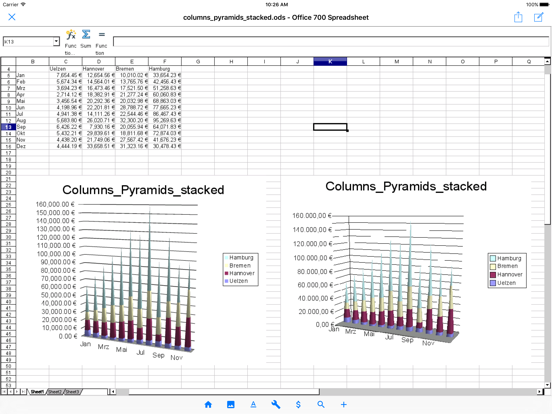
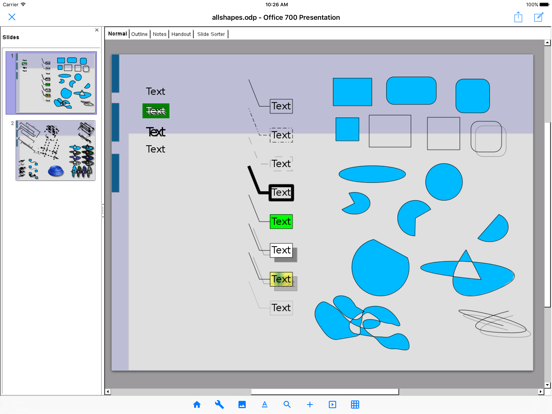
13 store screenshots


Pricing & paywalls
App Store
- Professional Version — $19.99
Ratings & reviews
App Store
-
2/5Paid $15, unusable!
I was excited to see there was a version of Open Office for my iPad, so I downloaded it, and went right to the print screen to see if it was free like the original version. I wasn’t surprised there was a pay wall in order to print, so I went right ahead and paid for it. I tried to make something with it, and I couldn’t get the Style dialogue box to close, and trying to place a horizontal rule was nothing short of a nightmare. After giving up and realizing that I just threw $15 down the toilet, I opened the free version of OO on my PC and did what I needed to do. Either this has a lot of potential, or I’m an idiot. (it could go either way). :) Tell you what, keep the $15 and make it more user friendly. I’ll still try and trip my way through it, Who knows, maybe I’ll come to like it, but so far, that’s a “NO”.
Gynotai · 6 Aug 2026
-
5/5Has Extensions!!
I wanted to review this product, because I couldn’t find this answer under app information, but this was the most important aspect for me. The app supports Open Office extensions. I write in a language that does not have native spelling support on iOS, and I was able to install my custom dictionary to the app. If you are looking for extension support and the ability to install custom dictionaries in a word processor this is the app for you. The price is a bit steep, but I was worth it to me
deanrc · 6 Aug 2026
-
2/5No Autorecovery, No Positive Review
I’ve always enjoyed OpenOffice on the desktop, so I was glad to see it ported to IOS. Unfortunately I realized the hard way that, unlike the desktop version, the IOS version of OpenOffice has NO autorecovery/autosave system at all; I had to find that out by writing for a bit (thankfully not for very long) and then accidentally closing the app, only to realize when reopened the app later that my bit of writing was eaten when the app was closed. This is REALLY inexcusable, as autosaves/autorecoveries are standard for practically every other creative app that I can think of, and there’s no way I’m going to spend another minute using this app as soon as I find a satisfactory replacement.
Markwf85 · 6 Aug 2026
-
5/5AO Office is the ONLY answer to freeing yourself from Microsoft on an IPad!
I recently uploaded some MS Word 2016 docx files to the IOS cloud and was bummed by not being able to edit any of them without being forced to pay a weekly or monthly fee to use an editor from the AppStore that advertised itself as free but after the download forced you to make a choice how to proceed. I finally found AO Office, (OpenOffice for Mobile) and downloaded and installed it FOR FREE. Very slick app, even in the free version. To be able to export to a PDF file, a simple $20 purchase was all that was required for a lifetime license. Anyone wanting to easily export a PDF can easily convert it back to a Word DOCX file without having MS stick its hand in your wallet.
elgringolosabetodo · 6 Aug 2026
-
1/5Absolutely horrendous
1. Opened an ODT document, which I had edited earlier on a computer without any issues, and was greeted to over six thousand pages of unknown characters. Sent the file back to the computer, opened it again, it was normal. Long story short, AO Office failed to decipher a very basic document. Every other doc I tried did the same thing. 2. Asked me if I wanted to install each individual font, instead of giving me a checkbox selection or a button to install them all. No option to stop it from asking, made my battery drain while plugged in to a high power charger. Do not recommend, you're better off using Preview.
somenerdykid · 6 Aug 2026
Privacy & accessibility
App Store
Privacy
- Data Not Linked to You — Analytics — Purchases — Purchase History Developer declared
- Data Not Linked to You — Analytics — Usage Data — Product Interaction Developer declared
- Data Not Linked to You — App Functionality — Diagnostics — Crash Data Developer declared
- Data Not Linked to You — App Functionality — Diagnostics — Performance Data Developer declared
- Data Not Linked to You — App Functionality — Identifiers — User ID Developer declared
- Data Not Linked to You — Developer’s Advertising or Marketing — Usage Data — Advertising Data Developer declared
- Data Not Linked to You — Product Personalization — Usage Data — Product Interaction Developer declared
- Data Not Linked to You — Third-Party Advertising — Usage Data — Advertising Data Developer declared
- Data Not Linked to You — Diagnostics Developer declared
- Data Not Linked to You — Identifiers Developer declared
- Data Not Linked to You — Purchases Developer declared
- Data Not Linked to You — Usage Data Developer declared
Accessibility
No accessibility labels collected yet.
Versions
App Store
-
5.4.1
Version 5.4.1 Improved Text Import dialog by adapting native UI.
-
5.4.2
Version 5.4.2 Enhance security by encryption with personal information in the app storage.
-
5.4.3
Version 5.4.3 Support for Unicode 15.0 and OpenType-SVG fonts.
-
5.4.4
Version 5.4.4 Update code base to the Apache OpenOffice 4.1.15.
-
5.4.5
Version 5.4.5 Improved Paragraph dialog by adapting native UI.
-
5.4.6
Version 5.4.6 Fix for function names in the formula in XLSX export.
-
5.4.7
Version 5.4.7 Fix for function names in the formula in XLSX export.
-
5.4.8
Version 5.4.8 Improved Character dialog by adapting native UI.
-
5.4.9
Version 5.4.9 Support for password-protected DOCX/XLSX/PPTX files.
-
5.5.0
Version 5.5.0 Support for password-protected DOCX/XLSX/PPTX files.
-
5.5.1
Version 5.5.1 Support for modern password-protected DOC files.
-
5.5.2
Version 5.5.2 Support for modern password-protected XLS files.
-
5.5.3
Version 5.5.3 Support for modern password-protected PPT file format.
-
5.5.4
Version 5.5.4 Support for exporting with Agile Encryption.
-
5.5.5
Version 5.5.5 Support for read-only mode in DOCX/XLSX/PPTX.
-
5.5.6
Version 5.5.6 Support for decryption with ODF Wholesome Encryption.
-
5.5.7
Version 5.5.7 Support for the animation in the PPTX export.
-
5.5.8
Version 5.5.8 Support for the embedded video in the PPTX.
-
5.5.9
Version 5.5.9 Update PDFium Library Version.
-
5.6.0
Version 5.6.0 Fix for Complex Field Character in docx import and export.
-
5.6.1
PDF Import - Improved rendering of embedded fonts, annotations, and dashed lines. - Fix for word spacing issues in imported PDFs. - Fix for crashes when importing certain PDF files. Writer - Fix for losing field data (Author, Date, Edit Time, Template Name, etc.) when saving to DOCX or DOC format. - Fix for crash when importing certain DOCX files. Paste Special - Improved Paste Special dialog for mobile. Stability - Fix for crashes and freezes in various operations.
-
5.6.2
Writer - Improved style dialogs (Character, Paragraph, Page, Header/Footer, Footnote, Column, Text Grid, Conditional) for mobile. - Fixes for DOCX round-trip of table width, cell margins, borders, alignment, background, and non-splittable rows. Stability - Fix for crashes in various operations. App - Age Range declaration is now available worldwide.
-
5.6.3
Writer - Improved style dialogs (Character, Paragraph, Page, Header/Footer, Footnote, Column, Text Grid, Conditional) for mobile. - Fixes for DOCX round-trip of table width, cell margins, borders, alignment, background, and non-splittable rows. Stability - Fix for crashes in various operations. - Fix for disabled text fields not appearing dimmed. - Fix for losing % suffix when picking entries from the font size combo. App - Age Range declaration is now available worldwide.
-
5.6.4
Improved style dialogs by adapting native UI.
-
5.6.5
· 23 Jul 2026
Writer - Improved style dialogs (Character, Paragraph, Page, Header/Footer, Footnote, Column, Text Grid, Conditional) for mobile. - Fixes for DOCX round-trip of table width, cell margins, borders, alignment, background, and non-splittable rows. Stability - Fix for crashes in various operations. - Fix for disabled text fields not appearing dimmed. - Fix for losing % suffix when picking entries from the font size combo. App - Age Range declaration is now available worldwide.
Alternatives
- Collabora Office — Same category + similar ratings
- ONLYOFFICE Documents — Same category + similar ratings
- OpenDocument Reader - view ODT — Same category + similar ratings
- Polaris Office - PDF & Docs — Same category + similar ratings
- Office Suite-Word, PDF, Sheets — Same category + similar ratings
- Document Editor—Docs,Sheets — Same category + similar ratings
Availability by market
- US
Data quality & evidence
- Page completeness
- Live store listing
- Last verified
- 6 Aug 2026
- Sources
- App Store
- Apoku editorial summary has not been published yet.