
Quick verdict
- What it is
- Store information collected; independent summary not yet available.
- At a glance
-
- Free to download
- In-app purchases
Categories and search queries
Official categories
- Photo & Video
- Graphics & Design
AppCorpus categories
Key functions
| Function | Availability | Access | Scope | Evidence |
|---|---|---|---|---|
| Free app | Yes | Free | — | Store published |
| In-app purchases | Yes | Limited free | — | Store published |
Screens
App Store
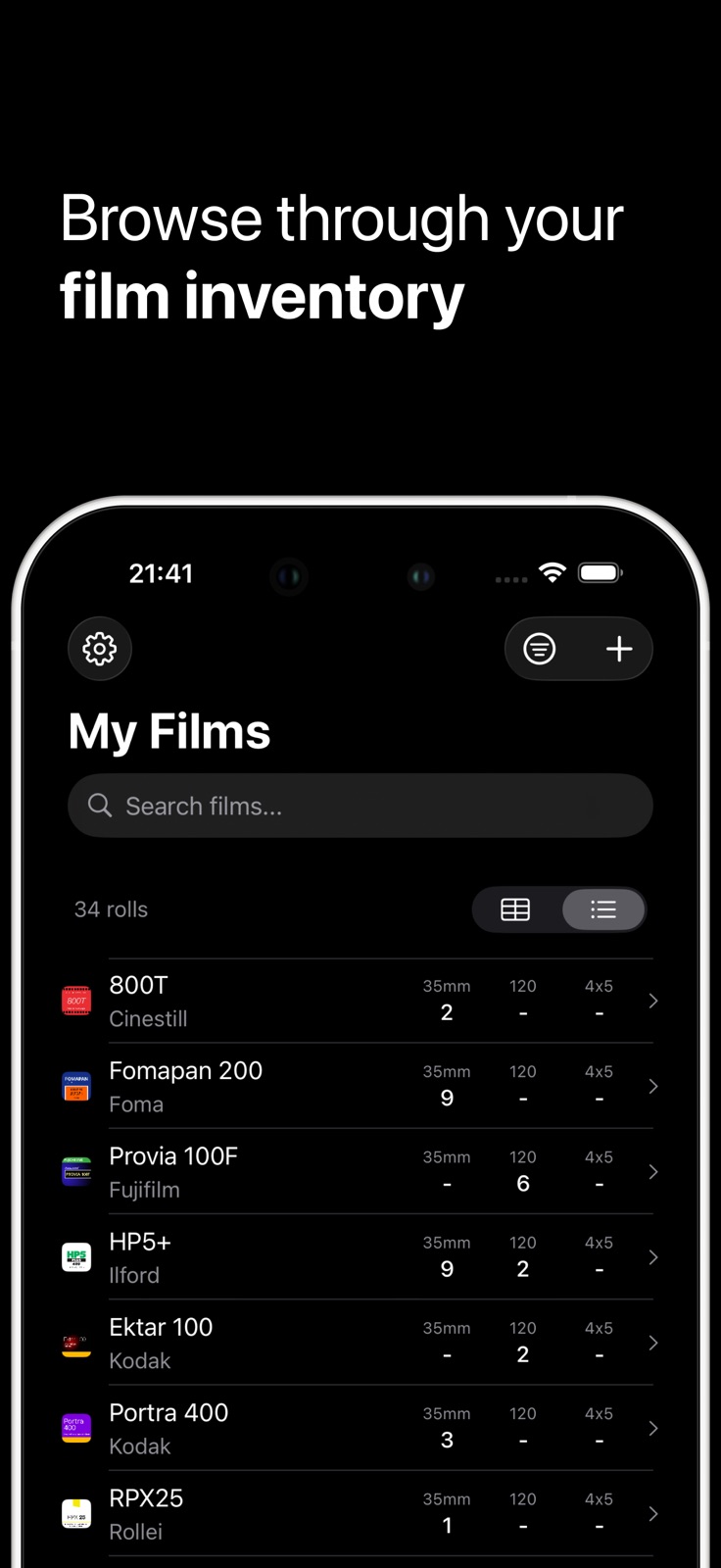
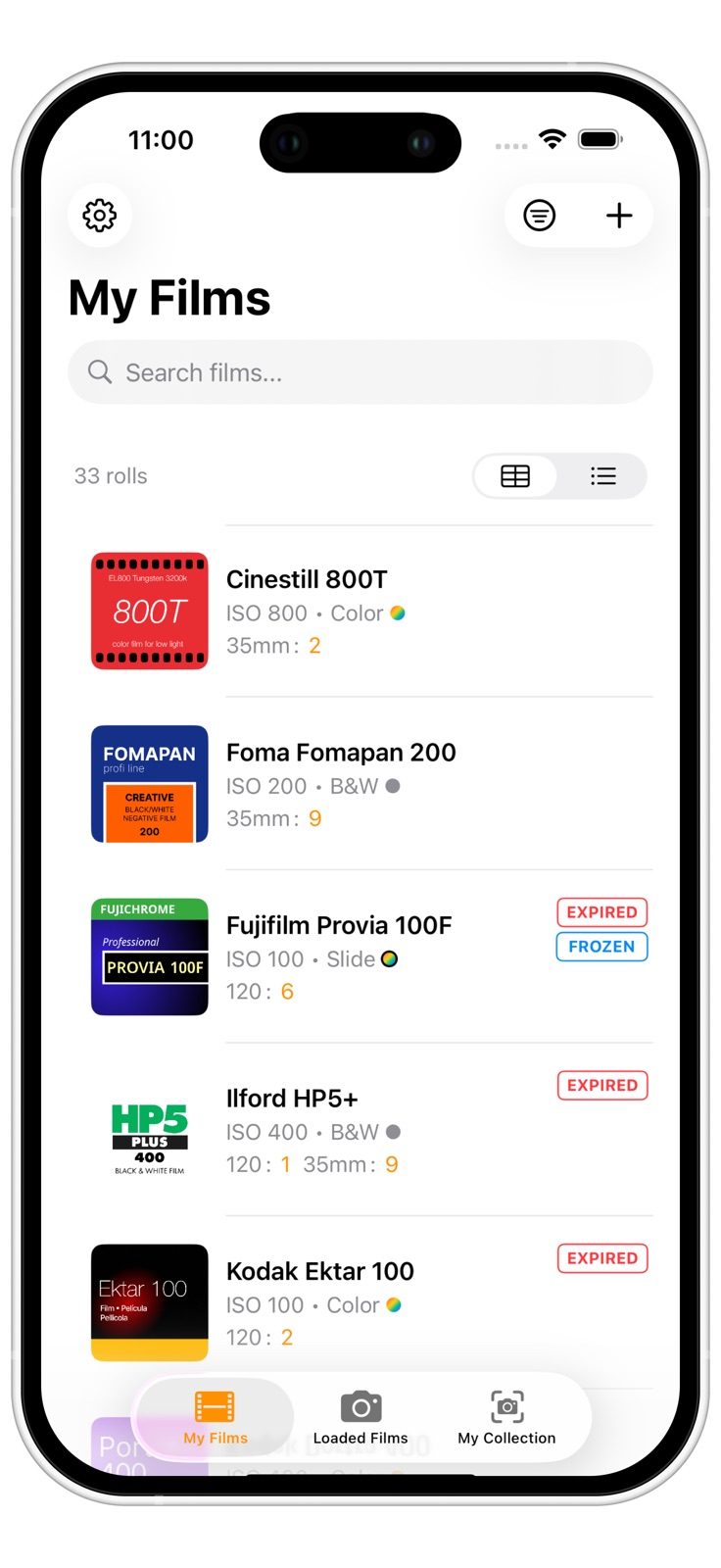
7 store screenshots


Pricing & paywalls
App Store
- Buy Me a Coffee — $1.99
Ratings & reviews
App Store
-
5/5Great and needed app
Would love to see more film stocks and little less confusing to add 35mm and 120 of the same stock. Keep up the great work
jaredweinstock · 5 Aug 2026
-
4/5Very Nice
The app is cool. I feel like it is missing a few things. I can’t find a way to change/unload a film once loaded. The only option I see it to change the loaded date, but I can’t change the camera it’s loaded in. I wish there was a way to add a small note/annotation to rolls. Some additional info about where it was shot and what lens was used would be nice.
Daw401 · 5 Aug 2026
-
5/5Greatest app ever
I’ve been tracking my film via a spreadsheet on my phone. This is so much better!
The Eyao · 5 Aug 2026
-
5/5Wonderful app
I love how clean and simple this app is. Makes tracking your film super easy
Count Viggles · 5 Aug 2026
-
2/5Please fix bug
Helpful except lately when i go to look at finished rolls the app crashes. Every single time
abbey semp · 5 Aug 2026
Privacy & accessibility
App Store
Privacy
- Data Not Collected Developer declared
Accessibility
No accessibility labels collected yet.
Versions
App Store
- 1.0
-
1.2
Whats new: General: • New “Frozen” feature - mark a film as frozen when adding or editing a film. • The film manufacturer list is now sorted by relevancy and previously added films. • Custom Film formats - manage and add custom film formats in the settings. • New Camera management - Access your cameras via the camera icon on the Loaded Films page. Add and manage your cameras from there. • It is now easier to add new manufacturers when adding a film. • You can choose to always show the expiry date in the list . • All new statistics page about your film stock - find it in the settings. Filter & Sorting • The My Films list is now sortable by expiry date, film type, etc. • Filters can be reset with one tap. • Filter to only show frozen film. New filme reminder cards • Fuji FP100C/Silk/C45. • Fuji PP3000B. • Kodak Vision 2 Series. Fixes: • The issue with the non-responsive ISO filter was fixed. • Sometimes the My Films page needed an app restart to reflect changes, this has now been fixed. • The previous limitation of only having max. 5 loaded cameras has been lifted .
-
1.3
What’s new in version 1.3: Camera to upload film cards: - No more issues with zoom levels and offset crops - Pinch to zoom-in to frame your film reminder cards - Still missed the shot? No worries, you can crop the picture after taking it - Upload your own film reminder cards from your picture library Comment indicator in the film list view: - See in which film you left comments in your film list Custom ISO when loading films: - When loading a film, you can choose to override the film stocks ISO Home Screen widget now shown the ISO instead of the film format: - Toggle on “Show Film Info” in the widget settings New film cards: - Kodak ProImage 100
-
1.4
New in version 1.4: New "Finished rolls" section in the loaded films tab: - All unloaded films end up here for you to not loose your past rolls - Films are marked as "to be developed" when finished - swipe the row and keep track on the current development progress Fixed Bugs: - Fixed several issues where changes of existing films are only reflected after a restart of the app - If a film has multiple formats and one of the formats is "emptied", the expiry date of that format is now removed - Improved the sorting of the formats list in the film detail view Thank you to everyone for the continuous feedback!
-
1.5
- Added 19 new film reminder cards - Fixed crash in finished rolls tab when camera got deleted that was used to finish the roll
-
1.6
Fixed minor issues including: - The table view now respects custom formats selected in the settings, scroll horizontally on the row to see all formats. - Added sorting and filtering for finished rolls
-
2.0
Major V2.0 update alert! This one is a big update. The way how films and rolls are stored is completely reworked. You can now: - Set dedicated expiry dates, comments and exposure counts for individual rolls - Bulk-add rolls and spooled rolls - Add a format to your camera that will be auto-selected when loading a film in the app - Beta: Import and export your whole inventory via CSV or Json file - The film card library now has a search, a lot easier to navigate through the 100+ custom film cards - Accidentally loaded a roll? Now you can remove it and it will get added back to your inventory Some smaller fixes and improvements: - The issue that sometimes edits made in the film don't immediately appear in the list is now fixed - Fixed issue that the film manufacturer could not be changed after adding - You can now re-open the "Whats new in this version" pop-over from the setting menu - Lots of smaller fixes in layout and translations
-
2.1
Several bugs fixed: - For some users the finished rolls tab was not accessible after the update to version 2.0. This should be fixed now - Improved the sheet film features, now with separate expiry dates and frozen tags - The finished date can now be edited after a roll has been finished
-
2.2
· 14 Apr 2026
- Added the new Kodak Ektacolor and Ektapan film-cards - You can now group your film list by manufacturer and ISO speed - Fixed several smaller bugs
Availability by market
- US
Data quality & evidence
- Page completeness
- Live store listing
- Last verified
- 5 Aug 2026
- Sources
- App Store
- Independent summary has not been published yet.