
Quick verdict
- What it is
- Store information collected; an Apoku editorial summary is not yet published.
- At a glance
-
- From $6.66/mo
- Free to download
- In-app purchases
Categories and search queries
Official categories
- Graphics & Design
- Photo & Video
Apoku categories
Key functions
| Function | Availability | Access | Scope | Evidence |
|---|---|---|---|---|
| Free app | Yes | Free | Context-specific | Store published |
| In-app purchases | Yes | Limited free | Context-specific | Store published |
Screens
App Store
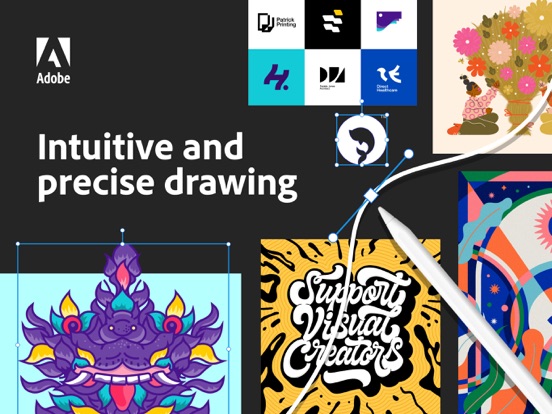
20 store screenshots



Pricing & paywalls
App Store
- Illustrator on iPad : Monthly — $9.99/month
- Illustrator on iPad : Monthly — $79.99/year ($6.66/mo)
- Adobe Design Mobile: Monthly — $14.99/month
- Adobe Design Mobile: Monthly — $149.99/year ($12.49/mo)
Ratings & reviews
App Store
-
5/5Finally!!
I’ve been so anxious for this to come out, but I also didn’t have high expectations. Most of the time, when computer softwares make an app, so many key features are missing; the apps feel clunky, and it’s always a pain to use and re-learn. I usually end up deleting the app and just sticking with the original. This is NOT the case here! It truly feels like an extension of AI, and working in it is like second nature. All the basics are there, and bouncing back and forth between my iPad and laptop is seamless. I LOVE that I don’t have to worry about saving or exporting, loading to a cloud, then converting my files. I’m literally drawing vector lines with my Apple Pencil from the get-go, already in the format I need. Game changer! No more having to trace and clean up later. Also, manipulating points with my pencil is sooo much easier than clicking with a mouse. Thank you guys for making such an incredible app, right out of the gate. Admittedly, I haven’t been in love with other iPad-version Adobe products, but this is truly amazing!!
.......- · 30 Sep 2026
-
4/5Invaluable Program; App Could Use Improvement
I was first introduced to Illustrator in college for a graphics-design elective. This program has changed my life; my jobs and volunteer work (nominally) have nothing to do with graphic design yet I continually find projects that I can accomplish in Illustrator to great benefit. It’s also just fun to use (if time-consuming). All of that said, the iPad app (which I’ve used from the beginning) has always left a bit to be desired. For one, it lacks a lot of the functions the desktop application accomplishes easily. Some of this is no doubt necessary, but a lot of it seems like it would be fairly easy to implement. I have yet to encounter anything for which I can’t find a work-around, but it can be inconvenient. It’s also always been a little glitchy. Given that I’m not a full-time designer it hasn’t bothered me that much, I’ve sort of become accustomed to it. But the app frequently freezes requiring a re-start, or crashes. I just reported a new and consistent bug causing a crash whenever I attempt to rename a layer within a project. This is the first time I’ve ever experienced losing work from a crash, though others have mentioned that as a common frustration. Overall it’s a great program with nothing even coming close to the capability. Expensive, but well-worth the cost in my opinion (though it’d be nice to get both iPad and desktop access for the same subscription). Working on the app’s functionality and stability would be a massive improvement and eliminate the vast majority of criticisms.
Aelethir · 30 Sep 2026
-
3/5Some thing that could be very simple is made very confusing
I understand that the whole vector thing hasTo do with like the angles in the math of everything so it’s pretty much exact and it makes a crisper line when printing and it looks a lot better for clients obviously but why can’t it just predict that for the most part when I’m drawing a circle I wanted to be around like when I’m making a round object and I’m not using the vector and I’mActually drawing it out why is it so bumpy when I’m not even shaking or jittery or anything I’m just drawing cleanly and it will be on my iPad like I was shaking the entire time I was drawing it I do not think that this is worth $10 a month also why can’t I have capital and lowercase letters and white if you put it for capitals because like you force capitals on me and I’m not able to have any type of lowercase and if I can it’s very confusing and very hard to find but all of the font types are in lowercase so they look completely different than when you actually apply it when you’re looking at the samples and I’m sure the one for the computer is a little bit better but from what I’ve seen with this it can’t be much better because these are very simple and easy things to fix and it looks like it there is no intention of fixing it adobe illustrator has been around for a long time if it’s this confusing now then there’s no hope for it getting any easier for someone that just wants to make one logo for their own business and then not ever use it ever again
jadenscene · 30 Sep 2026
-
2/5Adobe needs to get it together
I’ve tried to give this time, but it’s almost like it’s spiraling and becoming worse with each update and ‘added’ features. Every time there is a small update for “bug fixes” and “stability,” it seems to only bug out worse than it did on the last update. You would think that Adobe, a billion dollar company noted as the leader for software and industry ‘standard’ for graphic design application tools, would be able to manage an at least semi-functioning iPad Pro application for one of their most used desktop apps. This (long anticipated) app was first launched nearly 6 months ago, and yet, you still are unable to export a high-resolution raster image (other than a PSD), one of the most, ummm, necessary features of any design software. The app has crashed on me or completely frozen *at least* 15 times today. AND did I forget to mention they make you pay a very hefty fee every month just to use something that works only half the time? I really wish somebody would scrub the entire software development department in charge of iPad applications and just start from scratch because this is ridiculous, and there are unfortunately no comparable alternatives other than affinity, but I don’t have time to learn an entirely new program in an industry that de facto requires you to be subservient to Adobe products. Sigh.
christinarick · 30 Sep 2026
-
1/5NOT AS ADVERTISED** Limited Functionality of Desktop Version
This is my second review I have ever written and I am 28. I am a huge proponent of Adobe products and rely on them for my professional career. Unfortunately, my computer crashed and now solely dependent on my iPad Pro for any freelance work. I was ecstatic when I heard of the “Full Version” of Illustrator and Photoshop for iPad Pro and once I downloaded was almost immediately disappointed. As a graphic designer, I rely on the ability that Adobe has afforded the desktop version, concerning Illustrator, of live tracing my illustrations. The iPad Pro version simply does not have this functionality, it is also, in my experience, extremely glitchy freezing and/or staling almost every couple of actions. And then I hear of the release of Adobe Fresco! Was, again, ecstatic for a vector-based illustration platform. However they have left off the option to export your vector files as vector files. How does that make any sense? I have attempted to submit my concerns with no help and as I rely on my freelance as supplemental income I find no other method than to voice my concerns by ways of reviews. If you are looking for non-vector drawings and assets buy procreate, you will save the $50/month with CC and have a much more user-friendly experience. As for vector based artists, I am still looking into my best option, but so far Vectornator is free. Please Adobe, help solve this issue because I love Adobe and really would rather spend the time familiarizing myself with another platform on something else.
fromadesigner · 30 Sep 2026
Privacy & accessibility
App Store
Privacy
- Data Linked to You — Analytics — Diagnostics — Crash Data Developer declared
- Data Linked to You — Analytics — Usage Data — Product Interaction Developer declared
- Data Linked to You — App Functionality — Contact Info — Email Address Developer declared
- Data Linked to You — App Functionality — Contact Info — Name Developer declared
- Data Linked to You — App Functionality — Identifiers — Device ID Developer declared
- Data Linked to You — App Functionality — Identifiers — User ID Developer declared
- Data Linked to You — App Functionality — Usage Data — Product Interaction Developer declared
- Data Linked to You — App Functionality — User Content — Other User Content Developer declared
- Data Linked to You — Other Purposes — Diagnostics — Crash Data Developer declared
- Data Linked to You — Other Purposes — Other Data — Other Data Types Developer declared
- Data Linked to You — Contact Info Developer declared
- Data Linked to You — Diagnostics Developer declared
- Data Linked to You — Identifiers Developer declared
- Data Linked to You — Other Data Developer declared
- Data Linked to You — Usage Data Developer declared
- Data Linked to You — User Content Developer declared
Accessibility
No accessibility labels collected yet.
Versions
App Store
-
1.2.5
Improvements include enhancements to experience, stability, and bug fixes.
-
1.2.6
Improvements include enhancements to experience, stability, and bug fixes.
-
1.3
This update includes new features, experience improvements, and bug fixes. With this update you can now: - Export graphics more accurately for print and screen - Draw accurate and tapered strokes with the Blob brush - Visualize your artwork over a transparent background - Start new documents by importing template files (.ait) - Experience better controls when closing paths with the Pen tool
-
1.3.2
Improvements include enhancements to experience, stability, and bug fixes.
-
1.3.3
Improvements include enhancements to experience, stability, and bug fixes.
-
1.3.4
Improvements include enhancements to experience, stability, and bug fixes.
-
2.0
Art and Calligraphic Brushes — Create and apply brush strokes to add artistic elements to your artwork. Vectorize — Convert raster images or paper sketches into vector images. Transform as Shape — Transform paths and curves without manual manipulation of anchor points. Blend Tool — Smoothly blend one shape into another across a specified number of steps. Additional improvements include enhancements to experience, stability, and bug fixes.
-
2.0.1
Improvements include enhancements to experience, stability, and bug fixes.
-
2.0.2
Improvements include enhancements to experience, stability, and bug fixes.
-
2.0.3
Improvements include enhancements to experience, stability, and bug fixes.
-
2.1
This update includes new features, experience improvements, and bug fixes. You can now: - Set the pencil tool to join the ends automatically or not. - Use primary modifier or the shift key in the pen tool to draw points at 90 and 45 degree angles. - Duplicate layers by sliding to the left, and picking the duplicate option. Or, dragging it over the (+) icon in the panel. - Identify used swatches in fills and strokes. And active artboards with a darker outline. - Swap fill and stroke with keyboard shortcut Shift+X.
-
2.1.1
Improvements include enhancements to experience, stability, and bug fixes.
-
2.1.2
Improvements include enhancements to experience, stability, and bug fixes.
-
2.1.3
Improvements include enhancements to experience, stability, and bug fixes.
-
3.0
This update includes new features and experience improvements. You can now: • Quickly save and rename files – Save and rename your Illustrator document anytime while working on your artwork. • Move and set your touch shortcuts – Adobe Illustrator will continue to remember your new touch shortcut widget location. • Snap in gradients – Easily place gradient angles at every 45 degrees to achieve precise, controlled colors and shades.
-
3.0.1
Improvements include enhancements to experience, stability, and bug fixes.
-
3.0.10
· 31 Oct 2025
Improvements include enhancements to experience, stability, and bug fixes.
-
3.0.2
Improvements include enhancements to experience, stability, and bug fixes.
-
3.0.3
Improvements include enhancements to experience, stability, and bug fixes.
-
3.0.4
Improvements include enhancements to experience, stability, and bug fixes.
-
3.0.5
Improvements include enhancements to experience, stability, and bug fixes.
-
3.0.6
Improvements include enhancements to experience, stability, and bug fixes.
-
3.0.7
Improvements include enhancements to experience, stability, and bug fixes.
-
3.0.8
Improvements include enhancements to experience, stability, and bug fixes.
-
3.0.9
Improvements include enhancements to experience, stability, and bug fixes.
Alternatives
- Linearity Curve Graphic Design — Same category + similar ratings
- Affinity Designer 2 for iPad — Same category + similar ratings
- Procreate — Same category + similar ratings
- Brushes for Procreate — Same category + similar ratings
- Concepts — Same category + similar ratings
- Clip Studio Paint — Same category + similar ratings
Availability by market
- US
Data quality & evidence
- Page completeness
- Live store listing
- Last verified
- 30 Sep 2026
- Sources
- App Store
- Apoku editorial summary has not been published yet.