
Quick verdict
- What it is
- Store information collected; an Apoku editorial summary is not yet published.
- At a glance
-
- Free to download
- In-app purchases
Categories and search queries
Official categories
- Productivity
- Business
Apoku categories
Key functions
| Function | Availability | Access | Scope | Evidence |
|---|---|---|---|---|
| Free app | Yes | Free | Context-specific | Store published |
| In-app purchases | Yes | Limited free | Context-specific | Store published |
Screens
App Store
5 store screenshots

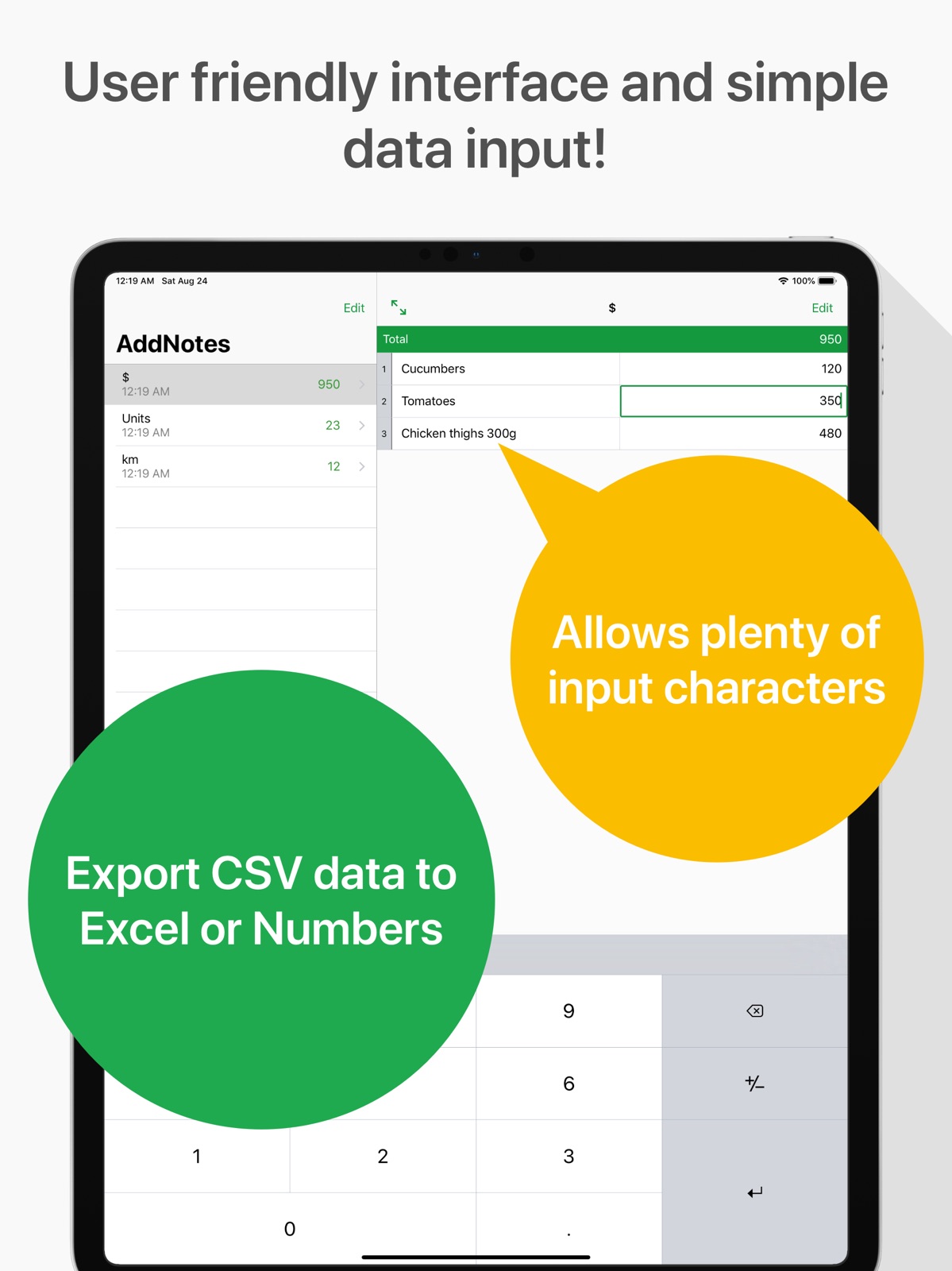
Pricing & paywalls
App Store
Shown for US
- Free to download
- In-app purchases
Ratings & reviews
App Store
Shown for US
-
5/5Perfect for tracking spending!
This app is awesome for tracking spending. I am the Treasurer for a group and I use the app both for that purpose and for my own spending/budgeting. I no longer pay costly subscriptions for budgeting apps. It has been a game changer.
maggardt · 31 Jul 2026
-
5/5Good possibilities
Just started using the app and of the two others I tried this was the most straightforward and easy to use!
NoehlSB · 31 Jul 2026
-
5/5Very Useable
I use this to tally up monthly expenses. The feature to hide any expense which adjusts the sum total sold me to use it every day. Can we have an option to remove the ads?
thosweil · 31 Jul 2026
-
5/5Simple Cell based calculator
This is the app I was looking for. Very simple excel-like calculator designed for iPhone. No pinching and zooming to create and calculate a simple editable list.
nickname58548742679863468995 · 31 Jul 2026
-
5/5Easy
Very simple but detailed format and super easy to use
Bignob73 · 31 Jul 2026
Privacy & accessibility
App Store
Privacy
- Data Linked to You — Analytics — Diagnostics — Performance Data Developer declared
- Data Linked to You — Analytics — Identifiers — Device ID Developer declared
- Data Linked to You — Analytics — Location — Coarse Location Developer declared
- Data Linked to You — Analytics — Usage Data — Advertising Data Developer declared
- Data Linked to You — Analytics — Usage Data — Product Interaction Developer declared
- Data Linked to You — Third-Party Advertising — Diagnostics — Performance Data Developer declared
- Data Linked to You — Third-Party Advertising — Identifiers — Device ID Developer declared
- Data Linked to You — Third-Party Advertising — Location — Coarse Location Developer declared
- Data Linked to You — Third-Party Advertising — Usage Data — Advertising Data Developer declared
- Data Linked to You — Third-Party Advertising — Usage Data — Product Interaction Developer declared
- Data Linked to You — Diagnostics Developer declared
- Data Linked to You — Identifiers Developer declared
- Data Linked to You — Location Developer declared
- Data Linked to You — Usage Data Developer declared
- Data Not Linked to You — Analytics — Diagnostics — Crash Data Developer declared
- Data Not Linked to You — Third-Party Advertising — Diagnostics — Crash Data Developer declared
- Data Not Linked to You — Diagnostics Developer declared
- Data Used to Track You — Diagnostics — Crash Data Developer declared
- Data Used to Track You — Diagnostics — Performance Data Developer declared
- Data Used to Track You — Diagnostics Developer declared
- Data Used to Track You — Identifiers — Device ID Developer declared
- Data Used to Track You — Identifiers Developer declared
- Data Used to Track You — Location — Coarse Location Developer declared
- Data Used to Track You — Location Developer declared
- Data Used to Track You — Usage Data — Advertising Data Developer declared
- Data Used to Track You — Usage Data — Product Interaction Developer declared
- Data Used to Track You — Usage Data Developer declared
Accessibility
- Dark Interface — SUPPORTED Store published
- Differentiate Without Color Alone — SUPPORTED Store published
- Larger Text — SUPPORTED Store published
- Reduced Motion — SUPPORTED Store published
- Sufficient Contrast — SUPPORTED Store published
Versions
App Store
-
1.2.4
- Fix crash when share total value on iPad. - Fix crash when share app URL on iPad.
-
1.3.0
New Features - You can sort notes in any order. You can sort by specifying "Settings> Sort Notes By> Sort Manually" and then selecting "Edit" on the note list screen. - An arrow button has been prepared to move to the bottom of the list on the note editing screen. - You can now delete multiple notes at once. - We have an option to delete ads. Others - Fix crash bug in memo editing screen. - When the display order of memos is set to "Title", it has been corrected so that it will be system compliant. - Improved operability when entering items. - Tweaked the design. - Fixed the layout on iPhone XS and iPhone XR. - Fixed the memo editing screen layout when using an external keyboard on iPhone.
-
1.3.1
- Fix a bug that line numbers were cut off.
-
1.3.2
- Fixed a bug that crashed when deleting a memo displayed on iPad.
-
1.3.3
- Fixed a bug that does not move to the next line when pressing the line feed button (arrow button on the lower right of the keyboard) when editing numerical values.
-
1.4.0
Feature ・Supports iOS 13 Dark Mode. Bug fixes ・Fix a bug that the paste button did not work. ・When the menu was displayed by swiping the item to the left or right while typing the item, the displayed screen moved at a stretch, and it was hard to see. ・When switching the keyboard while typing the item, the displayed screen moved up and down due to the increase and decrease of the keyboard height.
-
2.0.0
New Feature ・You can now select various options such as markup, printing, and copying from the menu of sharing notes. Fix Bug ・Fixed the behavior of accessing the clipboard before pressing the paste button in iOS 14 so that the clipboard is accessed after pressing the paste button. ・Fixed other minor bugs in iOS 14. Improvement ・The operating speed of the entire app has been improved to improve stability.
-
3.0.0
- Updated the icon design - Updated the setting UI - Place an item addition button at the bottom of the item list on the item edit screen
-
4.0.0
- Improved UI for better usability. - Enhanced app stability and data security. - Improved display on iPad. - Fixed a bug when deleting multiple memos simultaneously. - Enabled the ability to duplicate items without copying values during memo duplication. - Sorting items is now possible without entering edit mode. - Added functionality to attach the old version of the database to an email when contacting support due to database updates.
-
4.0.1
- Fixed a bug that caused the app to not start on iOS 18.
-
4.0.2
- Fixed a bug that caused rows to be out of order on CSV export.
-
4.0.3
- Fixed an issue where the total value could not be copied by pressing and holding on the note editing screen.
-
4.0.4
- Fixed an issue that caused the screen to freeze or become slow when opening a note with a large number of items. - Fixed an issue that caused entered text to not be saved when closing the app with the note screen open. - Fixed an issue that caused the mute state to not be saved when closing the app with the note screen open.
-
4.0.5
- Updated ad settings
-
4.0.6
- Improved performance of the note editing screen - Fixed a bug where the text field was hidden behind the keyboard while you were typing.
-
4.0.7
- Fixed a bug where the edit date was not updated when editing a note. - Fixed translation errors.
-
4.0.8
- Fixed an issue where the display would not switch from the first selected note on iPad, preventing the selection of other notes.
-
4.0.9
- Fixed a bug that caused a crash when pressing the scroll button on an empty note.
-
4.1.0
- Fixed the settings screen. - Added options to remove ads and other features. - Improved translation.
-
4.1.1
- Improved translation.
-
4.1.2
- Stability improvements - Internal updates
-
4.1.3
- Improved stability - Measures to prevent app crashes and data inconsistencies.
-
4.2.0
- Added a convenient folder feature for organizing notes. You can create folders to categorize notes and easily move notes between them.
-
4.2.1
- Reduced the ad size on the note creation screen so that it doesn't get in the way of text input. - Fixed the translation.
-
4.2.2
· 3 Feb 2026
Improved app stability
Alternatives
- SunTable-Spreadsheet view&edit — Same category + similar ratings
Availability by market
- US
Data quality & evidence
- Page completeness
- Live store listing
- Last verified
- 31 Jul 2026
- Sources
- App Store
- Apoku editorial summary has not been published yet.