
Quick verdict
- What it is
- Store information collected; independent summary not yet available.
- At a glance
-
- Free to download
- In-app purchases
Categories and search queries
Official categories
- Utilities
AppCorpus categories
Key functions
| Function | Availability | Access | Scope | Evidence |
|---|---|---|---|---|
| Free app | Yes | Free | — | Store published |
| In-app purchases | Yes | Limited free | — | Store published |
Screens
App Store
12 store screenshots
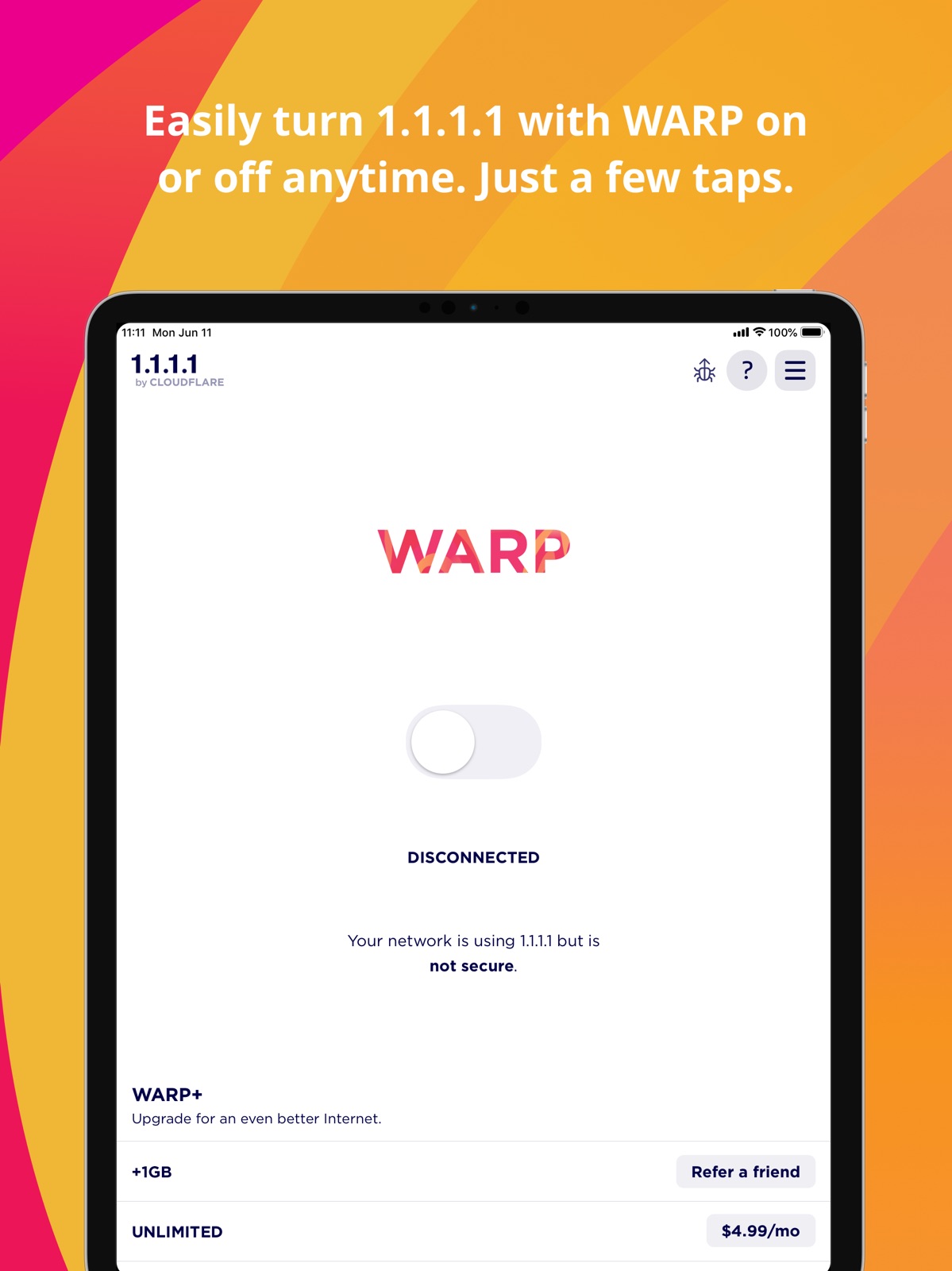

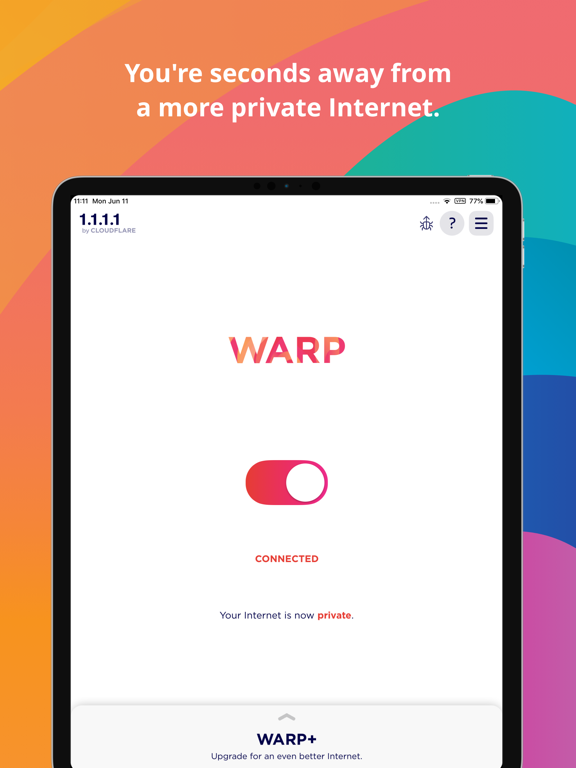
Pricing & paywalls
App Store
- WARP+ UNLIMITED — $4.99
Ratings & reviews
App Store
-
4/5App seems suspicious
UPDATED TY for the response & just 2 b clear from last time yup my iPhone is hacked ref last review I left. But I think ur software is working good & I do love it so I changed the rating just cuz tech this app has always been my go to trusted VPN connection even at work. it's very easy to use & works never had prob till this situation but it’s not ur app. I do still have a question & minor sugg to provide some screenshots with app settings or what we should expect to see for the settings esp cuz most ppl aren’t very VPN let alone IT savvy but in my situation it’s HUGE in order for me to make sure things are set correctly & not modified by folks that shouldn’t b on my phone/network. A lot of my settings r set by these folks & not by me I’m finding now… but just basic images of what we're supposed to see fr the settings & possibly the meanings behind each setting but brief would really help if u don’t have this anywhere already. Question was under the apps Devices opt it’s got my iPhone listed but there’s 2 #s after it so iPhone12,8 just like that. Would u happen to know what the #s are or mean possibly? And to everybody else that has a BADLY hacked phone that’s coming from ppl inside ur trusted Mobile network, if ur like me & r at about a 20 (with 10 being the worst poss hacked device) get yourself an iPhone & put it in lockdown mode. It’s the ONLY device literally that has survived the entire 4 straight yrs not without its complications but those are very easy to deal with comparatively speaking. Especially considering the other devices I've had are completely unusable at this point. It’s honestly pretty dang amazing & why i M even here rt now reviewing anything n/j Anyhoo Hope it helps someone cuz sadly in my experience no one/nothing else will. Take care!! Thanks again for all ur help & giving this free for us means a lot!!!!!
420_Bunny · 30 Aug 2026
-
3/5Warp + and false connectivity
When using certain protocols it would state under the diagnostic section 1.1.1.1 instead of warp+ as to where the other protocols state offline. Sometimes it will revert to off even though the selector switch shows that it is on. Not sure if this is an actual intrusion in the attempt to look into any discrepancies towards the platform, an isolated incident, or a deliberate act of network intrusion which I verified with other users that some have experience these types of issues until they change ip addresses and ensuring their devices are encrypted and protected. However they’re occasions where I have found individuals within my residence committing cyber intrusions and causing my network and devices to not work properly. From my personal experience, It’s unfortunate that we live in a society of heavy congestion of violators and intrusive people and it’s even worse that it’s an addiction for their criminal habits. Everything has a digital footprint; regardless if your personal devices are encrypted always expect it to be intruded. On the upside of this program it at least informs me with diagnostics and other viable information of this attack and what commands were being thrown whether through https, txt, cf, bot attack, or any other malicious intent, using and rerouting a backup to ensure its privacy from identity thieves, third party intruders, white hat hackers, etc. It’s a reliable operating system to have if you know what you’re looking for. On a side note: this issue is only directed towards my iPad iOS I have another iOS device that is not having this issue so hence why I suspect their is fraudulent activity being conducted.
A. Uzi · 30 Aug 2026
-
5/5Install this app. Now.
There are 3 types of companies that are secretly watching what you do on the web. (No, I’m not talking about social media companies, because you can choose what you share on social media.) - I’m talking about 3 types of companies who secretly track everything you do on every computer or mobile phone that you use. (1) Your DNS provider (usually the same company that provides your internet service); (2) your search engine (usually your home page), and (3) your web browser - all of these companies have one thing in common: they watch what you do on the web, and they build a profile of who you are, and then they sell that data without your knowledge, to thousands of advertisers. If you value your privacy, my strong recommendation is to use 1.1.1.1 for your DNS provider (even without WARP, it is solid); use DuckDuckGo as your search engine, and use FireFox as your web browser. I am a professional in the security and privacy world, and I’m telling you the truth. Protect yourself. Install these 3 free apps, and stop those other types of companies from spying on you and selling your data.
DougNdenver · 30 Aug 2026
-
2/5Useless now. Very slow (quite literally unusable) and somehow uses tons of mobile data with WiFi on
If Cloudflare doesn’t want to offer a free vpn, it shouldn’t. Everything is so slow that the phone is unusable on it, and on top of that, even though WiFi is on, it uses mobile data, and for some reason, 10x more than when it’s off. There was also a time when my battery died so much quicker when warp was enabled. Given that Cloudflare has so much bandwidth, the service being “free” and it appearing to not have the privacy of other VPNs (though, paid), you would think they could get the other stuff right. Considering I have apple iCloud private relay (though, I think it only works on Apple apps and in certain use cases— much like warp used to) you should provide a way to connect the subscription or something, especially since Cloudflare is one of 3 (to my knowledge) companies that do private relay, and probably contributed the most to its development. I know warp and relay are different, and I am very familiar with Cloudflare, so at a minimum, there should be very clear indicators on if I’m being capped and should pay, because right now it is very unclear, and I don’t feel like purchasing it over another vpn.
SuperBlaze27 · 30 Aug 2026
-
4/5Excellent
A recent version has begun silently disconnecting the phone from the internet until reconnecting in the app or by forcibly toggling the device’s networking (e.g. WiFi) momentarily. This bug manifests as an inexplicable lack of connectivity in other apps despite apparent connectivity in the OS settings and status bar. It occurs about once a day. -1 star temporarily for that issue, the only issue in what is still an incredible feat of engineering, infrastructure, and corporate culture. The app and the company are generally fantastic, and a free, privacy-first VPN is an unprecedented leap forward for the entire world, especially with no ads and a very reasonable freemium business model, not to mention the excellent performance of their POPs and the advantages of the Wireguard protocol over a traditional VPN connection. Huge thanks to the team, including the execs for Doing Things Right and letting the engineers build amazing platforms unburdened by stakeholder politics and other “megacorp” obstacles.
`bb` · 30 Aug 2026
Privacy & accessibility
App Store
Privacy
- Data Not Linked to You — Analytics — Diagnostics — Other Diagnostic Data Developer declared
- Data Not Linked to You — Analytics — Usage Data — Product Interaction Developer declared
- Data Not Linked to You — App Functionality — Diagnostics — Crash Data Developer declared
- Data Not Linked to You — App Functionality — Diagnostics — Other Diagnostic Data Developer declared
- Data Not Linked to You — App Functionality — Diagnostics — Performance Data Developer declared
- Data Not Linked to You — App Functionality — Usage Data — Product Interaction Developer declared
- Data Not Linked to You — Diagnostics Developer declared
- Data Not Linked to You — Usage Data Developer declared
Accessibility
No accessibility labels collected yet.
Versions
App Store
-
6.14
Our latest iOS client with improvements and bug fixes to keep your DNS fast and connection secure on the Internet. Notable improvements: * Fixed a security issue where users experience delay with Zero Trust policy enforcement.
-
6.15
Our latest iOS client with improvements and bug fixes to keep your DNS fast and connection secure on the Internet. Notable changes: * Fixed an issue with tunnel reconnection on iOS16 devices. * Fixed ability to remove VPN profile in Zero Trust mode. * Minor bug fixes and improvements.
-
6.16
Our latest iOS client with improvements and bug fixes to keep your DNS fast and connection secure on the Internet. Notable changes: * Fixed a connectivity issue on iOS16 when using ZT split-tunnel include mode on IPv6-only networks. * Connectivity and stability improvements.
-
6.17
Our latest iOS client with improvements and bug fixes to keep your DNS fast and connection secure on the Internet. Notable changes: * Connectivity and stability improvements.
-
6.18
Our latest iOS client with improvements and bug fixes to keep your DNS fast and connection secure on the Internet. Notable changes: * Added support for new Zero Trust network location aware WARP feature. * Added support for new MDM param unique_client_id which works similar to device serial numbers. * Connectivity and stability improvements.
-
6.19
Our latest iOS client with improvements and bug fixes to keep your DNS fast and connection secure on the Internet. Notable changes: * UI improvements.
-
6.20
Our latest iOS client with improvements and bug fixes to keep your DNS fast and connection secure on the Internet. Notable changes: * UI improvements.
-
6.21
Our latest iOS client with improvements and bug fixes to keep your DNS fast and connection secure on the Internet. Notable updates: - Fixed issue where Zero Trust requests for re-authentication session notifications did not work properly. - Fixed issue where the client would toggle between Connecting and Disconnecting when detecting multiple managed networks.
-
6.22
Our latest iOS client with improvements and bug fixes to keep your DNS fast and connection secure on the Internet. Notable changes: * Added initial support for integration and handoff to our forthcoming Cloudflare One Agent application, more information will be sent to Zero Trust customers on this soon. * Fixed an issue with local fallback domains. * Bug fixes, connectivity and stability improvements.
-
6.23
Our latest iOS client with improvements and bug fixes to keep your DNS fast and connection secure on the Internet. Notable changes: * Added iOS Rapid Security Response extra version field support to OS Version posture check. * Fixed an issue with local domain fallback feature to match DNS query name with longest suffix. * Fixed an issue with tunnel connection on certain Managed networks.
-
6.24
New 1.1.1.1 app changes: - The 1.1.1.1 + WARP app can now connect using MASQUE as an alternate to WireGuard. No user action is required. - Added support to display the active tunnel protocol and allow users to switch to the WireGuard protocol. (PR in review) - Deprecated referral reception; users are notified if they have not registered with the WARP client. - All API and DNS traffic is now FIPS-compliant. Zero Trust features used with Cloudflare One will be removed from the 1.1.1.1 + WARP app in the future. If you use Zero Trust features, please migrate to the Cloudflare One Agent soon. 1.1.1.1 + WARP docs: https://developers.cloudflare.com/warp-client/
-
6.25
New 1.1.1.1 app changes: - The 1.1.1.1 + WARP app can now connect using MASQUE as an alternate to WireGuard. No user action is required. - Active tunnel protocol is displayed; users can now switch between the WireGuard and MASQUE protocol. - Deprecated referral reception; users are notified if they have not registered with the WARP client. - All API and DNS traffic is now FIPS-compliant. Zero Trust features used with Cloudflare One will be removed from the 1.1.1.1 + WARP app in the future. If you use Zero Trust features, please migrate to the Cloudflare One Agent soon. 1.1.1.1 + WARP docs: https://developers.cloudflare.com/warp-client/
-
6.26
New 1.1.1.1 app changes: - The 1.1.1.1 + WARP app can now connect using MASQUE as an alternate to WireGuard. No user action is required. - Active tunnel protocol is displayed; users can now switch between the WireGuard and MASQUE protocol. - Deprecated referral reception; users are notified if they have not registered with the WARP client. - All API and DNS traffic is now FIPS-compliant. Zero Trust features used with Cloudflare One will be removed from the 1.1.1.1 + WARP app in the future. If you use Zero Trust features, please migrate to the Cloudflare One Agent soon. 1.1.1.1 + WARP docs: https://developers.cloudflare.com/warp-client/
-
6.27
New 1.1.1.1 app changes: - The 1.1.1.1 + WARP app can now connect using MASQUE as an alternate to WireGuard. No user action is required. - Active tunnel protocol is displayed; users can now switch between the WireGuard and MASQUE protocol. - Deprecated referral reception; users are notified if they have not registered with the WARP client. - All API and DNS traffic is now FIPS-compliant. Zero Trust features used with Cloudflare One will be removed from the 1.1.1.1 + WARP app in the future. If you use Zero Trust features, please migrate to the Cloudflare One Agent soon. 1.1.1.1 + WARP docs: https://developers.cloudflare.com/warp-client/
-
6.28
New 1.1.1.1 + WARP app changes Notable changes: - UI and sharing updates that reflect the WARP+ Referral Program conclusion. 1.1.1.1 + WARP docs: https://developers.cloudflare.com/warp-client/
-
6.29
New 1.1.1.1 app changes: - Fixed incorrect classification of IP packets. - Fixed an issue where DNS starts failing after switching to a NAT64 network - Fixed an issue where the first connection attempt always failed after rotating the WARP keys for a new tunnel protocol. - The 1.1.1.1 + WARP app can now connect using MASQUE as an alternate to WireGuard. No user action is required. - Active tunnel protocol is displayed; users can now switch between the WireGuard and MASQUE protocol. - Deprecated referral reception; users are notified if they have not registered with the WARP client. - All API and DNS traffic is now FIPS-compliant. Zero Trust features used with Cloudflare One will be removed from the 1.1.1.1 + WARP app in the future. If you use Zero Trust features, please migrate to the Cloudflare One Agent soon. 1.1.1.1 + WARP docs: https://developers.cloudflare.com/warp-client/
-
6.30
- Fixed a potential crash when connecting to WARP.- Fixed incorrect classification of IP packets. - Fixed an issue where DNS starts failing after switching to a NAT64 network. - Fixed an issue where the first connection attempt always failed after rotating the WARP keys for a new tunnel protocol.
-
6.30.1
- Bug fixes and performance improvements.
-
6.30.2
New 1.1.1.1 app changes: - Improved in-app error messages
-
6.30.3
- Bug fixes and performance improvements.
-
6.31.0
- DNS over HTTPS traffic is now included in the WARP tunnel by default. - QLogs are now disabled by default and can be enabled in the 1.1.1.1 app by toggling on ‘Enable qlogs’ under Settings > Advanced > Diagnostics > Debug Logs. The QLog setting from previous releases will no longer be respected.
-
6.31.1
- Bug fixes and performance improvements.
-
6.31.3
New 1.1.1.1 app changes: Bug fixes and performance improvements.
-
6.31.4
New 1.1.1.1 app changes: - Logging into Cloudflare One Zero Trust accounts from 1.1.1.1 will be disabled May 2026. Users logged into Cloudflare One through 1.1.1.1 will lose access. To log into Cloudflare One, download the Cloudflare One Agent app from the App Store – https://apps.apple.com/us/app/cloudflare-one-agent/id6443476492 - Added a TCP fallback for the MASQUE tunnel protocol to improve connectivity on networks that block UDP or HTTP/3.
-
6.31.5
· 7 Jul 2026
New 1.1.1.1 app changes: - Logging into a Zero Trust team on the 1.1.1.1 app is no longer supported. For connecting to Cloudflare One Zero Trust teams, please use the Cloudflare One Agent app. - Adjusted TCP fallback time for MASQUE tunnels to further improve connectivity on unreliable networks. - Reduced events logged to reduce diagnostic log size and legibility.
-
6.31.6
· 12 Aug 2026
- Added wildcard domain support to split tunnel exclude configurations. The client now dynamically resolves and routes wildcard entries at DNS query time. - Fixed a crash that occurred when triggering "Reset All Settings" while the app was disabled for a specific Wi-Fi connection.
Alternatives
- Super VPN - Secure VPN Master — Same category + similar ratings
- Psiphon VPN: Freedom Online — Same category + similar ratings
- VPN -fast unlimited secure vpn — Same category + similar ratings
- VPN for iPhone · — Same category + similar ratings
- DNS & IP Changer - Secure VPN — Same category + similar ratings
- Touch VPN Secure Hotspot Proxy — Same category + similar ratings
Availability by market
- US
Data quality & evidence
- Page completeness
- Live store listing
- Last verified
- 30 Aug 2026
- Sources
- App Store
- Independent summary has not been published yet.