
Quick verdict
- What it is
- Store information collected; independent summary not yet available.
- At a glance
-
- Free to download
- In-app purchases
Categories and search queries
Official categories
- Developer Tools
- Utilities
AppCorpus categories
Key functions
| Function | Availability | Access | Scope | Evidence |
|---|---|---|---|---|
| Free app | Yes | Free | — | Store published |
| In-app purchases | Yes | Limited free | — | Store published |
Screens
App Store
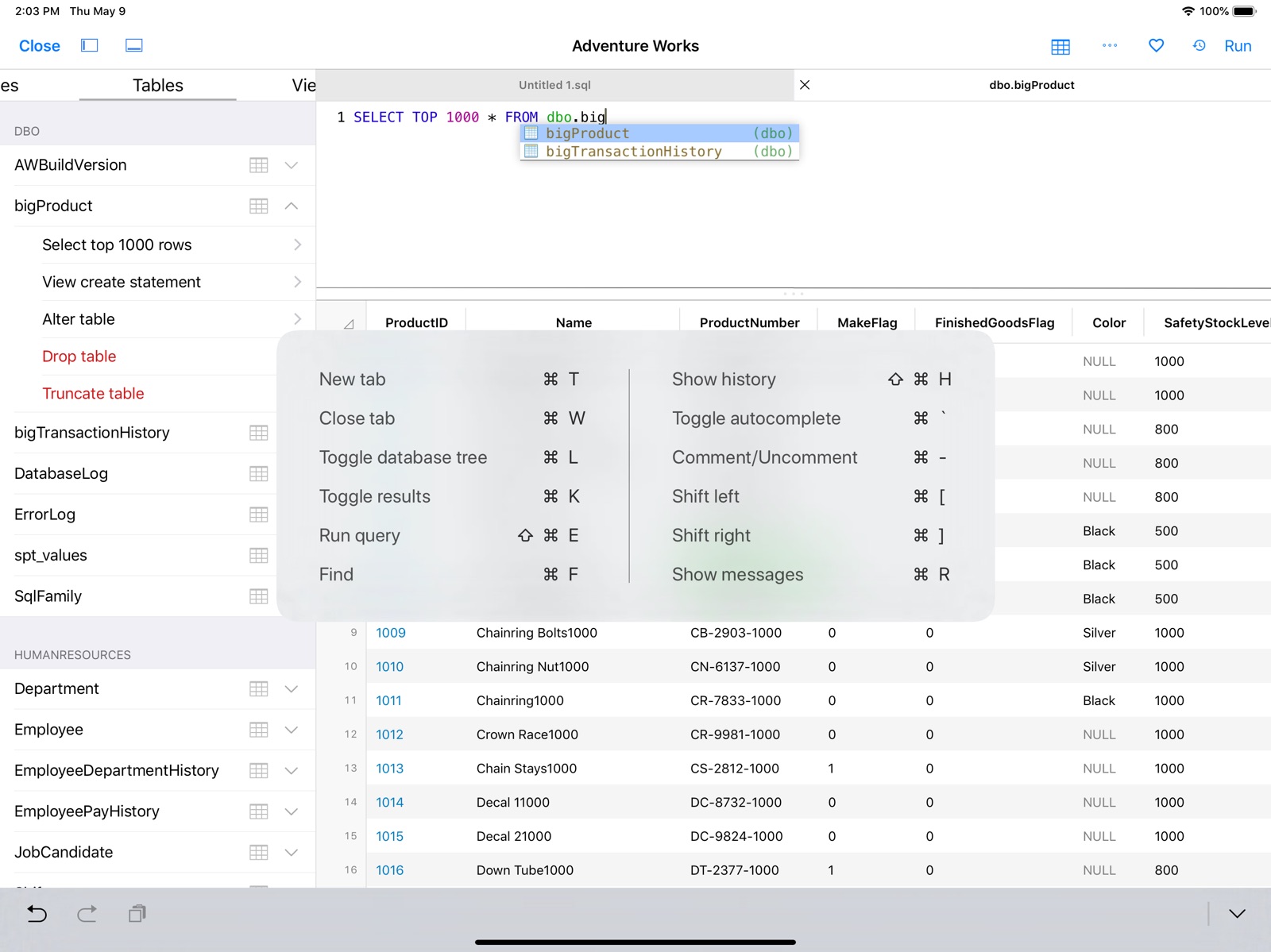
8 store screenshots


Pricing & paywalls
App Store
Shown for US
- Free to download
- In-app purchases
Ratings & reviews
App Store
Shown for US
-
5/5A great way to work with MySQL
A few months ago, I needed to find an iPad database tool for a project I was working on. After a bit of research, I decided to try SQLPro Studio, and it turned out to be a great decision. Nice user-friendly interface, good feature set, and it easily helped me to do what I needed to do for my class project. It's definitely worth the money for the subscription, and they even have a student discount through their website. I highly recommend it.
Shelly Bear1272 · 31 Jul 2026
-
5/5Phenomenal - Get it right now on iOS and macOS
Been using the macOS app for awhile, and it’s amazing. Been writing SQL heavily for 5 years and SQLPro Studio is my app of choice (have easily tried 30). Just recently got the iOS app and love it too. It’s very rare that I write a review, but these apps and this developer more than deserve it. He’s extremely responsive to issues and feature requests, and is constantly, proactively cranking out meaningful improvements. Cannot wait to see how it continues to progress.
Jarebear256 · 31 Jul 2026
-
5/5An essential app for a developer!
This app is my go to all day at work, and it’s great to have it on my phone automatically synced with the same connections so I can quickly jump onto an emergency. If you work with databases, don’t go without this one!
justmyhonestopinions · 31 Jul 2026
-
5/5Decent DB access on the go!
I’ve been looking for a good iOS solution to access MySQL databases on the move, and I think this is it. Other apps have been disappointing, this was easy to setup and intuitive to use. Nice work!
sleazeglam · 31 Jul 2026
-
5/5excellent database app
This is an app I have used for over 3 years and still consider one of the most stable and efficient mobile database connectivity app. The support from the developer is phenomenal and that makes a big difference.
lazymale · 31 Jul 2026
Privacy & accessibility
App Store
Privacy
- Data Not Linked to You — Analytics — Diagnostics — Crash Data Developer declared
- Data Not Linked to You — Analytics — Usage Data — Product Interaction Developer declared
- Data Not Linked to You — App Functionality — Diagnostics — Crash Data Developer declared
- Data Not Linked to You — App Functionality — Usage Data — Product Interaction Developer declared
- Data Not Linked to You — Diagnostics Developer declared
- Data Not Linked to You — Usage Data Developer declared
Accessibility
No accessibility labels collected yet.
Versions
App Store
-
2014.15
+ Fixed a few crash issues some users were seeing.
-
2024.51
+ Fixed a crash some users were seeing on connections.
-
2024.53
+ Fixed a crash some users were seeing during settings.
-
2024.57
+ Improvements to shortcuts.
-
2025.15
+ Fixed a crash that could occur when long pressing a connection. + Fixed an issue where colors would mess up on table options. + Fixed an issue that could cause a crash when expanding table options.
-
2025.16
+ Fixed a crash that could occur when adding or editing a trigger. + Fixes some color issues.
-
2025.53
+ Autocomplete can now be disabled.
-
2025.55
+ Fixed an issue that could cause a crash when editing SQLite DDL.
-
2025.56
General: + Improvements with line number displays for queries. SQLite: + Fixed a crash some users could have when modifying sqlite databases. + Improvements to modifying sqlite table ddl. + Fixed an issue where scripting views would not always work.
-
2025.57
+ Fixed an issue with line numbers.
-
2025.58
+ Fixed an issue where logs would sometimes not be visible. + Fixed an issue with the Setapp framework.
-
2026.10
+ Improved support for iOS 26.
-
2026.104
- Faster, more responsive query editor when typing. Autocomplete is now much quicker on large schemas and no longer stutters while you type at speed. - Performance improvements while typing in the query editor. - Fixed a crash when editing rows in a table with GIS geometry columns. - MySQL: New per-connection option: "Use FOUND_ROWS". Available in the edit-connection screen under Advanced -> Row counts.
-
2026.153
- Opening a SQLite file no longer freezes the UI while the schema is read, especially on large or iCloud-backed databases. - Autocomplete: debounce on keystroke updates, plus O(1) allowed-tables lookup per entry. Large schemas no longer slow typing in the query editor. - Connection-pool teardown no longer blocks the UI while a remote database closes its socket. Disconnect and tab-close return immediately even when the database is unreachable. - Result-set sort treats signed numeric strings as NSDecimalNumber so "-100" sorts below "-50" instead of the other way around. - Fixed a crash when copying a geometry cell value. - Moved some logic that should have been on a background thread, from a foreground thread to a background thread.
-
2026.160
+ Fixed an issue that could cause the app to lockup when opening some sqlite files.
-
2026.170
- Fixed an issue where Setapp activation was not always working. - Snowflake: Login improvements, including additional login methods. - MySQL: connecting to servers that do not use SSL now works again in the Disabled and Prefer SSL modes (fixes a case where the connection failed even though the server was reachable). - Postgres: fixed a crash that could happen when connecting to certain hosts. - Tables, schemas and objects that contain a dot in their name (for example a schema named "first.second") now resolve correctly in the database tree and in queries. - Fixed several freezes/hangs at launch and while editing large queries. - General crash and stability fixes.
-
2026.180
· 7 Jul 2026
Updates and improvements.
-
2026.29
+ Added Oracle support.
-
2026.53
+ Fixed an issue that could cause a crash when removing Oracle connections. + Fixed an issue that could cause a crash when exporting data. + Fixed an issue where adding a SQLite database could cause no action to occur.
-
2026.73
+ MongoDB improvements. + Geometry viewer. [#688](https://github.com/hankinsoft/SQLPro/issues/688)
-
2026.83
- MongoDB support improved, including a visual Find Builder tab (collection, filter, sort, skip, limit) so you can explore collections without hand-writing JSON. - Geometry / spatial viewer: preview POINT, LINESTRING, POLYGON, and other shape data right inside the result grid, with "Open in Maps" for point data. - Custom connection icons: choose any image from your photo library, adjust it with a built-in crop editor, and sync icons across your devices via iCloud. - Tab colour picker on every connection so each database has its own colour in your tab bar. - Improvements to Auto-reconnect when the server drops the connection (idle timeouts, brief network blips, server restarts). - Various crash fixes and stability improvements.
-
2026.90
- Fixed a rare launch hang on memory-constrained devices when first loading the autocomplete favorites cache.
-
2026.92
- Sort order for negative numbers ([#1131](https://github.com/hankinsoft/SQLPro/issues/1131)). Sorting a column of numeric values now orders negative numbers correctly. Previously a column containing both positive and negative values could end up out of order when the database returned numeric values as strings (most commonly with Oracle). - iPad schema sidebar crash. Fixed a table-view crash when removing the last table from a database in the schema sidebar. - Large-cell tooltips. Faster scrolling and pointer-driven tooltips on result grids that contain very large string values (multi-megabyte JSON / log columns no longer cause UI hitches). - Open from Files / Share sheet. Opening a `.sql` file from the Files app or a Share-sheet provider no longer freezes the app on slow sources (iCloud Drive, Google Drive, OneDrive). The file is now read on a background thread with a *Loading…* placeholder in the destination tab. - Oracle autocomplete crash. Fixed a crash that could occur when refreshing autocomplete on a connection that lists many schemas. - Postgres autocomplete. Faster typing in long queries when the connection has a large keyword set. The autocomplete refresh that runs on every keystroke is now O(1) per keyword check instead of scanning the full reserved-word list.
-
2026.99
+ General performance and stability improvements.
-
2096.97
+ Fixed a crash when loading larger files.
Alternatives
- SQL Server Mobile Client — Same category + similar ratings
- TablePlus - Database Client — Same category + similar ratings
Availability by market
- US
Data quality & evidence
- Page completeness
- Live store listing
- Last verified
- 31 Jul 2026
- Sources
- App Store
- Independent summary has not been published yet.