
Quick verdict
- What it is
- Store information collected; independent summary not yet available.
- At a glance
-
- Free to download
- In-app purchases
Categories and search queries
Official categories
- Developer Tools
- Utilities
AppCorpus categories
Key functions
| Function | Availability | Access | Scope | Evidence |
|---|---|---|---|---|
| Free app | Yes | Free | — | Store published |
| In-app purchases | Yes | Limited free | — | Store published |
Screens
App Store
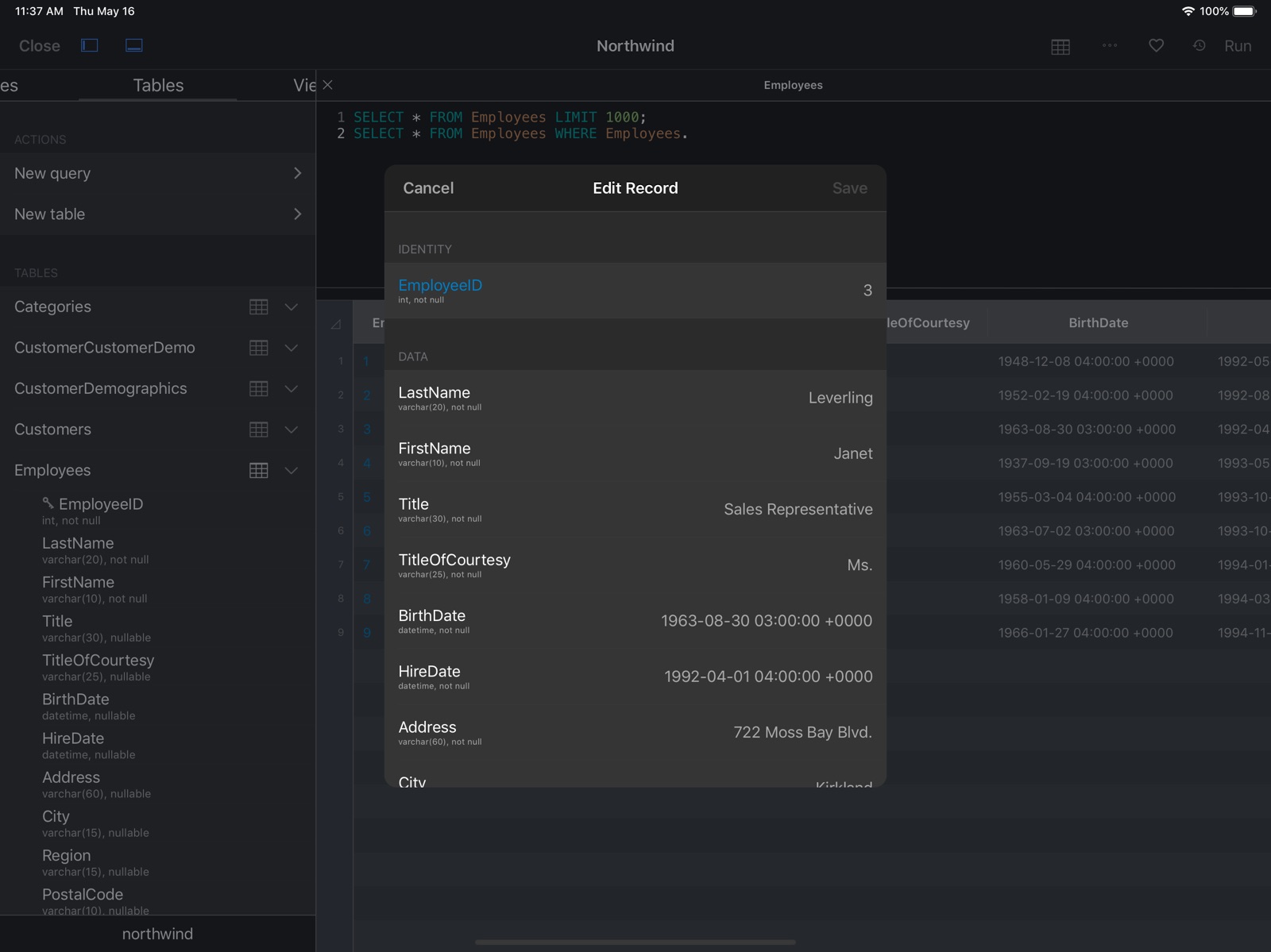
13 store screenshots


Pricing & paywalls
App Store
Shown for US
- Free to download
- In-app purchases
Ratings & reviews
App Store
Shown for US
-
5/5Exactly what I was looking for
This app is amazing for anyone looking for an iPad DB client. The styling and UI is similar to a Panic app (Coda, Transmit, etc), and the app itself is similar to Sequel Pro for desktop Mac. I was able to quickly connect to a DB and start running queries in minutes. The UI on this app is phenomenal, truly a remarkable job. I've been looking for an app like this for awhile, and am SO happy this now exists! Very good app and can recommend!
rc10solidius · 31 Jul 2026
-
4/5Amazing
There is finally a good SQL client for iOS! I have been using this app on macOS for a while now and have been very happy with it and with the developer’s response to bug reports. Can’t recommend this enough!
Adam84a · 31 Jul 2026
-
5/5Fluid, Intuitive, and has Never Crashed on Me
App has never crashed on me. I find it much more fluid and intuitive than MySQL Mobile Database Client, Navicat for MySQL, Query - A MySQL client, or MySQL QueryDB Client. Very similar to the MacOS version. I do wish it were a one-time-purchase for the upgraded version instead of a yearly subscription, but everyone is going that way these days, and its only $10/year. As a field engineer, the app is a lifesaver when I’m doing work in the field. Not having to create a WiFi hotspot with the iPad and carry around the extra hardware of a laptop is great. Everything seems to work really smoothly even with about 1 bar of service on Verizon’s network.
AldenLowney · 31 Jul 2026
-
4/5Good overall
Doesn’t allow you to make a field empty, except to make it NULL. And when you find the field you want to edit, you have to click Edit and then scroll through all the fields again to edit it. Otherwise it’s good.
MichaelGabe · 31 Jul 2026
-
5/5Really Useful!
I’m so happy I found this app. I use Panic’s Coda and Prompt for doing quick website updates while on the go, and I’ve always been frustrated that updating anything in my databases required typing out the queries by hand. This makes it so much easier, and even more surprising it’s actually well designed and pleasant to use. Worth trying out since it’s free, and I’ll bet you’ll spring for the annual subscription as well. The developer also seems very active and responsive to requests. I had a feature request that I really needed for the app to be useful to me, so I reached out to him on Twitter. And he updated the app with the feature just a few days later. Great customer support! Thanks for a great app!
mitya_103 · 31 Jul 2026
Privacy & accessibility
App Store
Privacy
- Data Not Linked to You — Analytics — Diagnostics — Crash Data Developer declared
- Data Not Linked to You — Analytics — Usage Data — Product Interaction Developer declared
- Data Not Linked to You — App Functionality — Diagnostics — Crash Data Developer declared
- Data Not Linked to You — App Functionality — Usage Data — Product Interaction Developer declared
- Data Not Linked to You — Diagnostics Developer declared
- Data Not Linked to You — Usage Data Developer declared
Accessibility
No accessibility labels collected yet.
Versions
App Store
-
2025.16
+ Fixed a crash that could occur when adding or editing a trigger.
-
2025.17
+ Performance and stability improvements.
-
2025.50
+ Improvements targeted towards newer iOS versions.
-
2025.51
+ Fixed a crash that could occur when creating a new table.
-
2025.57
+ Improvements for modifying tables.
-
2025.60
+ iOS 26 enhancements.
-
2025.72
+ Improved support for iOS 26. + Fixed: Table names overlapping. [#1082](https://github.com/hankinsoft/SQLPro/issues/1082#event-20511859295)
-
2025.80
+ iOS 26 improvements.
-
2025.81
+ Fixed an issue where the 'Run Query' button could disappear.
-
2026.10
+ Improved support for iOS 26.
-
2026.104
- Faster, more responsive query editor when typing. Autocomplete is now much quicker on large schemas and no longer stutters while you type at speed. - Performance improvements while typing in the query editor. - Fixed a crash when editing rows in a table with GIS geometry columns. - MySQL: New per-connection option: "Use FOUND_ROWS". Available in the edit-connection screen under Advanced -> Row counts.
-
2026.108
- MySQL: optional "Use FOUND_ROWS" toggle in the connection editor (changes how UPDATE row counts are reported by the server). - Autocomplete: debounce on keystroke updates, plus O(1) allowed-tables lookup per entry. Large schemas no longer slow typing in the query editor. - Connection-pool teardown no longer blocks the UI while a remote database closes its socket. Disconnect and tab-close return immediately even when the database is unreachable. - Result-set sort treats signed numeric strings as NSDecimalNumber so "-100" sorts below "-50" instead of the other way around. - Fixed a crash when copying a geometry cell value.
-
2026.153
- Autocomplete: debounce on keystroke updates, plus O(1) allowed-tables lookup per entry. Large schemas no longer slow typing in the query editor. - Connection-pool teardown no longer blocks the UI while a remote database closes its socket. Disconnect and tab-close return immediately even when the database is unreachable. - Result-set sort treats signed numeric strings as NSDecimalNumber so "-100" sorts below "-50" instead of the other way around. - Fixed a crash when copying a geometry cell value. - Moved some logic that should have been on a background thread, from a foreground thread to a background thread.
-
2026.169
+ Fixed an issue where some users were unable to connect to older MySQL databases and would receive an SSL error.
-
2026.170
+ Improved reliability and performance under the hood. + Various bug fixes and refinements.
-
2026.180
· 7 Jul 2026
Updates and improvements.
-
2026.25
+ Improvements to iOS 26 support.
-
2026.40
Features: - Execute query in cursor range -- run just the current query instead of all. Split Run button with dropdown menu. Background highlight for current query. Setting in Display & Query Editor. Bug Fixes - Fixed numeric values displaying as "Object(2)" instead of "2" in query results - Fixed query execution issues when running repeated identical queries - Fixed dark mode appearance in the connecting popup and edit connection views - Stability improvements and crash fixes - Foreign key taps fixed -- tapping FK icons in results now works on iPhone (opens popover) and iPad (opens new query tab).
-
2026.50
+ Fixed an issue where some users were unable to add connections (they would disappear when re-launching the app).
-
2026.69
- Fixed intermittent crashes during query execution - Fixed app hang on startup when iCloud is slow - Fixed crash when renaming tables - SSH fingerprint management moved to Support settings
-
2026.80
+ Users can now set custom icons for connections. + Users can now set custom colors for connections.
-
2026.83
- Geometry / spatial viewer: preview POINT, LINESTRING, POLYGON, and other shape data right inside the result grid, with "Open in Maps" for point data. - Custom connection icons: choose any image from your photo library, adjust it with a built-in crop editor, and sync icons across your devices via iCloud. - Tab colour picker on every connection so each database has its own colour in your tab bar. - Improvements to Auto-reconnect when the server drops the connection (idle timeouts, brief network blips, server restarts). - Various crash fixes and stability improvements.
-
2026.90
- Fixed a rare launch hang on memory-constrained devices when first loading the autocomplete favorites cache.
-
2026.92
- Sort order for negative numbers ([#1131](https://github.com/hankinsoft/SQLPro/issues/1131)). Sorting a column of numeric values now orders negative numbers correctly. Previously a column containing both positive and negative values could end up out of order when the database returned numeric values as strings (most commonly with Oracle). - iPad schema sidebar crash. Fixed a table-view crash when removing the last table from a database in the schema sidebar. - Large-cell tooltips. Faster scrolling and pointer-driven tooltips on result grids that contain very large string values (multi-megabyte JSON / log columns no longer cause UI hitches). - Open from Files / Share sheet. Opening a `.sql` file from the Files app or a Share-sheet provider no longer freezes the app on slow sources (iCloud Drive, Google Drive, OneDrive). The file is now read on a background thread with a *Loading…* placeholder in the destination tab.
-
2026.99
+ General performance and stability improvements.
Alternatives
- PostgreSQL Client — Same category + similar ratings
- SQLite Mobile Client — Same category + similar ratings
Availability by market
- US
Data quality & evidence
- Page completeness
- Live store listing
- Last verified
- 31 Jul 2026
- Sources
- App Store
- Independent summary has not been published yet.