
Quick verdict
- What it is
- Store information collected; independent summary not yet available.
- At a glance
-
- Free to download
- In-app purchases
Categories and search queries
Official categories
- Weather
- Utilities
AppCorpus categories
Key functions
| Function | Availability | Access | Scope | Evidence |
|---|---|---|---|---|
| Family Sharing | Yes | Unknown | App Store | Store published |
| Free app | Yes | Free | — | Store published |
| In-app purchases | Yes | Limited free | — | Store published |
Screens
App Store
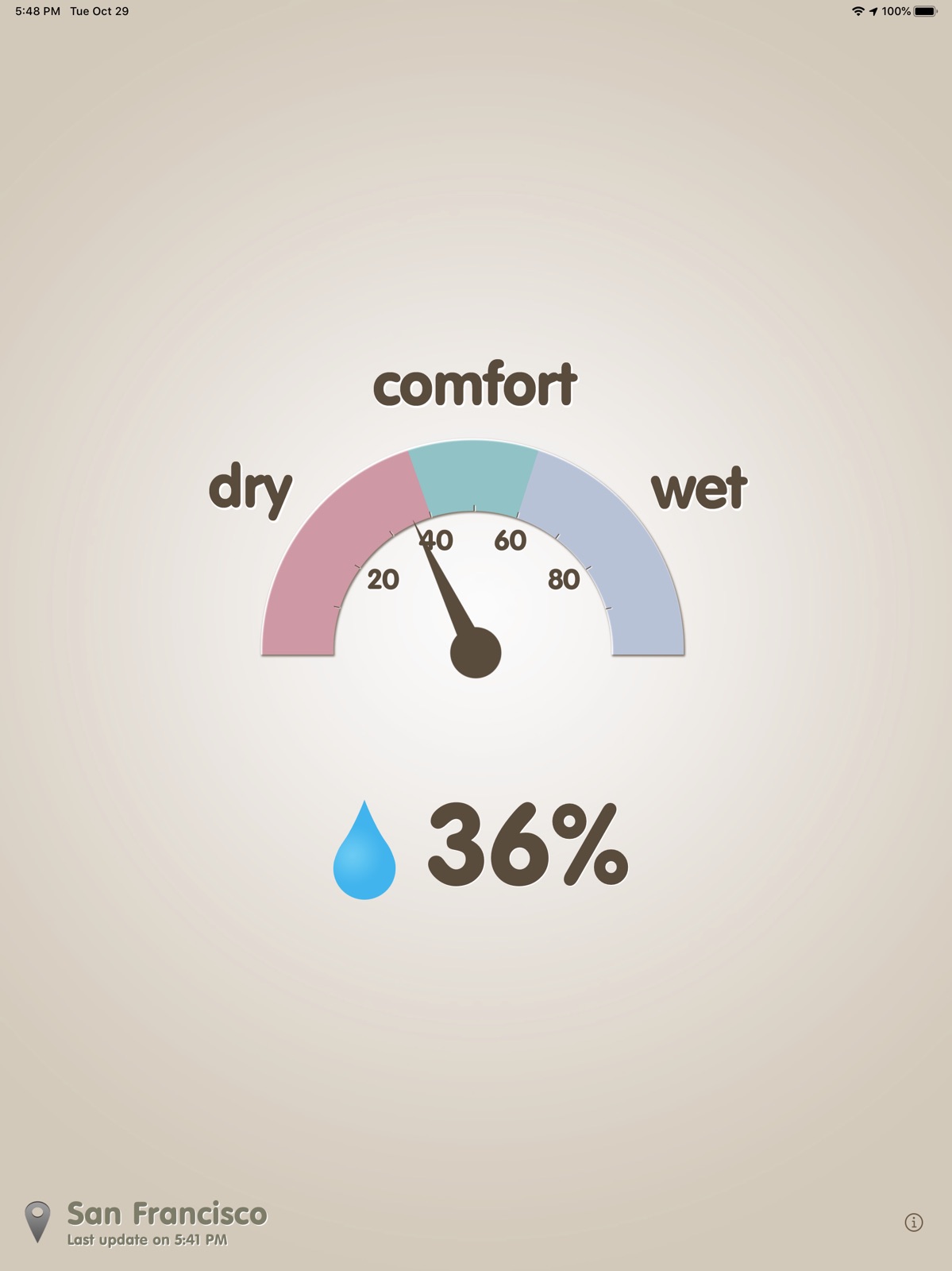
10 store screenshots

Pricing & paywalls
App Store
Shown for US
- Free to download
- In-app purchases
Ratings & reviews
App Store
Shown for US
-
5/5Not just Temp
I’m the type that always finds the temperature to be less of a factor to my general comfort than the humidity. This holds true for warm and cooler weather. This App provides me with a super quick, easy to see and understand barometer to my happiness. Use it all the time... especially when I feel it so beautiful outside.. to know the underlying reason! Thanks!
ido jester · 31 Jul 2026
-
3/5Hygrometer misleading
This app should be measuring dew point instead of humidity. Humidity at say, 90% would mean that its raining. It’s the water in the air. Raining doesnt have anything to do with mugginess, what people often mistake for feeling “humid”. Your hygrometer says “comfort” at the 50% mark. That would mean if it’s 50% raining outside, we are not comfortable? What is 50% rain? If it’s like today, 51degrees out (pretty chilly!), and it’s raining, it’s certainly not muggy. Yet your hygrometer says it’s “wet”. Waaay past comfortable. It makes no sense and it gives the impression that it is unbearably muggy, when in fact it’s only raining. If people want to know how muggy it is, they need to check the dew point, not the humidity. And this needs to be made known more and the meteorologists aren’t helping matters by constantly telling us about the “humidity”. “Estimating mugginess using relative humidity can be misleading since a high relative humidity doesn't necessarily mean high mugginess. For example, on a 40°F day if the dew point is 36°F the relative humidity would be 90%. This is a high RH (relative humidity) but it wouldn't feel muggy because the air temperature is cool.” Dew point (°F) Degree of Mugginess < 50 Not muggy 50-59 Slightly muggy 60-69 Moderately muggy 70-79 Very muggy 79+ Unbearably muggy - National Weather Service
Kar926 · 31 Jul 2026
-
4/5Add a complication? Please!
A simple, inexpensive Apple Watch complication that shows the relative humidity would make this exactly what I’m looking for. I would happily pay several dollars as a one time price for this, or a very low subscription price. I’m unable to find it elsewhere. Other apps are loaded with redundant features at subscription prices ($8 a year) that far exceeded the value of the simple humidity info I want and Apple provides via Siri and in the weather app.
Brutusfly · 31 Jul 2026
-
5/5Simple to use
Very easy to use, click and in seconds the humidity is presented in easy to read numbers. Ads are small and don't intrude. No problems in the several months I've used the app. Would be nicer if reading was displayed on the icon, but for free you really can't ask for more. Use it every day.
Goon master flex · 31 Jul 2026
-
5/5Simple and excellent !!
I have injuries that flare up bad with humidity, I also hate muggy weather :) ... this app is a simple and super fast way to monitor humidity, ux is a nice big speedometer style , like a dashboard widget; internet fool proof. It's free and the ads are not intrusive. Thanks 2 the devs great job... I hate rain and humidity :) , high recommend on this go to app!!! 5 *****
NY SWANK · 31 Jul 2026
Privacy & accessibility
App Store
Privacy
- Data Linked to You — Analytics — Diagnostics — Performance Data Developer declared
- Data Linked to You — Analytics — Identifiers — Device ID Developer declared
- Data Linked to You — Analytics — Location — Coarse Location Developer declared
- Data Linked to You — Analytics — Usage Data — Advertising Data Developer declared
- Data Linked to You — Analytics — Usage Data — Product Interaction Developer declared
- Data Linked to You — App Functionality — Location — Coarse Location Developer declared
- Data Linked to You — Third-Party Advertising — Diagnostics — Performance Data Developer declared
- Data Linked to You — Third-Party Advertising — Identifiers — Device ID Developer declared
- Data Linked to You — Third-Party Advertising — Location — Coarse Location Developer declared
- Data Linked to You — Third-Party Advertising — Usage Data — Advertising Data Developer declared
- Data Linked to You — Third-Party Advertising — Usage Data — Product Interaction Developer declared
- Data Linked to You — Diagnostics Developer declared
- Data Linked to You — Identifiers Developer declared
- Data Linked to You — Location Developer declared
- Data Linked to You — Usage Data Developer declared
- Data Not Linked to You — Analytics — Diagnostics — Crash Data Developer declared
- Data Not Linked to You — Third-Party Advertising — Diagnostics — Crash Data Developer declared
- Data Not Linked to You — Diagnostics Developer declared
- Data Used to Track You — Diagnostics — Crash Data Developer declared
- Data Used to Track You — Diagnostics — Performance Data Developer declared
- Data Used to Track You — Diagnostics Developer declared
- Data Used to Track You — Identifiers — Device ID Developer declared
- Data Used to Track You — Identifiers Developer declared
- Data Used to Track You — Location — Coarse Location Developer declared
- Data Used to Track You — Location Developer declared
- Data Used to Track You — Usage Data — Advertising Data Developer declared
- Data Used to Track You — Usage Data — Product Interaction Developer declared
- Data Used to Track You — Usage Data Developer declared
Accessibility
No accessibility labels collected yet.
Versions
App Store
-
1.1.5
- display last updated observation time - fixed some bugs
-
1.1.6
- Added auto refresh - Added URL Scheme - Improved error handling
-
1.2
- Fixed some bugs - Small improvements
-
1.3
- Optimized for iOS 8 - Optimized for the iPhone 6/6+ - Improved animation smoother - Improved performance for weather parsing - fixed some bugs
-
1.4
- Apple Watch support
-
2.0
- Support iPad Pro - Support watchOS 2
-
2.0.1
New in 2.0.1 - Small improvements and fixes. New in 2.0 - Support iPad Pro - Support watchOS 2
-
2.1
- Support Landscape mode - Improved stability and bug fixes.
-
2.2
- Added the option that select location - Localization added (Simplified Chinese, German, French, Italian) - watchOS Parsing Optimization
-
2.3
- Support for iOS 12 and iPhone XS Max/XR, iPad Pro 11-inch/12.9-inch - Support for watchOS 5 and Apple Watch Series 4 - Fixed some bugs
-
2.4
- iOS 13 update and some minor bug fixes
-
2.5
- Improved stability and bug fixes
-
2.5.1
- Improved stability and bug fixes
-
2.6
- Improve app stability and fix bugs - Added 'Remove Ads' in-app purchase - Added ‘Donate a cup of coffee’ button
-
2.6.1
- Improved stability and bug fixes
-
3.0
- Added Retro mode - Added share button - App optimization and bug fixes
-
3.0.1
- iOS 18 support - Improved app stability and fixed bugs - Retro mode reward time changed to 1 day
-
3.0.2
- Improved app stability and fixed bugs
-
3.0.3
- Improved app stability and fixed bugs
-
3.0.4
- Improved app stability and performance.
-
3.0.5
- Improved app stability and performance.
-
3.0.6
- Improved app stability and performance.
-
3.1
- Improved compatibility with iOS 26
-
3.1.1
- Bug fixes and performance improvements
-
3.1.2
· 7 Jan 2026
- Bug fixes and performance improvements.
Alternatives
- Aurora Now - Northern Lights — Same category + similar ratings
- Mountain-Forecast.com — Same category + similar ratings
Availability by market
- US
Data quality & evidence
- Page completeness
- Live store listing
- Last verified
- 31 Jul 2026
- Sources
- App Store
- Independent summary has not been published yet.